Does Nebula support LLDP-MED to assign VLAN?
Options

Zyxel_Chris
Posts: 739




 Zyxel Employee
Zyxel Employee
Yes, Nebula has support LLDP-MED to assign VLAN,
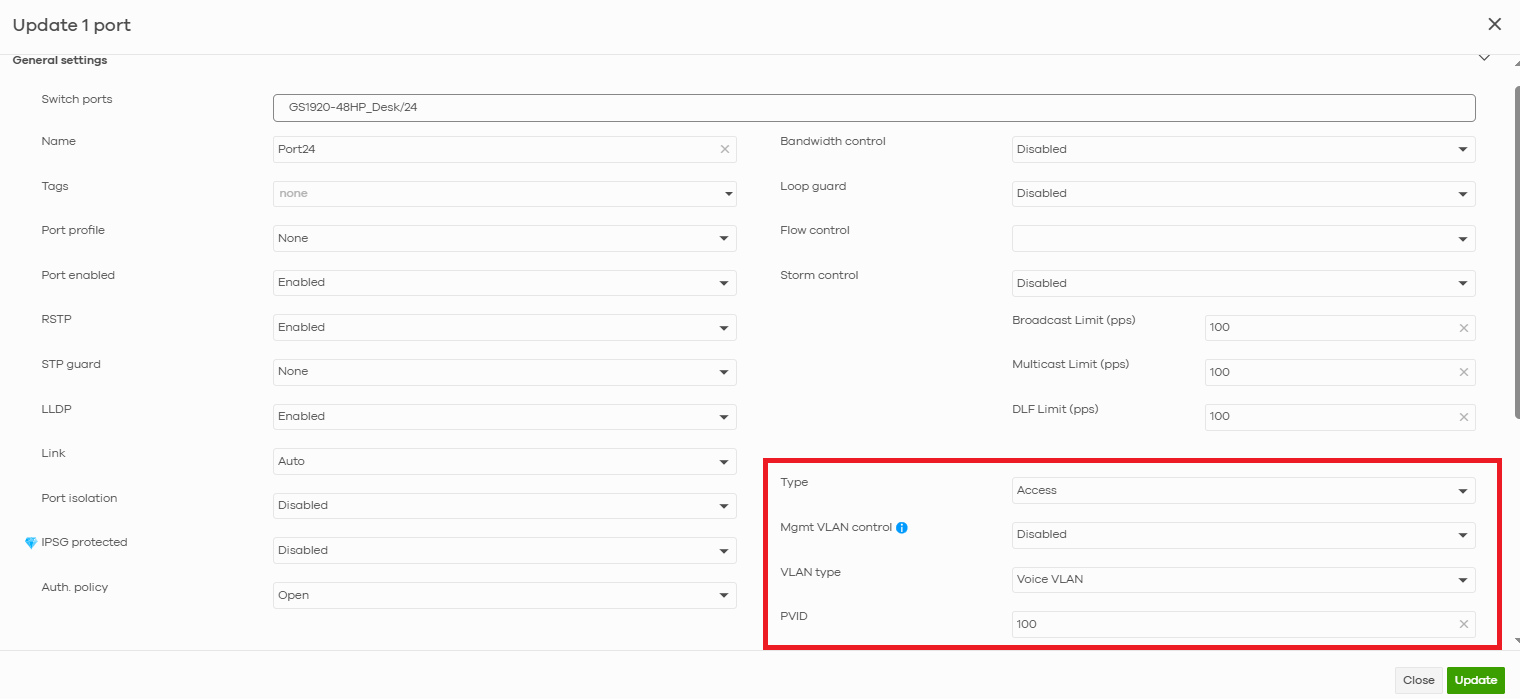
1. Go to Configure > Switches > Switch ports page, select and edit the ports which are connected to IP phone, and set the port type as “access”. Assign a PVID for the ports. PVID is used to tag the data packets with the VLAN ID. Next we’ll let “Voice VLAN” feature to identify the voice packets for switch.
2. Go to Configure > Switches > Voice VLAN page to configure Voice VLAN settings. Specify the VLAN ID of the IP phones and select the Assign VLAN by LLDP-MED.
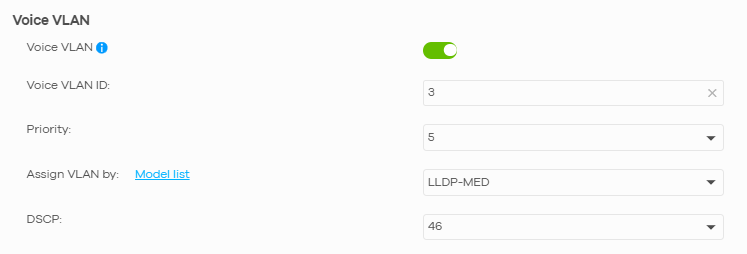
After saving Voice VLAN settings, all the switches in the same Nebula site will then be able to recognize and prioritize voice traffic.
We can see that the IP Phone is assigned to VLAN 3 on port 24, while PC MAC is in VLAN 100.

0
Categories
- All Categories
- 442 Beta Program
- 3.1K Nebula
- 243 Nebula Ideas
- 6.8K Security
- 781 USG FLEX H Series
- 387 Security Ideas
- 1.8K Switch
- 87 Switch Ideas
- 1.5K Wireless
- 58 Wireless Ideas
- 7.2K Consumer Product
- 324 Service & License
- 527 News and Release
- 101 Security Advisories
- 31 Education Center
- 10 [Campaign] Zyxel Network Detective
- 5.3K FAQ
- 34 Documents
- 91 About Community
- 121 Security Highlight