Zyxel GS1200-5HP v2 does not forward traffic within the same VLAN




 Freshman Member
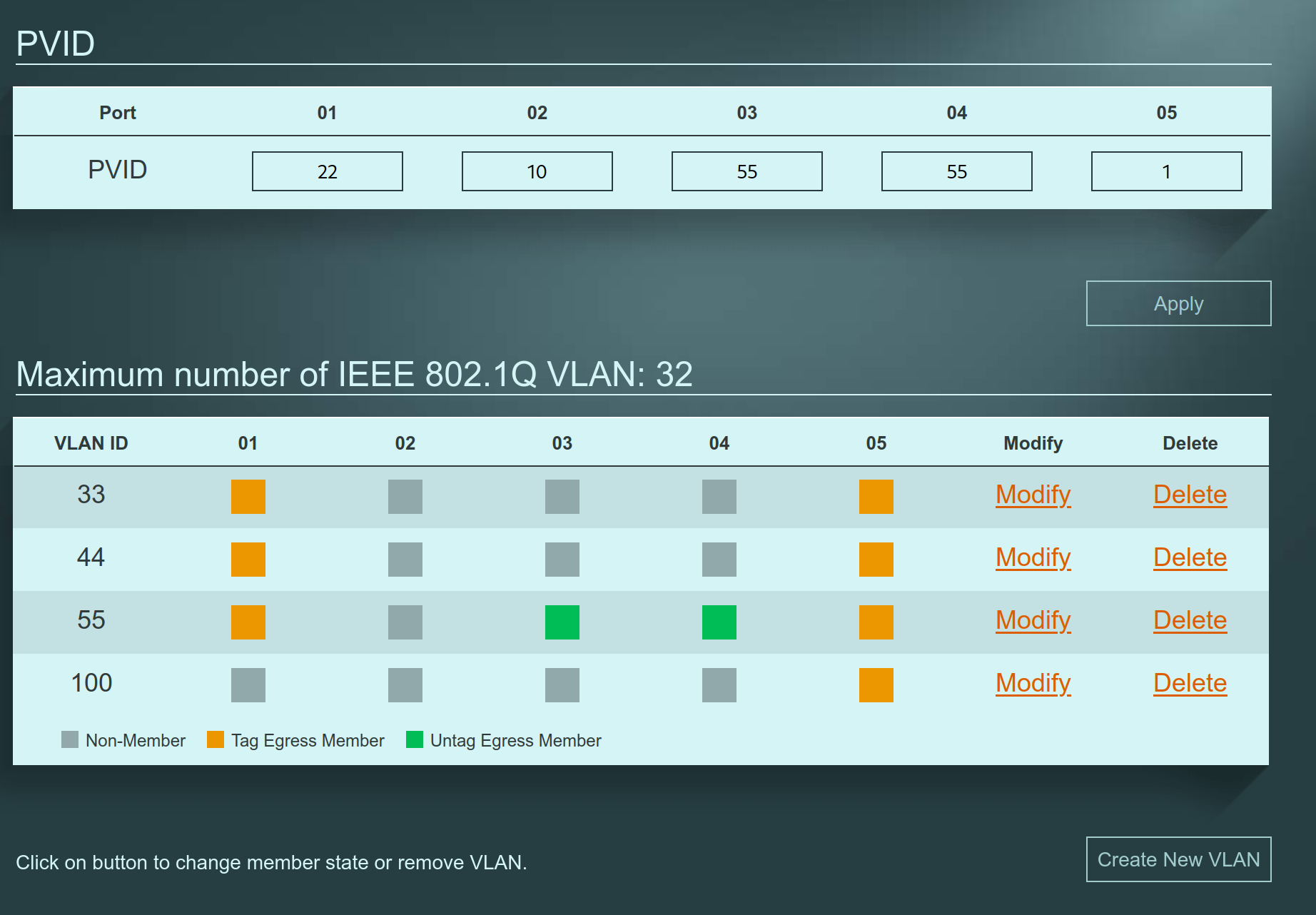
I have the VLAN configuration above (for ports 03 and 04 there are no other active VLANs). For some reason the switch does not forward packets between ports 03 and 04, but traffic to port 05 (the trunk port towards the firewall/router with the gateway ip of the VLAN) works.
Any ideas on how to allow traffic within the same VLAN on the switch?
There is no link aggregation used.
Accepted Solution
-
Hi @jtk
It seems like you have enabled Port Isolation.
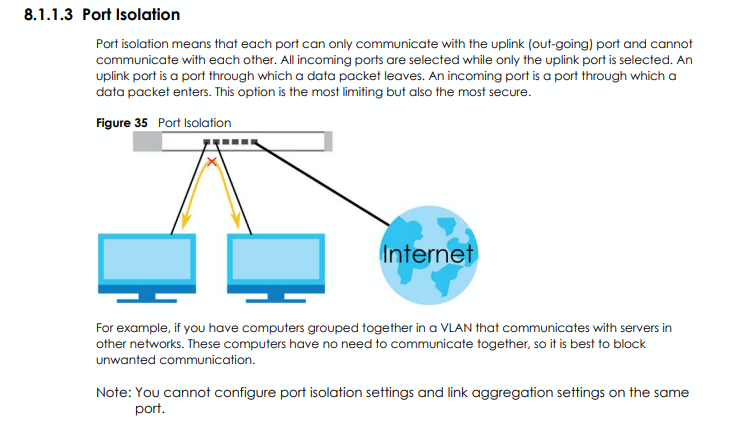
Could you check the setting in the page Port > Advanced Settings?
Zyxel Melen0





 Zyxel Employee
All Replies
-
Maybe the devices on ports 3 and 4 have a firewall
0 -
No. I can ssh both of them from a different VLAN, while connection comes from the router via the trunk port 5. But I cannot ssh, ping or anything from each other.
0 -
Can you Wireshark on one device then ping from the other device to the one doing the Wireshark with filter
icmp or arp
You should see a broadcast ARP with who has IP seen by any the one running the Wireshark and IP of that is as this MAC in reply
The other reason could be that one or both devices use subnet 255.255.255.255
0 -
Hi @jtk
It seems like you have enabled Port Isolation.
Could you check the setting in the page Port > Advanced Settings?
Zyxel Melen0 -
This was it! Thank you. For some reason it was very difficult for me to find the setting even after you pointed that out.
Thank you for both of you for helping out!
0



 Guru Member
Categories
- All Categories
- 442 Beta Program
- 3.1K Nebula
- 244 Nebula Ideas
- 6.9K Security
- 801 USG FLEX H Series
- 392 Security Ideas
- 1.8K Switch
- 88 Switch Ideas
- 1.5K Wireless
- 59 Wireless Ideas
- 7.3K Consumer Product
- 329 Service & License
- 532 News and Release
- 104 Security Advisories
- 31 Education Center
- 10 [Campaign] Zyxel Network Detective
- 5.5K FAQ
- 34 Documents
- 91 About Community
- 124 Security Highlight