Why can't I initiate 'Request to Download' from the SecuReporter to download the History Data?





 Zyxel Employee
Question :
Why can't I initiate 'Request to Download' from the SecuReporter to download the History Data?
Answer :
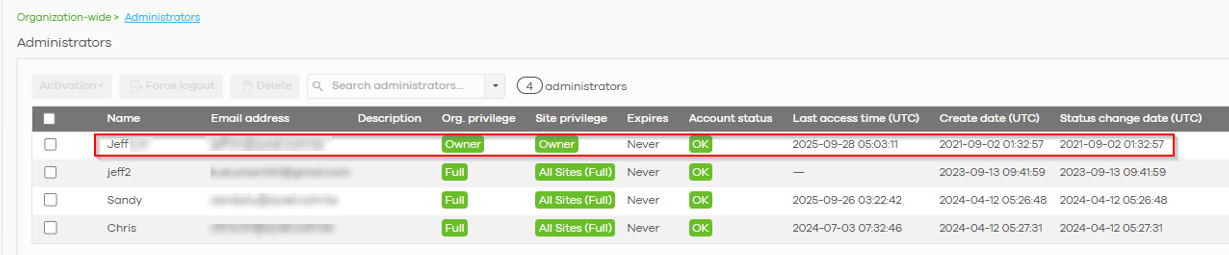
The reason the user cannot initiate 'Request to Download' from the SecuReporter to download the History Data is that only the organization owner has permission to do so. As shown below, only the org owner, Jeff, can access and download the historical data.
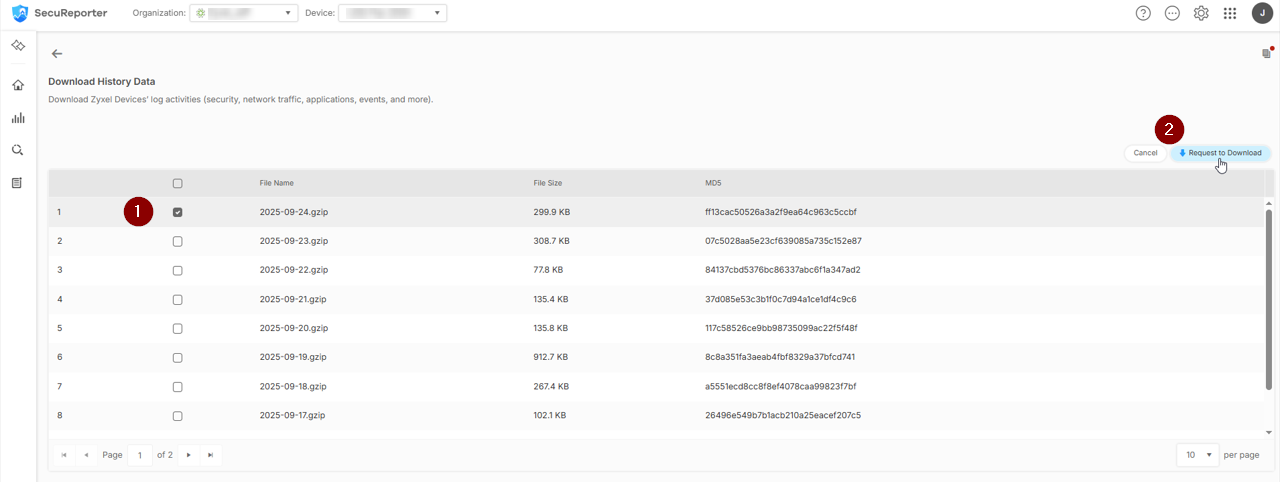
To download the data, the org owner must log in to SecuReporter and navigate to: Menu > Search > Log > Download History Data. Then, select the desired historical data and click 'Request to Download'.

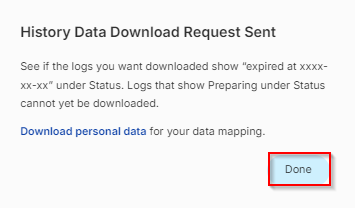
Then a message saying 'History Data Download Request Sent' will pop up.
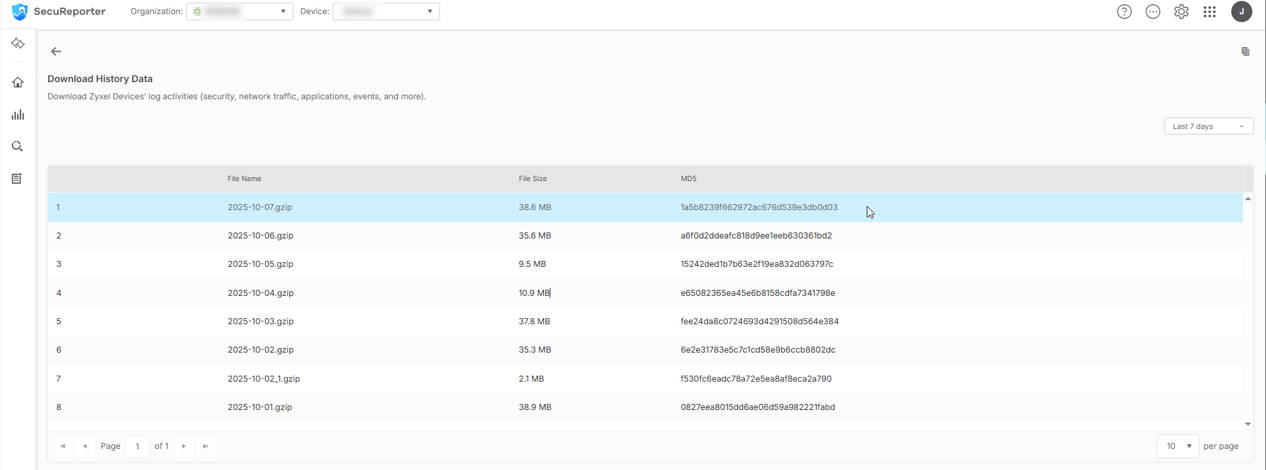
Once the History Data has been prepared, the org owner and other admin users can download it from SecuReporter, as shown below:
Navigate to: Menu > Search > Log > Download History Data.
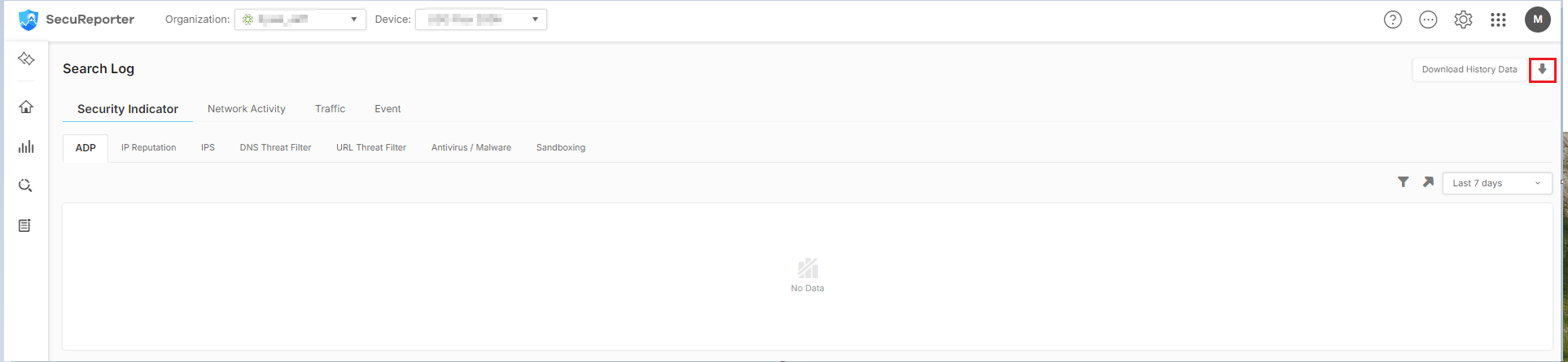
Click History Data.

Select the History Data and download it.
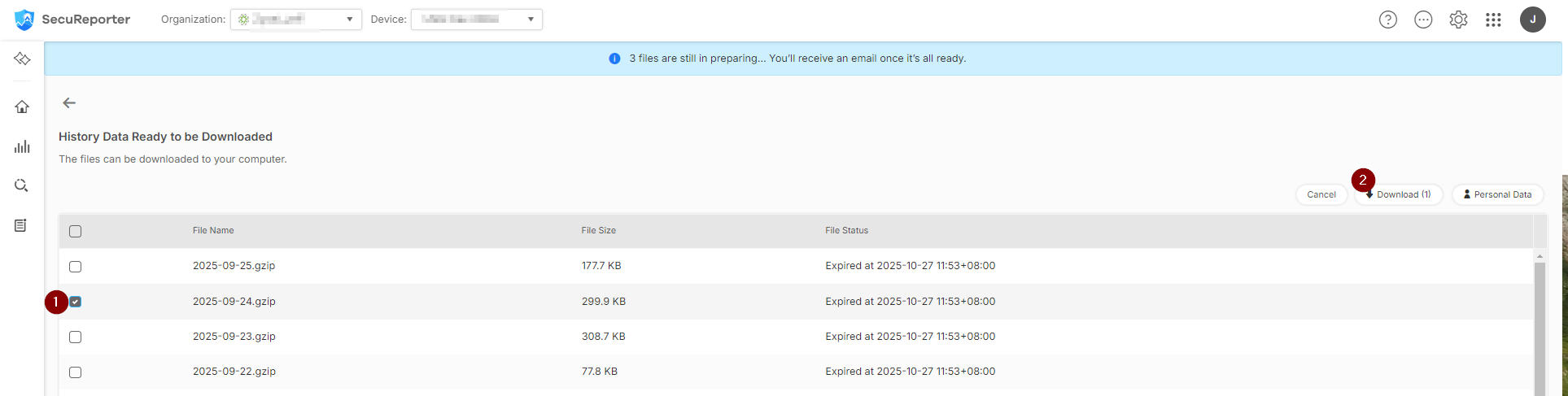
P.S. Only the organization owner can initiate a 'Request to Download'. Once the History Data has been prepared, both the organization owner and other admin users can download it from SecuReporter.
Categories
- All Categories
- 442 Beta Program
- 3.1K Nebula
- 243 Nebula Ideas
- 6.8K Security
- 781 USG FLEX H Series
- 387 Security Ideas
- 1.8K Switch
- 87 Switch Ideas
- 1.5K Wireless
- 58 Wireless Ideas
- 7.2K Consumer Product
- 324 Service & License
- 527 News and Release
- 101 Security Advisories
- 31 Education Center
- 10 [Campaign] Zyxel Network Detective
- 5.3K FAQ
- 34 Documents
- 91 About Community
- 121 Security Highlight