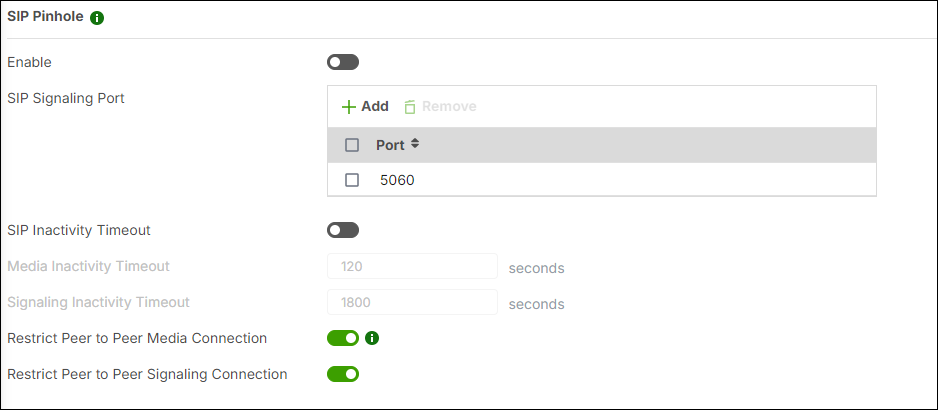
What is the “Media / Signaling Inactivity Timeout” setting in the SIP Pinhole menu?
Options

Zyxel_Stanley
Posts: 1,482  Zyxel Employee




Zyxel Employee
in Networking
Question:
What is the “Media / Signaling Inactivity Timeout” setting in the SIP Pinhole menu?
Answer:
This setting determines how long the firewall keeps SIP Media or Signaling sessions open after the traffic stops.
For example, if Media Inactivity Timeout is set to 120 seconds, the firewall will keep the media session active for 120 seconds after you hang up the phone.
0
Categories
- All Categories
- 442 Beta Program
- 3.1K Nebula
- 234 Nebula Ideas
- 6.7K Security
- 728 USG FLEX H Series
- 372 Security Ideas
- 1.8K Switch
- 87 Switch Ideas
- 1.5K Wireless
- 57 Wireless Ideas
- 7.1K Consumer Product
- 318 Service & License
- 511 News and Release
- 99 Security Advisories
- 31 Education Center
- 10 [Campaign] Zyxel Network Detective
- 5.2K FAQ
- 34 Documents
- 89 About Community
- 116 Security Highlight