How can I restrict IP address logins to my organization from Nebula server?
Options

Zyxel_Stanley
Posts: 1,482




 Zyxel Employee
Zyxel Employee
in Other Topics
Question:
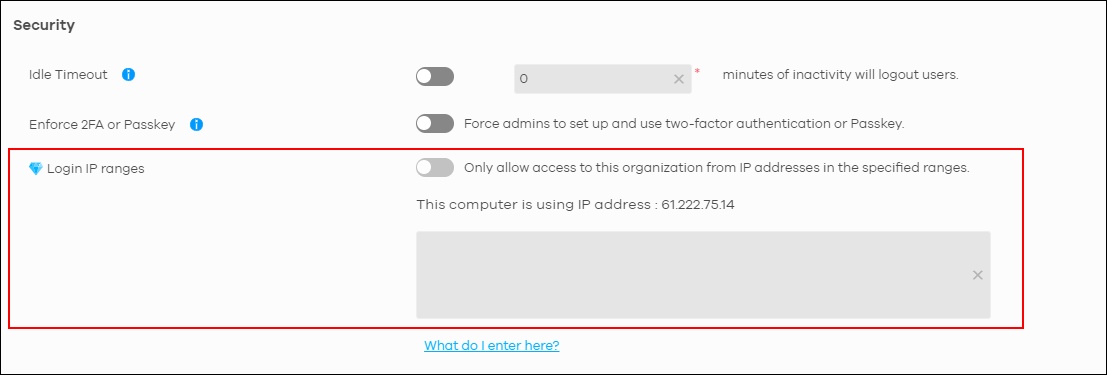
How can I restrict IP address logins to my organization from the Nebula server?
Answer:
You can go to Organization-wide > Organization-wide Manage > Organization Settings, then enable the Login IP Range feature. After that, add the allowed public IP addresses in the provided field.
0
Categories
- All Categories
- 442 Beta Program
- 3.1K Nebula
- 242 Nebula Ideas
- 6.8K Security
- 779 USG FLEX H Series
- 387 Security Ideas
- 1.8K Switch
- 87 Switch Ideas
- 1.5K Wireless
- 58 Wireless Ideas
- 7.2K Consumer Product
- 324 Service & License
- 526 News and Release
- 101 Security Advisories
- 31 Education Center
- 10 [Campaign] Zyxel Network Detective
- 5.3K FAQ
- 34 Documents
- 91 About Community
- 121 Security Highlight