How to configure VPN settings when there are multiple WAN interfaces?
Options

Zyxel_Stanley
Posts: 1,482  Zyxel Employee




Zyxel Employee
in VPN
Question:
How to configure VPN settings when there are multiple WAN interfaces?
Answer:
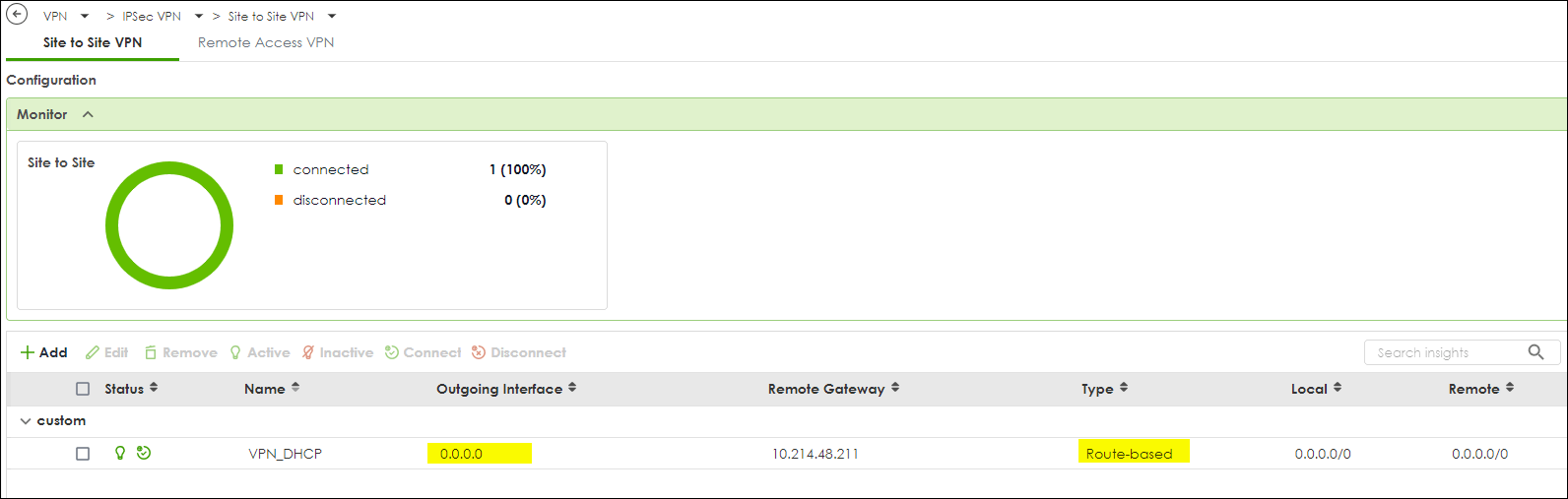
On H Series devices, you can allow a site-to-site VPN to work across multiple WAN interfaces by setting “My Address” to 0.0.0.0 in VPN Phase 1. This enables the firewall to use any available WAN interface, providing WAN redundancy while still allowing the VPN to establish successfully.
To configure this:
(1) Open the VPN settings on the H Series device.
(2) In Phase 1 → My Address, enter 0.0.0.0.
Save the configuration and test the VPN tunnel to confirm proper functionality.
0
Categories
- All Categories
- 442 Beta Program
- 3.1K Nebula
- 237 Nebula Ideas
- 6.8K Security
- 746 USG FLEX H Series
- 377 Security Ideas
- 1.8K Switch
- 87 Switch Ideas
- 1.5K Wireless
- 58 Wireless Ideas
- 7.2K Consumer Product
- 319 Service & License
- 512 News and Release
- 99 Security Advisories
- 31 Education Center
- 10 [Campaign] Zyxel Network Detective
- 5.3K FAQ
- 34 Documents
- 90 About Community
- 119 Security Highlight