How do I enable SecuReporter on the USG Flex H?
Options

Zyxel_Jeff
Posts: 1,394  Zyxel Employee




Zyxel Employee
in Other Topics
Question :
How do I enable SecuReporter on the USG Flex H?
Answer :
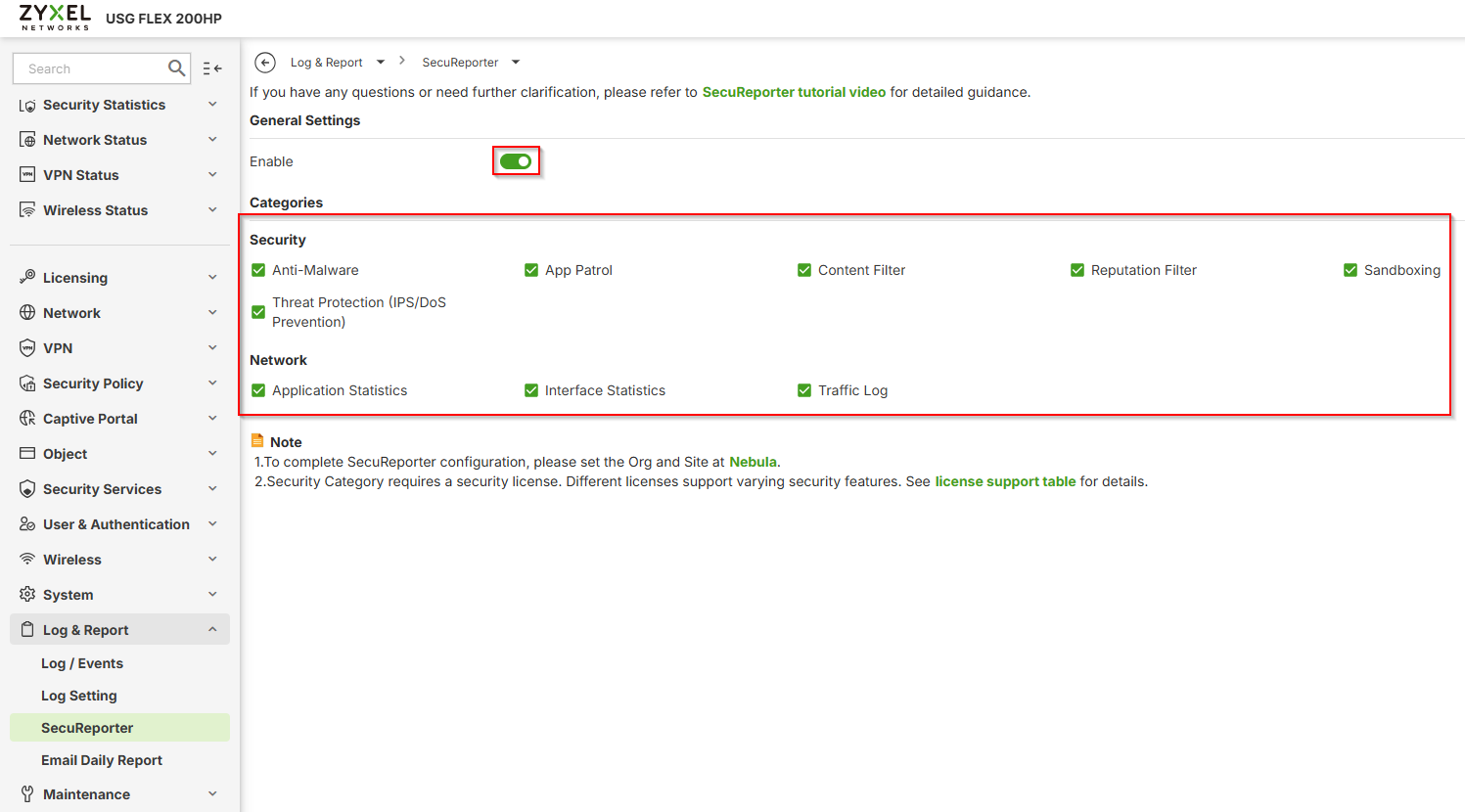
Please navigate to the GUI path : Log & Report >SecuReporter > General Settings > to enable this option. Please also enable the Security and Network categories log and the device will report the SecuReporter to collect those corresponding logs.
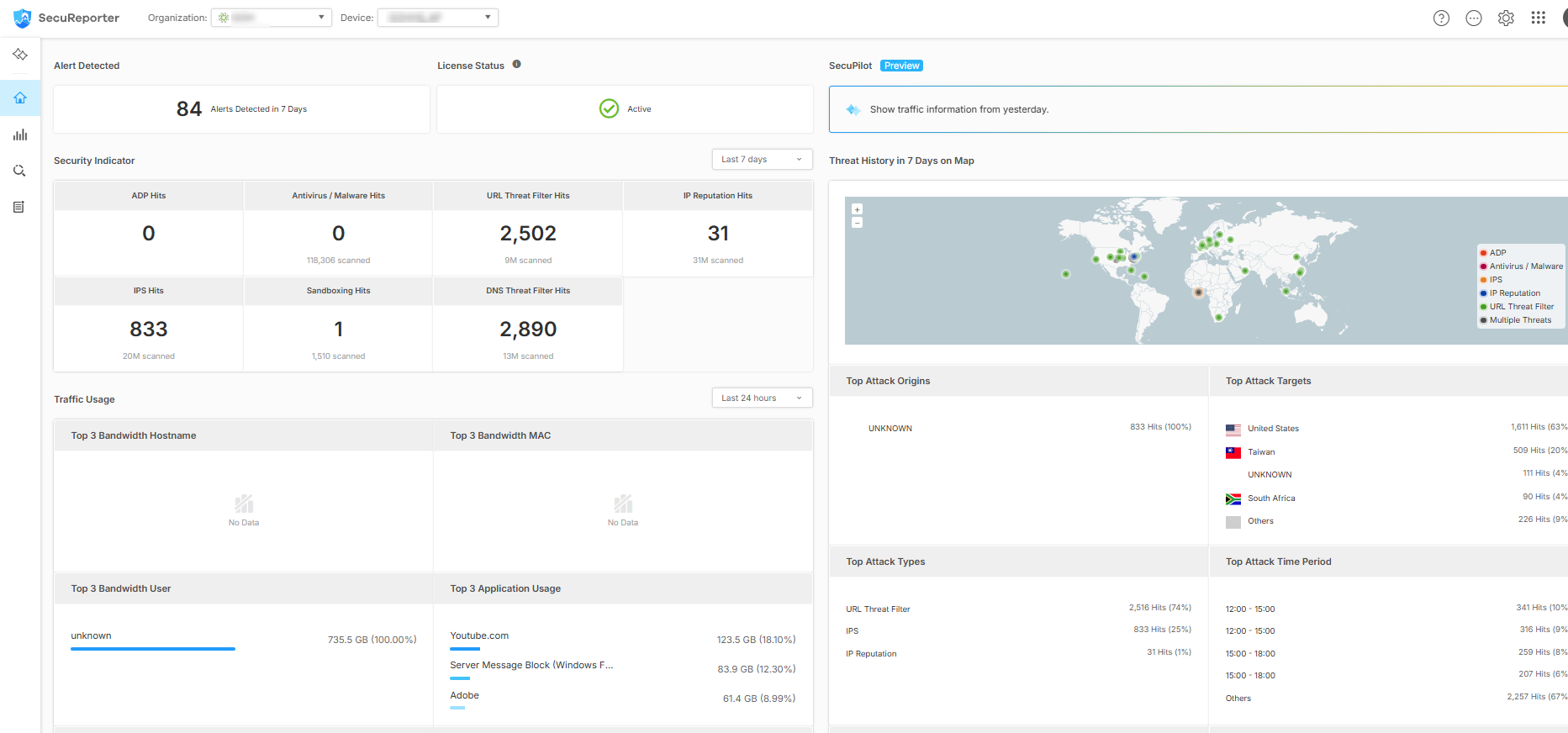
Once completed, the customer can navigate to access the Organization and Device sections and view the statistics and logs.
0
Categories
- All Categories
- 442 Beta Program
- 3K Nebula
- 232 Nebula Ideas
- 132 Nebula Status and Incidents
- 6.7K Security
- 691 USG FLEX H Series
- 365 Security Ideas
- 1.8K Switch
- 87 Switch Ideas
- 1.4K Wireless
- 56 Wireless Ideas
- 7.1K Consumer Product
- 312 Service & License
- 505 News and Release
- 97 Security Advisories
- 31 Education Center
- 10 [Campaign] Zyxel Network Detective
- 5.1K FAQ
- 34 Documents
- 89 About Community
- 112 Security Highlight