1.37 uOS - wrong default WAN selected inside NAT and VPN panel
Options

GiuseppeR
Posts: 771  Guru Member




Guru Member
Hello everyone,
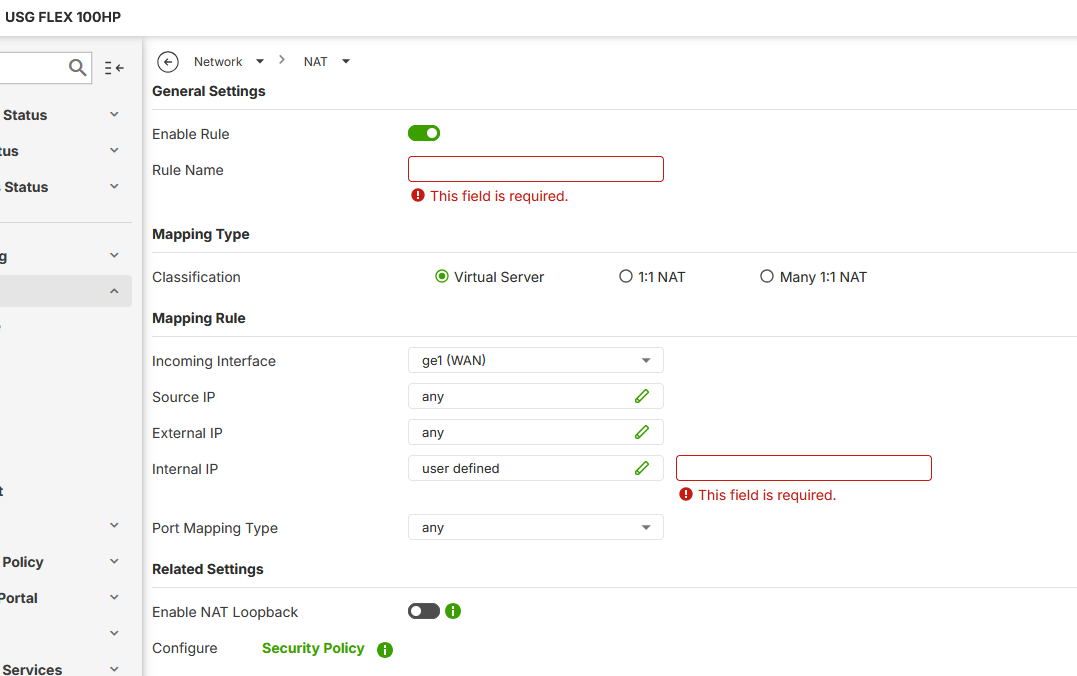
when you want to open a port for a specific server you have to use NAT:
The problem is that the 100HP starts offering me always ge2:
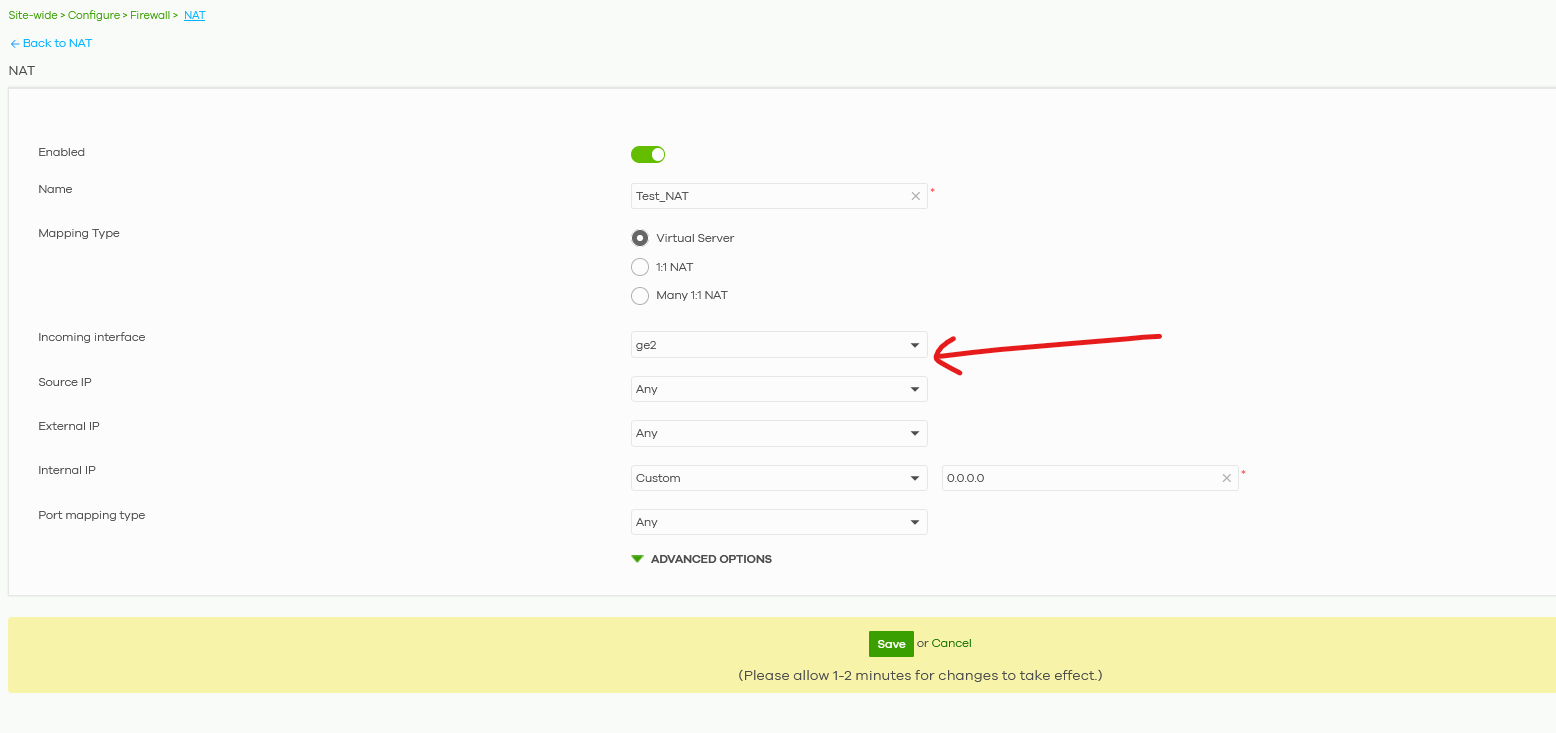
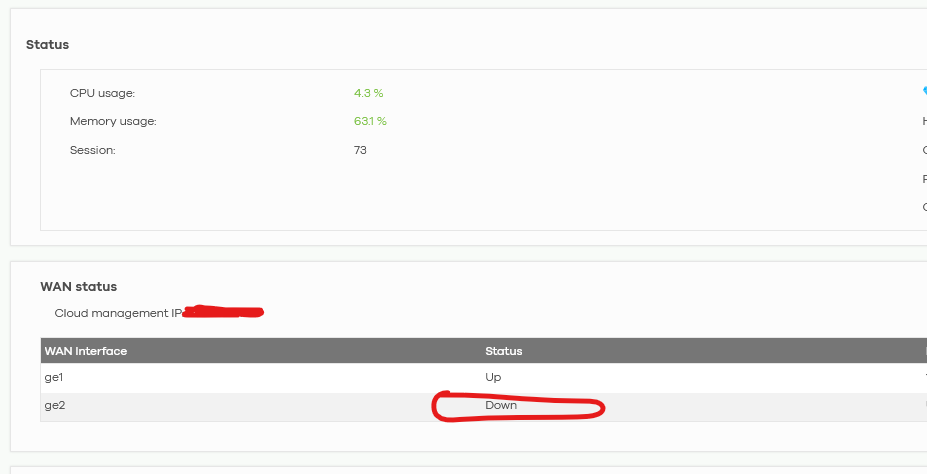
that is a WAN offline:
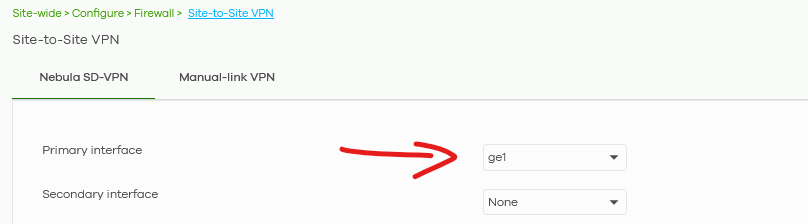
I had the same issue with VPN panel where I had to set ge1 as primary interface:
If you use the on-premise UI everything seems smooth:
Is it a Nebula bug?
0
All Replies
-
Hi @GiuseppeR
This incoming interface list order follows the external interface list order.
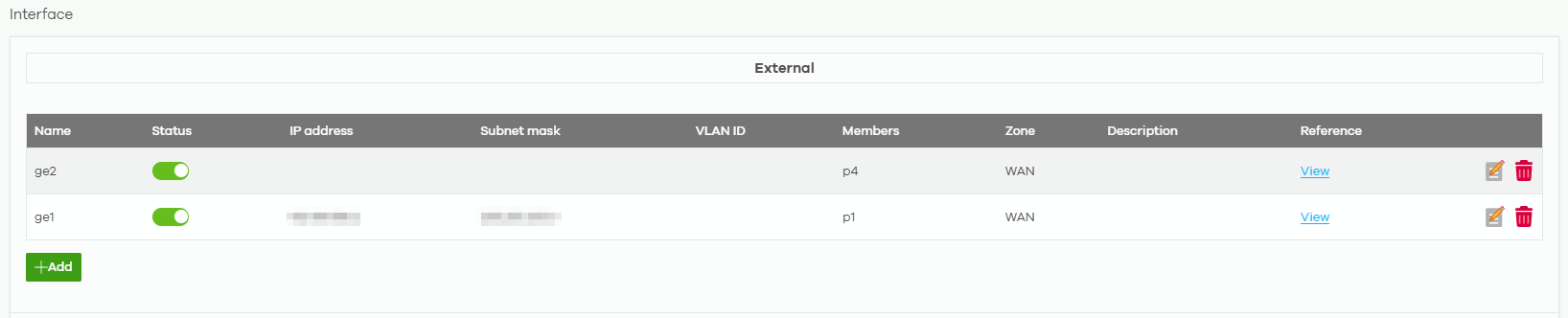
But here is different with the local GUI. I'm checking with our team, and I will update once I get further information.
Zyxel Melen0 -
Hi @Zyxel_Melen
it is strange that the ge2 interface is at first place on list order under "Interface" section.
If you look into WAN Status it is in the correct order:
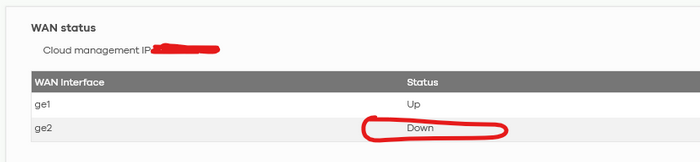
How can I manage this interface order?
0
 Zyxel Employee


Categories
- All Categories
- 442 Beta Program
- 3.1K Nebula
- 235 Nebula Ideas
- 6.7K Security
- 732 USG FLEX H Series
- 374 Security Ideas
- 1.8K Switch
- 87 Switch Ideas
- 1.5K Wireless
- 57 Wireless Ideas
- 7.1K Consumer Product
- 319 Service & License
- 511 News and Release
- 99 Security Advisories
- 31 Education Center
- 10 [Campaign] Zyxel Network Detective
- 5.2K FAQ
- 34 Documents
- 89 About Community
- 117 Security Highlight


