GS1915-8EP V4.70(ACAQ.6) - Extremely slow to come back online on Nebula

 Guru Member



Hello everyone,
on a site I have 2x GS1915-8EP
If I have the ISP connection down one of them is really slow to come up to Nebula again when ISP connection is restored:
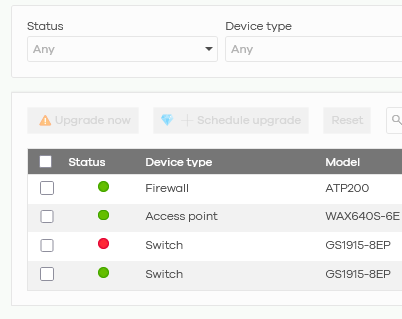
As you can see one of them is green while the other one is RED.
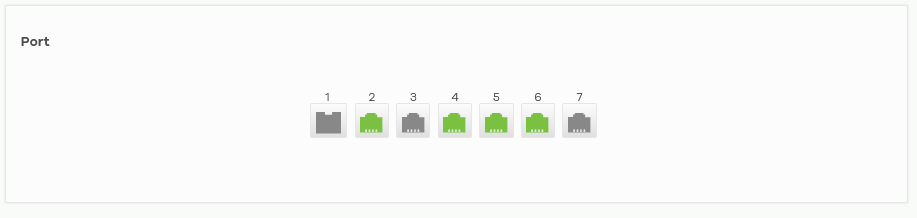
Please consider that the AP is linked via PoE+ to the RED one, so on the red one the internet link is properly working (AP is green and linked to port 6, see below) and the PCs linked to the red one are on internet too:
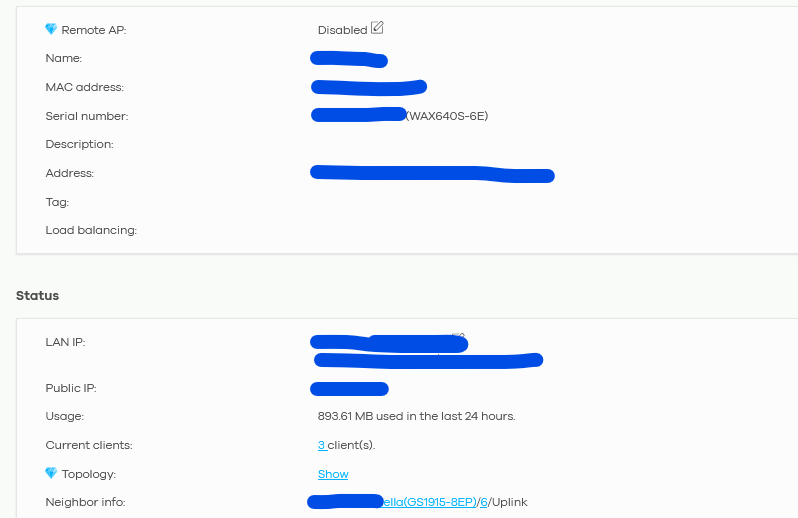
The issue is related only to Nebula connection on that switch, as you can see it is offline since too much time:

How can I fix that?
Is it a bug of the new firmware?
All Replies
-
Hi @GiuseppeR,
I understand you're experiencing an issue where one of your GS1915-8EP switches is extremely slow to reconnect to Nebula after an ISP outage, even though internet connectivity through the switch is functional.
Here are some steps to troubleshoot this issue:
- Verify Internet Connectivity and DNS Resolution from the Switch: Even if client devices have internet access, ensure the switch itself can properly resolve DNS and reach Nebula servers. You can check the switch's local GUI (if accessible) for diagnostic tools. Specifically, ensure that the switch can ping public DNS servers (like 8.8.8.8) and Nebula's domain names (e.g., d.nebula.zyxel.com or firmware.nebula.zyxel.com). While Nebula servers may not respond to pings, the command should resolve to an IP address. If it shows "unknown host," check the DNS settings on the switch.
- Check for Firewall/Network Blocks: Ensure that your firewall or any other network device is not blocking TCP ports 4335 and 6667, which are essential for Nebula communication.
- System Time and NTP Synchronization: Incorrect system time on the switch can affect Nebula connectivity. Verify that the system time is correct and that UDP port 123 (NTP) is not blocked by your firewall.
- Firmware Version: While you are on V4.70(ACAQ.6), ensuring your switches are running the latest available firmware can resolve known connectivity issues. The release notes for V4.70 Patch 5 for the GS1915 series include a fix for a device sometimes failing to connect with the Nebula server.
- Configuration Synchronization: If configuration changes were made during a synchronization process, it could trigger a failure and cause delays in reconnecting to Nebula.
To help us investigate further, please provide the following information:
- Network Topology Map: A simple diagram showing how your two GS1915-8EP switches, ISP connection, AP, and other network devices are interconnected.
- Screenshots from the local GUI of the offline switch: If you can access the local management interface of the affected switch, please provide screenshots of any sections related to Nebula connectivity or system logs.
- Zyxel Support Access: Please enable Zyxel Support Access via
Help > Support Requestin your Nebula console. This allows our support team to directly view your cloud environment configuration, significantly shortening troubleshooting time. - Organization and Site Name: Please provide the name of your Nebula Organization and the specific Site where these switches are located.
This AI response aims to provide initial troubleshooting steps and identify information needed for further diagnosis. Feel free to share additional details based on the suggestions above — this will help community members offer more targeted assistance.
If you have feedback or idea about this AI assistant, share them in Community Feedback.0 -
Hi @GiuseppeR,
Could you please provide the TechSupport Info file from the affected switch to help us investigate this issue further?
Zyxel Tina
0 -
Hi @Zyxel_Tina
sent a PM with details and screenshots 😎
0 -
Hi @GiuseppeR,
Thank you for providing the information!
Regarding the switch offline issue, this is because the switch couldn't properly obtain an IP address from the DHCP server.
Upon reviewing your topology, we noticed that two devices (firewall/router) are acting as DHCP servers and both are using the same LAN interface IP. This creates IP subnet conflicts and overlapping broadcast domains.
We recommend reviewing the topology and reconfiguring the LAN interface settings on both devices to prevent this issue from recurring.
Zyxel Tina
0 -
Hello @Zyxel_Tina
I'm going to be on site tomorrow to check the possible cabling mistakes made by electricians.
Anyway the error that I see remotely is that the firewall has connected only the WAN2:
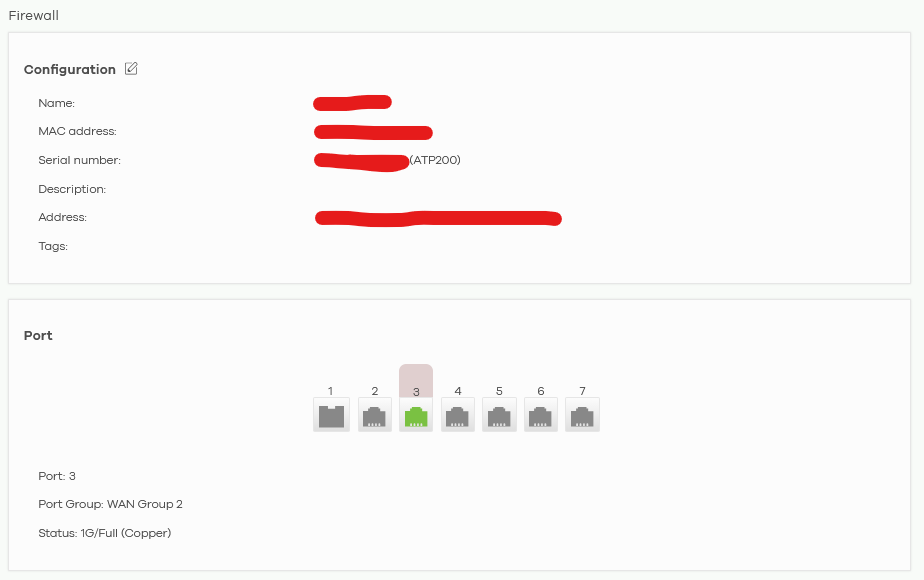
And that WAN2 is connected to the DHCP server of the ISP router:

So the same ISP router is giving IPs to all of the rest of the network, included the ATP200: it seems impossible to me that the firewall is leasing something via DHCP to the rest of the network because its LAN interface is down.
Am I wrong?
0 -
Hi @GiuseppeR,
Thank you for your feedback.
Last time, we can see that there were DHCP requests received from the switch at the time the issue occurred from the ATP event log, which indicates the ATP did detect traffic coming from the GS1915 during that period. In addition, could you please confirm the org/site is still available since we cannot access to it currently?
To help us reproduce the issue locally, please provide the ATP 200 config file as well.
Thank you for your cooperation :)
Zyxel Tina
0 -
Hi @Zyxel_Tina
I went onsite and I saw the mistakes done by the electricians.
I fixed them:
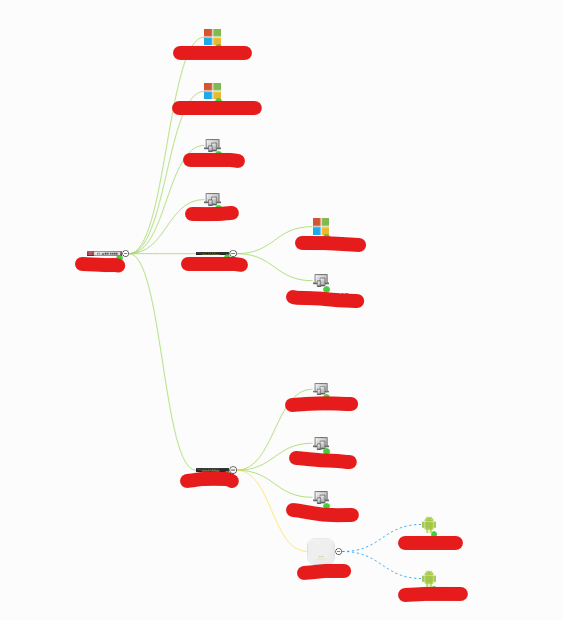
I linked both Zyxel switches directly to the firewall:
If I link those switches to a Netgear one, and ONLY the Netgear to the firewall, the Toplogy shows errors displaying the firewall linking multiple times to the rest of the network.
0 -
Hi @GiuseppeR,
Thank you for your feedback!
To better assist you, please help confirm:
- It looks like your original issue with the switch taking a long time to come back online on Nebula has now been resolved, correct?
- Regarding the new problem—when the Zyxel firewall is physically connected only to the Netgear device, the devices connected below the Netgear are showing as directly connected to the Zyxel firewall in the topology diagram. Is my understanding correct?
- This issue is likely related to the Netgear device. If it's an unmanaged switch, it won't appear in the topology because it lacks a MAC address, making our devices unable to recognize it.
- If it's not an unmanaged switch, could you please provide a screenshot of the topology view when the issue occurs? This will help us better identify the root cause.
Zyxel Tina
0 -
Hi @Zyxel_Tina
yes the first issue regarding a lot of time for the switch to come back to Nebula is OK.
That Netgear is a managed GS750E:
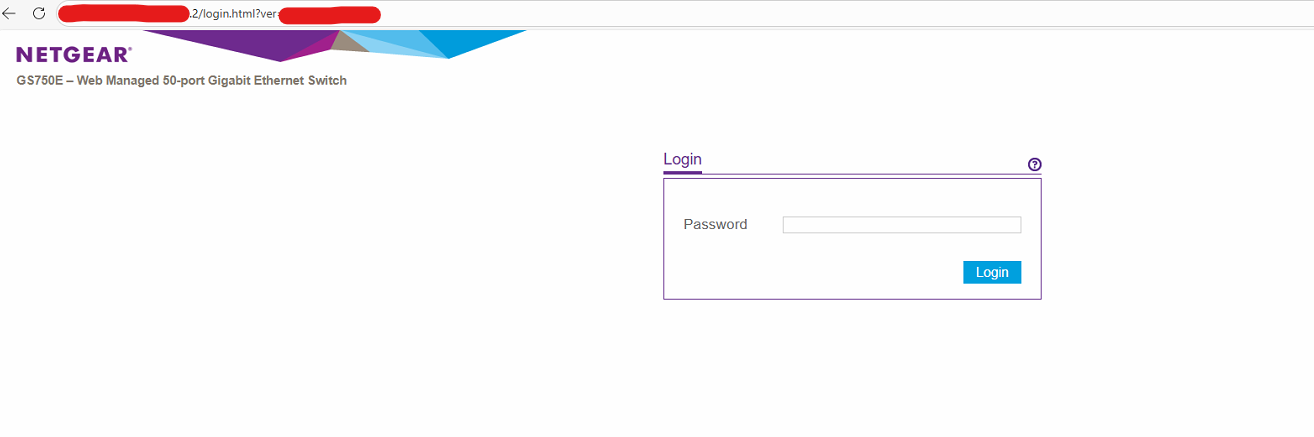
You can find that switch inside that network on x.x.x.2
Anyway it is NOT visible inside Clients' list:
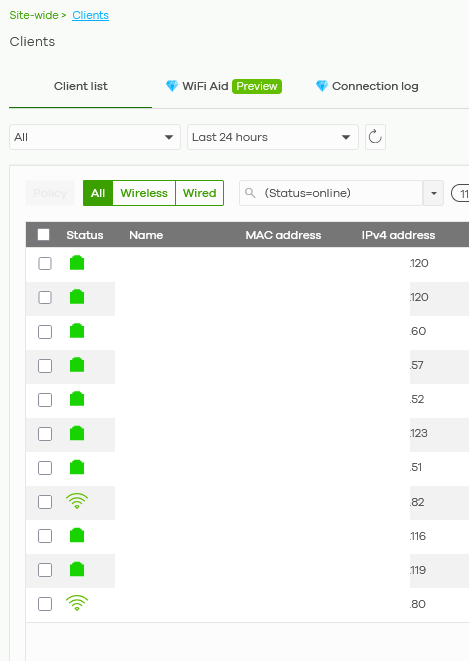
I don't know why.
Original cable order was using the Netgear as main switch, collecting clients and both Zyxel Switch under its ports:
Firewall → Netgear → Zyxel Switch1
Firewall → Netgear → Zyxel Switch2 → Zyxel AP
then the rest of the network….
As soon as I can come back to that ORG I can send the Topology's screenshot with errors re-cabling temporarily the firewall and switches as they were done by electricians. It is not scheduled right now.
0

 Zyxel Community Virtual Assistant





Categories
- All Categories
- 442 Beta Program
- 3K Nebula
- 234 Nebula Ideas
- 6.7K Security
- 693 USG FLEX H Series
- 365 Security Ideas
- 1.8K Switch
- 87 Switch Ideas
- 1.4K Wireless
- 56 Wireless Ideas
- 7.1K Consumer Product
- 312 Service & License
- 508 News and Release
- 97 Security Advisories
- 31 Education Center
- 10 [Campaign] Zyxel Network Detective
- 5.1K FAQ
- 34 Documents
- 89 About Community
- 114 Security Highlight


