uOS - Wireless Status
Options

Zyxel_Claudia
Posts: 254  Zyxel Employee




Zyxel Employee
Wireless Status Monitoring
The Wireless Status section provides administrators with an overview of all AP and wireless client activity over time. Data is collected hourly based on the system clock and stored in RAM, which means statistics are cleared upon a system reboot or firmware upgrade.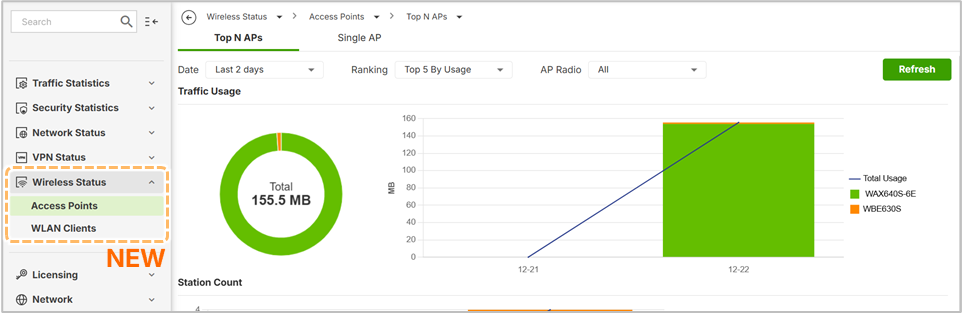
Data Retention by Model
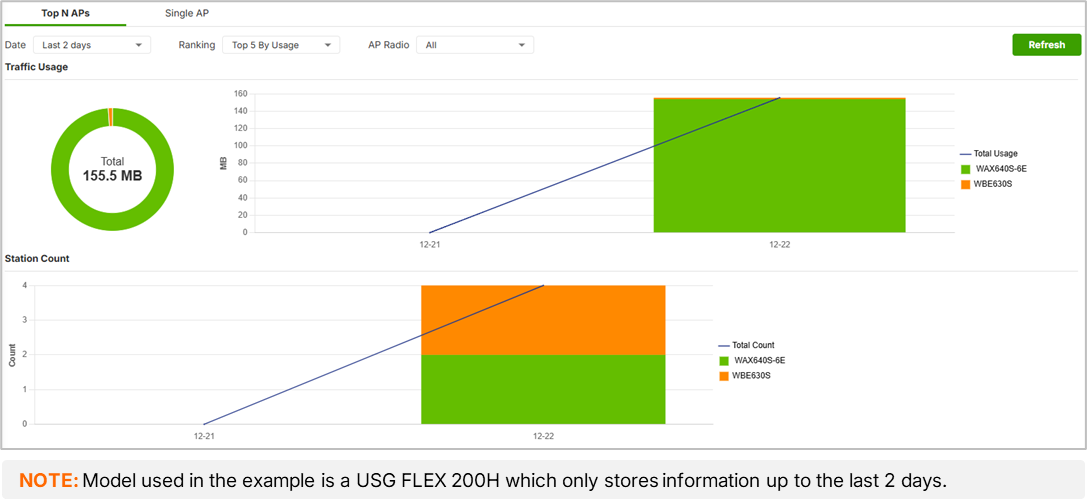
The retention period for historical data depends on the hardware tier: 1 day for the USG Flex 80 series, 2 days for the 200 series, and 8 days for the 500-700H series.
Visualization Tools
- Top-N APs with Last 2 Days:
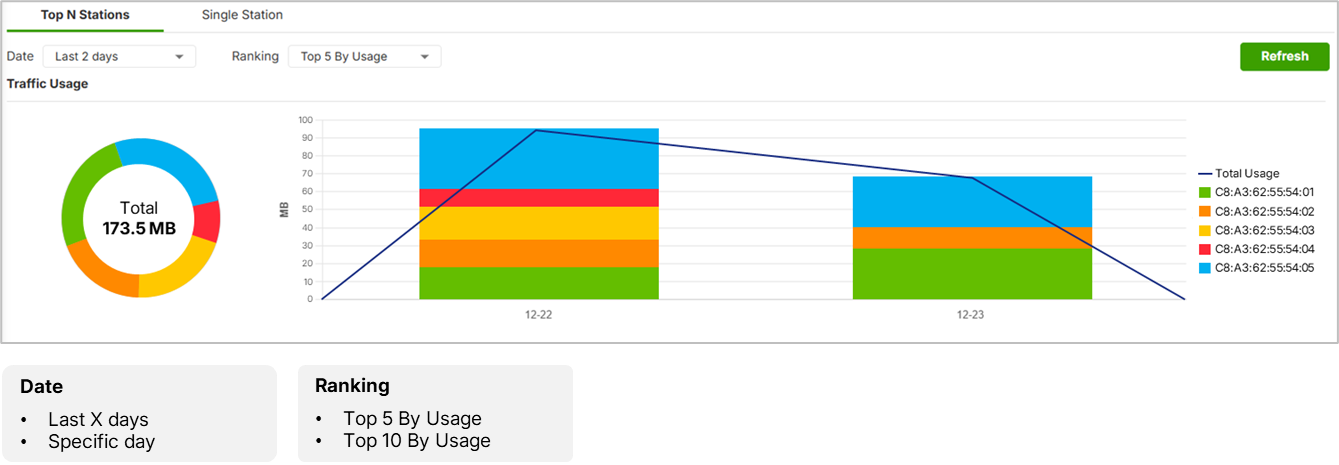
- Top-N Stations with Last 2 Days: Graphs identify the top 5 users based on bandwidth usage.
- Single Entity View: Provides an hourly breakdown of upload and download traffic for specific APs or clients.
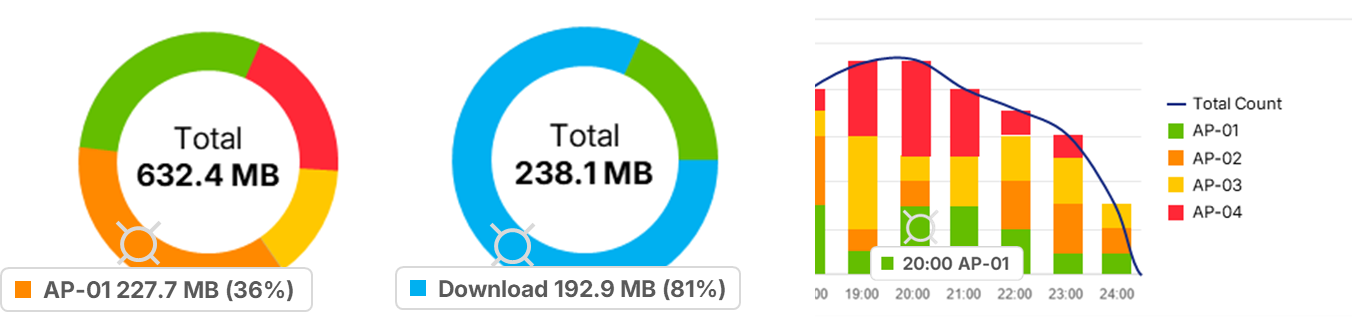
- Interactive Charts: Users can hover over pie and line charts to see specific data points, percentages, and bandwidth metrics.
0
Categories
- All Categories
- 442 Beta Program
- 3.1K Nebula
- 237 Nebula Ideas
- 6.8K Security
- 746 USG FLEX H Series
- 377 Security Ideas
- 1.8K Switch
- 87 Switch Ideas
- 1.5K Wireless
- 58 Wireless Ideas
- 7.2K Consumer Product
- 319 Service & License
- 512 News and Release
- 99 Security Advisories
- 31 Education Center
- 10 [Campaign] Zyxel Network Detective
- 5.3K FAQ
- 34 Documents
- 90 About Community
- 119 Security Highlight