uOS - BWM 802.1P

 Zyxel Employee



Enhancing Traffic Priority with 802.1P
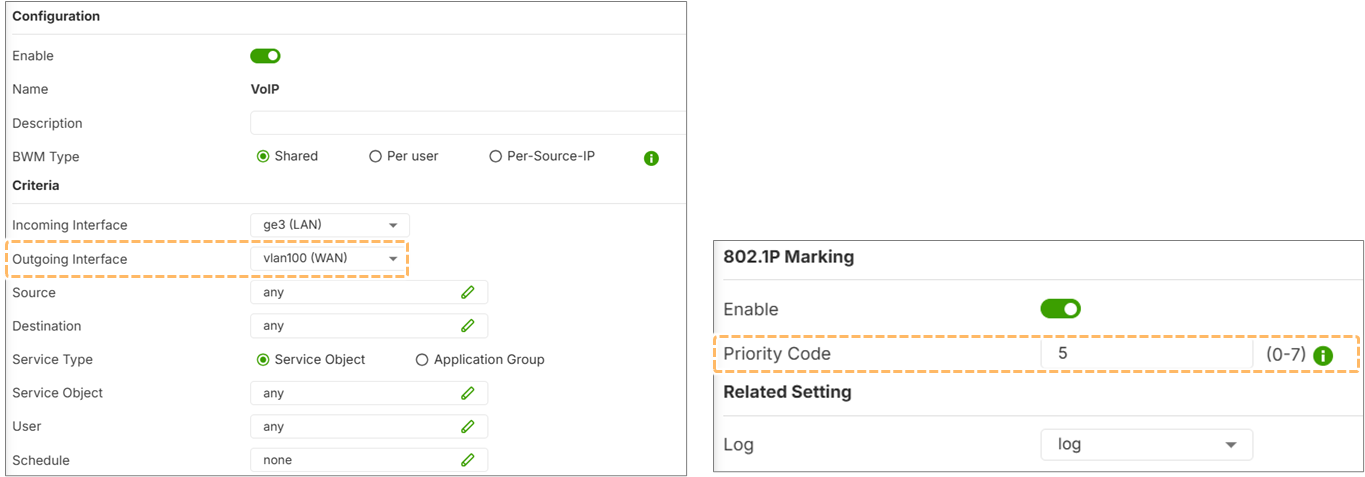
The 802.1P standard allows Bandwidth Management (BWM) to attach a priority value (0 to 7) to the VLAN header of traffic. This ensures that high-priority data, such as VoIP or video, receives preferential treatment as it moves through the uplink or ISP network.
Configure 802.1P
Network > BWM
Standard Definitions
Lower numbers represent lower importance, while higher numbers indicate higher priority. For example, Priority Code 5 is commonly used for audio/IP phone traffic.
Configuration and Conflict Resolution
To use 802.1P marking, the outgoing interface in the BWM rule must be a VLAN interface. If a priority code is configured on both the BWM rule and the VLAN interface itself, the BWM policy rule takes precedence and overrides the interface-layer setting.
Verification
Administrators cannot verify 802.1P priority codes through the standard event logs. Verification must be done via the CLI using the traffic capture command on the WAN interface, where the priority will appear next to the VLAN tag (e.g., "P 5").
[USG FLEX 700H]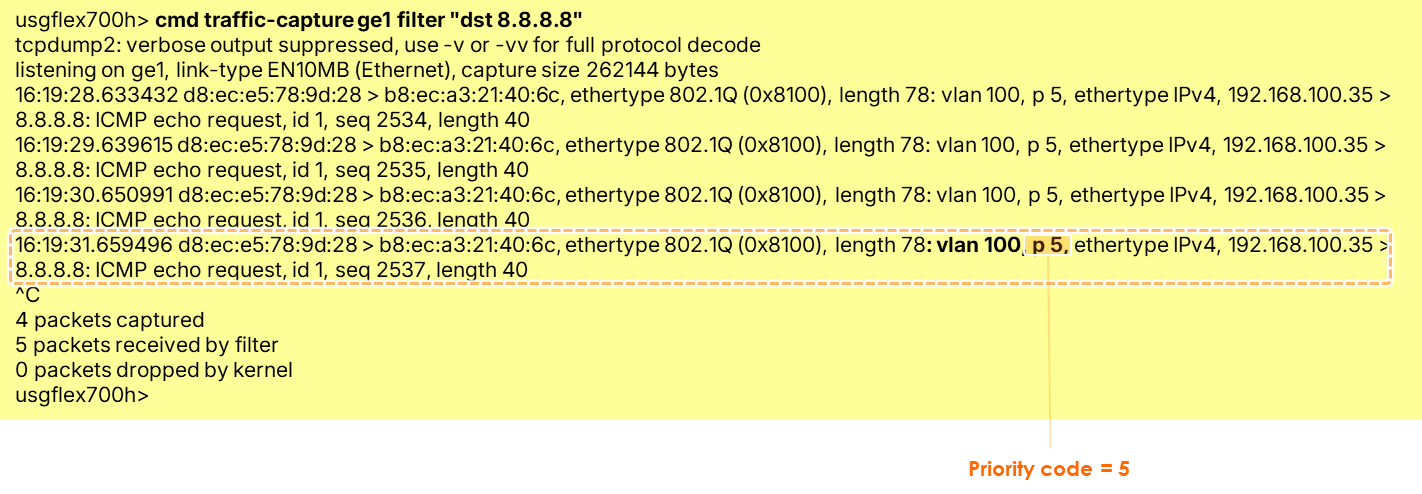
Categories
- All Categories
- 442 Beta Program
- 3K Nebula
- 234 Nebula Ideas
- 6.7K Security
- 691 USG FLEX H Series
- 365 Security Ideas
- 1.8K Switch
- 87 Switch Ideas
- 1.4K Wireless
- 56 Wireless Ideas
- 7.1K Consumer Product
- 312 Service & License
- 508 News and Release
- 97 Security Advisories
- 31 Education Center
- 10 [Campaign] Zyxel Network Detective
- 5.1K FAQ
- 34 Documents
- 89 About Community
- 114 Security Highlight