Any idea why we can't receive traffic from a few specific IP addresses



 Freshman Member
I am having an issue on my FLEX 500 (up to date on latest firmware and signatures). We have an SSTP VPN behind the router and 2 people out of all our users can't connect anymore. They had been able to connect for more than a year without issues. I have tried disabling security services and creating rules to allow them to connect. The logs show that they are successfully being forwarded and not blocked, but when I check session monitor log, it shows that data is transmitted but 0 is received. I checked with our ISP and their ISP (which is the same company) and they can't find anything wrong. I also have the same ISP and have no problem connecting.
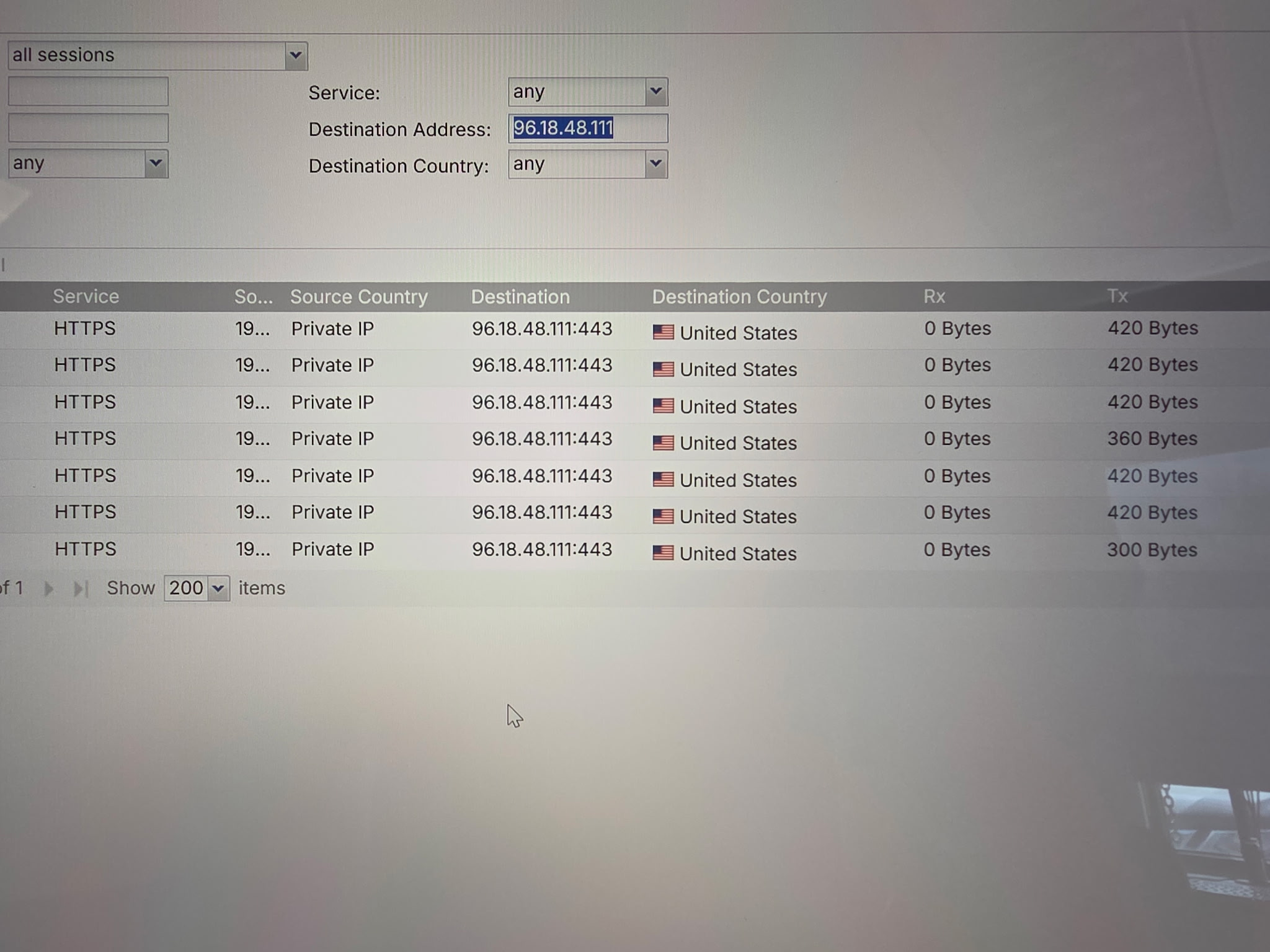
I also have a similar issue in our office updating apps via Google Play on my android phone. I found the IP addresses it is trying to connect to and it's the same issue. Data is transmitted, but 0 bytes received. I added exceptions, disabled security and it shows it's allowed or forwarded, but does not work. But if I use cellular data or my home wifi it works fine. And general internet access works fine, do not have any other issues accessing sites/services that I am aware of.
So it's (4) addresses for Google Play and two IP addresses from an ISP trying to connect and won't work. For both the issue is over HTTPS (443), and we do not have packet inspection.
Accepted Solution
-
After further investigation, our ISP found misconfiguration in their routing and fixed it with maintenance.
0
All Replies
-
Hi @TLG ,
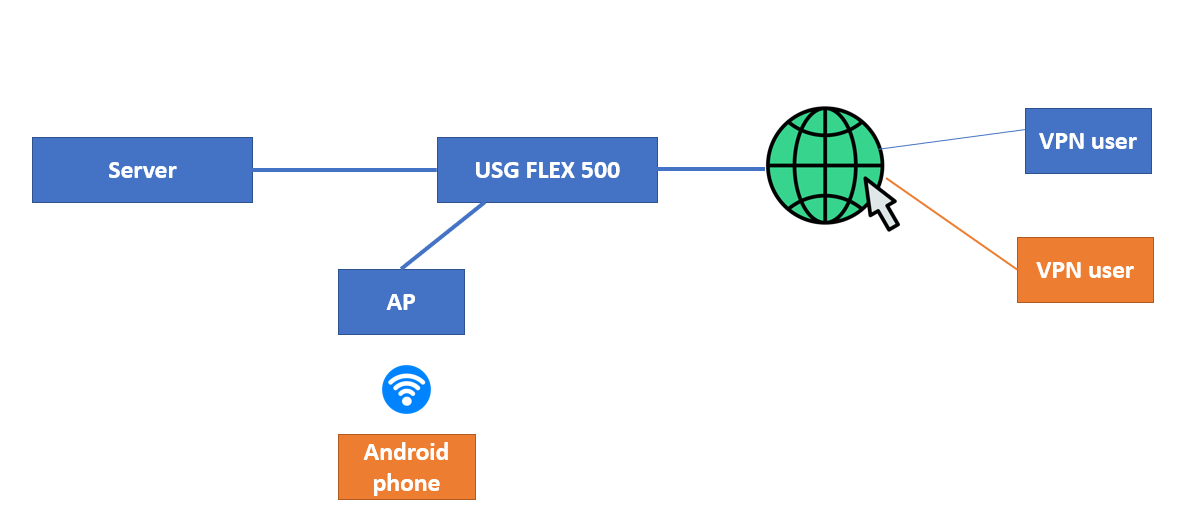
To better assist you, could you please confirm whether your topology is as shown below? If not, please provide the correct one.
By the way, please provide the below information:
Regarding your two VPN users with "0 received":
but when I check session monitor log, it shows that data is transmitted but 0 is received.
- Could you let us know where you are seeing this log, and provide a screenshot?
- Are there any noticeable impacts on actual usage for those two users?
Regarding your Android phone:
I found the IP addresses it is trying to connect to and it's the same issue. Data is transmitted, but 0 bytes received.
- Where are you seeing "0 bytes received"? Please provide a screenshot.
- Could you describe what is happening with your Android phone in more detail? For example, are you unable to update apps from the Google Play Store? Are you able to browse websites or perform other tasks?
Zyxel_Judy
0 -
Yes, that is my network topology.
I am seeing the 0 bytes received in the Monitor > Traffic Statistics > Session Monitor
There is noticeable impact on the vpn users, they cannot connect. I allowed ping to the router, they cannot ping it, I setup a basic website, they cannot access the domain. They are able to resolve the dns name to the static ip we have for our router, but they receive no response. Other users with the same ISP (including me) do not have any issues connecting. Only thing I can think of is our router for some reason is blocking specific ip addresses, or the ISP is. The ISP has different ip address ranges, so the people unaffected are in a different range than the people who can't connect.
I'm waiting for the user to try to connect again so I can get a screenshot. I'll post an update when I get it.I checked, and actually in the session monitor log it did show up while the user was trying to connect, and it did have both tx and rx data, but very little and then it disappeared after failing to connect. But I do have the monitor log that shows that it was forwarded through and not blocked, but still would not connect.
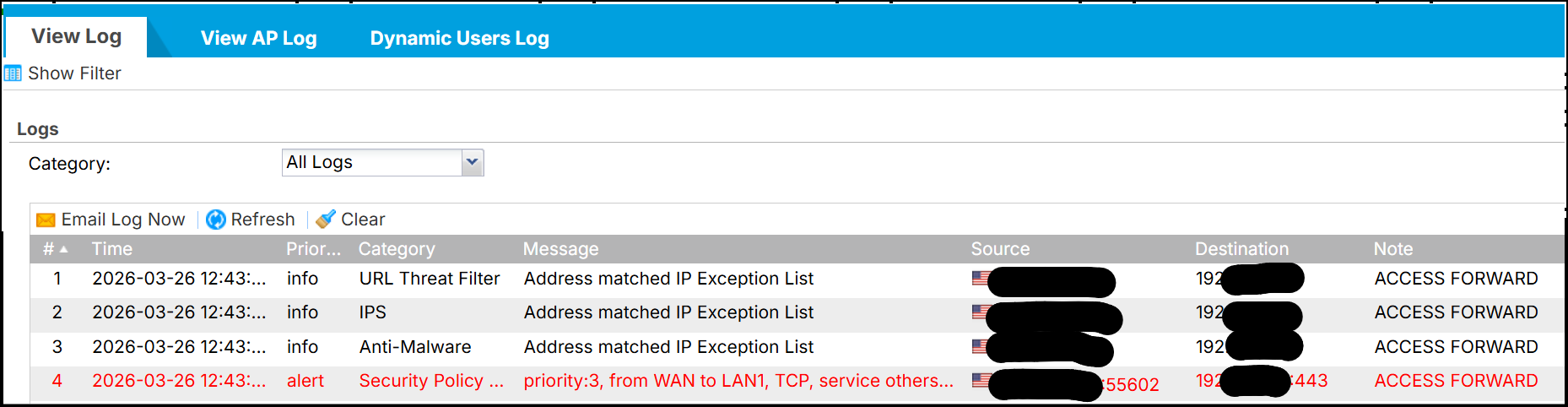
On my android phone, I can access any internet sites, I can install apps from the Google Play store. But when I go to Google Play > Profile > Manage apps & device > Updates available > click Update all, the updates start to download but then hang and don't finish download and eventually time out.
 0
0 -
Hi @TLG ,
Regarding your two VPN users:
Please go to CONFIGURATION > Security Policy > Policy Control and check if there are any rules blocking your two VPN users. In the meantime, you may also contact your ISP to investigate further.
Regarding your Android phones:
Please go to CONFIGURATION > Security Service > Content Filter > DNS Content Filter > BPP and check whether DNS SafeSearch is enabled. If so, please disable this option and verify whether your Android phones can update their apps on Google Play.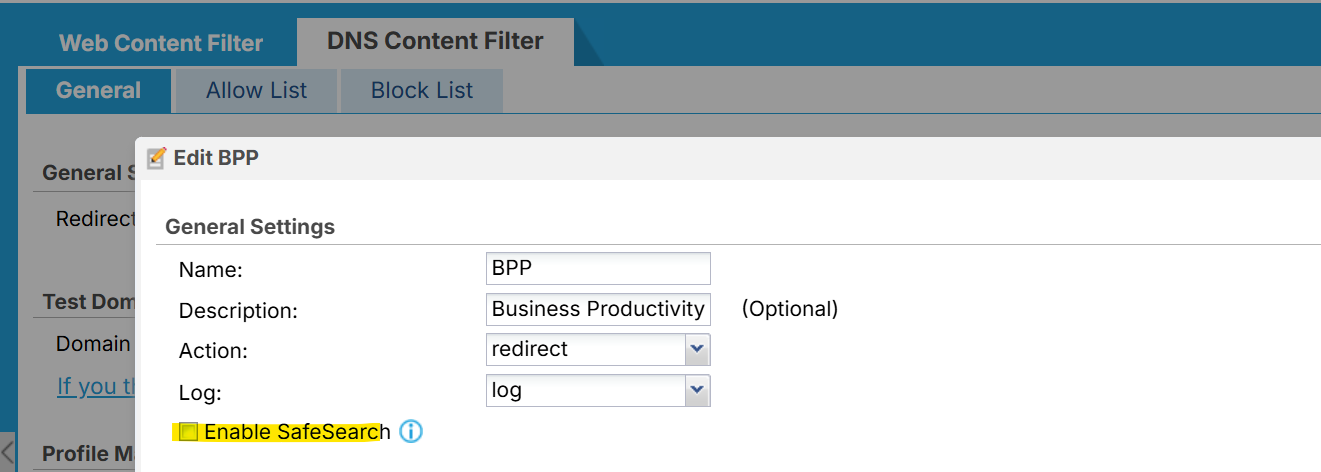
If the issue persists after completing these steps, please download the configuration file and share it with us for further review.
Zyxel_Judy
0 -
After further investigation, our ISP found misconfiguration in their routing and fixed it with maintenance.
0




 Zyxel Employee
Categories
- All Categories
- 442 Beta Program
- 3.1K Nebula
- 241 Nebula Ideas
- 6.8K Security
- 755 USG FLEX H Series
- 379 Security Ideas
- 1.8K Switch
- 87 Switch Ideas
- 1.5K Wireless
- 58 Wireless Ideas
- 7.2K Consumer Product
- 320 Service & License
- 512 News and Release
- 99 Security Advisories
- 31 Education Center
- 10 [Campaign] Zyxel Network Detective
- 5.3K FAQ
- 34 Documents
- 90 About Community
- 119 Security Highlight


