Help Opening Ports for NWA50AX-Pro



 Freshman Member
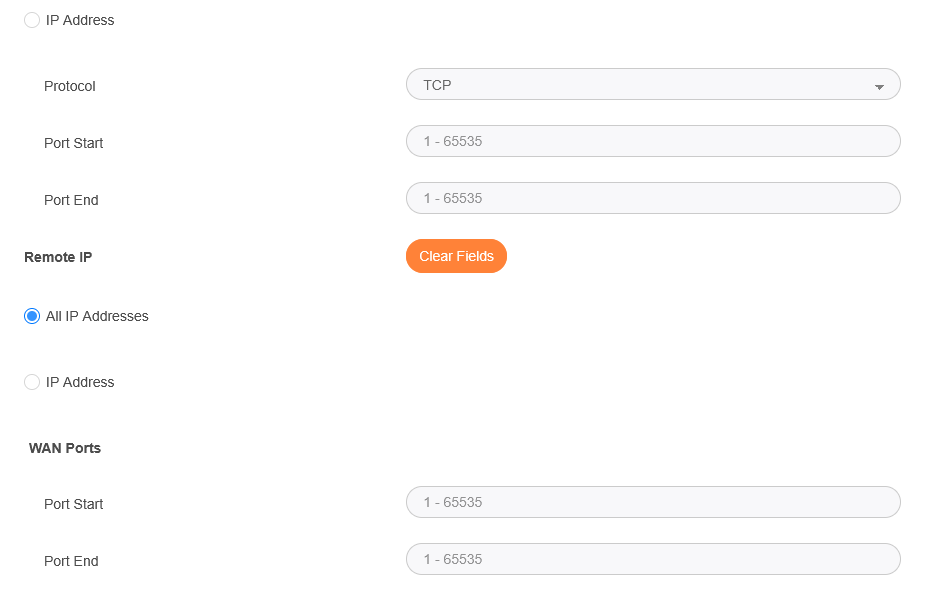
I am going to reset my NWA50AX-Pro AC and I hope to use the Nebula software instead of standard (but I'll use that as a fall back again if I have issues) I have read that I need to open the following ports on my main ISP router problem is I'm stuck (see picture)
I know I have to enter the same ports for a single one for start and end but I am stuck at the one it says REMOTE IP and WAN ports can someone tell me what to enter here please and do I enter the same thing for every port entry I need.
Also can some one confirm these are the ports I need to forward, as when I tried to set-up the very first time I was getting flashing AMBER lights and it wouldnt work at all but standalone mode did.
4335
6667
Thanks for your time
All Replies
-
You do not need to open ports they are outgoing unless blocked by you or ISP they will normally be allowed
0 -
But it flashes amber the first time I tried to set it up via the nebula app, it wasnt getting any internet connection and the app wouldn't see it, thats why I had to go in to standalone mode
0 -
Sometimes nebula never goes as smoothly as its made out to be I don't have my NWA50AX-Pro in nebula because it a all to nebula from what I know meaning no local access but to view the device but not its settings that have to be done by nebula.
Is your AP new and not second hand?
The AP will try to get a IP by DHCP on a untagged network so do you see your AP that it gets a IP from your router/firewall?
Here is more info about setup try Register via Nebula Web Portal (NCC)
How to Register an Zyxel AP to Nebula – Zyxel Support Campus EMEA
0 -
Hi @Nakatomi_Uk,
Based on our user guide, there are three LED statuses that involve blinking amber. Please first confirm which one you have observed.
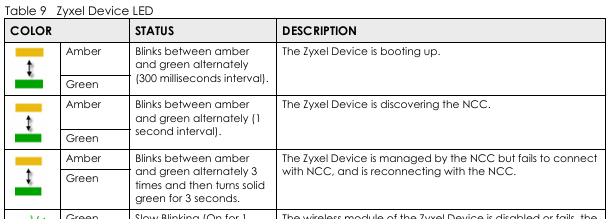
Additionally, please ensure your ISP is not blocking the following outbound traffic from the AP's local IP address. (ISP router doesn’t block any ports doesn’t mean ISP does not block any ports.)
- TCP 4335 & 6667: Used for device management and NETCONF connection to Nebula
- TCP 443: Used for HTTPS processes and firmware upgrades
- UDP 123: Used for NTP time synchronization (critical for cloud connectivity)
- UDP 53: Used for DNS queries to resolve Nebula server domains
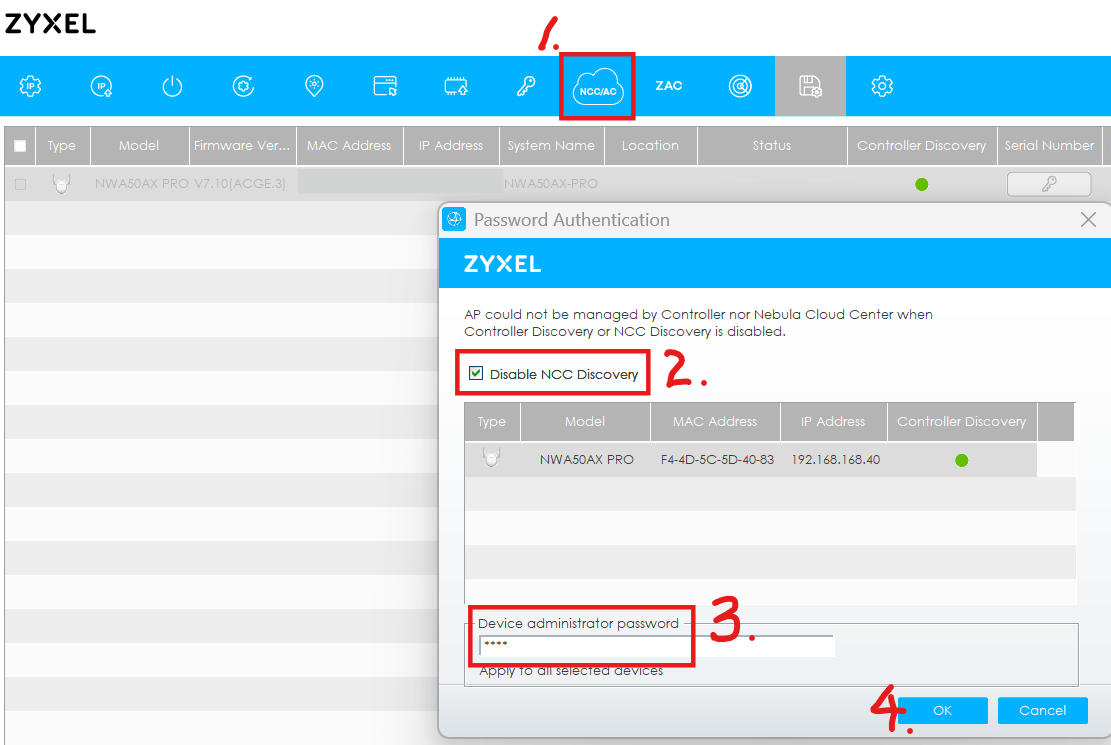
The service ports 4335 and 6667 use TCP for Nebula Cloud Management (NETCONF). You may check the status using the ZON utility. If it is enabled, please uncheck the Disable NCC Discovery option to ensure the device is not prevented from attempting to connect to Nebula. (This option is available if the selected device supports NCC discovery. Internet access is required to use this feature.)
Zyxel Tina
0



 Guru Member



 Zyxel Employee
Categories
- All Categories
- 442 Beta Program
- 3.1K Nebula
- 241 Nebula Ideas
- 6.8K Security
- 755 USG FLEX H Series
- 379 Security Ideas
- 1.8K Switch
- 87 Switch Ideas
- 1.5K Wireless
- 58 Wireless Ideas
- 7.2K Consumer Product
- 320 Service & License
- 512 News and Release
- 99 Security Advisories
- 31 Education Center
- 10 [Campaign] Zyxel Network Detective
- 5.3K FAQ
- 34 Documents
- 90 About Community
- 119 Security Highlight