SecuReporter Notification - Security Summary Report
Options

 Freshman Member
Hi,
I'm noticing inconsistent behavior in the Smart Summary section of SecuReporter reports.
Across different organizations, I see three scenarios:
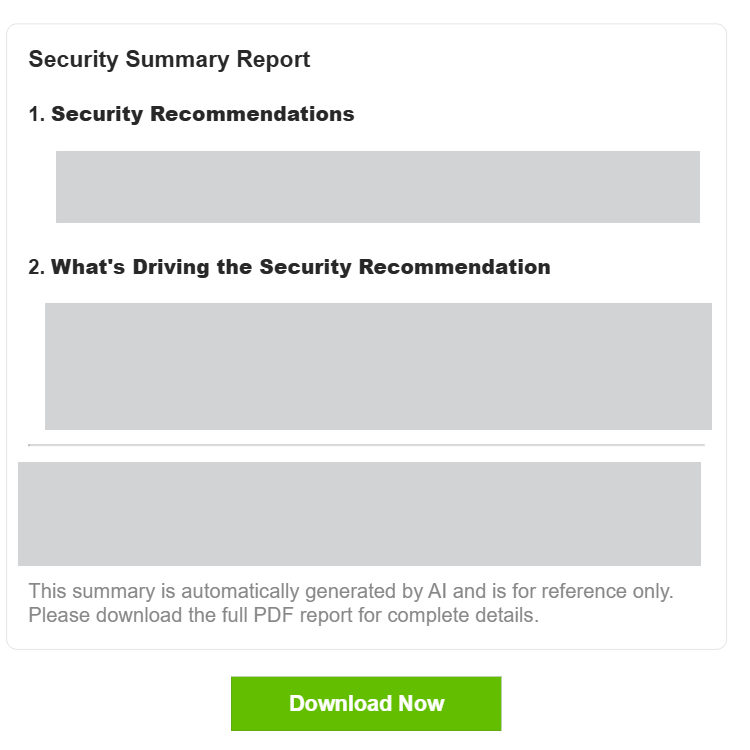
- A "Security Summary Report" with finding and recommendations
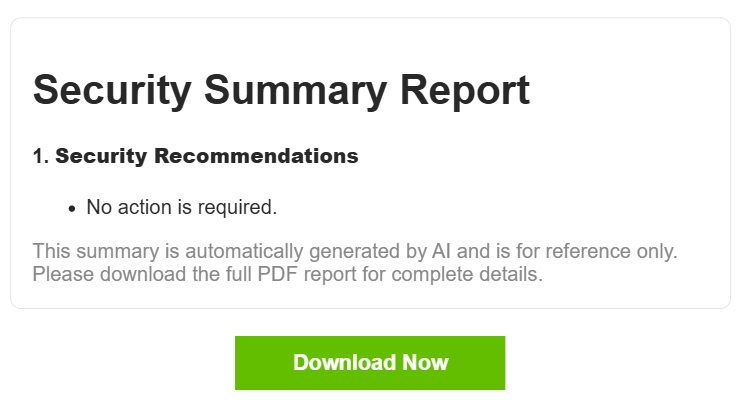
- A "Security Summary Report" stating "No action required"
- No "Security Summary Report" section in the email

When no issues are detected by the AI, I would expect either a "No action required" message or no Smart Summary section.
I'm trying to understand why this behavior differs between reports and what determines whether a "No action required" message is shown or if the Smart Summary section is omitted completely.
Is this expected behavior based on data volume, report type, or any other condition?
Thanks in advance.
0
All Replies
-
Hi @JelleR
Could you share the email with me so we can better clarify this issue? I will send you a private message for the file.
Zyxel Melen0





 Zyxel Employee
Categories
- All Categories
- 442 Beta Program
- 3.1K Nebula
- 241 Nebula Ideas
- 6.8K Security
- 755 USG FLEX H Series
- 379 Security Ideas
- 1.8K Switch
- 87 Switch Ideas
- 1.5K Wireless
- 58 Wireless Ideas
- 7.2K Consumer Product
- 320 Service & License
- 512 News and Release
- 99 Security Advisories
- 31 Education Center
- 10 [Campaign] Zyxel Network Detective
- 5.3K FAQ
- 34 Documents
- 90 About Community
- 119 Security Highlight


