Port Advisor Enhancements and Intelligent Monitoring





 Zyxel Employee
Next-Generation Port Monitoring: Port Advisor Enhancements
Nebula 20.00 introduces significant upgrades to the Port Advisor to provide a more intuitive and manageable monitoring experience for network administrators.
The Usage Exceeding Bar
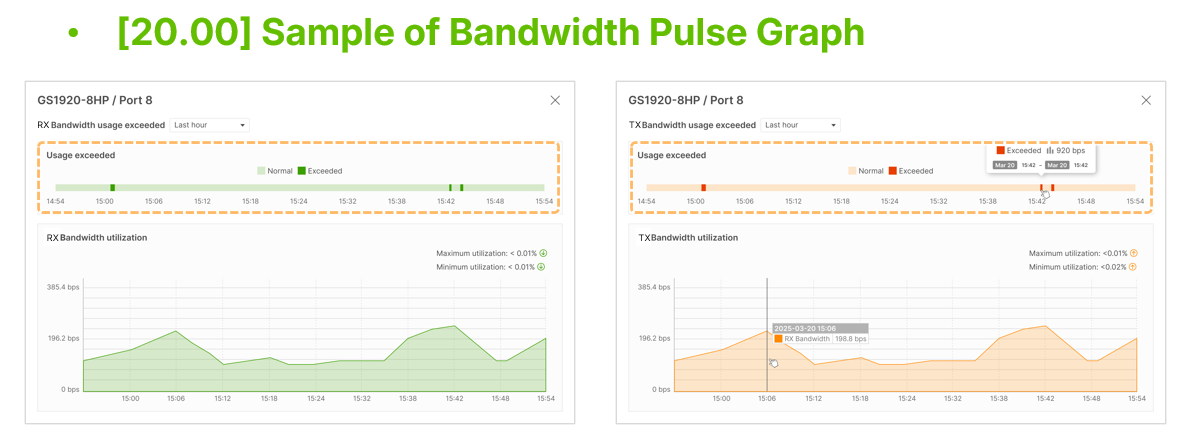
A primary enhancement is the introduction of the "Usage Exceeding Bar" for bandwidth and storm guard monitoring. Instead of traditional spike lines, Nebula now displays colored bars to represent traffic levels: green for RX and orange for TX. When a threshold is exceeded, a deeper color saturation highlights the anomaly on the graph. Administrators can mouse over these bars to see the exact time period the threshold was exceeded.
Average Rate Calculations
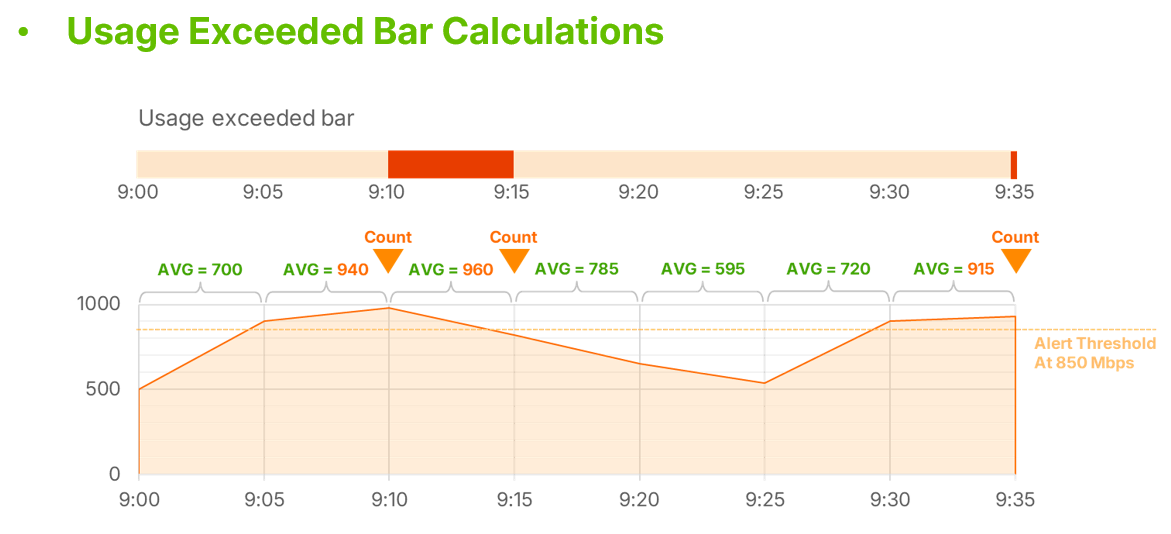
To reduce false positives from momentary spikes, the system now uses an average calculation over a 5-minute polling interval. If the average utilization during a 5-minute window exceeds the configured threshold, it is recorded as an anomaly.
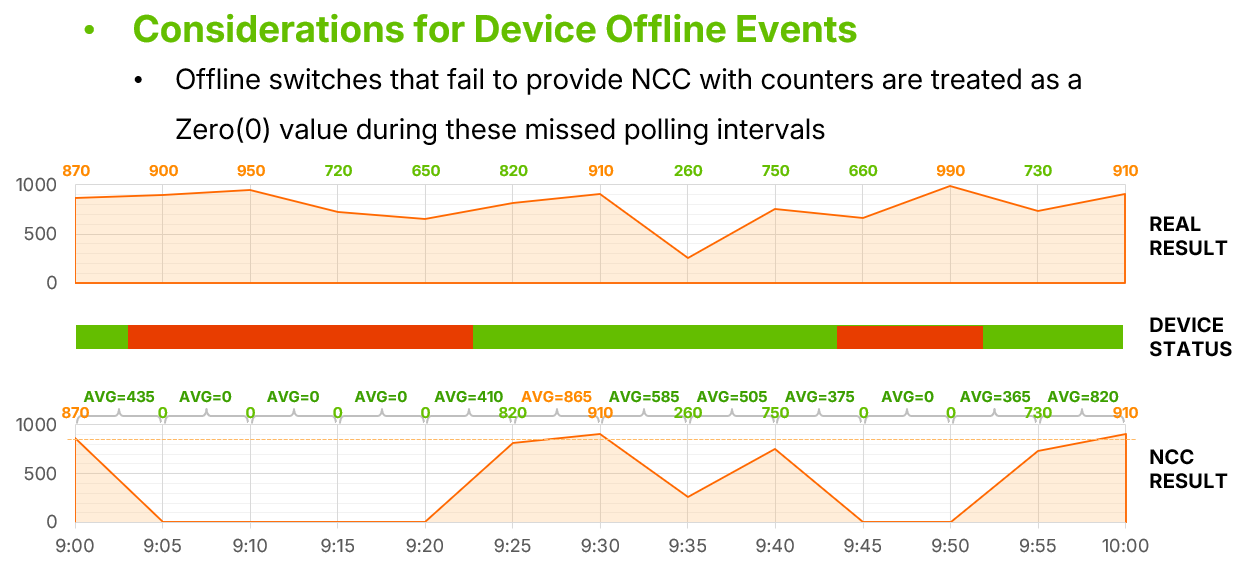
If a device goes offline, NCC treats the missing data as a zero value rather than carrying over previous anomalies.
Recovery Notifications
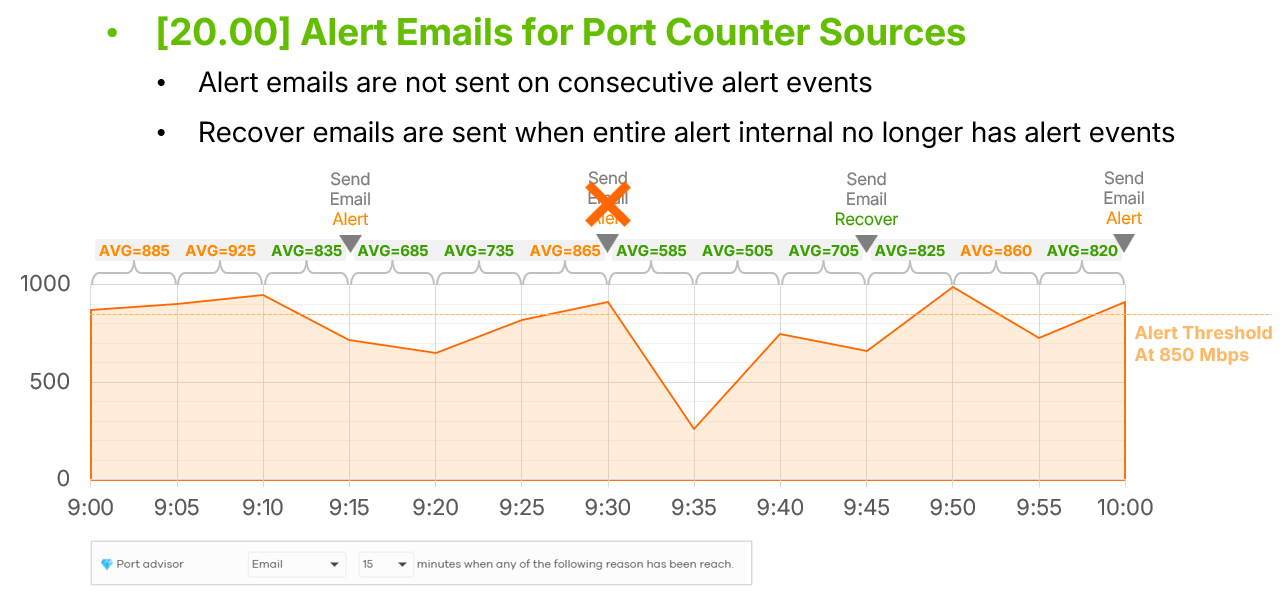
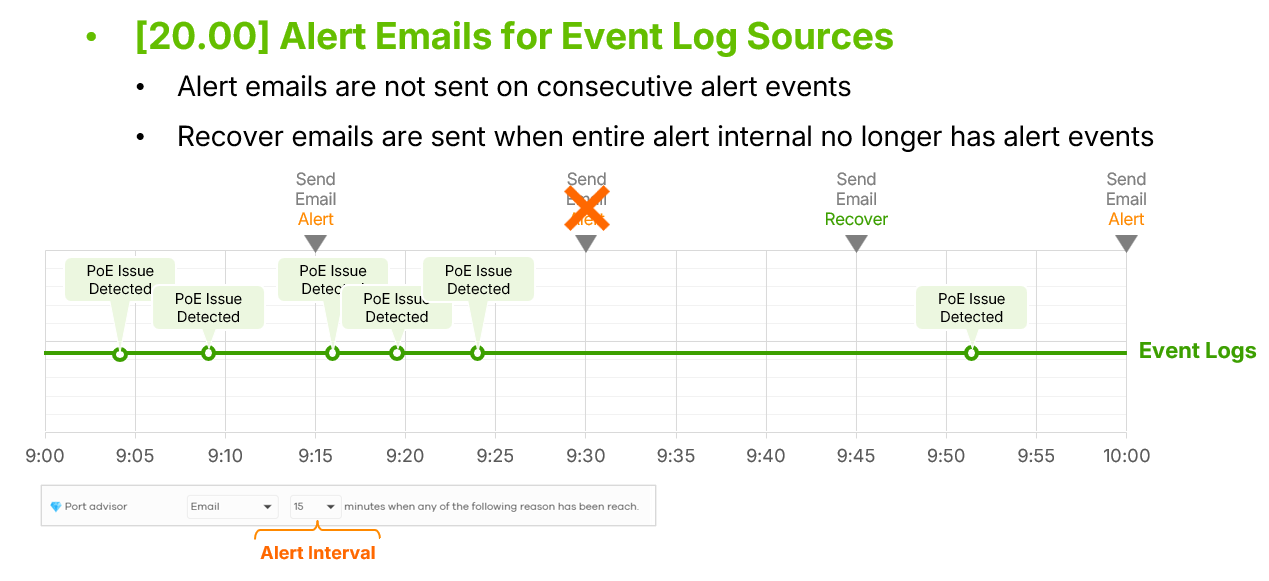
To prevent excessive alerting, Nebula now utilizes "Recovery Notifications". When an issue is first detected, an alert email is sent. If the situation continues, the system suppresses further alerts until the entire interval is clear of anomalies, at which point a single "recovery email" is sent to inform the administrator that the issue is resolved.
 Technical Considerations
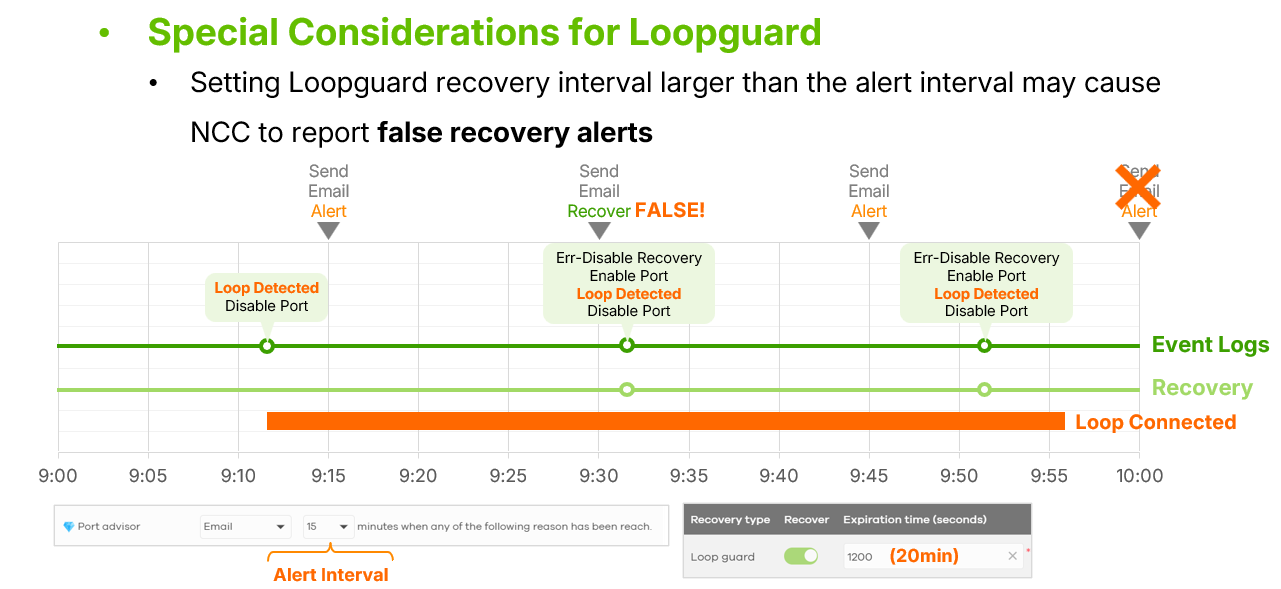
Administrators using Loop Guard should note that if the Loop Guard timer is set longer than the email alert interval, the system may report false recovery alerts.
Additionally, the display unit for broadcast packets has been updated to "PPS (Packets Per Second)" for better technical accuracy.
Categories
- All Categories
- 442 Beta Program
- 3.1K Nebula
- 243 Nebula Ideas
- 6.8K Security
- 783 USG FLEX H Series
- 389 Security Ideas
- 1.8K Switch
- 87 Switch Ideas
- 1.5K Wireless
- 58 Wireless Ideas
- 7.2K Consumer Product
- 325 Service & License
- 527 News and Release
- 101 Security Advisories
- 31 Education Center
- 10 [Campaign] Zyxel Network Detective
- 5.3K FAQ
- 34 Documents
- 91 About Community
- 122 Security Highlight