BWM on a 700H works only a few minutes



 Freshman Member
Hello everyone,
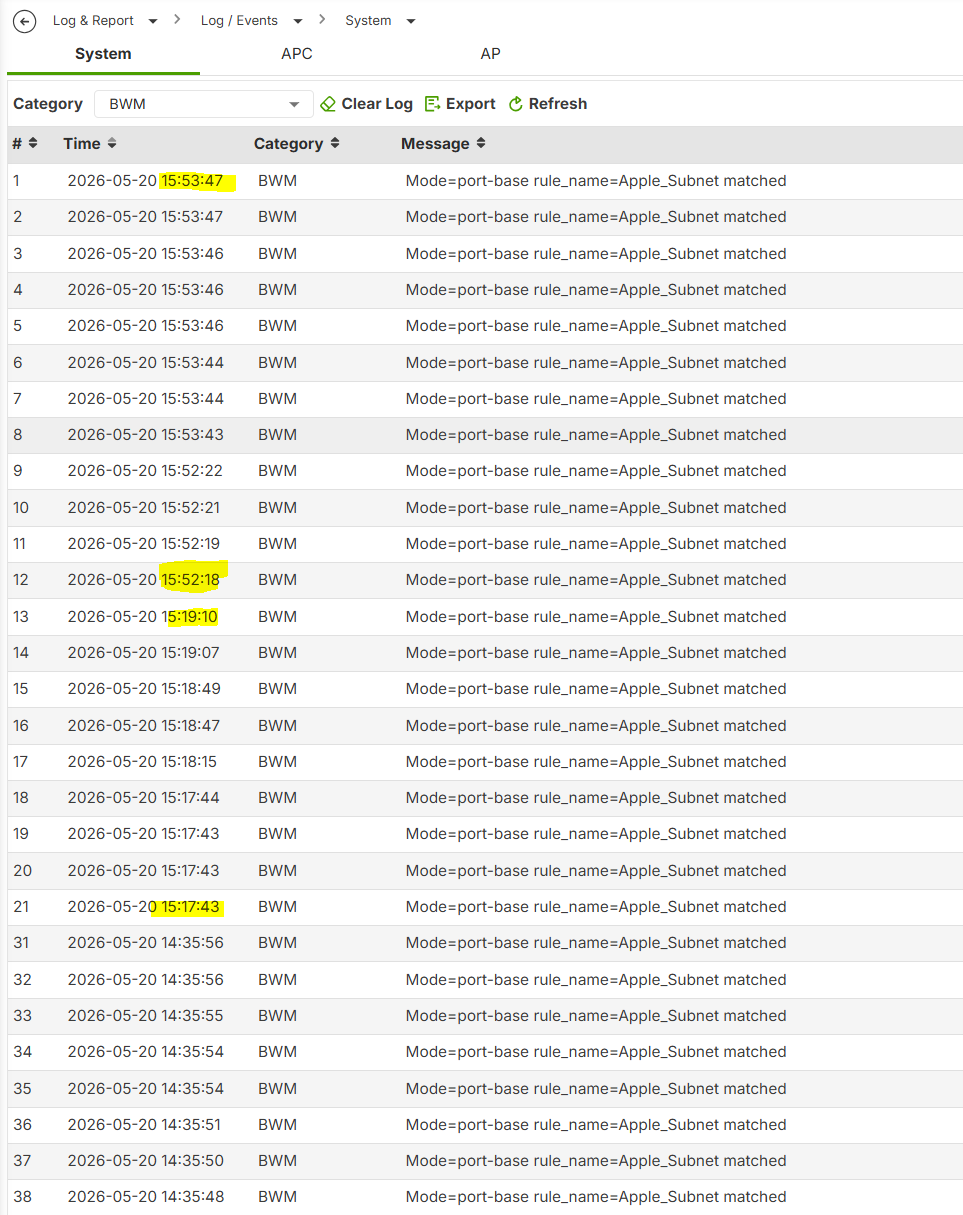
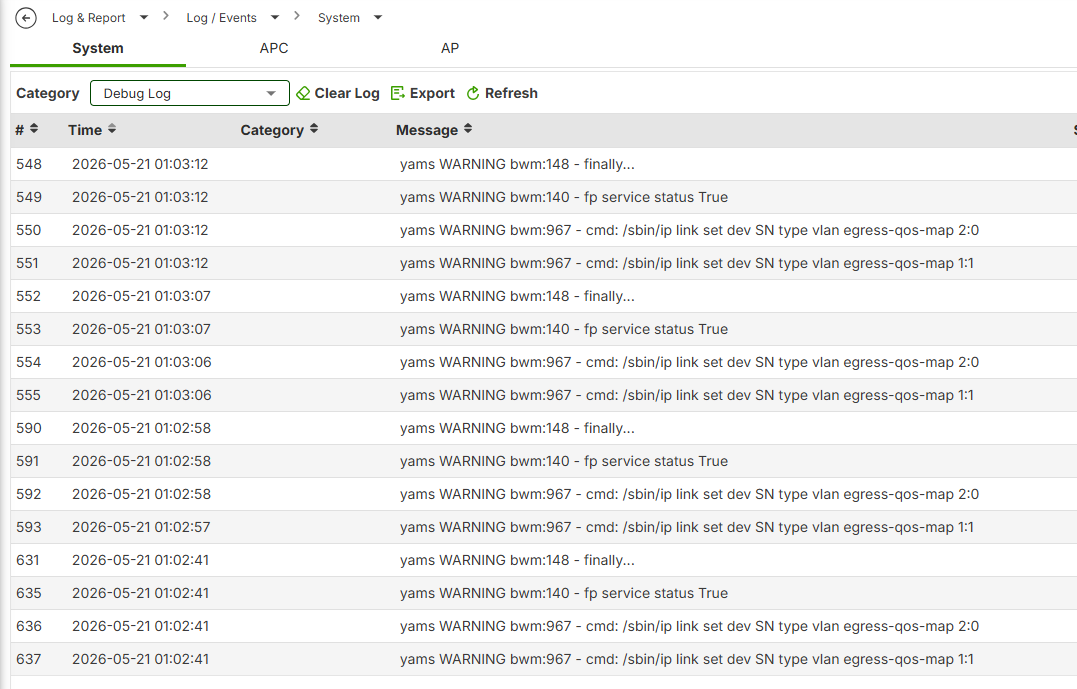
On our USG FLEX 700H (Firmware: V1.38(ABZI.0)ITS-26WK16-m11228) with HA enabled, BWM is not functioning correctly.
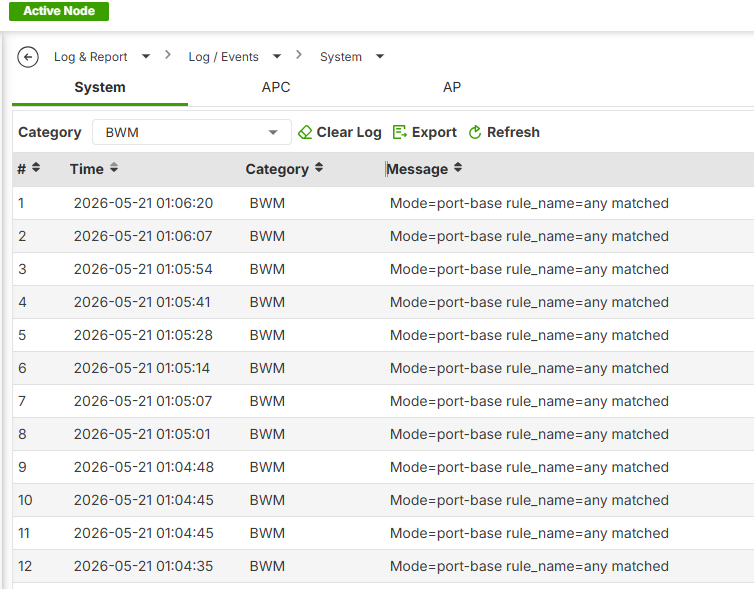
Once enabled, according to the log entries, it works for only a few minutes. Both our monitoring system and the logs confirm that the rules are no longer being applied thereafter. No further log entries appear until we manually disable and then re-enable the core BWM functionality—and even after re-enabling it, it works for only a few minutes.
Does anyone here happen to have a helpful tip? Otherwise, this looks to us like a bug in the feature itself.
regards,
Sebastian
All Replies
-
How do you know BWM stops working? Is a rate limit you set going over?
What are the rules set like that you say stop working?
0 -
Just guessing of a possible causes can you limit slower like 50Mbps and see if it stays at the limit?
also is this UDP or TCP or other protocol?
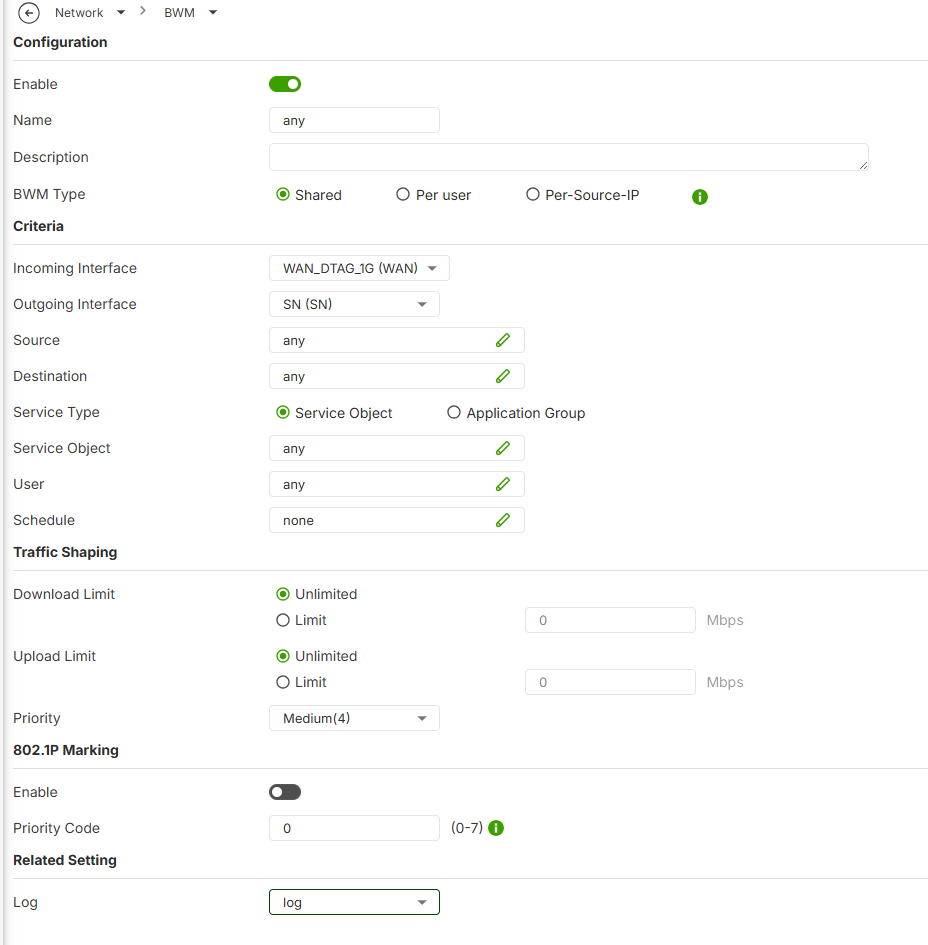
you could also try setting the service and see if that make a difference or even set destination to any for testing
0 -
Hi @Schul_IT,
Thank you for the detailed report and the logs you've shared.
To investigate this further, we'd like to request a remote session to the device so we can directly inspect the configuration and behavior. Could you please arrange a remote PC (e.g., via TeamViewer or any remote desktop tool you prefer) that has access to the device's management interface?
In addition, it would be very helpful if you could provide a detailed description of your test steps.
Thank you for your cooperation.
Zyxel Tina
0 -
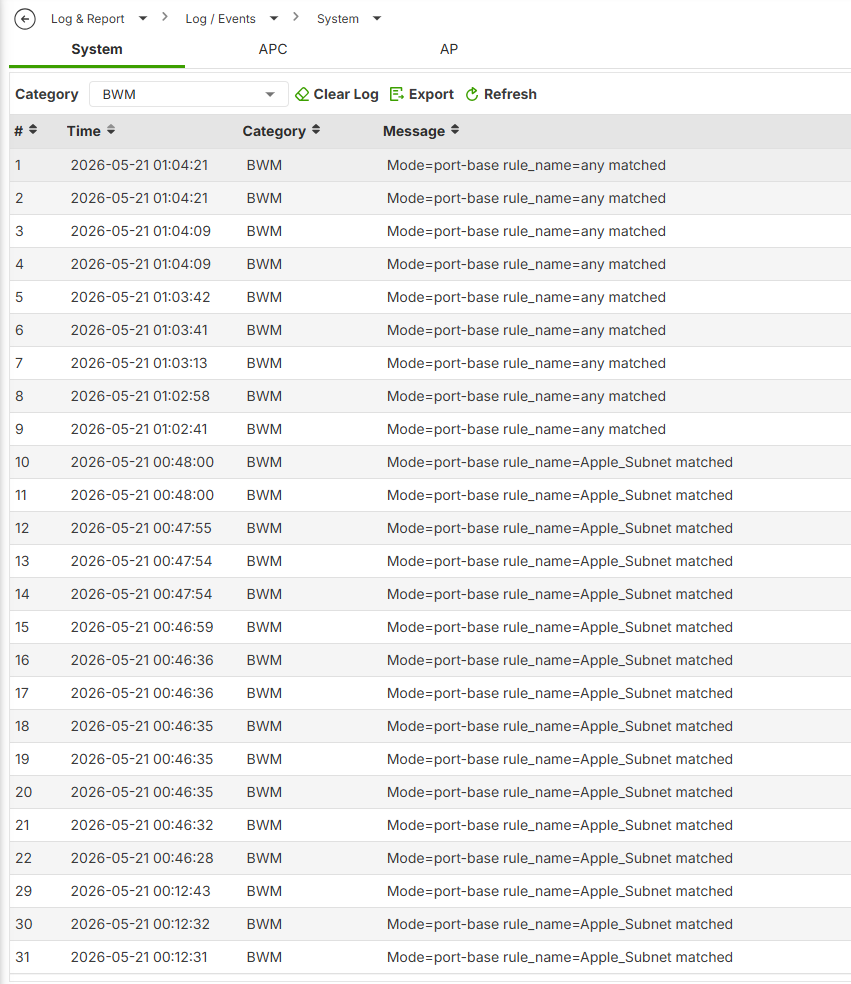
Testing have the same bug I think only BWM just does not work completely.
whats odd is BMW seems to work fine on FLEX 700H but not FLEX 200H seems there is a given config that causes this…
0



 Guru Member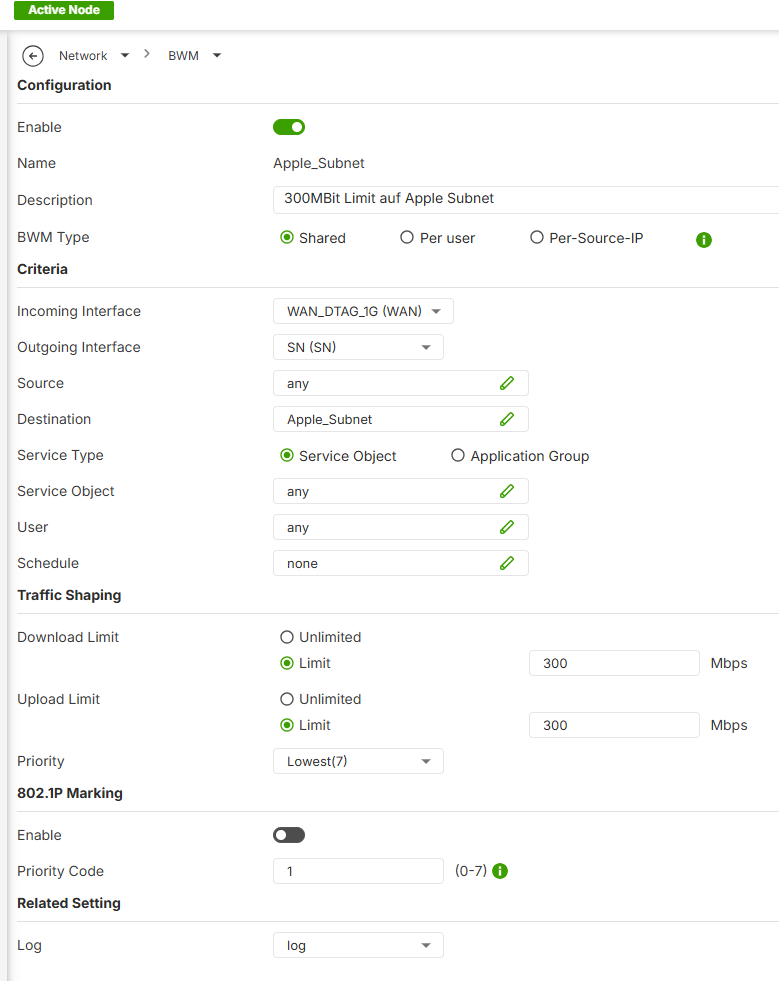




 Zyxel Employee
Categories
- All Categories
- 442 Beta Program
- 3.1K Nebula
- 243 Nebula Ideas
- 6.8K Security
- 781 USG FLEX H Series
- 387 Security Ideas
- 1.8K Switch
- 87 Switch Ideas
- 1.5K Wireless
- 58 Wireless Ideas
- 7.2K Consumer Product
- 324 Service & License
- 527 News and Release
- 101 Security Advisories
- 31 Education Center
- 10 [Campaign] Zyxel Network Detective
- 5.3K FAQ
- 34 Documents
- 91 About Community
- 121 Security Highlight


