How do I enable the Dark Mode on the USG Flex H?
Options

Zyxel_Jeff
Posts: 1,408




 Zyxel Employee
Zyxel Employee
in Other Topics
Question :
How do I enable the Dark Mode on the USG Flex H?
Answer :
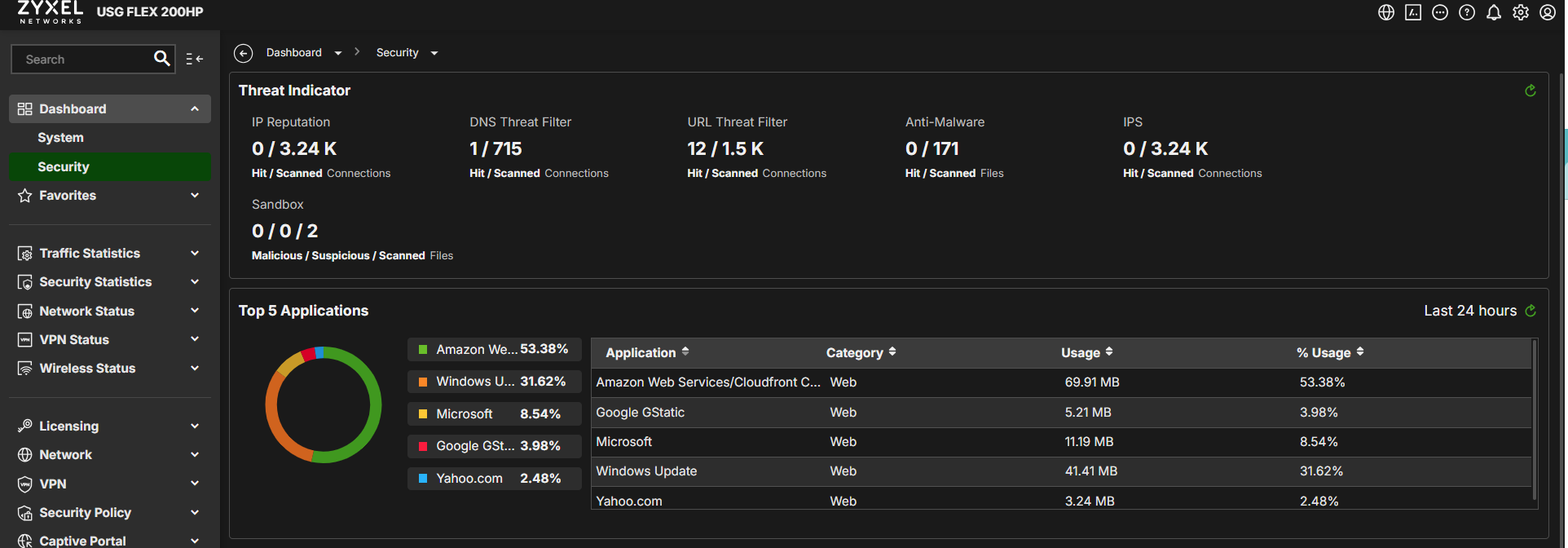
The user can navigate to the GUI path in the upper right corner and click the Settings icon to enable Dark Mode, as shown below:
STEP1. Enable Dark Mode

STEP2. Dark Mode is enabled.

0
Categories
- All Categories
- 442 Beta Program
- 3.1K Nebula
- 243 Nebula Ideas
- 6.8K Security
- 781 USG FLEX H Series
- 387 Security Ideas
- 1.8K Switch
- 87 Switch Ideas
- 1.5K Wireless
- 58 Wireless Ideas
- 7.2K Consumer Product
- 324 Service & License
- 527 News and Release
- 101 Security Advisories
- 31 Education Center
- 10 [Campaign] Zyxel Network Detective
- 5.3K FAQ
- 34 Documents
- 91 About Community
- 121 Security Highlight