How to Assign Port P2 on USG FLEX 200H to a VLAN?
Options

Zyxel_Emily
Posts: 1,499




 Zyxel Employee
Zyxel Employee
Question:
How to Assign Port P2 on USG FLEX200 H to a VLAN?
Answer:
If you want to assign port P2 of your USG FLEX 200H to a VLAN instead of using it as a WAN port, follow these configuration steps:
- Access the ge2 interface configuration and set its zone to "None".
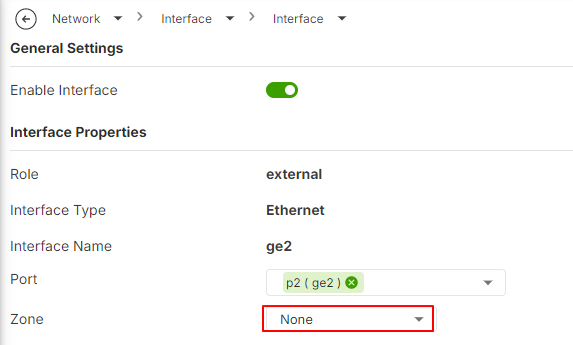
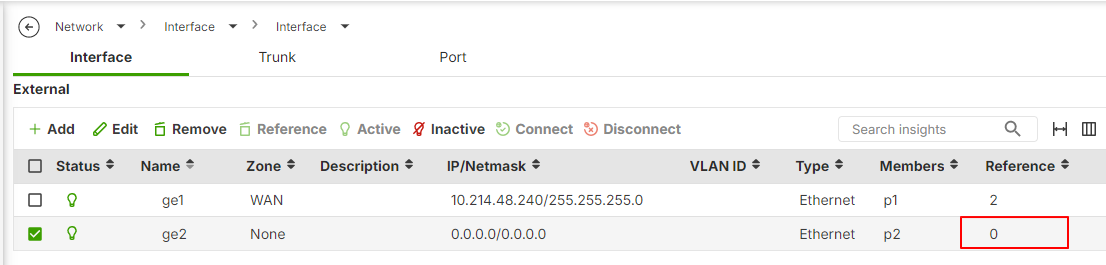
- Ensure there are no references tied to the ge2 port. Once confirmed, remove the "ge2" interface from the external interface list.
- Navigate to the internal interface settings. Create a new VLAN interface and select "port P2" for this VLAN interface.
By making these changes, port P2 will operate as part of the VLAN instead of being configured as a WAN port.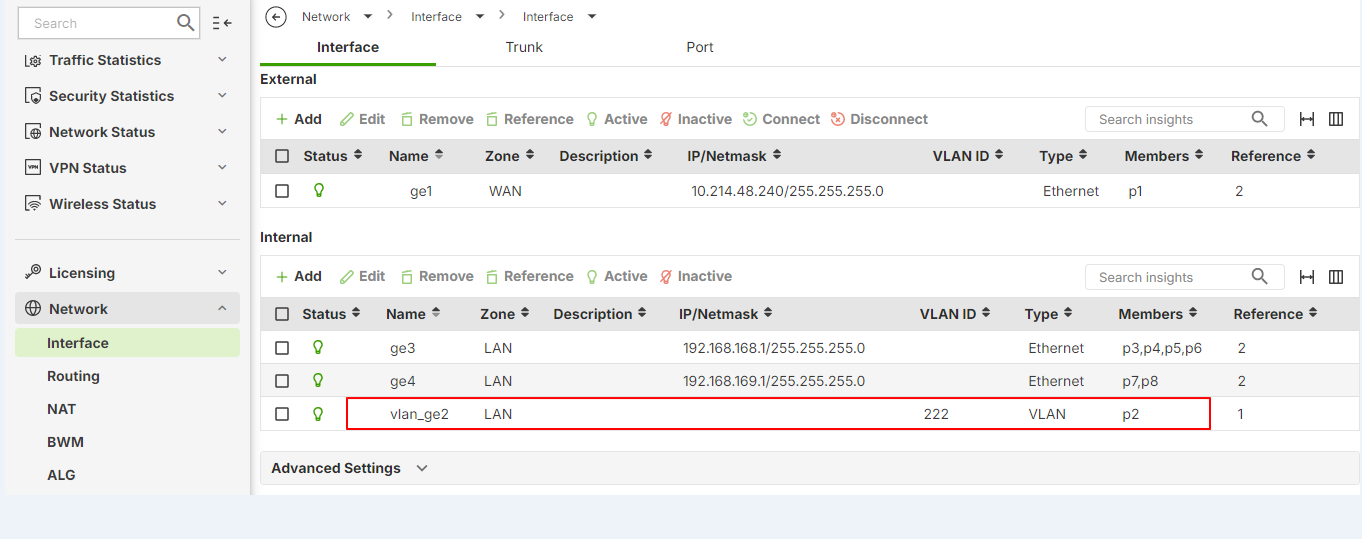
0
Categories
- All Categories
- 442 Beta Program
- 3.1K Nebula
- 243 Nebula Ideas
- 6.8K Security
- 783 USG FLEX H Series
- 389 Security Ideas
- 1.8K Switch
- 87 Switch Ideas
- 1.5K Wireless
- 58 Wireless Ideas
- 7.2K Consumer Product
- 325 Service & License
- 527 News and Release
- 101 Security Advisories
- 31 Education Center
- 10 [Campaign] Zyxel Network Detective
- 5.3K FAQ
- 34 Documents
- 91 About Community
- 122 Security Highlight