How to Resolve SSL VPN Connection Issues on USG FLEX H firewall?
Options

Zyxel_Emily
Posts: 1,499




 Zyxel Employee
Zyxel Employee
in VPN
Question:
How to resolve SSL VPN cnnection issues on USG FLEX H firewall?
Answer:
If you are facing SSL VPN connection issues, such as constant disconnects and reconnects, follow these steps to resolve the problem:
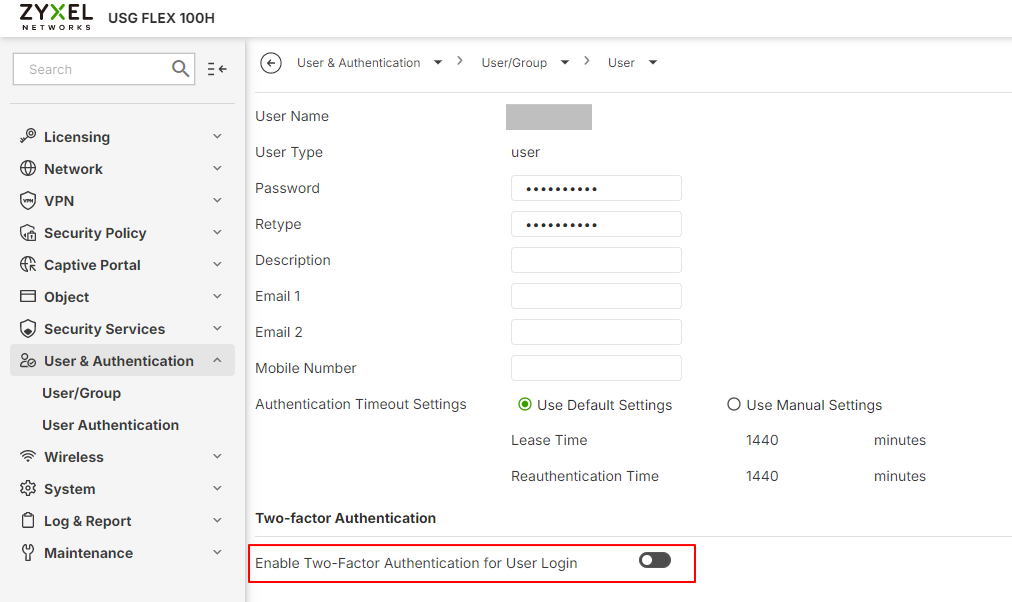
- Check Two-Factor Authentication (2FA):
If 2FA is enabled under “User & Authentication > User Authentication > Two-factor Authentication > VPN Access”, ensure each SSL VPN user in the allow list is configured for 2FA (e.g., Google Authenticator).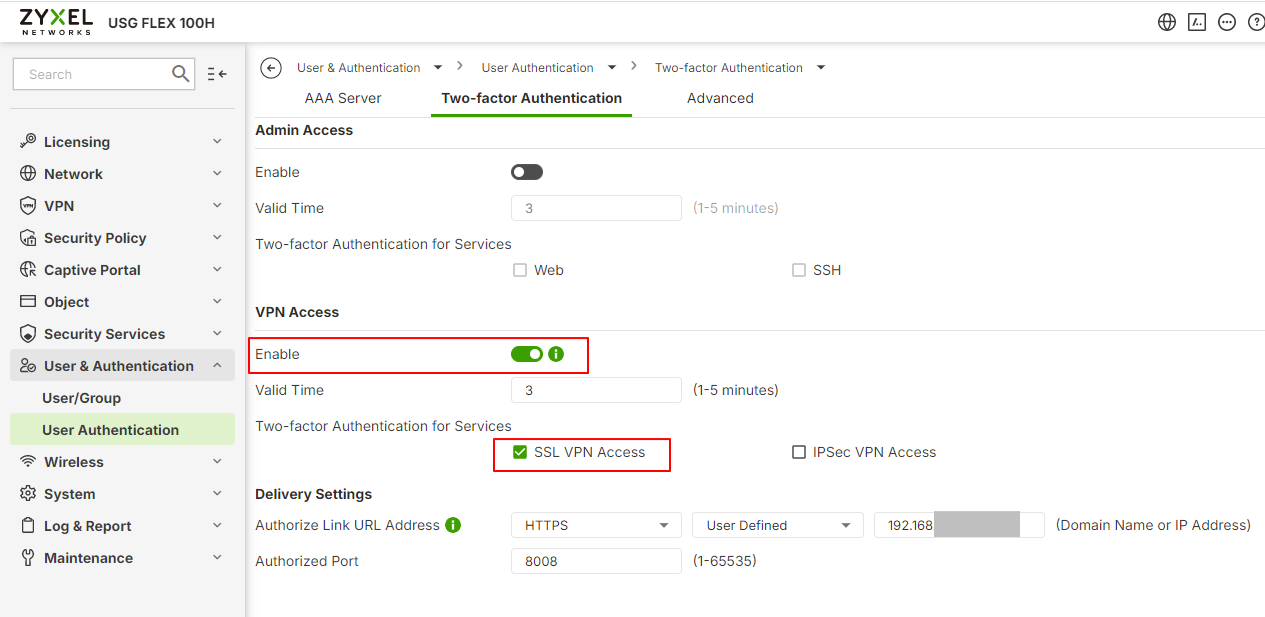
- VPN Configuration Adjustments:
Verify the SSL VPN configuration in the 'RemoteAccess_SSLVPN.ovpn' file. If it references a private IP (e.g., 192.168.x.x), change it to your public IP manually.
Tagged:
0
Categories
- All Categories
- 442 Beta Program
- 3.1K Nebula
- 243 Nebula Ideas
- 6.8K Security
- 783 USG FLEX H Series
- 389 Security Ideas
- 1.8K Switch
- 87 Switch Ideas
- 1.5K Wireless
- 58 Wireless Ideas
- 7.2K Consumer Product
- 325 Service & License
- 527 News and Release
- 101 Security Advisories
- 31 Education Center
- 10 [Campaign] Zyxel Network Detective
- 5.3K FAQ
- 34 Documents
- 91 About Community
- 122 Security Highlight