How To Know When Nebula Has Finished Configuring My SCR50AXE?





 Zyxel Employee
When you save a change in Nebula Control Center (NCC), it does not take effect on the device instantly. To check the current sync status, go to Site-wide > Devices > Security Router and look at the Configuration status.
If it shows "Up to date," the device has successfully received and applied the latest settings. If it shows "Not up to date," the changes have been saved in NCC but are still being pushed to the device — this typically resolves within 2 to 10 minutes depending on your internet connection and the complexity of the changes. Avoid making further modifications during this time, as doing so can cause configuration queuing or delays.
If the status returns to "Up to date" but the device still appears to be running different settings than expected, you can force a full configuration push using the Reprovision button, found under the Live Tools section on the device detail page. Note that this button is only available when the status is "Up to date."
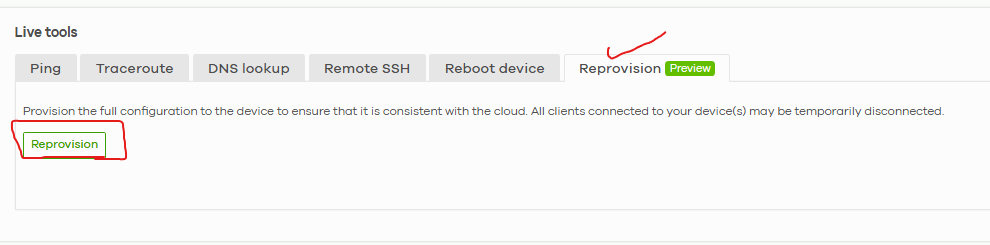
If the problem persists after reprovisioning, note which specific settings seem out of sync (e.g., firewall rules, SSID, WAN), check the firmware version shown in NCC, and include screenshots when contacting support.
Zyxel Tina
Categories
- All Categories
- 442 Beta Program
- 3.1K Nebula
- 243 Nebula Ideas
- 6.8K Security
- 783 USG FLEX H Series
- 389 Security Ideas
- 1.8K Switch
- 87 Switch Ideas
- 1.5K Wireless
- 58 Wireless Ideas
- 7.2K Consumer Product
- 325 Service & License
- 527 News and Release
- 101 Security Advisories
- 31 Education Center
- 10 [Campaign] Zyxel Network Detective
- 5.3K FAQ
- 34 Documents
- 91 About Community
- 122 Security Highlight