Wifi Problem I can't solve.
All Replies
-
Hi @jef
I want to check more details on the ping test.
- Does your PC connect to WiFi or connect to LAN with cable?
- What's your topology between the firewall, AP, and clients(phone and PC)? If there has switch between the firewall and AP, please also share the model of the switch with us.
Zyxel Melen0 -
PC connects to LAN with cable.
Firewall to Switch TL-SG116 (This switch is where the PC is connected).
Switch to Switch over cable thus TL-SG116 to TL-SG108.
The AP is plugged into the TL-SG108 with a POE+ injector.
The Phone I was testing on was WIFI only.
The clients are all WIFI.
When I had the 700 USG on the bench, it was still using the patch panel for the AP and the injector.
The path to the AP would have been basically the same.
We had a long week-end being 4th of July in the US.
And today everything has been rock solid all day.
And nothing I do (connect, disconnect, moved to a different area) changes that it is all working very well today.
Ping tests both ways that were failing are fine all day "Monday" July 6th.
So…. maybe it healed over the long weekend? Nothing has changed, unless something timed out somewhere and now everything is routing correctly.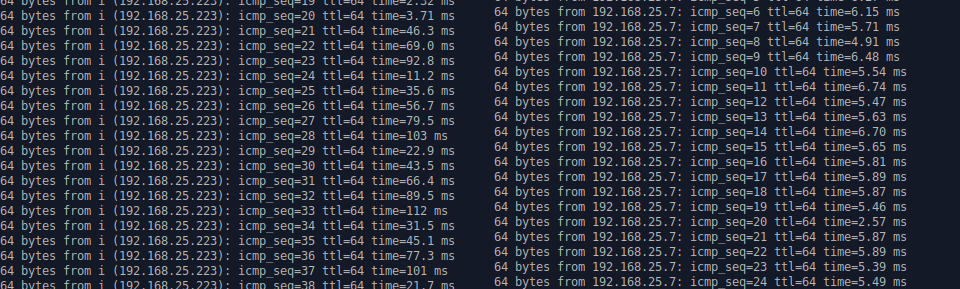
If it stays like this then the problem is gone.
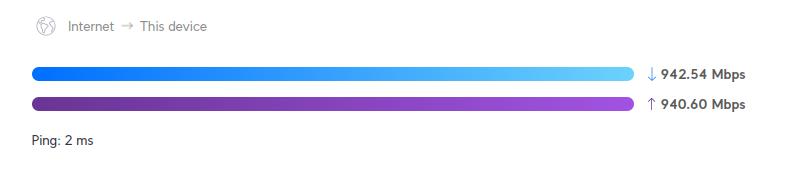
That is as good as it gets on a 1G network for us. Lan and Wifi are getting similar results now.
0 -
2 days and wifi is working.
Not sure what changed to make everything work nicely.
Assuming from the questions asked the idea was that it was something between the AP and the USG, a switch or another device that was causing the problem.
One of the switches is smart, the other is not. Both are running in an unmanaged mode.
I clicked on so much stuff (trying anything, turning things on and off) over the last few weeks I'm not sure what might have caused or cured the problem. I am not even sure if it was a wifi problem or coincidence.
Thanks for the support!0 -
Wifi is still not working properly. It at times works, and seemly for long periods.
When if fails, what I see it this:
The device on WIFI can ping the LAN (same subnet) successfully.
BUT the LAN side does not get back to that wifi device.
Any device on the Lan/or Wifi Lan (wired or wifi same Lan) device can not ping back to the phone.Example: Phone connects to Wifi with -43DB strength, the device/phone can ping the LAN perfectly, but at the same time from ANY device on the LAN the WIFI device IP is a 84% packet loss.
Wifi to Wifi, the ping does not work (trying to ping the problem wifi device).
At the same time, a different device on WIFI, works perfectly, connected to the same AP, same dhcp.
Example: Laptop on WIFI (works perfectly).
I can ping the laptop from the LAN, I can ssh into laptop from a Lan computer.Next to the laptop I set the wifi device having the issue, a phone.
I can not get to that phones dhcp IP from any device on the lan WIFI or wired.
YET the phone can ping to the LAN, the phone can ping the IP of the device that can not get to it.
A phone on WIFI (when it is failing), will not get calls or messages.
The calls never show up on the phone, when you disconnect from WIFI you will get "voice messages" from the missed calls that never hit the phone.
I saved diagnostic files for USG and the APs while this issue was happening..
Why do WIFI device connect to WIFI and see the LAN and the WAN.
But (some times) WAN and the LAN do not consistently have a way back to that connected wifi device?
Below is a trace route to "b", which is a wifi device, this trace is from the wired Lan.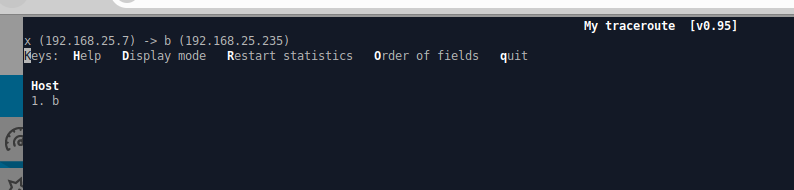
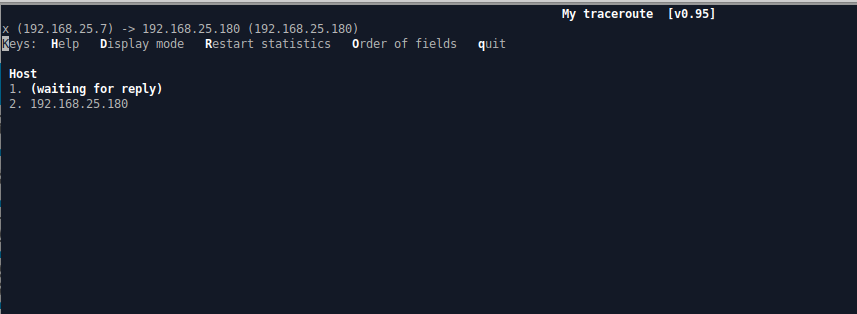
The below trace rout is from the same wired LAN to the WIFI device not working.
This was a ping from the LAN on a wired device that works perfectly.
Below is the ping to the problem wifi device.
And the same time this wired lan can ping a laptop on WIFI and it works perfectly. (no picture required)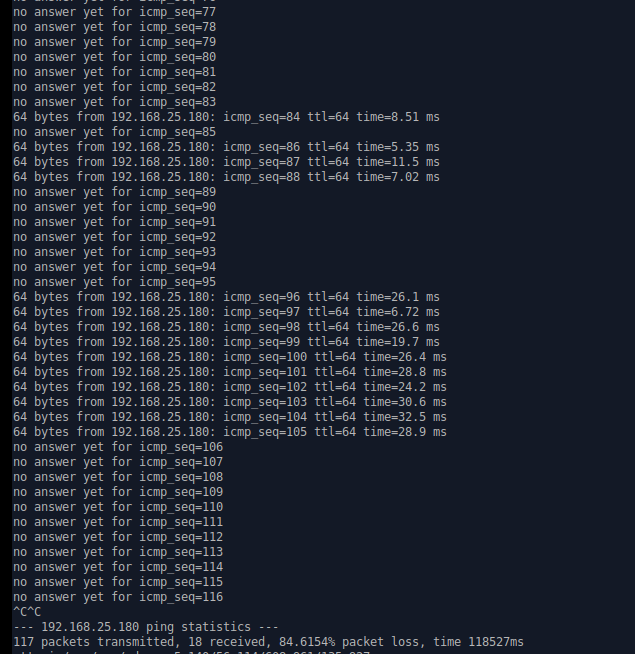 0
0 -
Hi @jef
According to the happen frequency and symptom, it is more likely there's another device that is using the same IP address. It causes ARP table change on the other devices, like your firewall and PC. Here is some steps to check this issue:
- Your phone continuously ping 8.8.8.8.
- SSH or use web CLI to your firewall and enter command "show arp-table | match <phone's IP address>" to check if the ARP information been replaced by another device. You will need to enter this command few times to check the difference.
Also, could you share why your phone need to use static IP? If is because can't get DHCP IP, you should check the firewall DHCP log and setting. For example, if the DHCP pool is full, the new connected clients will not get the DHCP IP address. You will need to enlarge the DHCP pool size.
Zyxel Melen0 -
I assigned the Phone a static IP when I was trying to figure out if anything I did would fix/improve the connectivity.
I will put it back on DHCP. I also changed the DHCP to expire every 24 hours hoping that might help.
Okay… The phone was pinging 8.8.8.8 continuously no problems. 100% received.
My phone had DHCP bound to 171. (Phone info screen shot attached).
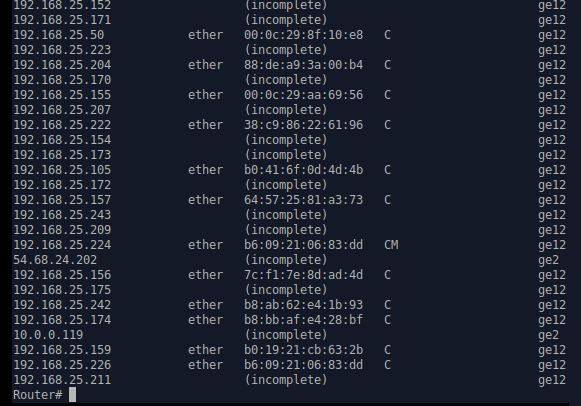
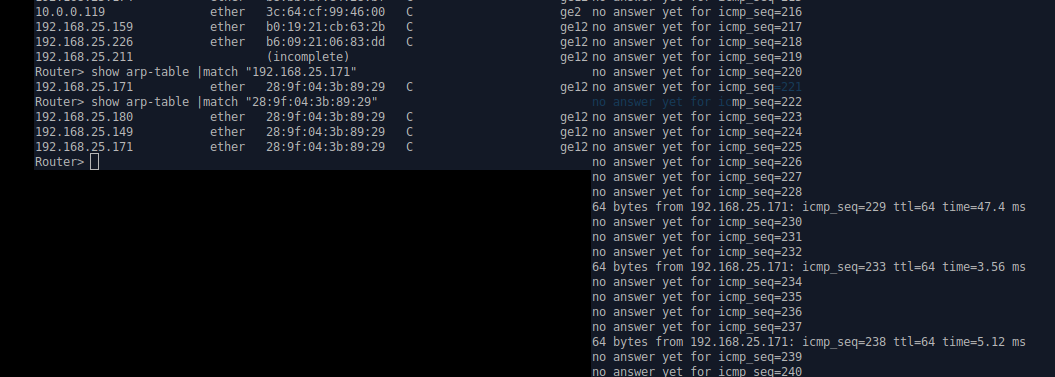
The ARP in the router shows 3 IP addresses assigned to the phones MAC.
The ping back to the phone was horrible.
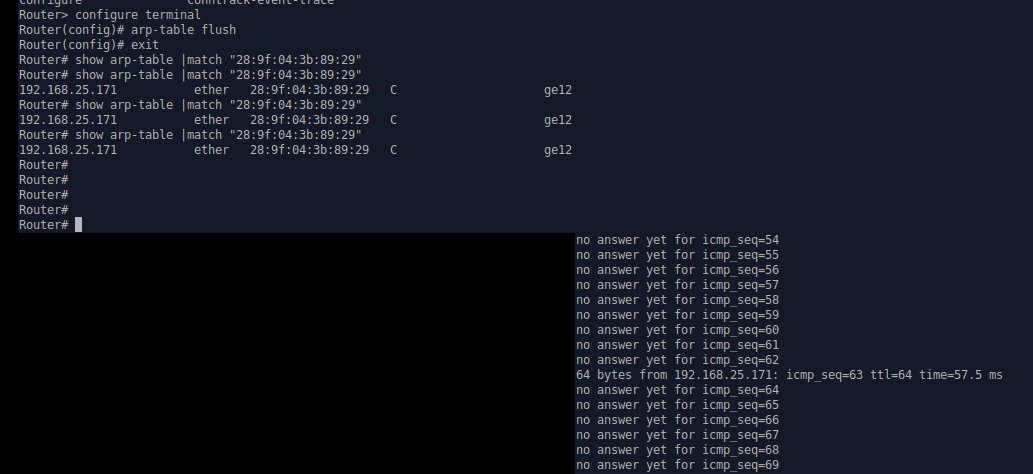
I "matched" the IP. 192.168.25.171.
Then "matched" the Mac. 3ips returned. screen shot provided (bottom)
I used the shh to flush the arp-table.
I started the ping and checked the arp-table, only 1 entry for the Mac.
But the Phone did not work and the ping was still horrible. (see screen-shot below, post flush)I noticed the arp has a lot of "Incomplete" now, and the Phone IP is one of them.
I assume this is because the router (LAN) can't get back to the connected device?
Which is the problem in a nutshell.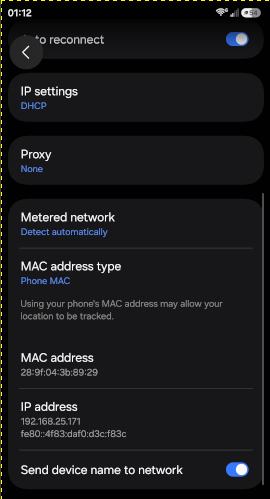
 0
0 -
0
-
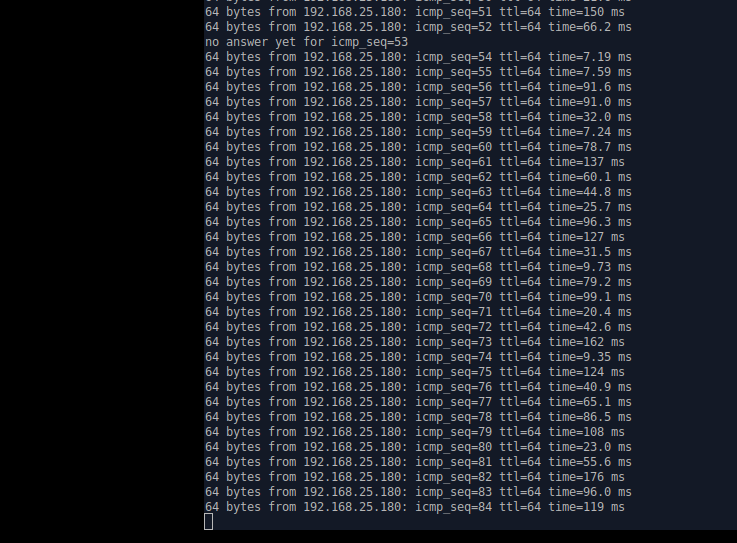
Not sure if it is coincidence, luck or helped. But, I enabled "Enable Arp Proxy" in the "SSID" profile(s), I made a 2nd in testing for non 2.4 radio. And the ping is working where is has been failing.
 0
0 -
Seems something bad is going on with your network for sure.
So what this setup for again? what devices should be connecting? Who has access?
I would enable “Enable Intra-BSS Traffic blocking” how ever that will block LAN to LAN but its just a test if internet becomes stable
0 -
After all that.. I don't think it had anything to do with Zyxel or AP settings.
When the wifi wasn't working early on, many users jumped onto cat wires, then later, folks that occupied those work station areas noticed loose cat wires and decided they could plug them into the back of the phones or the quad panel of the desk, because they could 'click'. Oddly, the switch could handle the loops for the most part and lan users didn't suffer, but wifi could not. Wireshark led me to find 2 loops, I freaked after finding the 2nd and removed all the cat lines from the open space desks. My world went back to normal. Again, sorry for wasting everybody's time. Melen, Peter thanks for helping.0





 Zyxel Employee

 Ally Member




 Guru Member
Categories
- All Categories
- 442 Beta Program
- 3.1K Nebula
- 243 Nebula Ideas
- 6.8K Security
- 783 USG FLEX H Series
- 389 Security Ideas
- 1.8K Switch
- 87 Switch Ideas
- 1.5K Wireless
- 58 Wireless Ideas
- 7.2K Consumer Product
- 325 Service & License
- 527 News and Release
- 101 Security Advisories
- 31 Education Center
- 10 [Campaign] Zyxel Network Detective
- 5.3K FAQ
- 34 Documents
- 91 About Community
- 122 Security Highlight


