How to get the VPN script file from the USG Flex H firewall?
Options

Zyxel_Jeff
Posts: 1,399  Zyxel Employee




Zyxel Employee
in VPN
Question :
How to get the VPN script file from the USG Flex H firewall?
Answer :
Navigate to VPN > IPsec VPN > Remote Access VPN, and enable it.
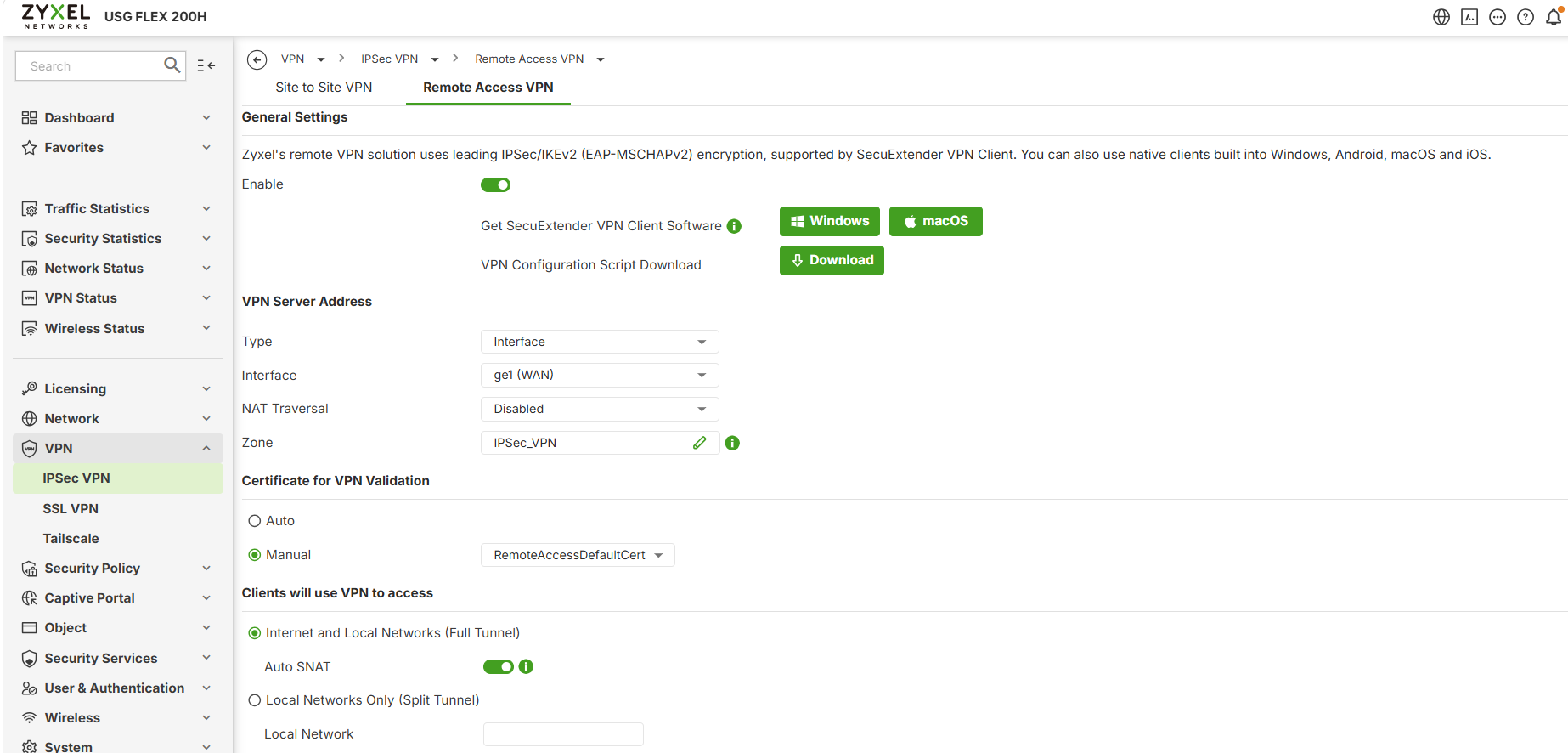
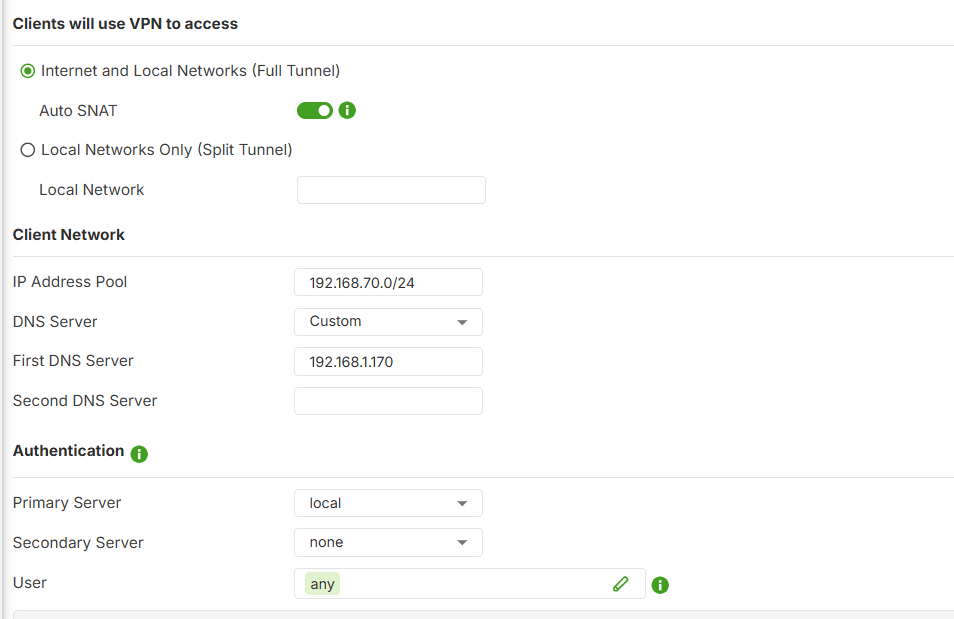
Open the SecuExtender VPN client from the PC.
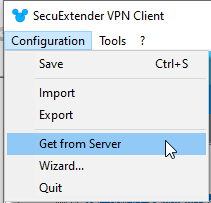
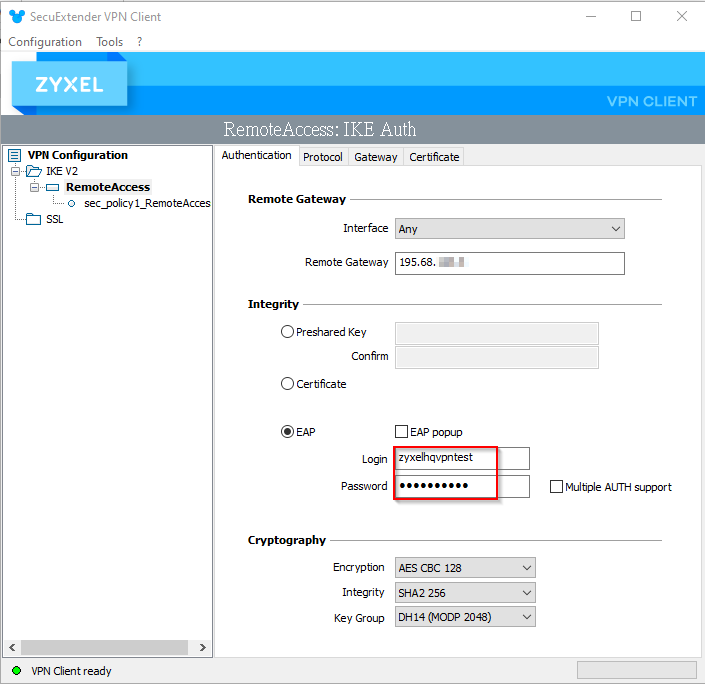
Enter the VPN server's IP address, along with the authorized VPN username and password and click 'Next'.
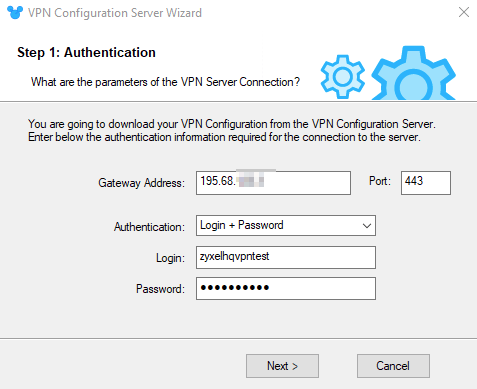
VPN script file retrieved successfully.
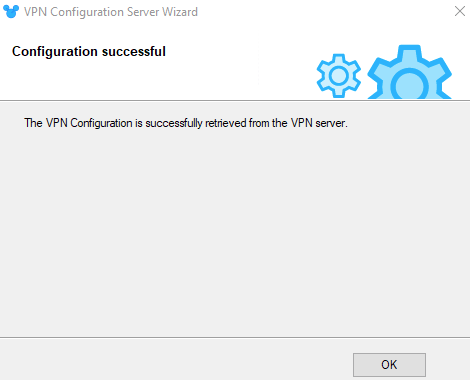
Enter the the authorized VPN username and password from the SecuExtender VPN client.
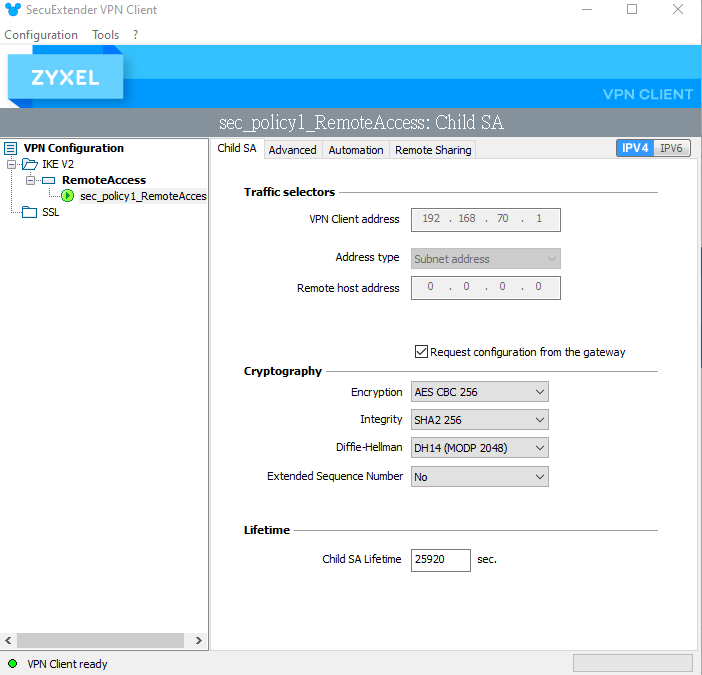
Verify that the VPN connection is successfully established.
0
Categories
- All Categories
- 442 Beta Program
- 3.1K Nebula
- 234 Nebula Ideas
- 6.7K Security
- 706 USG FLEX H Series
- 369 Security Ideas
- 1.8K Switch
- 87 Switch Ideas
- 1.4K Wireless
- 56 Wireless Ideas
- 7.1K Consumer Product
- 313 Service & License
- 512 News and Release
- 99 Security Advisories
- 31 Education Center
- 10 [Campaign] Zyxel Network Detective
- 5.2K FAQ
- 34 Documents
- 89 About Community
- 116 Security Highlight