[USG Flex H] - Remote Access VPN & Custom DNS





 Master Member
I have a dynamic WAN IP address and use DDNS to resolve the IP address. For HTTPS certificate requirements from within the network, I need to resolve my DDNS to a local IP address.
So, under the DNS settings, I've set this A Record policy:
DDNS hostname → 192.168.0.1
In this way, from internally, when i try to resolve my DDNS hostname, the firewall reply with 192.168.0.1.
The problem is that I need to use a Remote Access VPN and can't base it on the WAN interface (because is dynamic). So, I created a VPN with my DDNS domain name.
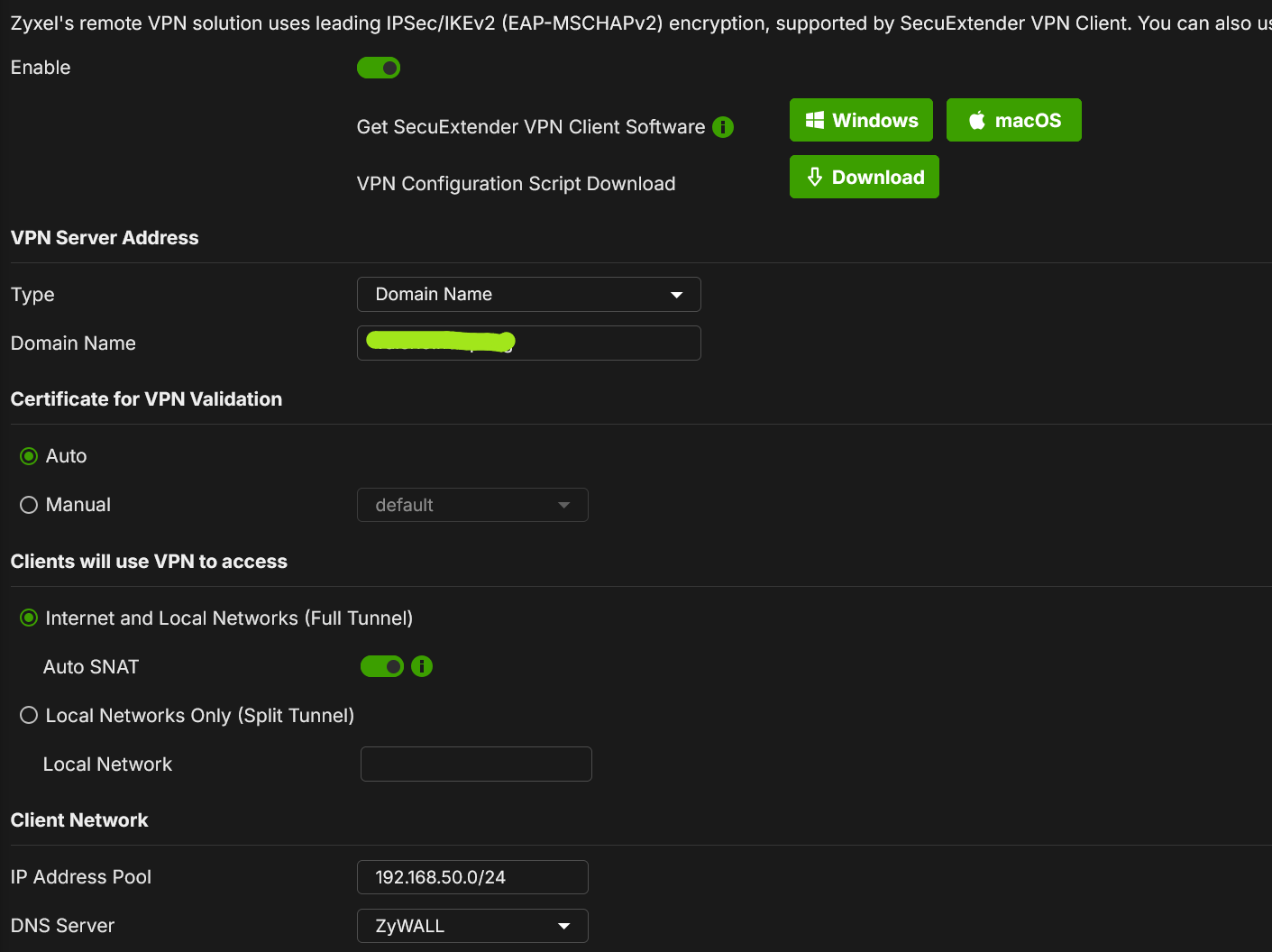
I downloaded the configuration for Windows and applied it, but when I try to use the VPN, my PC responds with "Policy match error"
Checking the logs, seems that the firewall receive correctly the VPN proposals but not respond to it.
So, I've tried to unconfigure my custom DNS and everything worked fine. Probabily when I use the A Record DNS policy internally, the proposals request, is then forwarded to the wrong IP address (192.168.0.1), instead resolve it directly from the firewall itself.
How can I configure a DDNS-based VPN while leaving the DNS rule set?
Can be possible to "disable" or don't check the custom DNS entry for the VPN?
Accepted Solution
-
It is working correctly with them settings to make it work the way you want change VPN Server Address
Type IP address
IP Address 0.0.0.0
NAT Traversal custom IP or domain name
then you domain name1




 Guru Member
All Replies
-
It is working correctly with them settings to make it work the way you want change VPN Server Address
Type IP address
IP Address 0.0.0.0
NAT Traversal custom IP or domain name
then you domain name1 -
Hi @PeterUK,
Thank you for your suggestion, I've tried with:
IP Address: 0.0.0.0
NAT Traversal enabled with my DDNS hostnameThe generate certificate use the NATT as CN so is valid, and in this way I can use my DDNS to reach the firewall.
Thank you
0
Categories
- All Categories
- 442 Beta Program
- 3.1K Nebula
- 243 Nebula Ideas
- 6.8K Security
- 782 USG FLEX H Series
- 387 Security Ideas
- 1.8K Switch
- 87 Switch Ideas
- 1.5K Wireless
- 58 Wireless Ideas
- 7.2K Consumer Product
- 324 Service & License
- 527 News and Release
- 101 Security Advisories
- 31 Education Center
- 10 [Campaign] Zyxel Network Detective
- 5.3K FAQ
- 34 Documents
- 91 About Community
- 121 Security Highlight


