[USG Flex 500H + NWA130BE] - Different speedtest value between LAN and Wifi





 Master Member
Hello,
I've an USG Flex 500H and an NWA130BE.
The topology is:
- USG Flex 500H —> P1 —> WAN (2.5Gb)
- USG Flex 500H —> P3 —> VLAN 10 (Main wifi) —> NWA130BE profile Wifi 7 (forced to 802.11be at 320Mhz MLO enabled)
- USG Flex 500H —> P4 —> PC with Realtek 2.5GbE Family Controller adapter (lastest driver) and cable CAT7 600Mhz
My computer is a Surface Laptop 7 SnapdragonX ARM64 Wifi 7 capable.
The USB-C is 40Gbps/Thunderbold 4.
This is the BE profile settings:
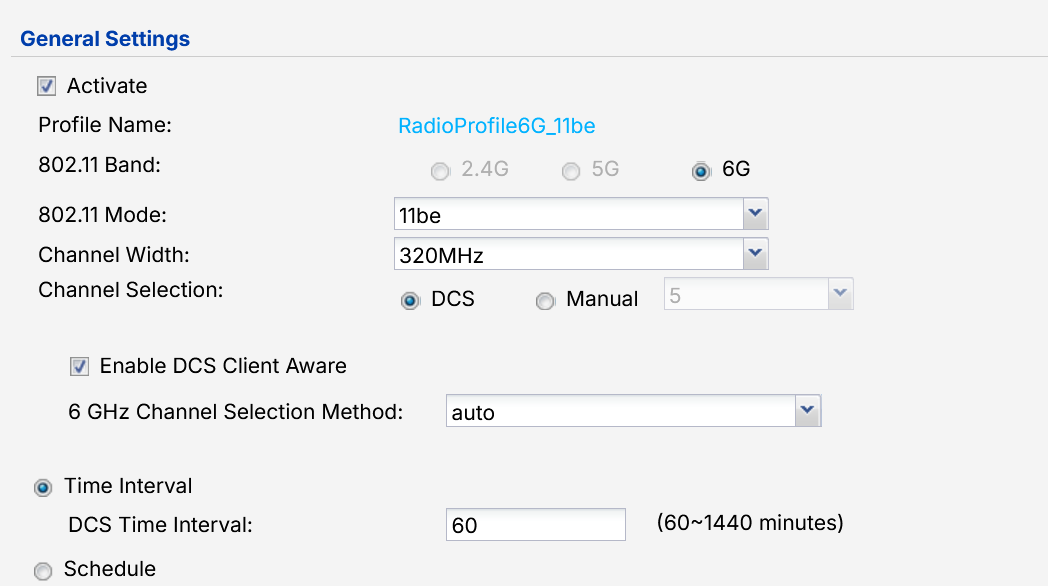
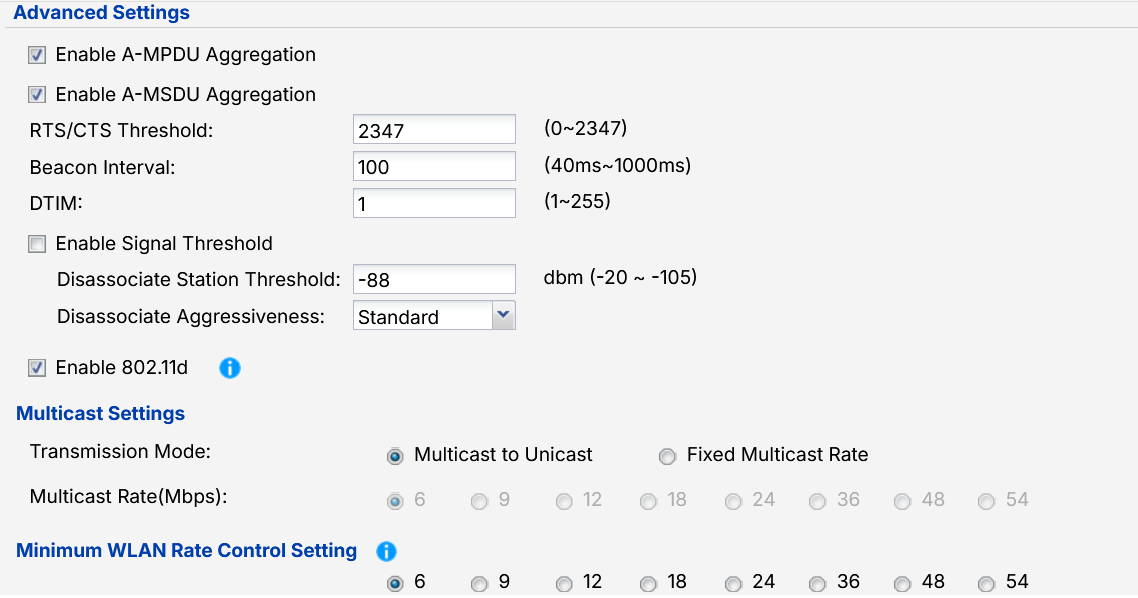

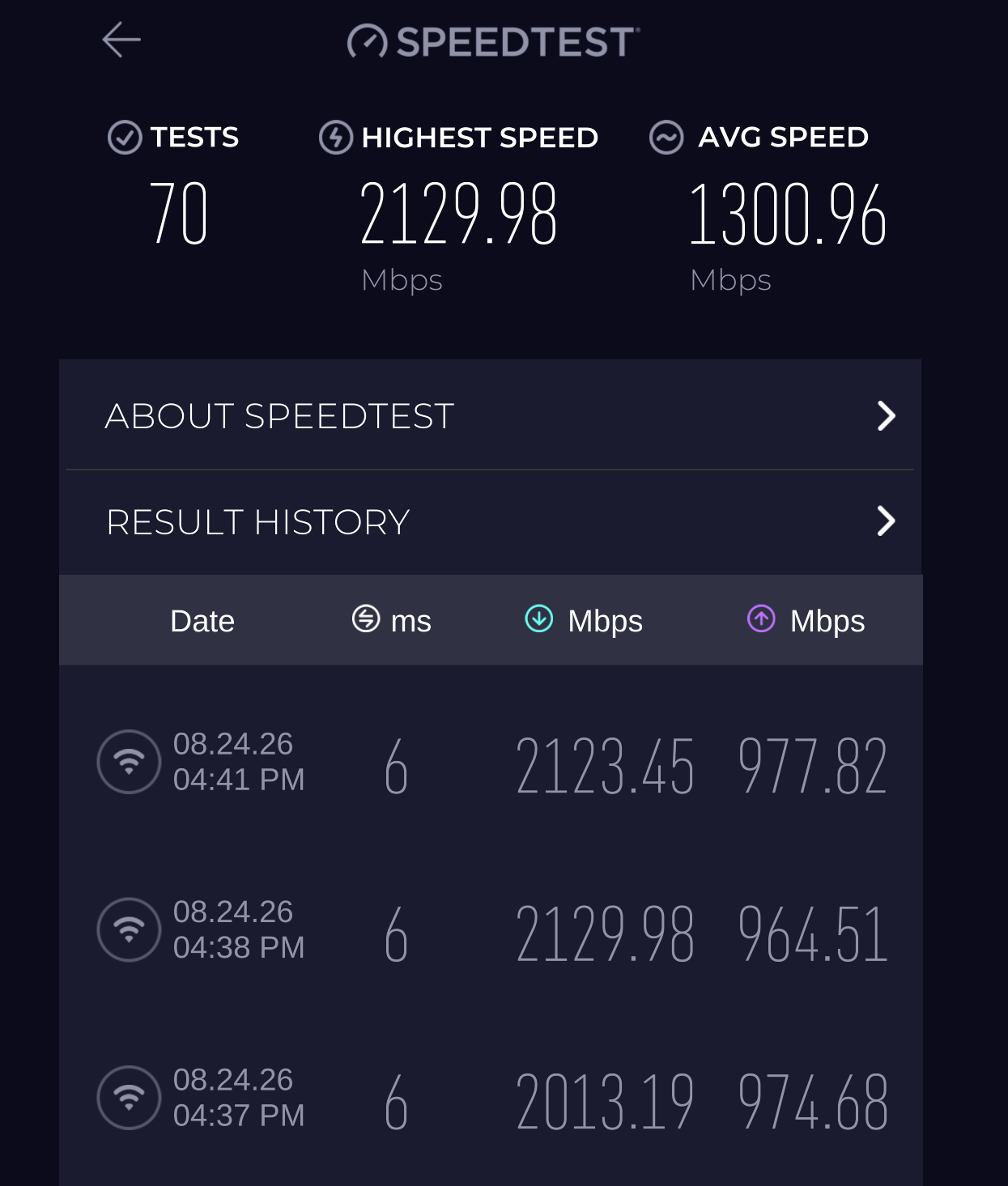
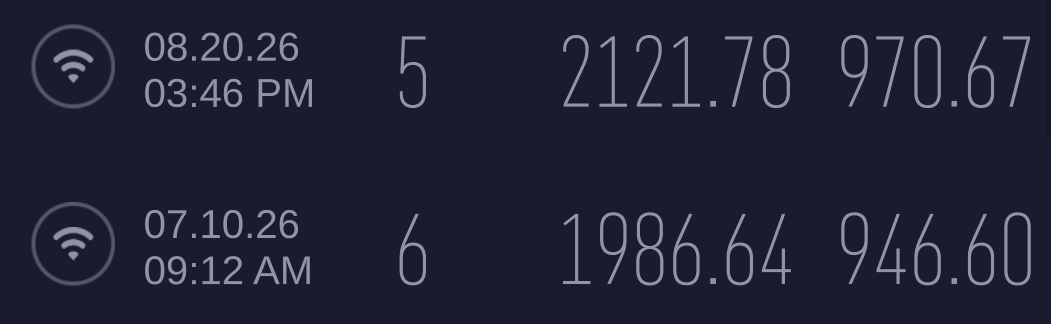
Running a speedtest in Wifi, I obtain these results:
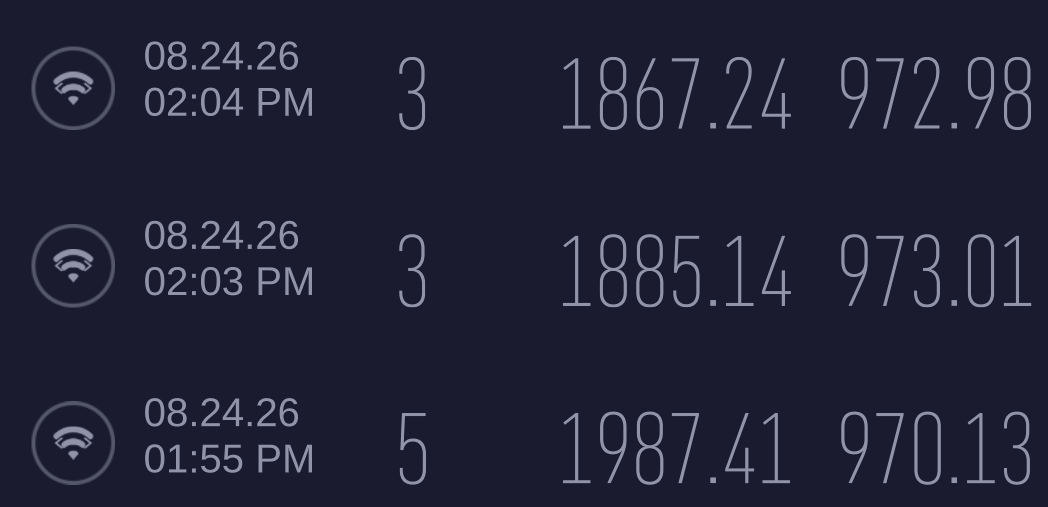
Instead, via LAN:
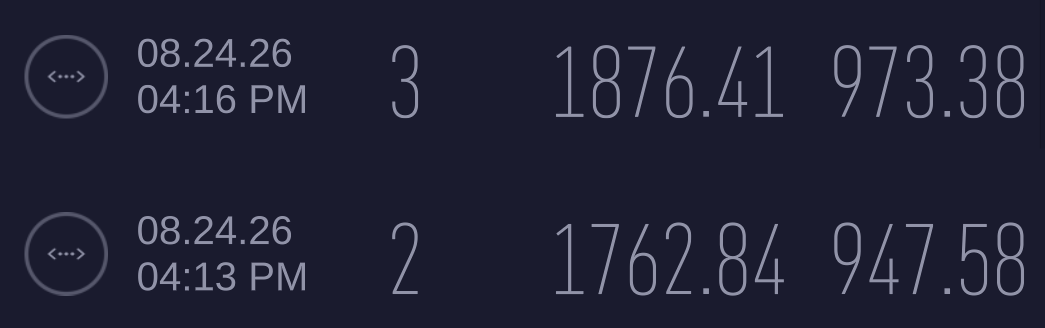
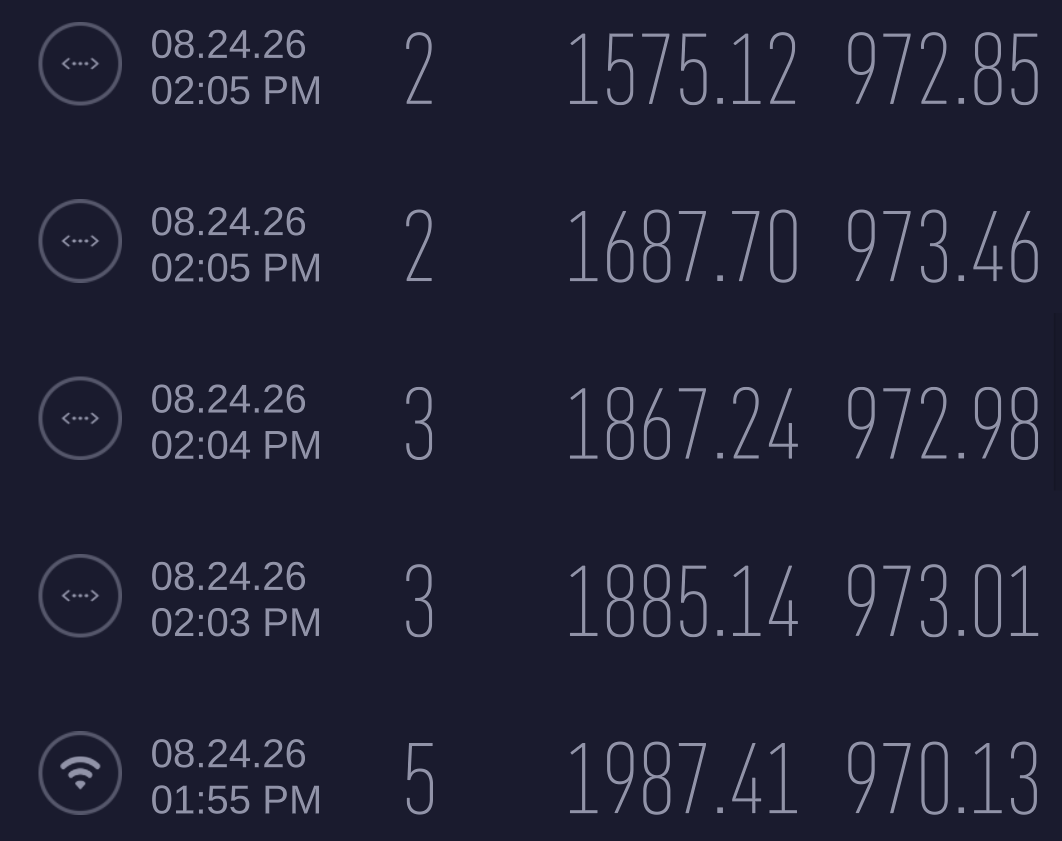
Seems that I lost, more or less 200-300Mbit in download on LAN, comparated to Wifi.
There is a reason of this loss?
Thank you
All Replies
-
Are you doing a bridge for P4 with other ports?
0 -
Hi Peter,
No I've eliminated the bridge between P2 and the rest, with the bridge I lost more or less 500-700Mbit on parity condition.1200Mbit with bridge — 1800Mb without it, so I configured P2 with 192.168.2.1/28 and P3_P12 with 192.168.1.1/24
0 -
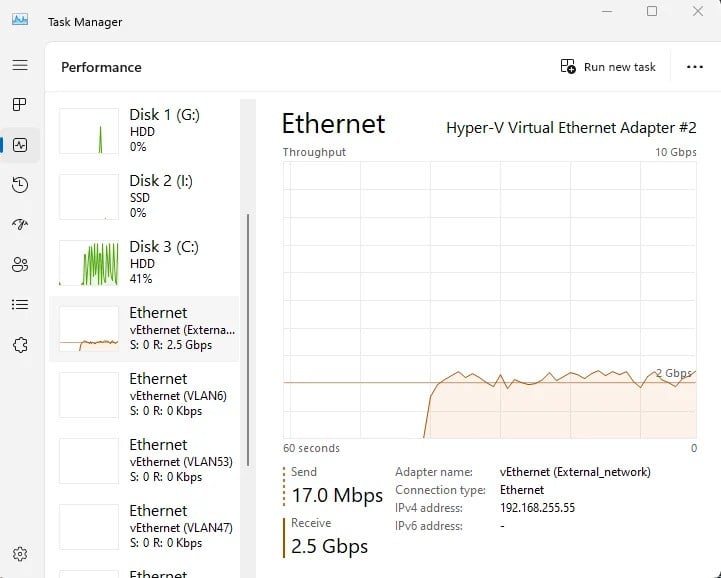
Ok bit confusing how you said that so your now tested P2 LAN (not in a bridge) with PC 2.5Gb NIC and SNAT out P1 WAN seems odd your see low speed, back when I was testing I tested bridge speed by local test and got 2.5Gb on FLEX 200H I might re-run this. here is a old copy of that speed test
 0
0 -
I've tested the PC connected via LAN with two different Ethernet adapter:
- Realtek 2.5GbE Family Adapter (integrated into Dell SD25TB4 Docking Station connected via USB-C —> thunderbolt 40Gbit)
- Realtek Gaming 2.5GbE Family Adapter (connected directly to PC via USB-A)
Both ethernet adapter give me a 1.7/1.8Gb via speedtest; both ethernet tests were done using the same cable and same firewall port.
Using Wifi, the speedtest give me a 2.1/2.2Gb with the integrated PC wifi adapted.
The test are conduct without any bridge or something else.This is the port configuration:
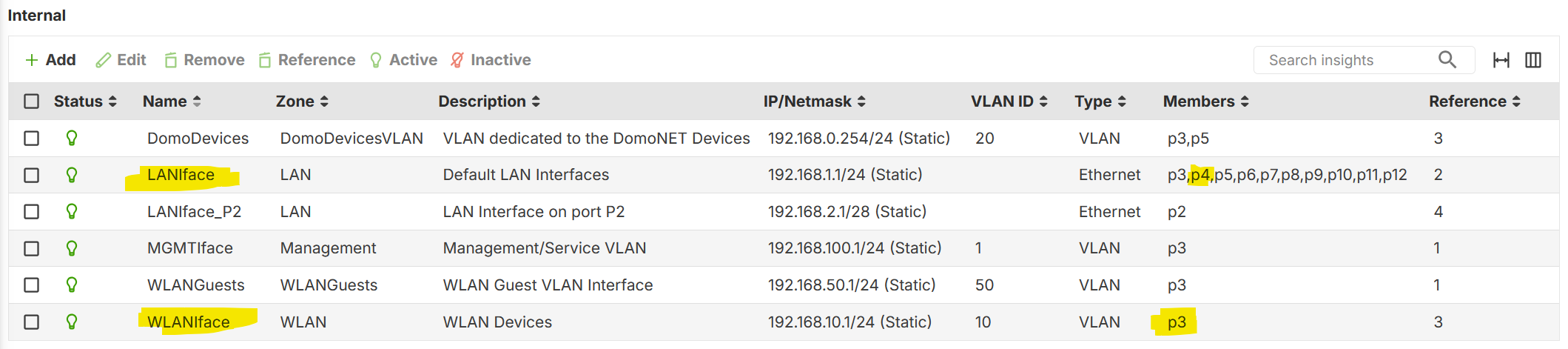
P3 is a VLAN10 (Wifi), meanwhile the P4 (LAN) is a physical ethernet.
0 -
So since the release of FLEX 200H when it was tested it seems Packet Throughput has dropped with the add things.
so I test again as a baseline without FLEX 200H and all downloads tests by Edge
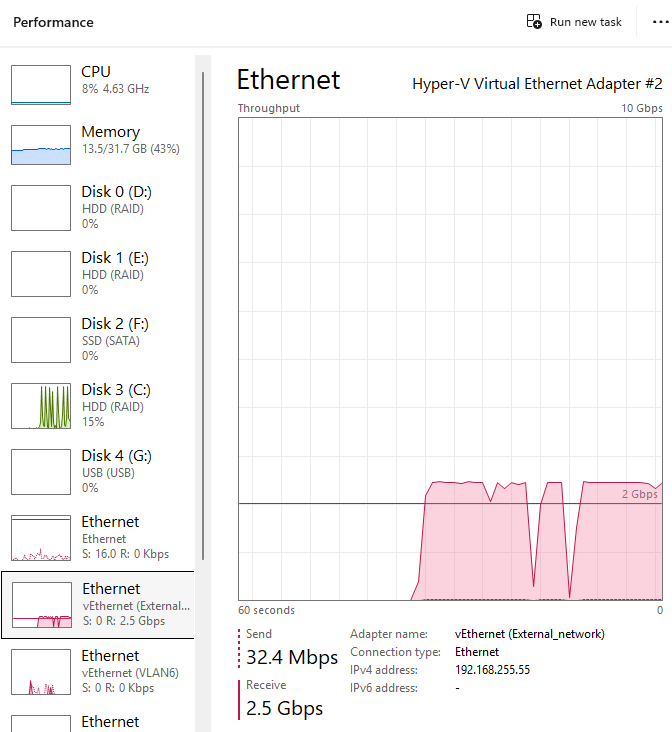
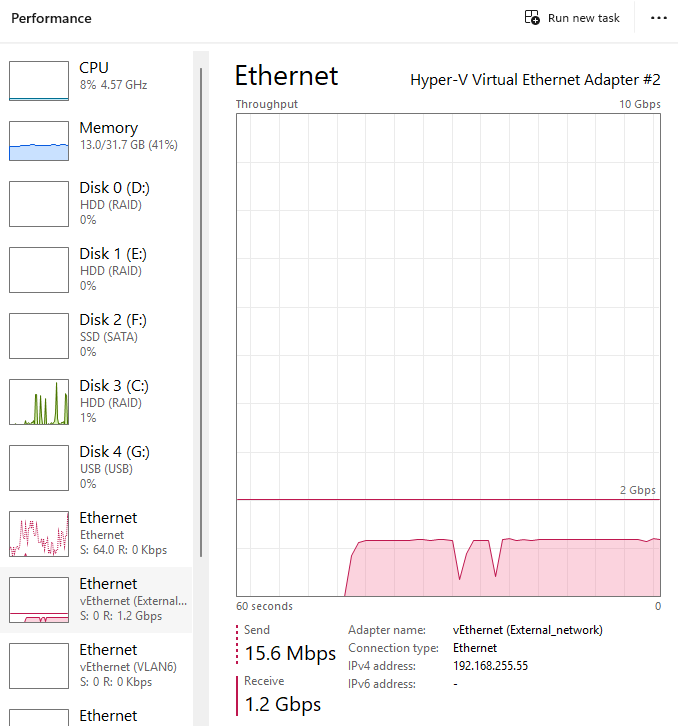
then as a brigde
and then SNAT
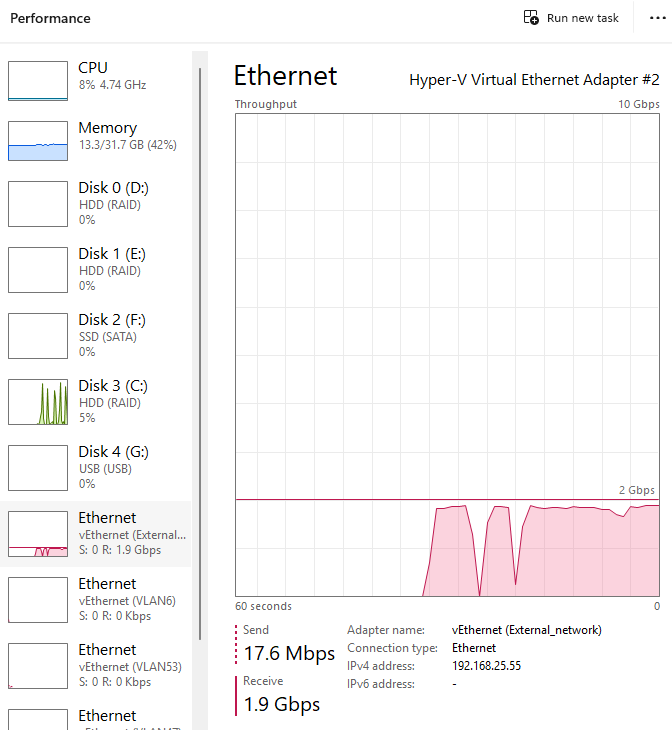
but then this does not really explain your issue…of course with you having the FLEX 500 H performance will be better
0 -
OK so:
- If you test data exchange without 200H, you take 2.5Gb
- If you test data exchange with 200H and a bridge, take 1.2Gb (I've tested the bridge, and also I arrive at the same speed)
- If you test data exchange with 200H and the WAN, take 1.9Gb (like me)
It's right this?
My bridge configuration was:
- P2 as Ethernet (LAN_P2)
- P3 —> P12 as Ethernet (LAN_P3_P12)
- Bridge between LAN_P2 and LAN_P3_P12
In this configuration I obtain 1.2Gb, if I delete the bridge and configure a DHCP on LAN_P2, obtain 1.9Gb, but not 2.5Gb.
So seems that 200H and 500H are the same speed and with some added things the speed are dropped.
But why the speed drops only with LAN and not with Wifi (at the end is a "LAN" connection)?
0 -
Are you testing the speed that was done on the wifi for wire same PC? using Adapter for 2.5Gb unless in a PCE-e slot that has the full slot bandwidth for 2.5Gb is best.
Unless you test local speed by a web server like Aprelium - Home like I did to test wire to wire without FLEX H to make sure the speed can hit.
0 -
Yes, the speed test was done from the same PC.
I've a NAS 2.5Gb but I haven't tested it yet.Jumbo frame not set on the device, but is set to 1492 on the 500H WAN interface.
0 -
One more thing…
I've notice that when I try the speedtest, the CPU Load raise up to 50/55%, causing full load (exactly 100%) on CPU3 & CPU4 (I think are the fast-path CPUs), instead CPU1 & CPU2 are irrilevant (5/10%), for both download and upload tests.
0 -
Hi @Maverick87 ,
To help narrow this down further, could you:
- Check whether any security services (such as Application Patrol, Anti-Malware, or IPS) are enabled on the LAN-to-WAN security policy. These require the firewall to inspect each packet.
- Confirm whether Energy Efficient Ethernet (EEE) / Green Ethernet are enabled on the Realtek 2.5GbE adapters. Since both adapters you tested are Realtek-based, it's possible they share the same default power-saving behavior as enable at the driver level.
If enabled, please temporarily disable them and re-test the wired speed, and let us know the results.
Zyxel_Judy
0




 Guru Member




 Zyxel Employee
Categories
- All Categories
- 442 Beta Program
- 3.1K Nebula
- 243 Nebula Ideas
- 6.8K Security
- 783 USG FLEX H Series
- 389 Security Ideas
- 1.8K Switch
- 87 Switch Ideas
- 1.5K Wireless
- 58 Wireless Ideas
- 7.2K Consumer Product
- 325 Service & License
- 527 News and Release
- 101 Security Advisories
- 31 Education Center
- 10 [Campaign] Zyxel Network Detective
- 5.3K FAQ
- 34 Documents
- 91 About Community
- 122 Security Highlight


