Zyxel GS1920-24HP V1 Console Connection


 Freshman Member
Hi All, I
have been trying to find and use a console connection on a GS1920-24HP v1, I know it doesn't have one on the outside, its way out of warranty and thought id take a look inside, I found two collection of jumper things, one seems to be a 10 pin connection with plastic housing, which fits an old style serial port connector perfectly, its labelled J2 near the front of the main board, the other seems to be J1, but this is 14 pins, and doesn't seem to be correct.
all I get out of the 10 pin one is gibberish, on either 115200 or 9600, I have tried different cables, and connections, but its all gibberish.
The switch powers on ok, and the sys light flashes then goes solid, and the fans go from full speed down to a manged speed, but no network connections come alive, so I just wanted to see if I can see what has failed.
I have a USB to individual pins device on order as well, but I need to know what pins to put it on to get something in English out
I have googled it, and cant find anything, which either means im missing something blindingly obvious, or im the first person to try this……so it must be blindingly obvious!
Any Help would be appreciated,
Thanks
Chris
All Replies
-
Hi @Hibtek,
We typically use this console cable connected to J2 for UART/console access.
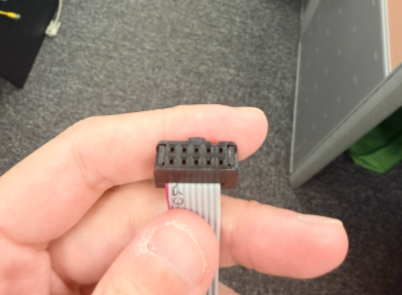
The pinout definitions, along with the onboard interface electrical specifications and transmission settings, are provided below:
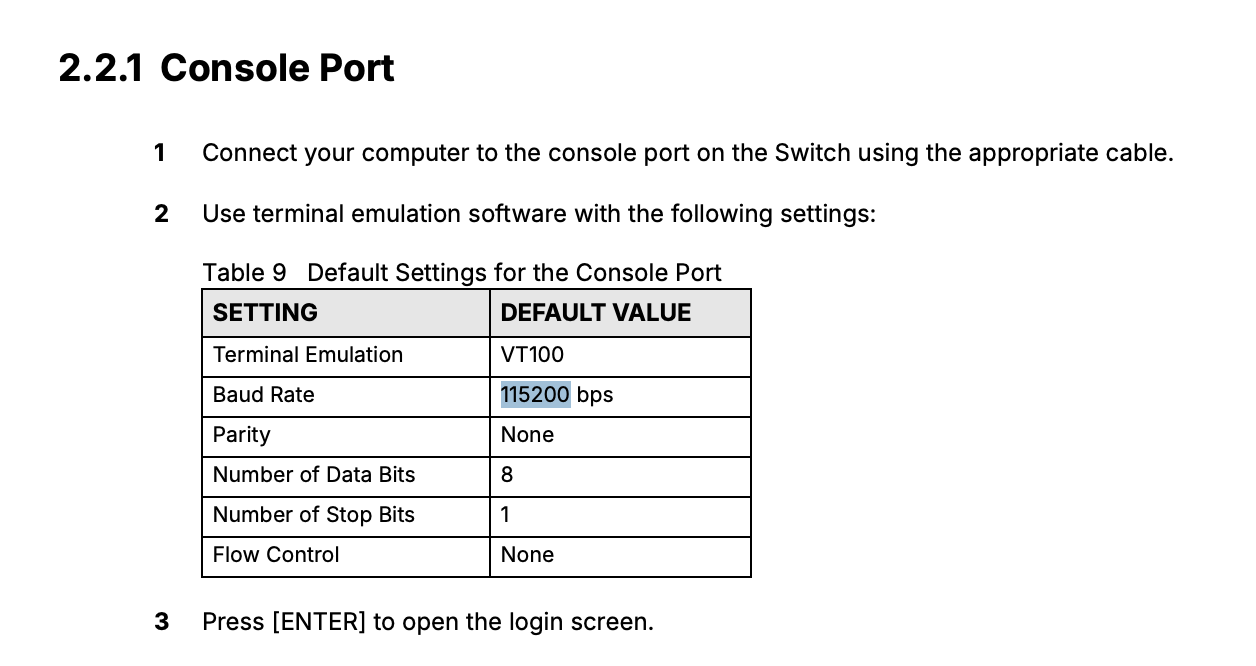
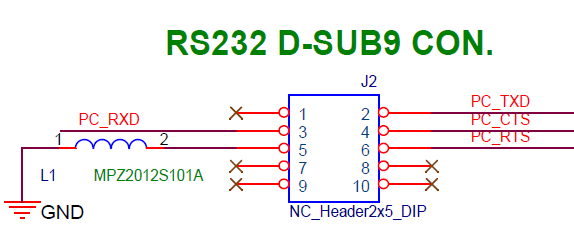
Please note that the electrical specifications follow standard RS-232 voltage levels.
Please feel free to let us know if you have any questions. Thank you!0 -
Hi,
Thanks very much for the reply, I have one of those cables from another switch, its a different make, only a 10/100…….which is why I borrowed it, I assume they are a standard item?
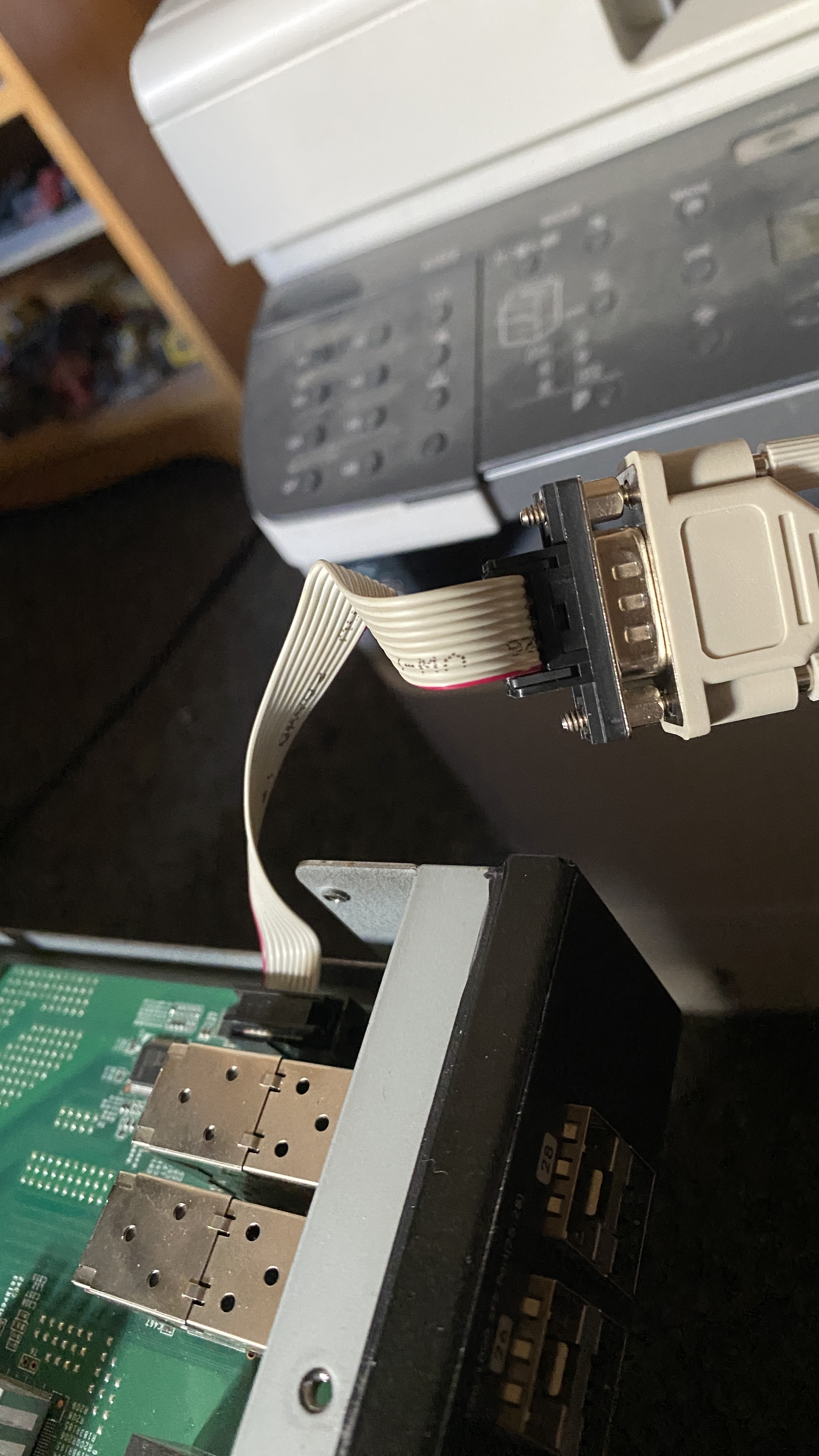
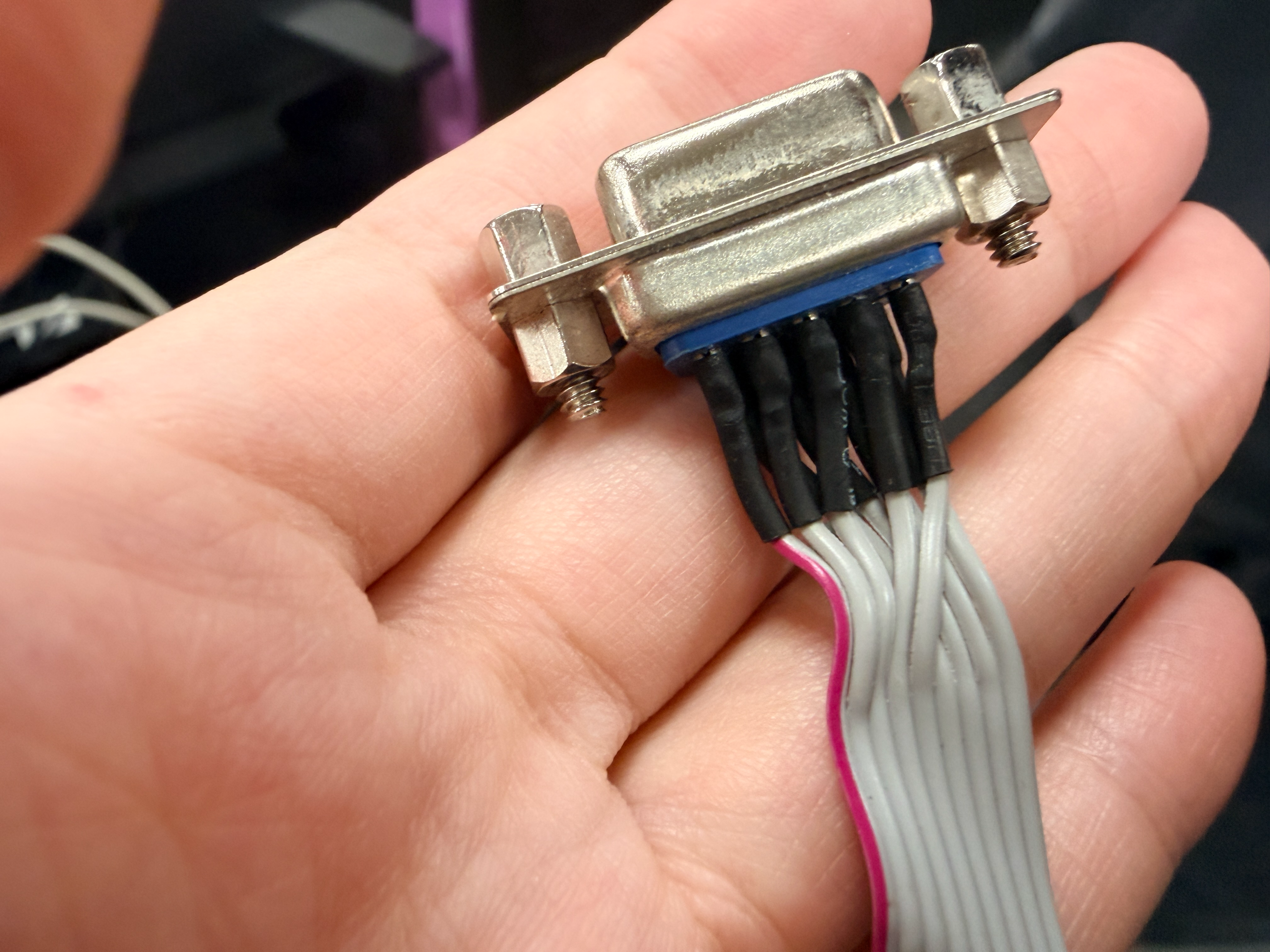
I have tried several cables, from a Serial cable both ends, to a Serial cable to USB, I also tried a USB to individual pins, using the pin layout above, using Pins 2,3 and 5, but again, all I seem to get is gibberish….well I cant read it at least
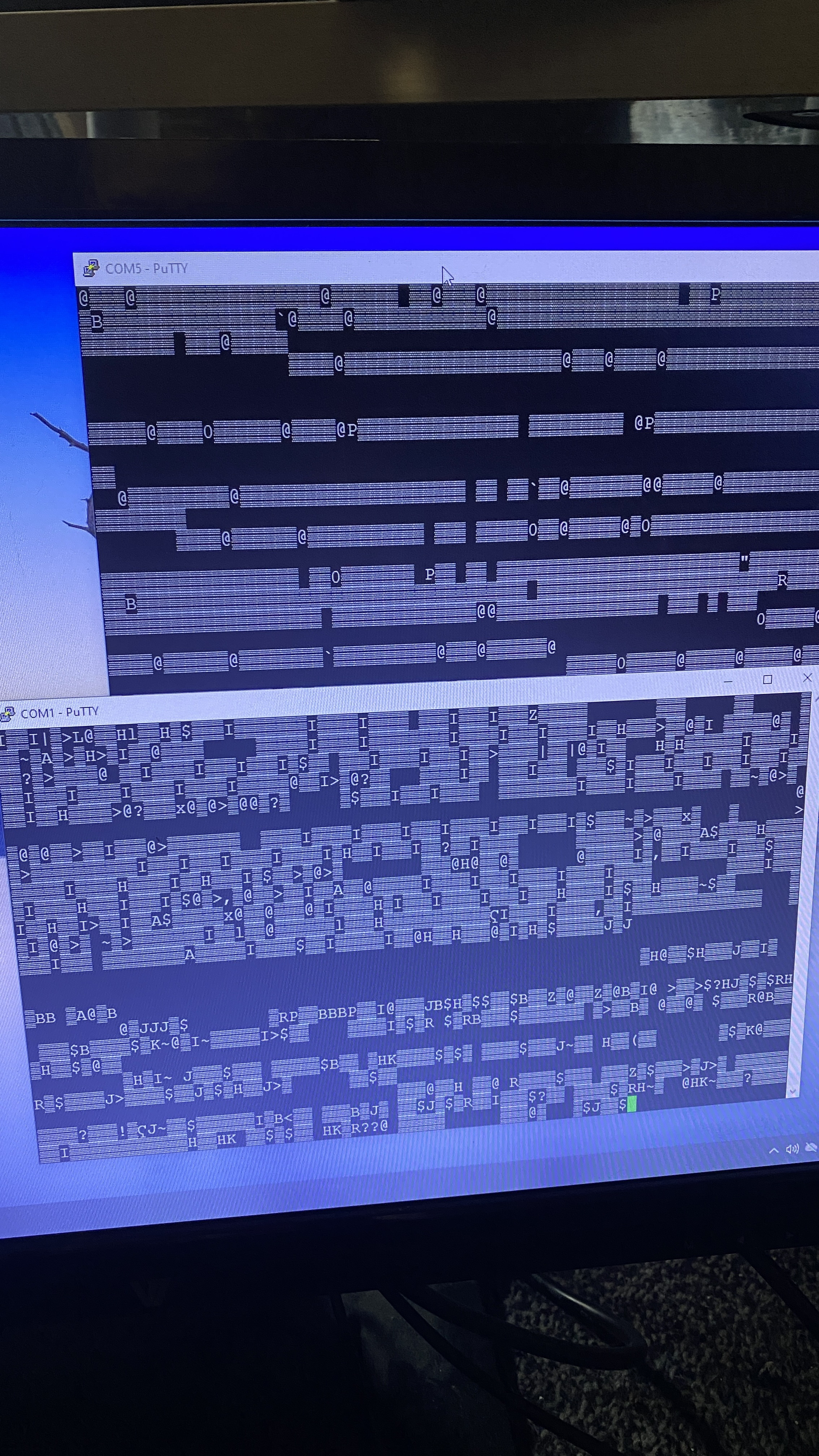
The Top putty session was Com1 which was a direct Serial Cable from the computer to the switch using the Serial to J2 connector
the bottom screen (COM5) was using the serial connector to USB, both using these settings, I also tried at 9600 just in case, but no real difference
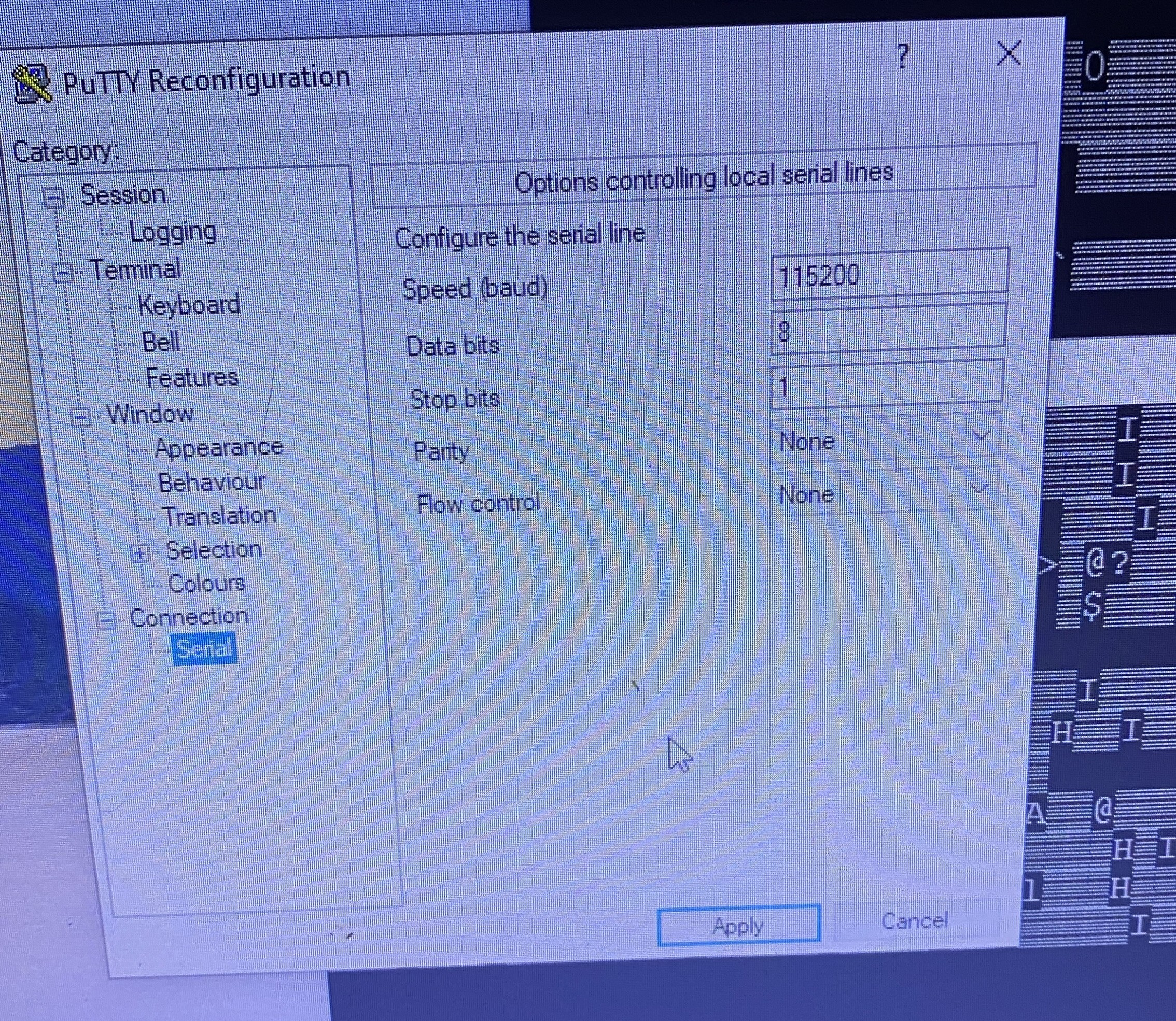
As a test, I used the same cable and plugged the connector back in to the old switch, and I get the expected login Username/Password English text, so I think the wires and PC are setup ok, had to go back to 9600 for that switch
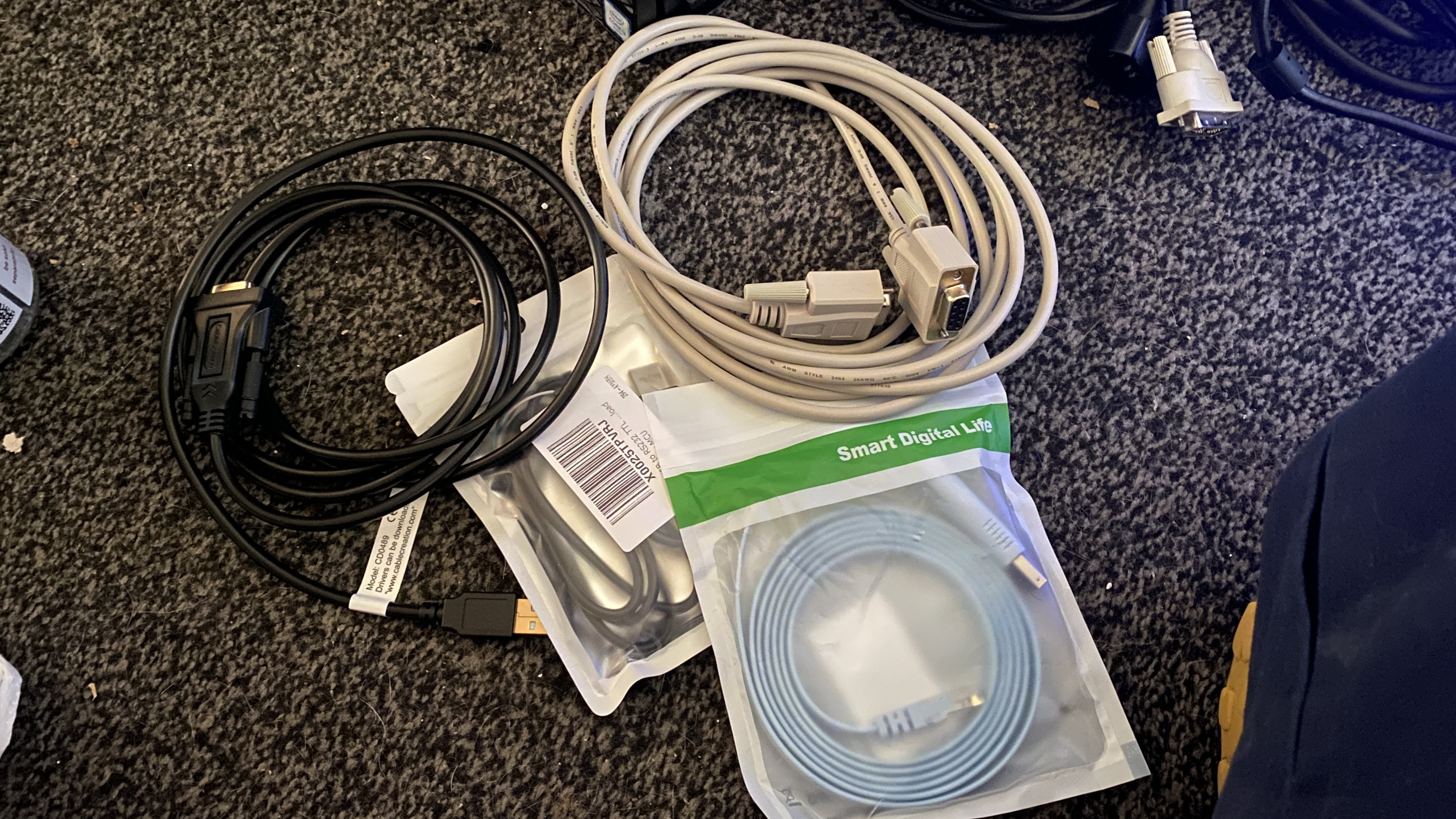
The Different cables I have bought…..will be used on other things of course
The thing that gets me, is the switch seems to boot ok, the SYS light goes solid and the fans all calm down to reasonable speed, I was just hoping it would say something to give me a hint what to poke 😁
Oh well, I did notice what looks to be a flash chip near the CPU, I might try a reader on that…..whats the worst that can happen 🙄
If anyone has anything else to try let me know
Thanks
Chris
0 -
Hi @Hibtek,
Please be aware that the GS1910-24HP v1 model has reached its End of Life (EOL) status, which means our support for this model will be limited.
For information on alternative options, you also can refer to the available models:
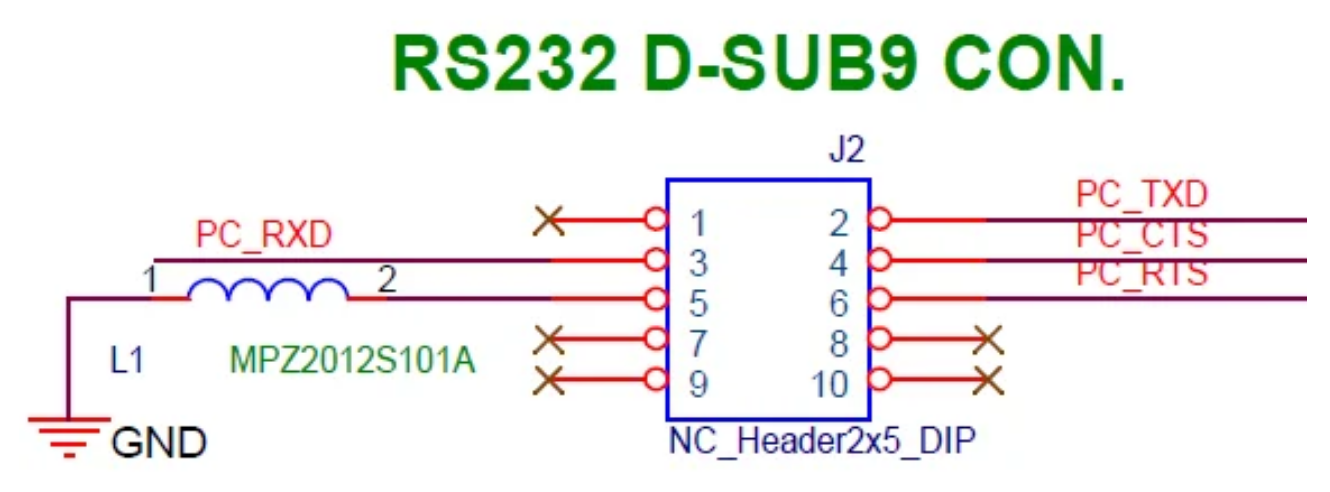
Zyxel SwitchRegarding the 10-pin console cable, you may need to adjust the wiring according to our provided pinout definition. Please refer to the attached diagram for details.
 0
0



 Zyxel Employee
Categories
- All Categories
- 442 Beta Program
- 3.1K Nebula
- 243 Nebula Ideas
- 6.8K Security
- 783 USG FLEX H Series
- 389 Security Ideas
- 1.8K Switch
- 87 Switch Ideas
- 1.5K Wireless
- 58 Wireless Ideas
- 7.2K Consumer Product
- 325 Service & License
- 527 News and Release
- 101 Security Advisories
- 31 Education Center
- 10 [Campaign] Zyxel Network Detective
- 5.3K FAQ
- 34 Documents
- 91 About Community
- 122 Security Highlight


