WAN Port Inactive / IP Issue Behind ISP Modem
Options

Zyxel_Tina
Posts: 1,047




 Zyxel Employee
Zyxel Employee
Q: Why does the FLEX H WAN port stay inactive or fail to get an IP from the ISP modem when replacing an old router, and how to troubleshoot it?
A: When swapping to a new USG FLEX H behind an ISP device, connection failures issues typically stem from ISP-side binding or configuration mismatches. You can check and troubleshoot the following directions:
- Resolve ISP MAC Address Binding (Most Likely):
- Option A (MAC Cloning): Go to Network > Interface > Interface, edit the WAN interface, enable Overwrite Default MAC Address, and enter the old router’s WAN MAC address.
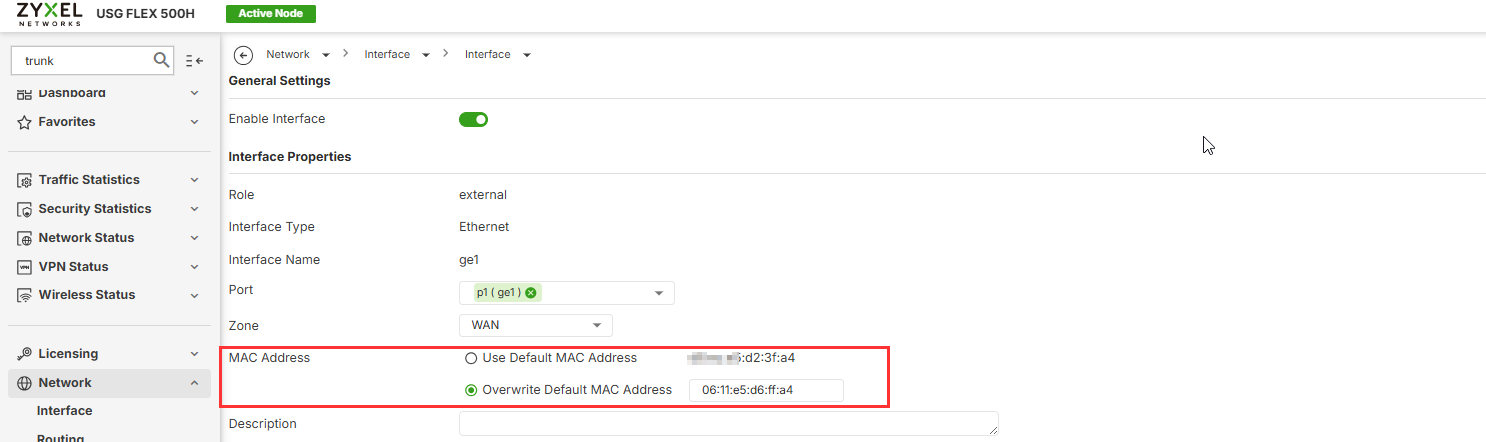
- Option B (Reboot Modem): Power off the ISP modem for a few minutes and turn it back on to clear the previous MAC lease.
- Option A (MAC Cloning): Go to Network > Interface > Interface, edit the WAN interface, enable Overwrite Default MAC Address, and enter the old router’s WAN MAC address.
- Set WAN Port Speed Manually:
- Go to Network > Interface > Port and set the port speed to a fixed 1 Gbps, or to the speed that matches your modem’s port, instead of Auto to rule out auto-negotiation problems.
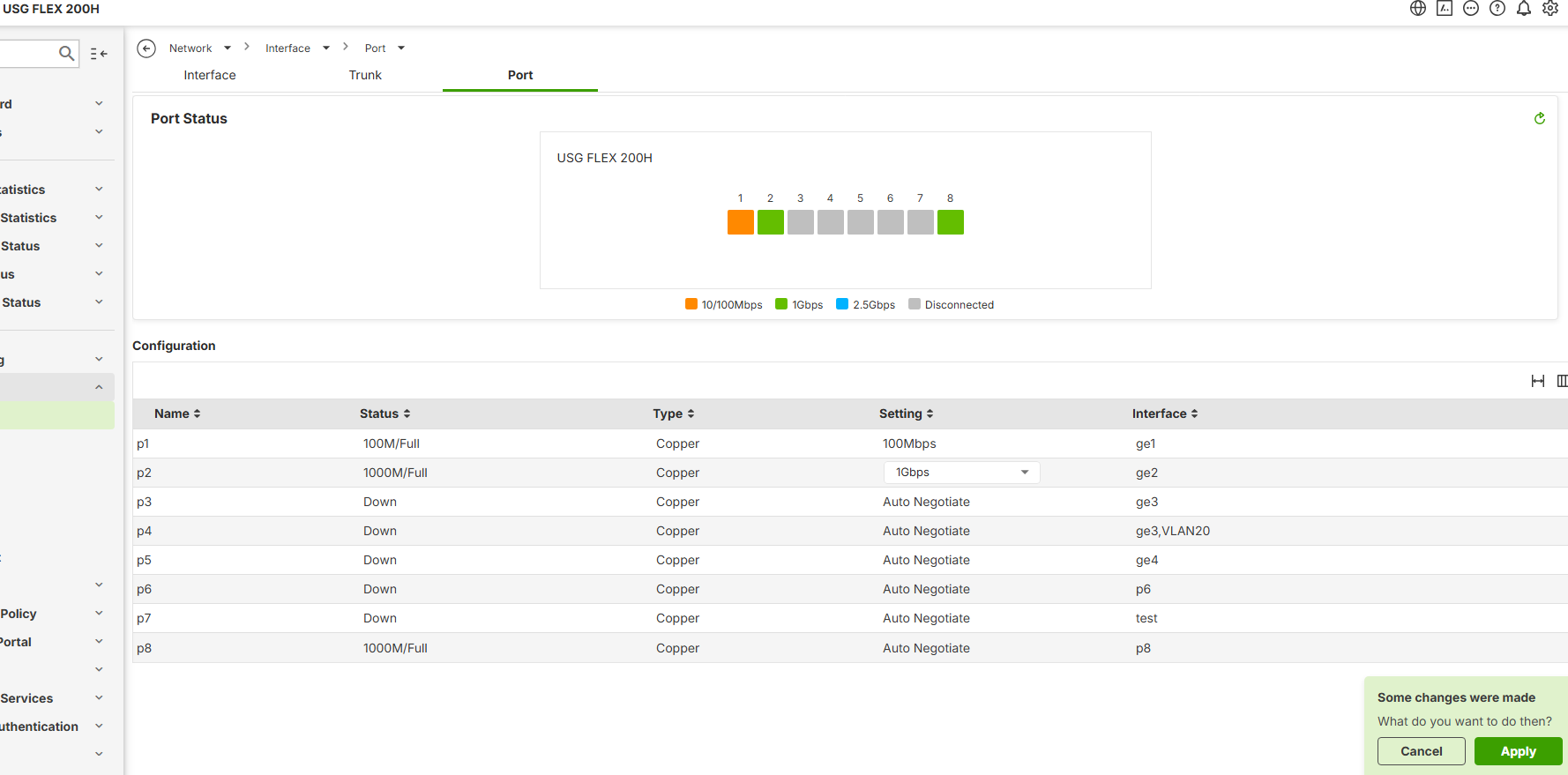
- Go to Network > Interface > Port and set the port speed to a fixed 1 Gbps, or to the speed that matches your modem’s port, instead of Auto to rule out auto-negotiation problems.
- Hardware Cross-Check:
- Replace the Ethernet cable or connect the WAN port to a local PC/switch to verify if the port LED lights up, confirming the port itself is hardware-functional.
Zyxel Tina
0
Categories
- All Categories
- 442 Beta Program
- 3.1K Nebula
- 243 Nebula Ideas
- 6.8K Security
- 783 USG FLEX H Series
- 389 Security Ideas
- 1.8K Switch
- 87 Switch Ideas
- 1.5K Wireless
- 58 Wireless Ideas
- 7.2K Consumer Product
- 325 Service & License
- 527 News and Release
- 101 Security Advisories
- 31 Education Center
- 10 [Campaign] Zyxel Network Detective
- 5.3K FAQ
- 34 Documents
- 91 About Community
- 122 Security Highlight