Why can only some applications be limited in Nebula’s Application Usage?





 Zyxel Employee
Q1. Why can I set a bandwidth limit for some applications (e.g., Facebook, Instagram, and Google) but not others (e.g., Xbox Cloud Gaming and Speedtest)?
The Limit option in Nebula’s Application Usage is based on the Bandwidth Management (BWM) feature of the USG FLEX H series. Only applications that BWM can identify in the local GUI can be limited, so the option is not tied to the application category. To see which applications are supported, please check the application list in the firewall’s local web GUI.
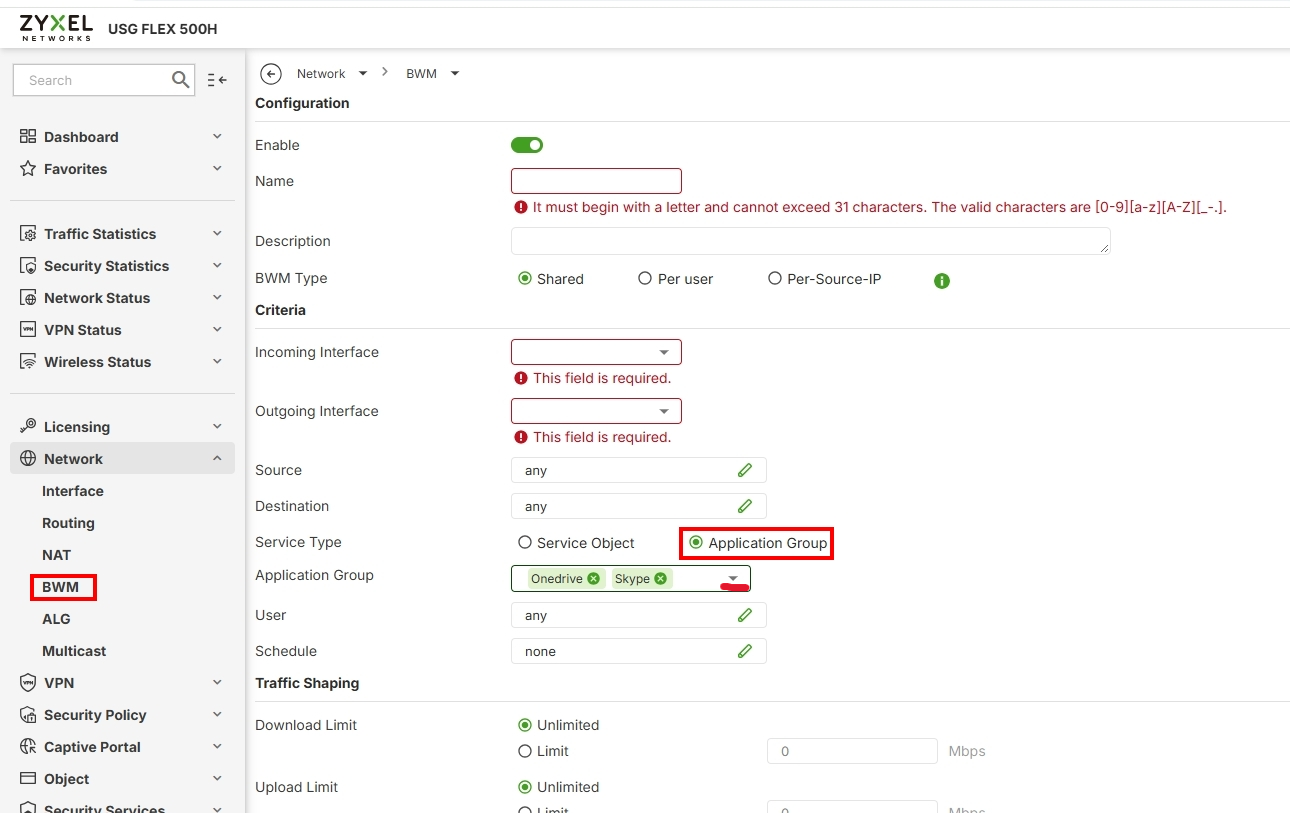
Q2. Can I limit a single device instead of an interface?
By design, the limits configured from the Application Usage page in Nebula are applied per interface. They can be applied to general interfaces or specific internal interfaces (e.g., GE3 or GE4), but VTI interfaces are not supported. However, the local GUI allows you to configure limits per user/IP.
Q3. What happens if I configure limits in both Nebula and the local GUI?
If the same application has limits configured in both places—for example, a rate limit of 15 configured on the firewall’s local GUI and 30 configured in Nebula—the firewall follows the Nebula setting.
Zyxel Tina
Categories
- All Categories
- 442 Beta Program
- 3.1K Nebula
- 243 Nebula Ideas
- 6.8K Security
- 783 USG FLEX H Series
- 389 Security Ideas
- 1.8K Switch
- 87 Switch Ideas
- 1.5K Wireless
- 58 Wireless Ideas
- 7.2K Consumer Product
- 325 Service & License
- 527 News and Release
- 101 Security Advisories
- 31 Education Center
- 10 [Campaign] Zyxel Network Detective
- 5.3K FAQ
- 34 Documents
- 91 About Community
- 122 Security Highlight