[USG FLEX H] Configuring Dual WAN Failover on USG FLEX H
Options

Zyxel_Melen
Posts: 5,242




 Zyxel Employee
- Please navigate to Menu > Networking > Interface > trunk tab.
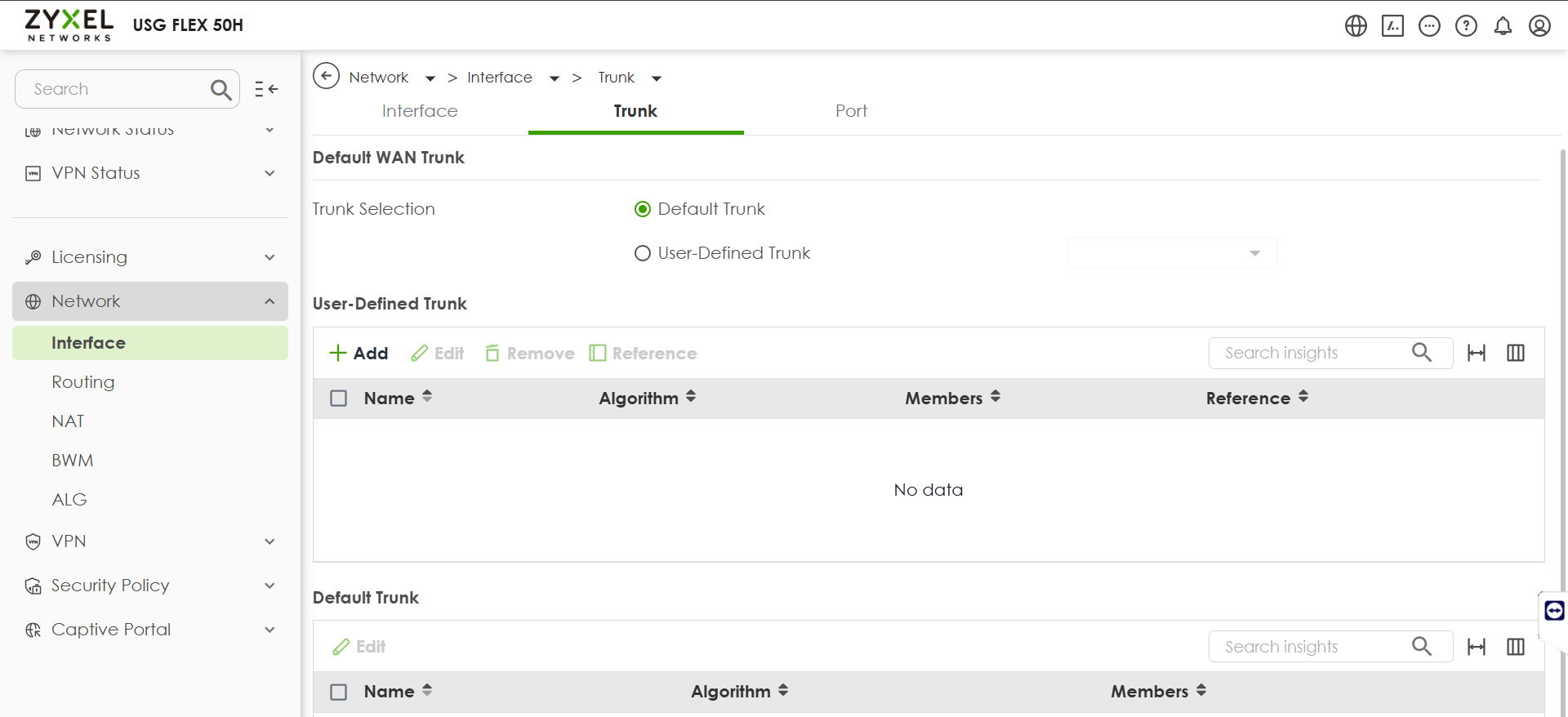
- Create a user-defined trunk profile by clicking the add button.
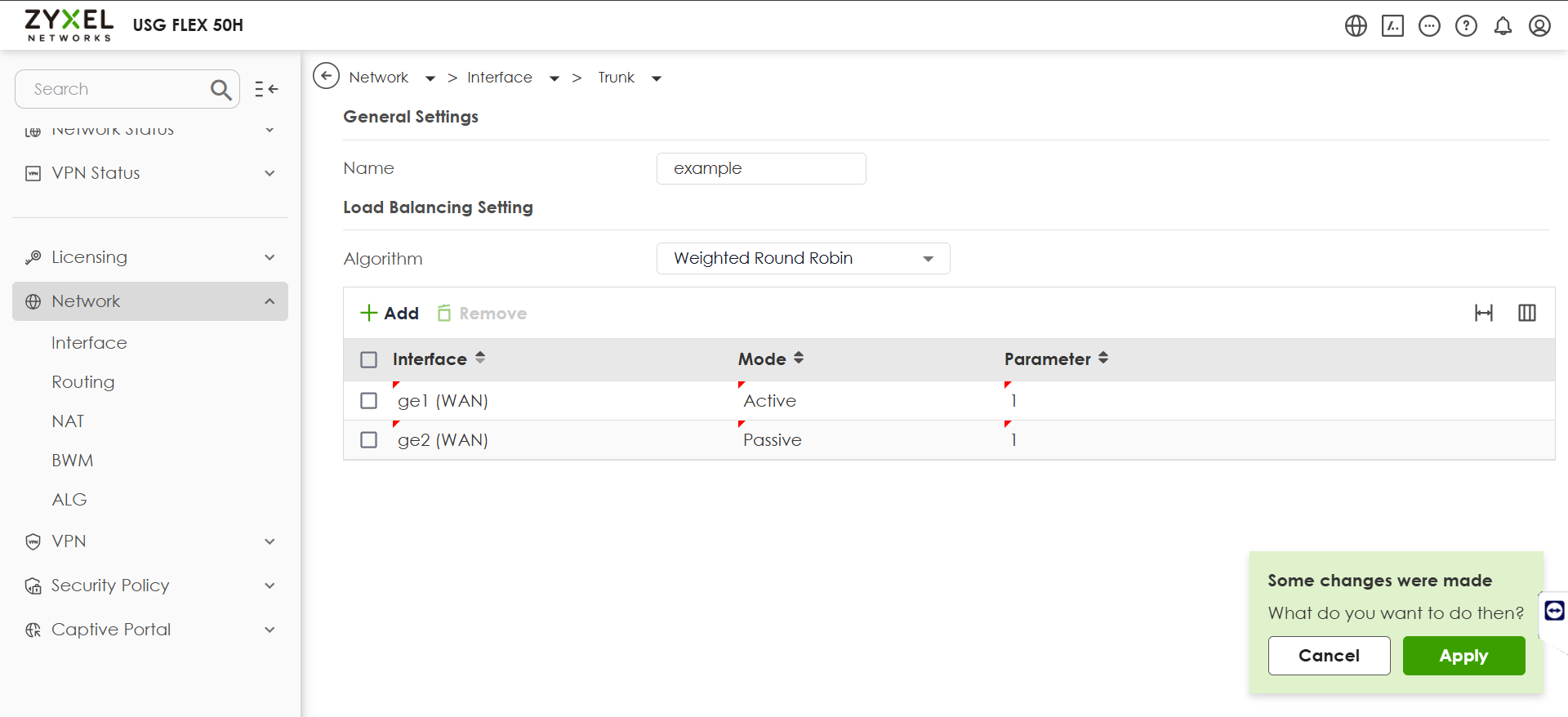
- Enter the profile's name, choose algorithm "Weighted Round Robin", add your WAN interfaces, change the main interface to active mode. And then click apply.
- Change the default WANT trunk option from default trunk to your trunk profile.
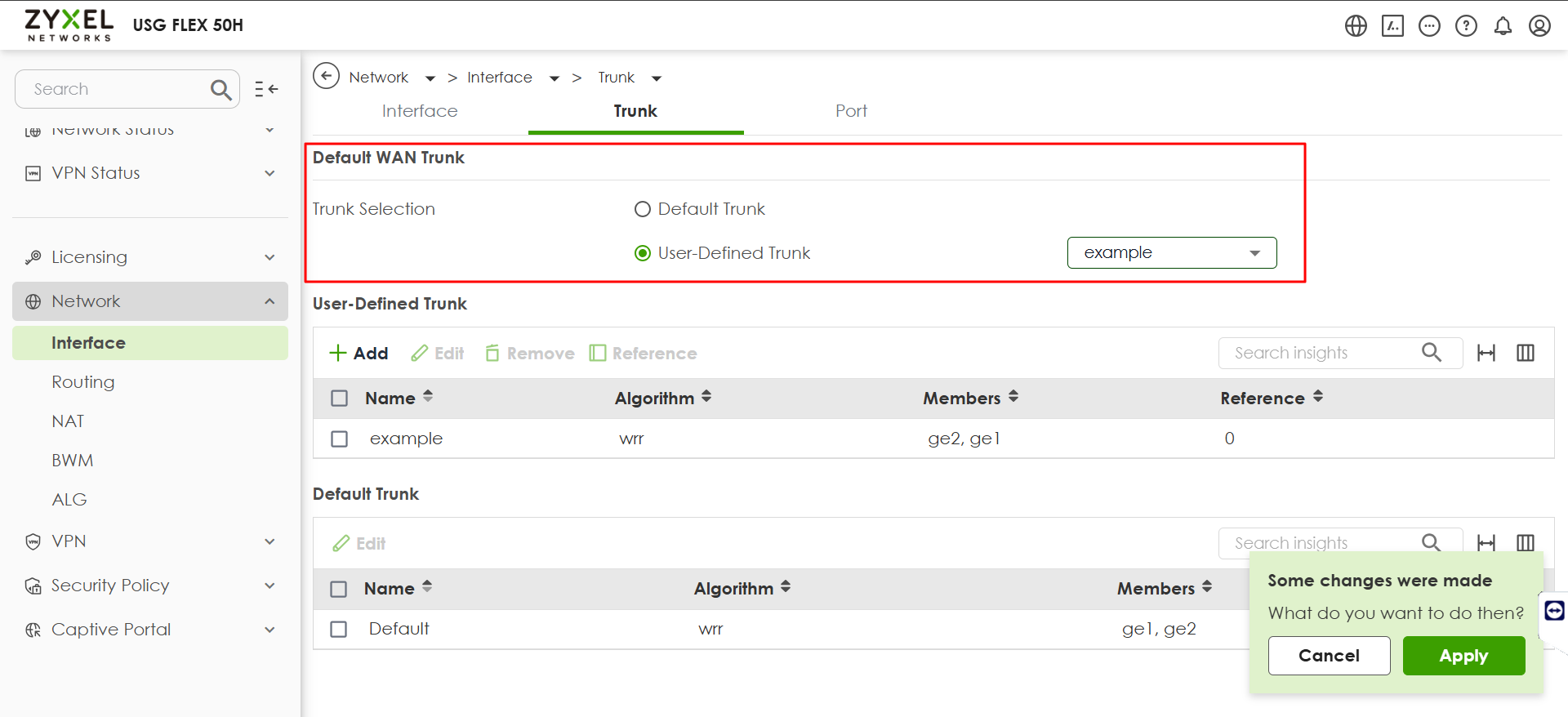
Done.
Zyxel Melen
0
Categories
- All Categories
- 442 Beta Program
- 3.1K Nebula
- 244 Nebula Ideas
- 6.9K Security
- 800 USG FLEX H Series
- 392 Security Ideas
- 1.8K Switch
- 88 Switch Ideas
- 1.5K Wireless
- 59 Wireless Ideas
- 7.3K Consumer Product
- 328 Service & License
- 532 News and Release
- 104 Security Advisories
- 31 Education Center
- 10 [Campaign] Zyxel Network Detective
- 5.5K FAQ
- 34 Documents
- 91 About Community
- 124 Security Highlight