USG FLEX in Cloud Monitoring Mode but shows no monitoring pages in Nebula
Options

Zyxel_Tina
Posts: 1,047




 Zyxel Employee
Zyxel Employee
in Other Topics
Question
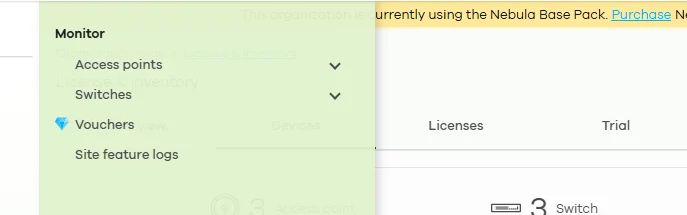
I added my USG FLEX firewall to Nebula in Cloud Monitoring Mode. The device appears in the site, but it does not have monitoring pages like access points and switches. Is something wrong?
Answer
No, this is expected behavior. When a USG FLEX firewall is added to Nebula in Cloud Monitoring Mode, only a limited set of features is available in Nebula, including:
- Device online/offline status
- Firmware upgrade operations
- Device license management
- Remote Configurator (secure tunnel to the device’s local GUI)
- Device configuration backup and restore*
*Requires Nebula Pro Pack.
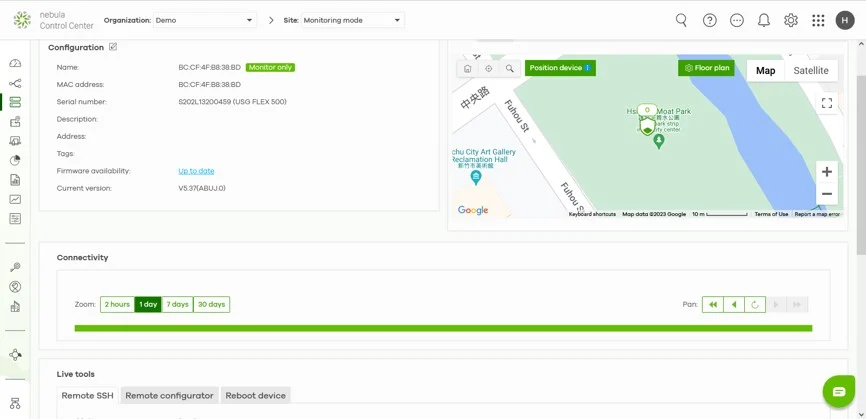
Detailed monitoring, such as event logs, is not shown in Nebula for the firewall.
How to check the firewall for more details
- Use Remote Configurator in Nebula to establish a secure tunnel and open the firewall’s local GUI.
- Check the device’s status and logs directly in the local GUI.
Zyxel Tina
0
Categories
- All Categories
- 442 Beta Program
- 3.1K Nebula
- 243 Nebula Ideas
- 6.8K Security
- 783 USG FLEX H Series
- 389 Security Ideas
- 1.8K Switch
- 87 Switch Ideas
- 1.5K Wireless
- 58 Wireless Ideas
- 7.2K Consumer Product
- 325 Service & License
- 527 News and Release
- 101 Security Advisories
- 31 Education Center
- 10 [Campaign] Zyxel Network Detective
- 5.3K FAQ
- 34 Documents
- 91 About Community
- 122 Security Highlight