FQDN Very Slow USG Flex 700h V1.40(ABZI.0)




 Freshman Member
Hello,
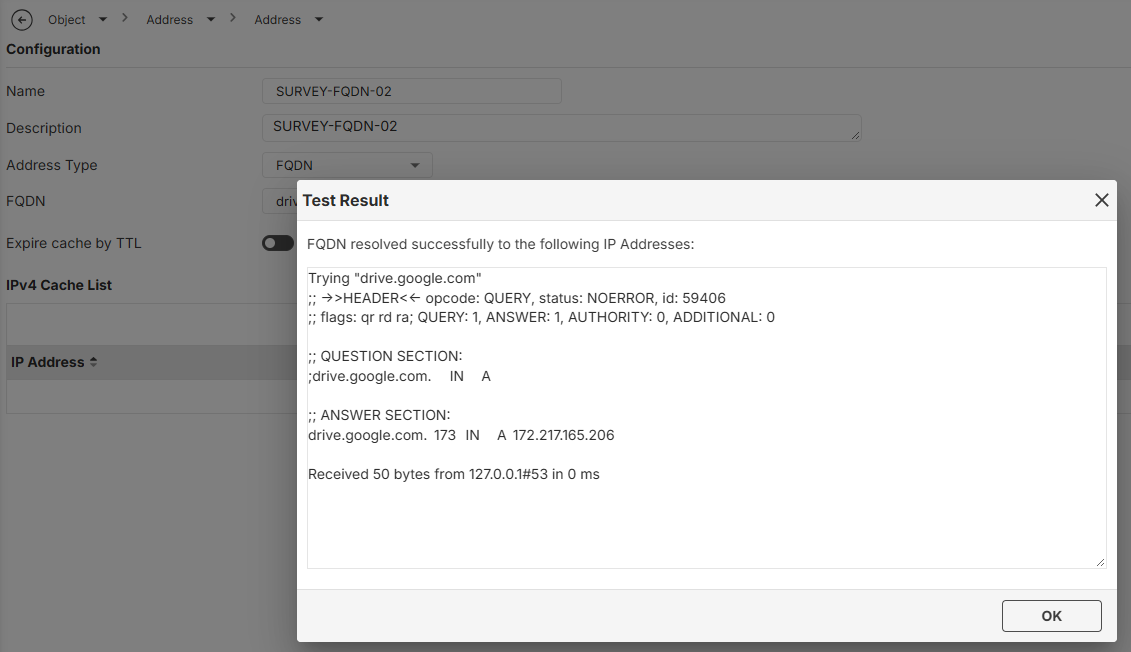
Is there any way to force the FQDN for sites? This firmware version is significantly slower; the "test" button on the screen should ideally populate the IP tables immediately, after which it could continue operating as it currently does. Working with FQDNs is difficult due to this slowness—it can take days for the IP addresses to appear, and in the meantime, the policy triggers permission errors because no IP is associated with it (as shown in the attached image). Is there perhaps an option to force this that I am unaware of? I look forward to your feedback.
Thank you.
All Replies
-
Its the UI thats slow how it links is still a ongoing issue when you have lots of FQDN
However you might be using the FQDN wrongly doing drive.google.com may not work correctly due to IP rotation which your client my get a different IP for drive.google.com then what USG gets. Therefore it be better to do wildcard *.google.com this way USG passively picks up DNS answers.
When USG is not doing passively by wildcard it should when expire TTL on do the lookup then when TTL goes to 0 is waits 60 seconds to then do the lookup again
0 -
Hello. @PeterUK
I understand what you’re saying, but the issue is that using
*.google.comdoesn’t strictly enforce the restrictions. For instance, I only want to allow access todrive.google.comandforms.google.com; I don’t want users to have access to services like Meet, Earth, etc. Even if I haven’t explicitly assigned those other services in the Content Filter (CF), the policy ends up granting access to them anyway. I can’t simply block everything and only whitelist specific sites, because this particular group needs access to Google Forms, while other users—who don’t have access to Forms—are covered by a different policy that allows access to other pages. This approach works fine for many other sites, but withdrive.google.com, it’s extremely slow. I’ve tried disabling the TTL expiration to keep the session active longer, but I’m still running into issues.

Based on the screenshots, the HR department has access to many websites, but not to Drive or Forms—though some individuals within that group do have access to these two services. My approach is to define access for those specific services first; since the restriction isn't absolute (i.e., not 100% locked down), the traffic then falls through to the next rule, which grants the remaining users—including those who were granted access to the specific services—access to the rest of the internet. I hope that makes sense; that’s why I’m using this configuration. My only concern is the speed at which IP addresses are registered. I understand how TTL works, but it takes a long time for an IP to be logged—though once it finally is, the rule functions correctly.
Thank you.
0 -
FQDN is working correctly from what I can tell the UI is just slow to show them IP if at all!
the iusse is more like this one DNS sees
Answer Section:

* Name=drive.google.com

  Type=A, Class=INET, TTL=257( 4 Minutes 17 sec), RDLENGTH=4

  IP Address=142.250.129.101


* Name=drive.google.com

  Type=A, Class=INET, TTL=257( 4 Minutes 17 sec), RDLENGTH=4

  IP Address=142.250.129.113


* Name=drive.google.com

  Type=A, Class=INET, TTL=257( 4 Minutes 17 sec), RDLENGTH=4

  IP Address=142.250.129.139


* Name=drive.google.com

  Type=A, Class=INET, TTL=257( 4 Minutes 17 sec), RDLENGTH=4

  IP Address=142.250.129.100


* Name=drive.google.com

  Type=A, Class=INET, TTL=257( 4 Minutes 17 sec), RDLENGTH=4

  IP Address=142.250.129.138


* Name=drive.google.com

  Type=A, Class=INET, TTL=257( 4 Minutes 17 sec), RDLENGTH=4

  IP Address=142.250.129.102
another sees
Answer Section:

* Name=drive.google.com

  Type=A, Class=INET, TTL=17( 17 sec), RDLENGTH=4

  IP Address=192.178.223.100


* Name=drive.google.com

  Type=A, Class=INET, TTL=17( 17 sec), RDLENGTH=4

  IP Address=192.178.223.101


* Name=drive.google.com

  Type=A, Class=INET, TTL=17( 17 sec), RDLENGTH=4

  IP Address=192.178.223.138


* Name=drive.google.com

  Type=A, Class=INET, TTL=17( 17 sec), RDLENGTH=4

  IP Address=192.178.223.113


* Name=drive.google.com

  Type=A, Class=INET, TTL=17( 17 sec), RDLENGTH=4

  IP Address=192.178.223.102


* Name=drive.google.com

  Type=A, Class=INET, TTL=17( 17 sec), RDLENGTH=4

  IP Address=192.178.223.139
What IPs you see can very
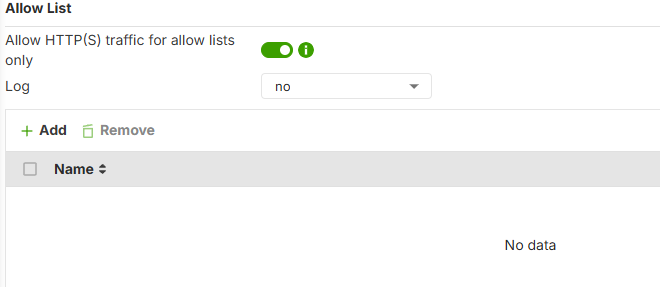
You may have more success by content filtering using "Allow HTTP(S) traffic for allow lists only"
 0
0 -
Hello, @PeterUK
I understand everything you’ve told me. It does work, but it takes a very long time—the issue is most noticeable in the mornings. The IP addresses on both the firewall and the PC match, as I’m pointing them to the same DNS servers. It eventually starts working after 5 or 6 hours; my only request would be to see if it can be further optimized.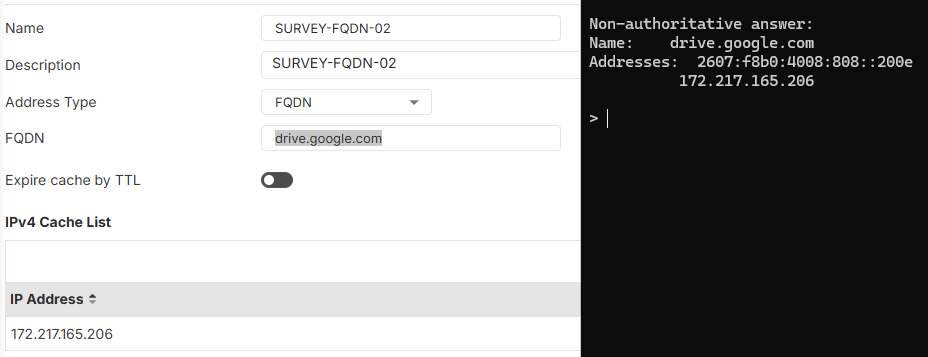
Thank you.
0 -
But allowing just drive.google.com may make it slow because there are 3rd party URL that you may need to allow.
are you accessing drive.google.com by browser?
0 -
That’s correct—it’s not just one; there are many more. I review all the requests, and in cases where a domain doesn’t pose an issue—for example,
apis.googleaccounts.com—I allow access via*.googleaccounts.com. I use a wildcard there because it doesn’t result in the inclusion of any unintended additional pages. Thanks for pointing that out.0 -
So what is your full list for drive.google.com to mostly work?
For this to work better (in your case) client DNS would need to point to USG with no browser settings overriding it.
0 -
This is the full list:
workspace.google.com, accounts.google.com, accounts.google.com.(country), *.clients6.google.com, myaccount.google.com, lh3.googleusercontent.com, drive.google.com
and if you want forms or sheets:
docs.google.com
0 -
Regarding DNS—since this is a corporate environment—I point both the PCs and the Zyxel device to my internal DNS servers.
0 -
might be some missing like fonts.googleapis.com, www.gstatic.com, lh3.google.com, ssl.gstatic.com, docs.google.com and may be more
0



 Guru Member
Categories
- All Categories
- 442 Beta Program
- 3.1K Nebula
- 243 Nebula Ideas
- 6.8K Security
- 783 USG FLEX H Series
- 389 Security Ideas
- 1.8K Switch
- 87 Switch Ideas
- 1.5K Wireless
- 58 Wireless Ideas
- 7.2K Consumer Product
- 325 Service & License
- 527 News and Release
- 101 Security Advisories
- 31 Education Center
- 10 [Campaign] Zyxel Network Detective
- 5.3K FAQ
- 34 Documents
- 91 About Community
- 122 Security Highlight


