[USG Flex H Series] - How to block "en-mass" a list of URLs, like an adblocker/tracker list
All Replies
-
Hello Judy,
yes the problem here is that the source txt file is an Adblock list format; so an ablocker software can parse this list correctly.My request is to integrate an advertiser blocker parser for the EBL parts.
There are also some other adblocker (adblock, adguard, ublock origin) and I don't know if the format is different or is the same.
0 -
Hi @Zyxel_Judy,
I've tried this.This is the file:
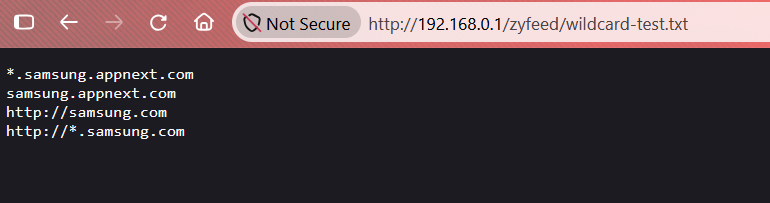
This is the EBL setting:
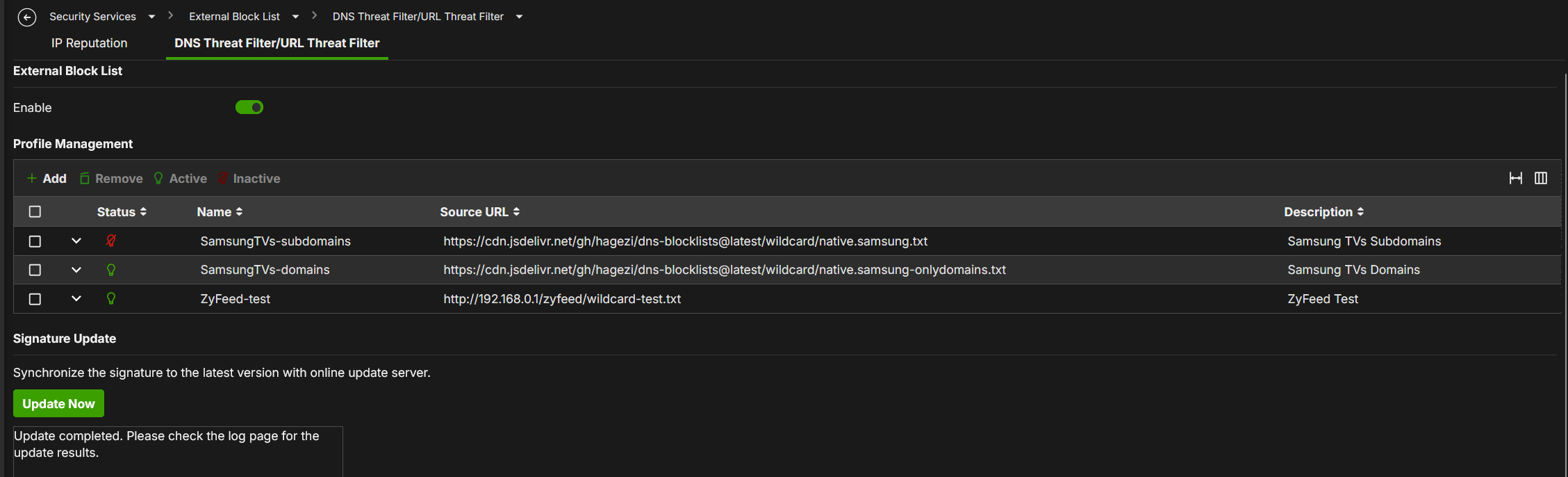
And this is the log:
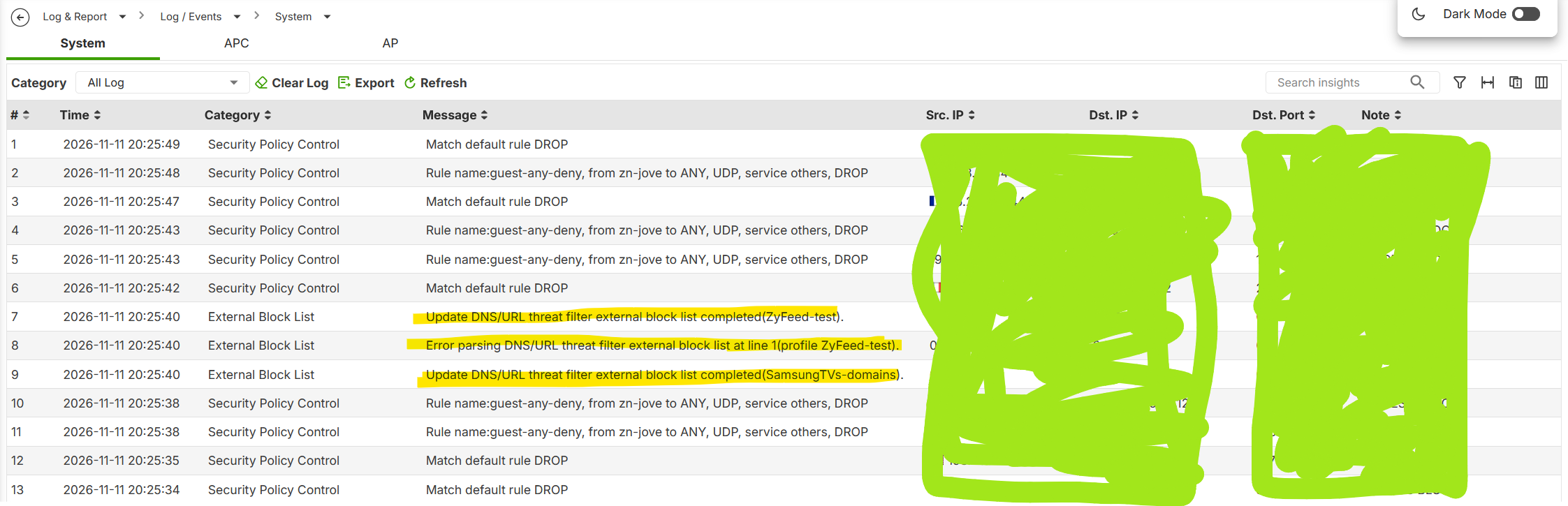
So… seems that only the line 1 is wrong on the file (why "*.samsung.appnext.com" is wrong??!?)
Anyway, these are the test with URL Threat Filter (are permitted only the http/s url)
- http://samsung.com (the third line → EBL Result: Zyfeed-test) —> Good!!!
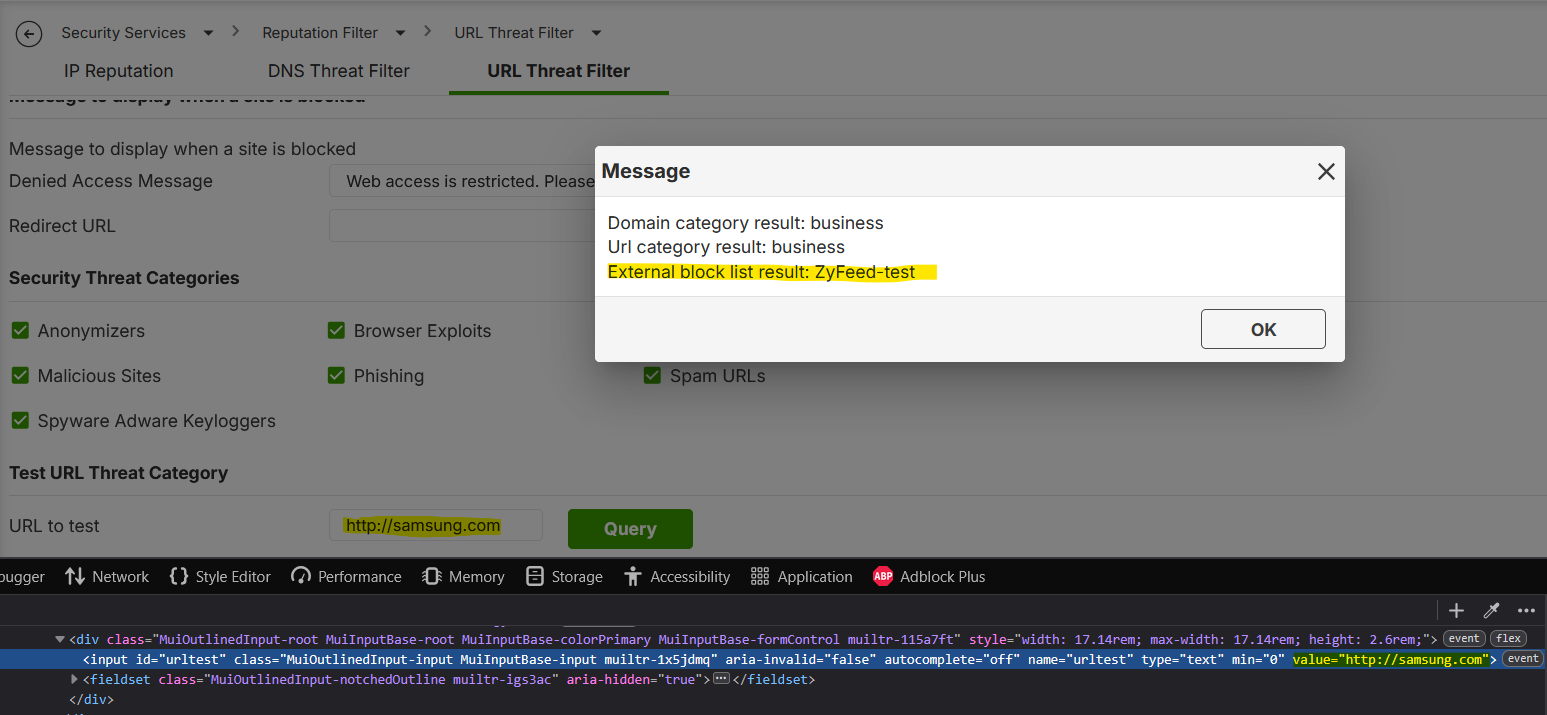
- http://<xyz>.samsung.com (the fourth line → EBL Result: Not Found)
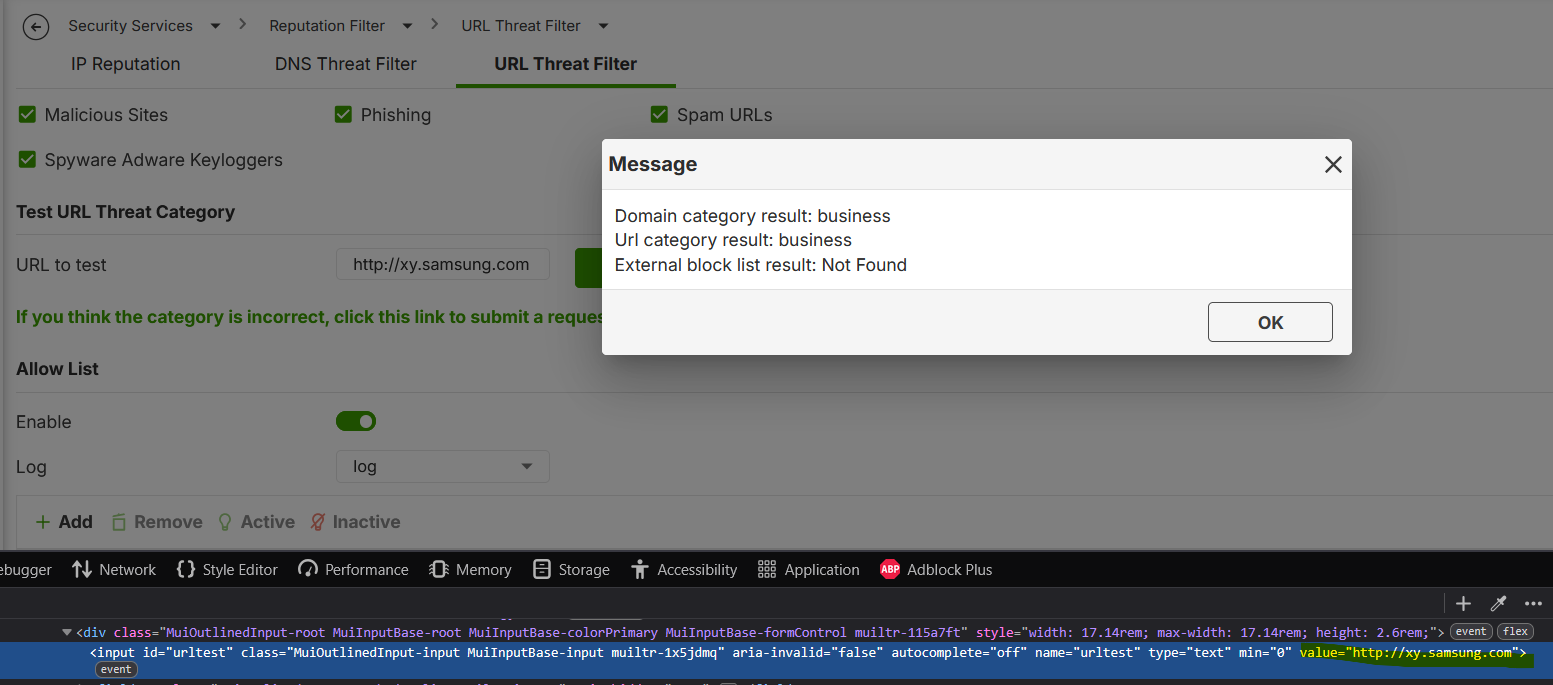
If I try the DNS Threat Filter (are permitted only the non-http/s url):
- samsung.appnext.com (the first line → EBL Result: ZyFeed-test) —> Good!!!
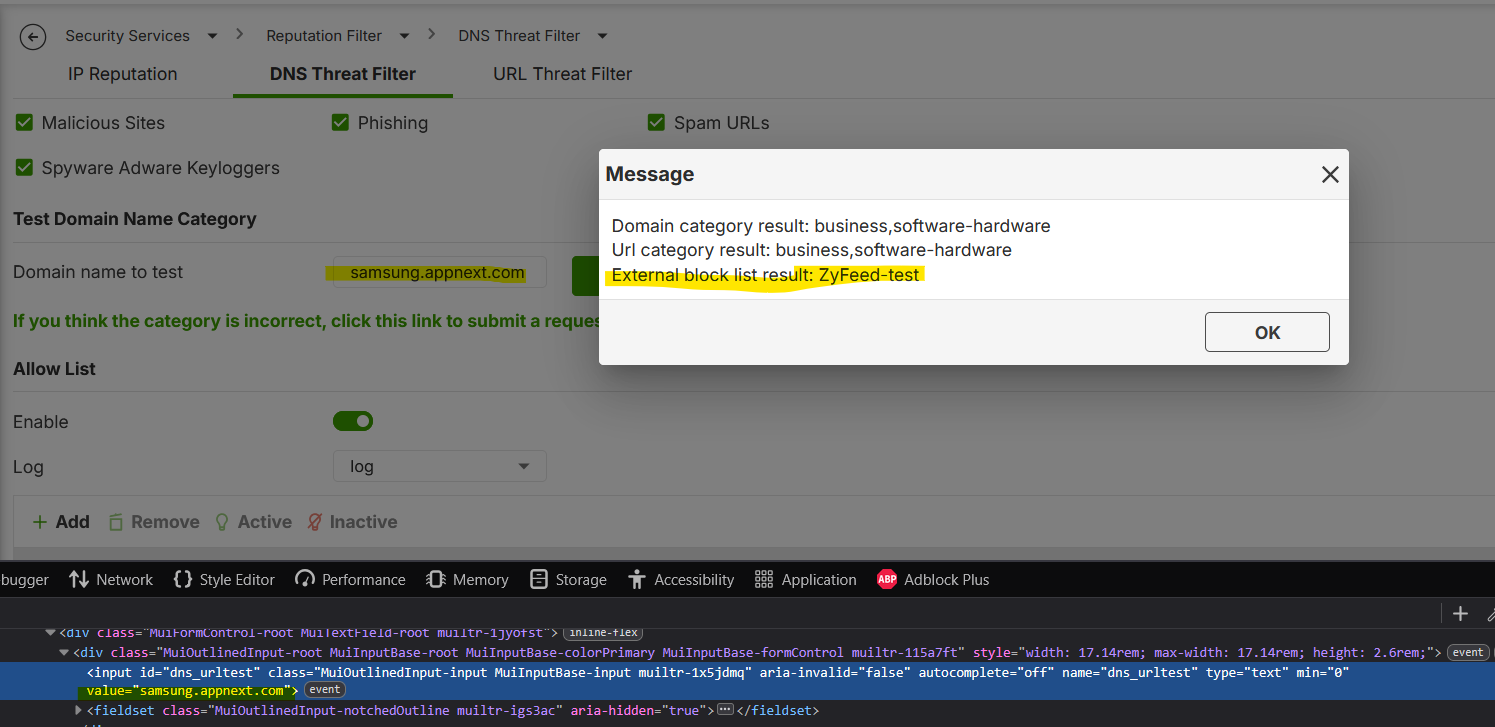
- <xyz>.samsung.appnext.com (the second line → EBL Result: Not Found)
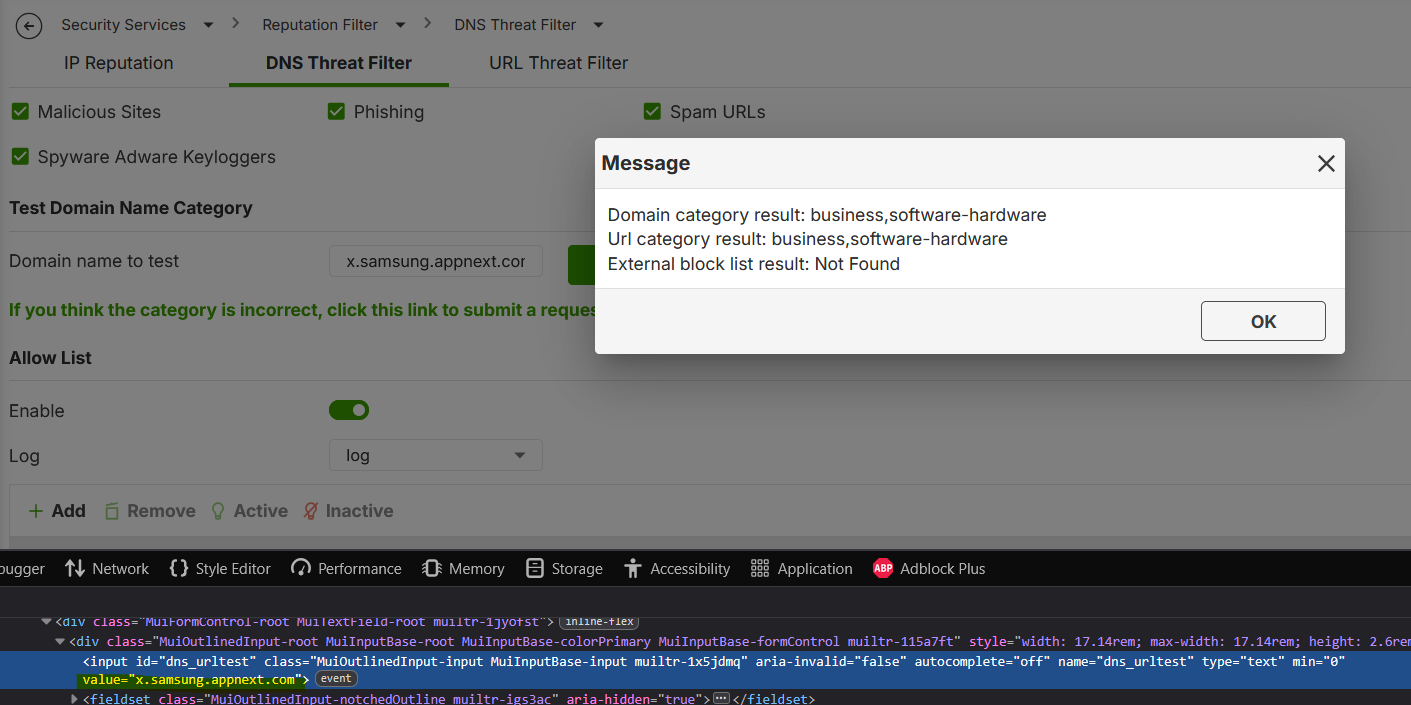
So… I've some difficulty to understand how the EBL works…
Seems that the *.<blablabla> is not working in any way (with or without the http/s)…
And this is the problem that I've with the subdomain list:This list, infact, not working:
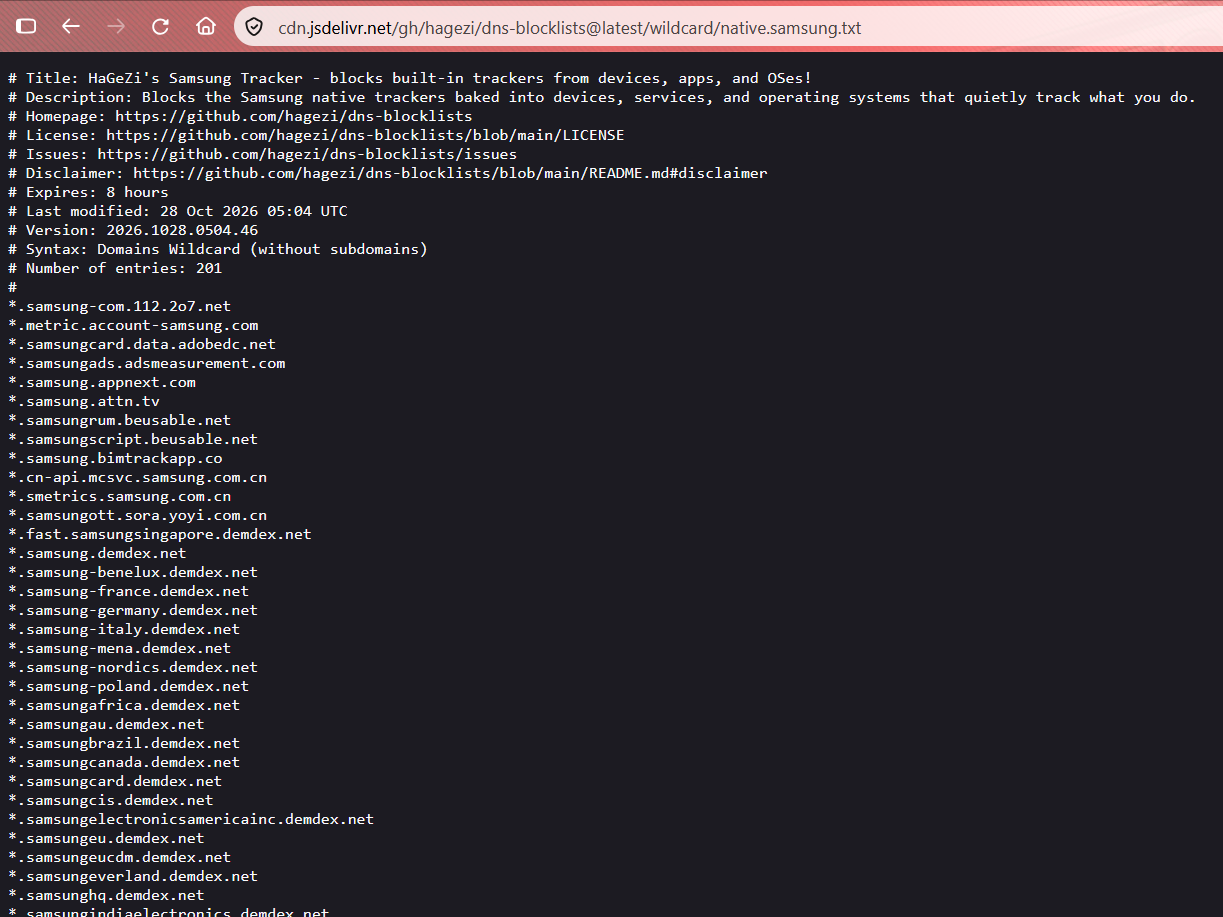
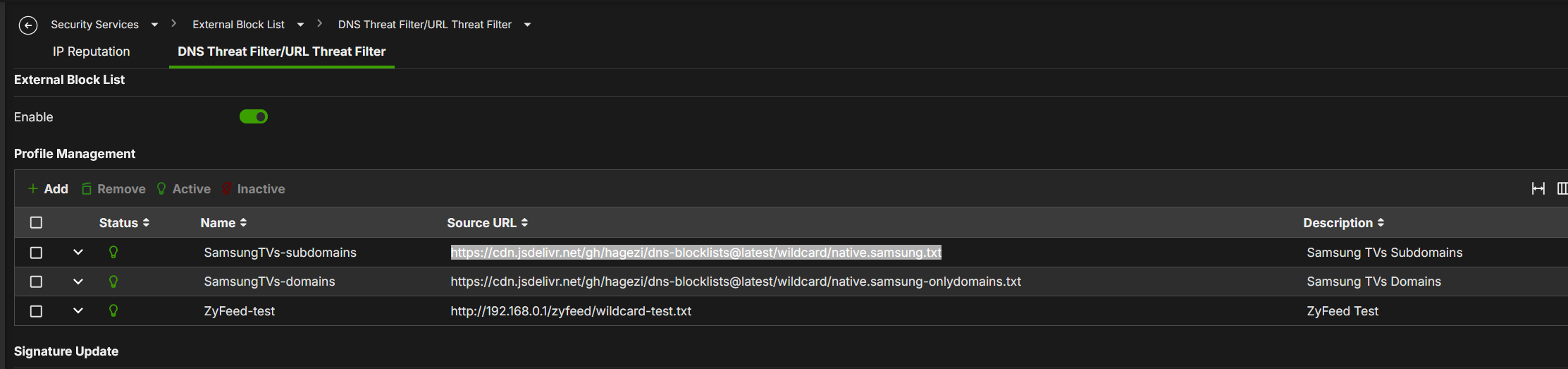
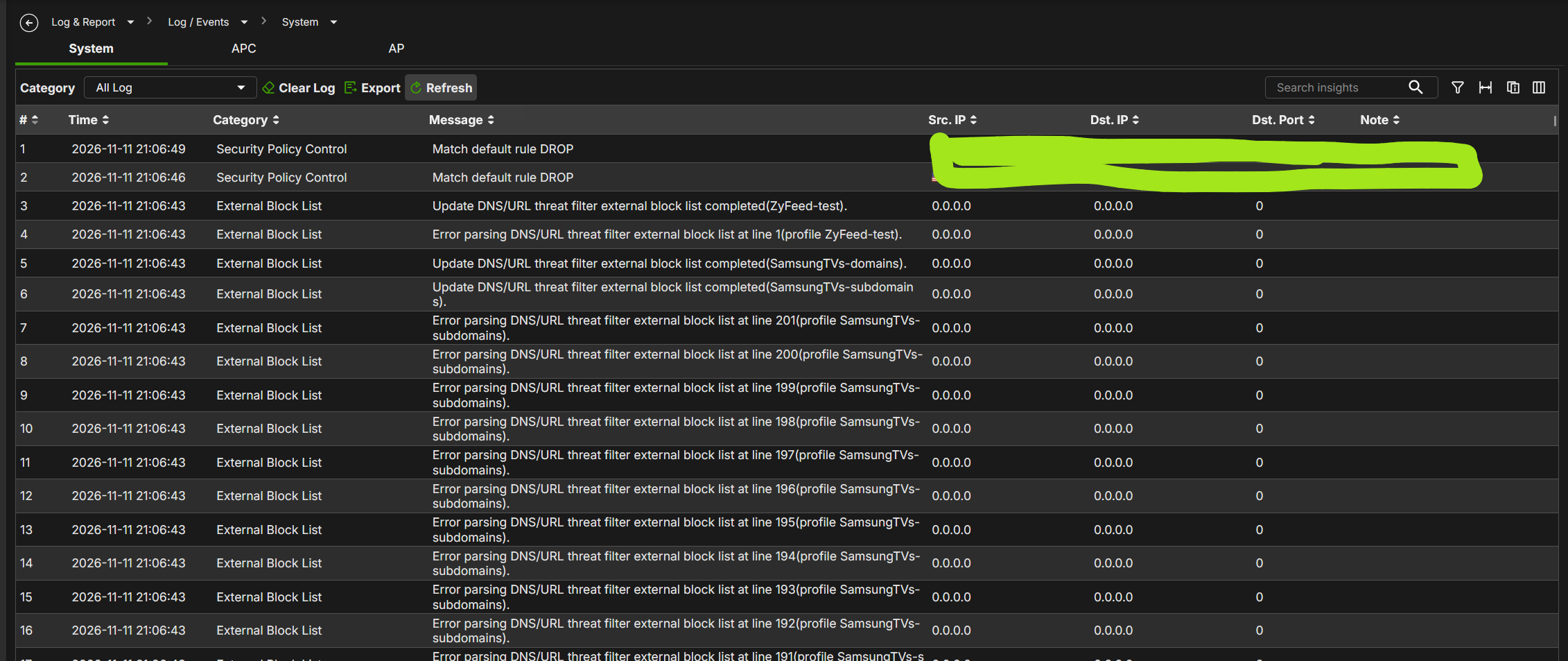
And… all the url without http, not work in the browser (because an url is provided by an http/s). So the http/s is not automatic.
Moreover there is a difference between http and https.. so http://samsung.com is not blocked really because the site is in https.In this way is not quite simple use EBL…
- The "*." never working
- Only the hostname (samsung.com) not block the URL
- The URL needs to fit the precise protocol (http or https — if wrong the protocol, the url is never blocked)
- Seems there aren't any way to keep both protocol in one-single-line (and if I've 300 URL to block, I need to duplicate it for use both protocol — 300 http and 300 https, not quite simple).
In my opinion:
- The "*." needs to be adjusted;
- An hostname must block both hostname and URL with both http and https protocol together;
- Then I can use only http:// or https:// to block a single URL with single protocol without block the hostname
0 - http://samsung.com (the third line → EBL Result: Zyfeed-test) —> Good!!!
-
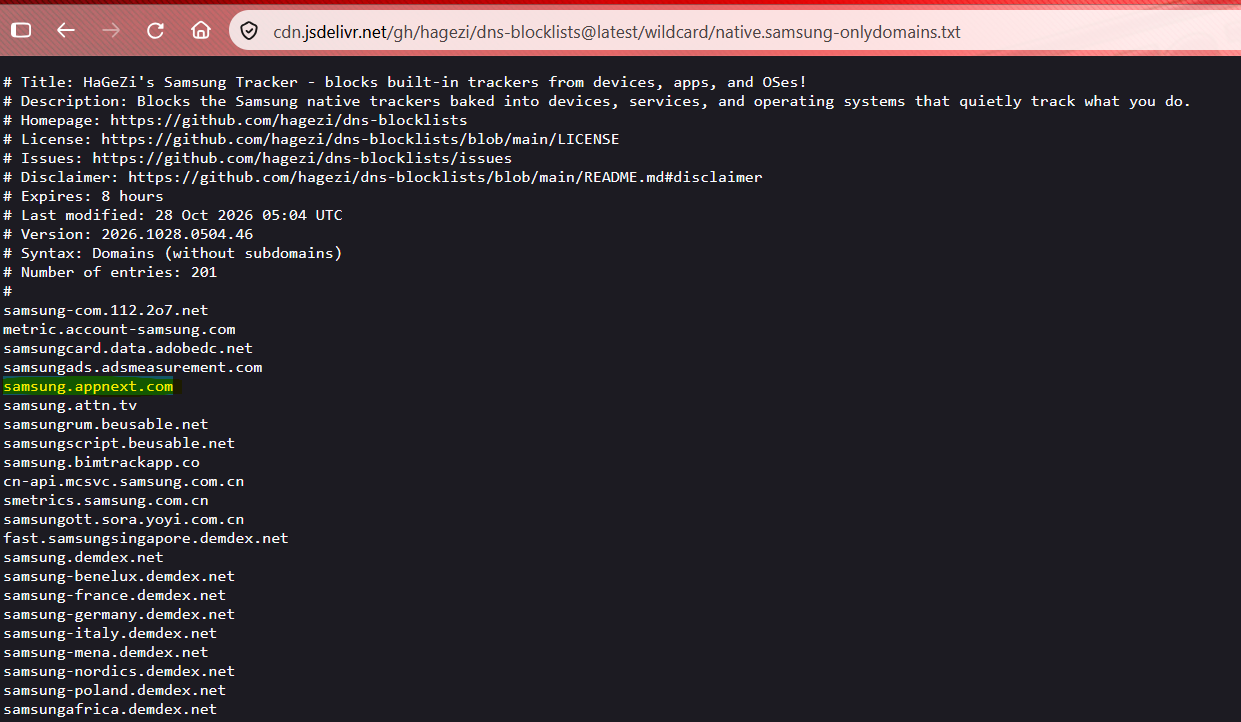
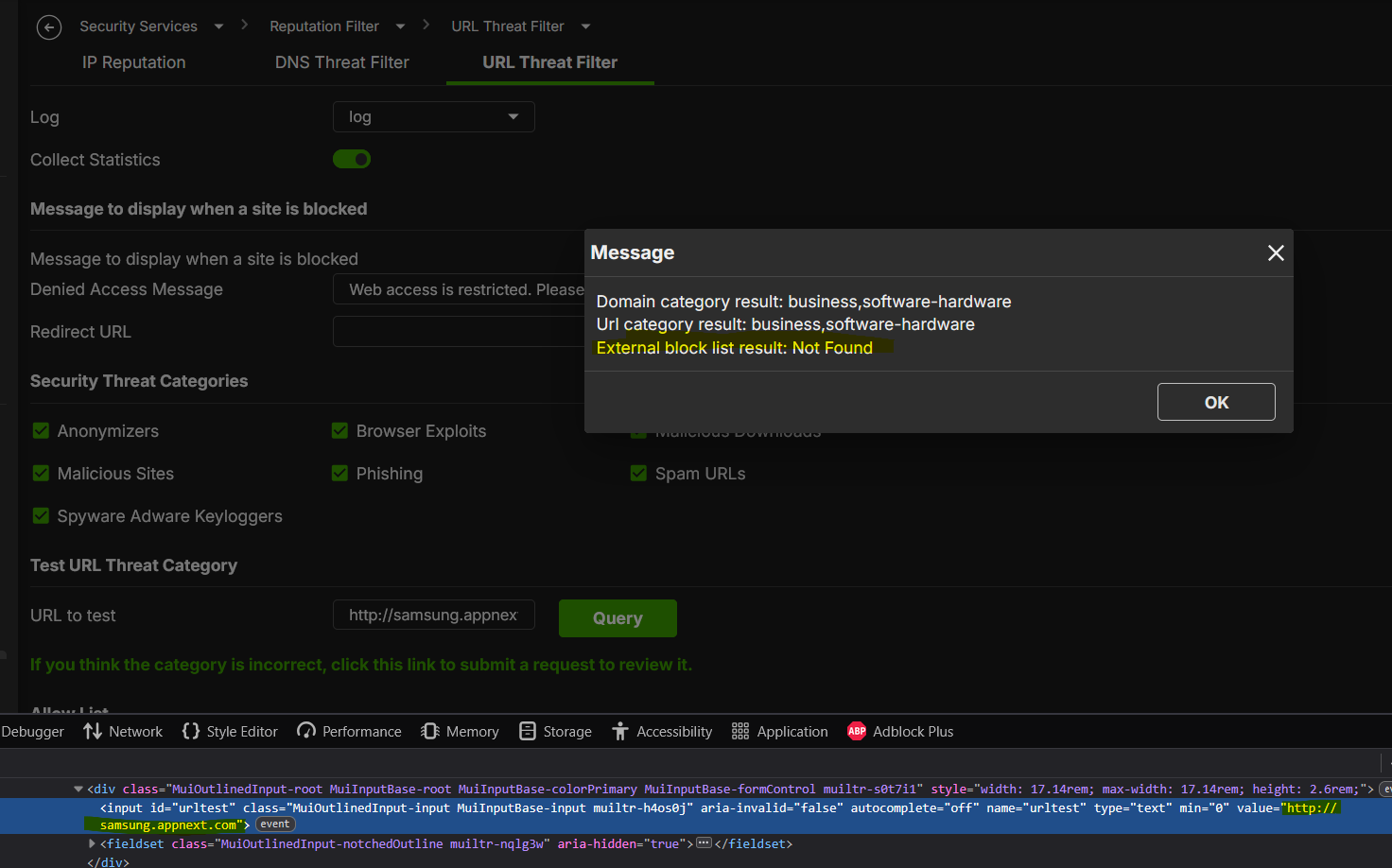
Mmmm

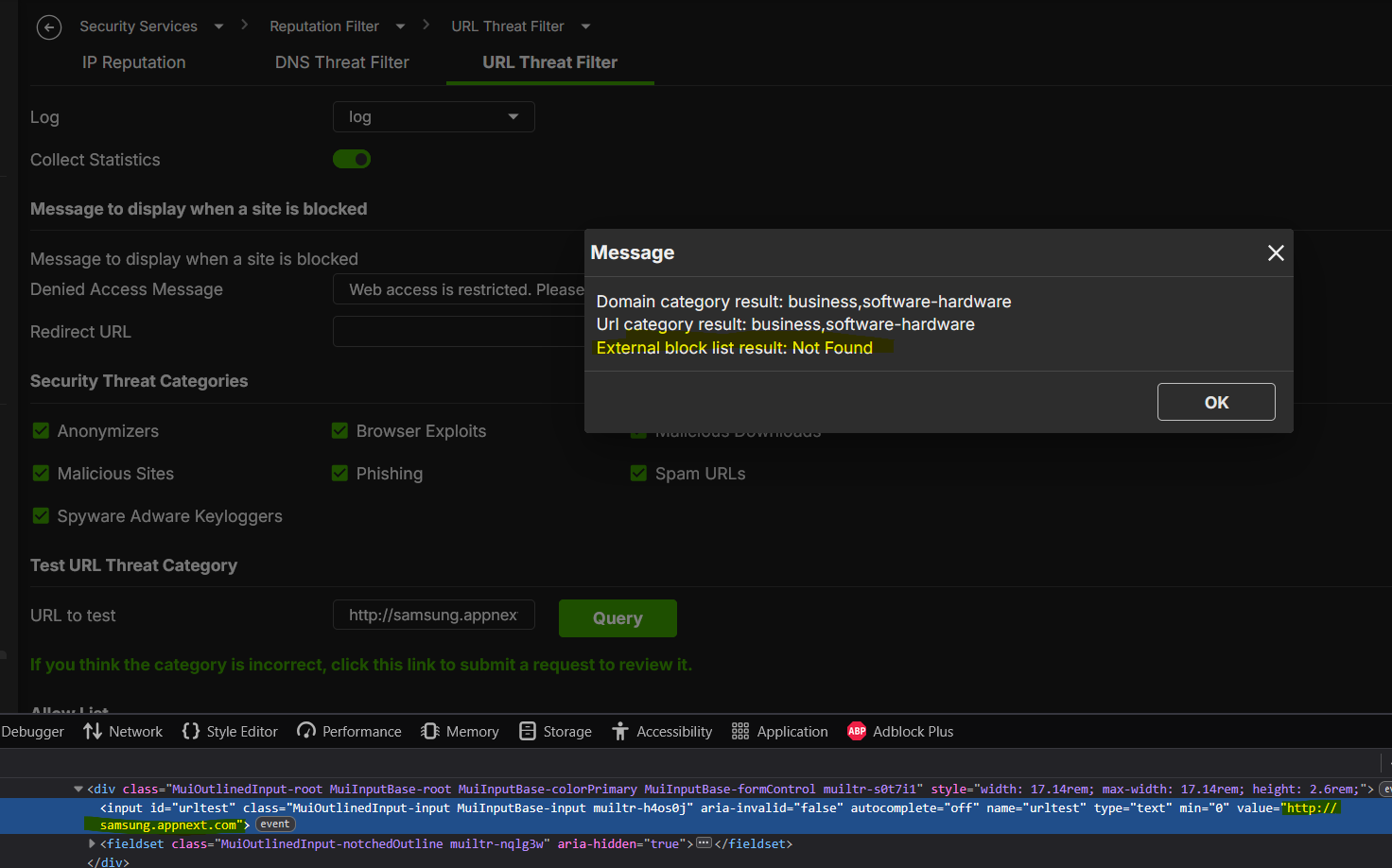
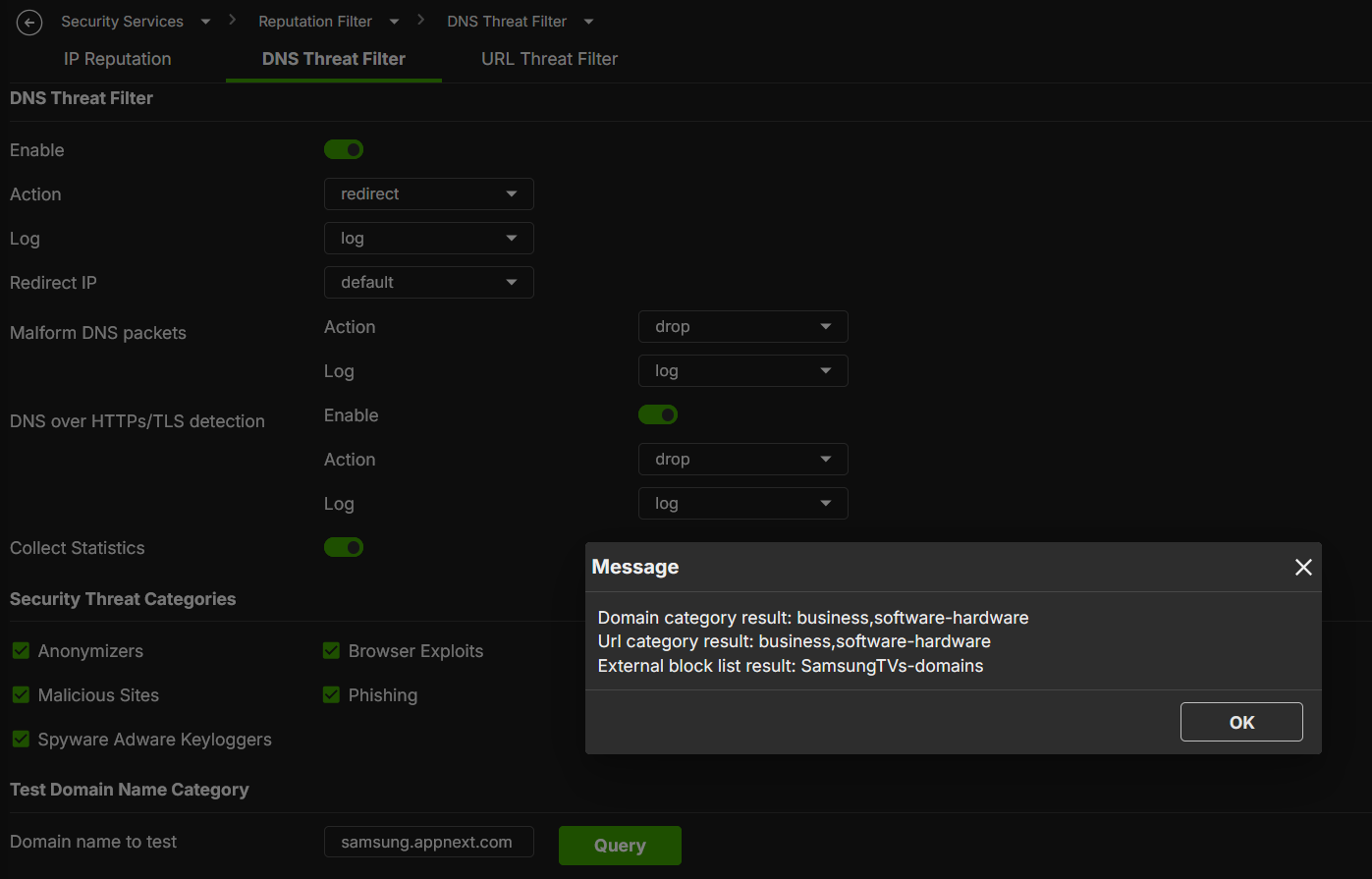
So…
- Into the file are wrote as hostname;
- If I try it as hostname, the DNS Threat Filter tell me that is blocked by an EBL;
- If I try it as URL, the URL Threat Filter tell me that is not blocked;
- The browser, navigating to http://<hostname> tell me that is it blocked.
So seems that the URL Threat Filter don't "recognize" it as valid URL… because the hostname not have the protocol, but the browser translate the hostname into an effective URL.
So seems that these rules, that I've explained before, working really:
An hostname must block both hostname and URL with both http and https protocol together;
Then I can use only http:// or https:// to block a single URL with single protocol without block the hostname
But not working for the DNS/URL Threat Filter functions.
And remain the "*." that is not working in any case.Very strage!!!
0 -
I understand that you would like the EBL to accept the Adblock list format. However, there is currently no plan to support additional characters in the External Block List (EBL). We recommend editing the URLs in your EBL .txt file manually so that they match a supported format, and then importing the file again, as you are already doing.
Zyxel_Judy
0 -
We believe the root cause is that URLs containing wildcards currently cannot be imported into the EBL (the log shows “Error parsing”). As a result, when you test a wildcard-based URL on the URL Threat Filter, no result is found.
Please allow us some time to check the wildcard import for the EBL first.
Zyxel_Judy
0 -
Hi @Zyxel_Judy,
Yes, but from the user guide seems is possible to enter a wildcard, with or without http/s, but this seems not working.
0 -
Yes is not quite simple, because the file are served by an external URL, and is not possible to modify the txt file from that url :)
For this I've create a github project, that convert an Adblock list to a Zyxel format.
Then the script export it into a txt file and you can use own web server to serve it.Let’s just say it’s not exactly great, considering that for several years now, there has been a well-documented standard for this type of list.
Can you put the link at the top of community and pin it? Can be interesting also for other peoples/customers
0 -
Hi @Maverick87,
Thanks for all the detailed testing and examples — this helps clarify exactly what’s happening, and I want to explain the root cause behind the inconsistent results you’ve been seeing.
DNS Threat Filter and URL Threat Filter share the same External Block List (EBL). It supports entries in FQDN or URL format, but does not support wildcards. More importantly: regardless of whether you enter a full URL with a path, the system only extracts and stores the hostname portion in the database — for both the DNS Filter DB and the URL Filter DB. For example:
Entry you add
DNS Filter DB
URL Filter DB
http://itssprout.com/wp-includes/1itssprout.com
itssprout.com
http://itssprout.com/wp-includes/2itssprout.com
itssprout.com
https://bkktech-thai.com/dodckmI.txtbkktech-thai.com
bkktech-thai.com
So the full path is never actually used for matching — only the hostname is, even in the URL Threat Filter.
Regarding the User Guide: since the EBL doesn’t actually support wildcards, the current wording is incorrect, and we’ll correct it in the next version.
As for adding wildcard support as a feature, we’ll evaluate it carefully. If it becomes available, we’ll let users know through the News & Release Notes section.
Zyxel_Judy
1 -
Why URL Threat Filter sometimes doesn’t seem to trigger at all: since the EBL is shared, and every HTTP(S) request is preceded by a DNS query, if the DNS Threat Filter action is set to Block, the request is stopped at the DNS resolution stage — the HTTP request never happens, so the URL Threat Filter never even sees it. The URL Threat Filter only comes into play if the DNS Threat Filter action is set to Pass, allowing the DNS query through so the subsequent HTTP request can reach the URL Threat Filter for inspection.
This explains the differences you observed between testing the two filters independently — depending on which one is set to Block vs Pass, the other filter may never actually get exercised.
Zyxel_Judy
1 -
Regarding the zyfeed conversion tool, thank you for sharing it — I believe users who need it will be able to find it right here in the thread.
As for pinning it at the top, that’s reserved for official Zyxel announcements, so we won’t be able to do that for a community-contributed tool.
Zyxel_Judy
1





 Guru Member





 Zyxel Employee
Categories
- All Categories
- 442 Beta Program
- 3.1K Nebula
- 244 Nebula Ideas
- 6.9K Security
- 800 USG FLEX H Series
- 392 Security Ideas
- 1.8K Switch
- 88 Switch Ideas
- 1.5K Wireless
- 59 Wireless Ideas
- 7.3K Consumer Product
- 328 Service & License
- 532 News and Release
- 104 Security Advisories
- 31 Education Center
- 10 [Campaign] Zyxel Network Detective
- 5.5K FAQ
- 34 Documents
- 91 About Community
- 124 Security Highlight