can't access to remote ZW when ipsec VPN is down
Options




 Master Member
Hello everyone.
Have some ipsec lan with some ZW USG 1100 & USG 1000
ipsec lan like 172.20.0.0/24 etc
ipsec build on failover vpn by 2 providers
1st 192.168.0.0/24
2nd 172.21.0.0/16
Remote ZWs has 2 providers interfaces, like 172.21.x.100 & 192.168.x.100 & local 172.20.x.1
On remote ZW add 2 Policy Route
all from local lan via vpn gw & from ZW to ipsec lan via vpn gw
when ipsec vpn is up, i can access to remote ZW by ipsec ip and providers ip.
when ipsec vpn is down, i have no access to ZW by providers ip.
How can i make to have access to remote ZW when vpn is down?
Have some ipsec lan with some ZW USG 1100 & USG 1000
ipsec lan like 172.20.0.0/24 etc
ipsec build on failover vpn by 2 providers
1st 192.168.0.0/24
2nd 172.21.0.0/16
Remote ZWs has 2 providers interfaces, like 172.21.x.100 & 192.168.x.100 & local 172.20.x.1
On remote ZW add 2 Policy Route
all from local lan via vpn gw & from ZW to ipsec lan via vpn gw
when ipsec vpn is up, i can access to remote ZW by ipsec ip and providers ip.
when ipsec vpn is down, i have no access to ZW by providers ip.
How can i make to have access to remote ZW when vpn is down?
0
All Replies
-
Hello alexey,
As your description,
I think the access session is blocked by firewall, so let client can access zywall by creating rule on firewall. Please follow an example as below.
Go to WWW >change the server port to 11111 and press apply
Go to the service create the new service
Go to policy control> create the rule wan->zywall and select "wantozywall" service which I created on service field.
At last, press your wan ip with port number"11111"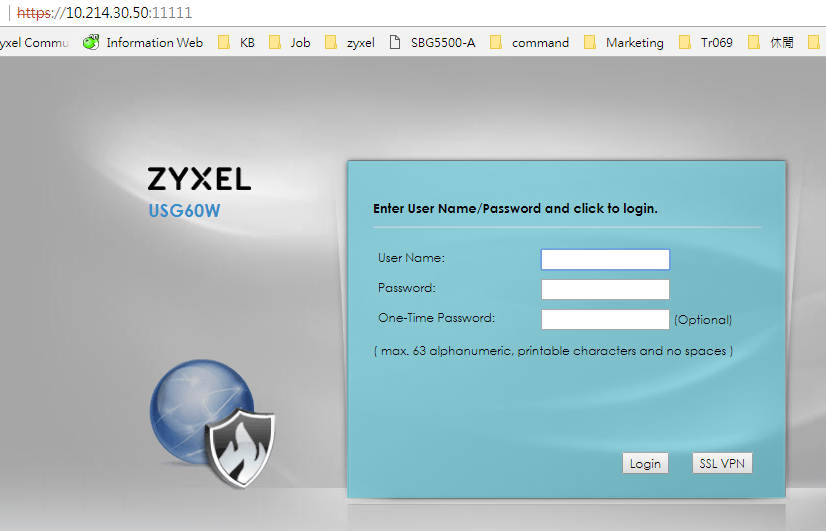
Charlie0 -
Thanks for help, but this is not firewall.
I experiment with route and found, if i disable policy route ZW to ipsec via vpn gw, i can access to remote ZW without ipsec vpn.
Strange, i remember that i add this for ZW can write syslog to server in ipsec zone. Without rule, it can do it now.
How can i see that remote ZWs transfer traffic between themselves via ipsec vpn?0 -
Hello alexey,
You can check the VPN traffic on monitor page.
Go to Monitor>VPN monitor>IPSec, check Inbound and outbound, and if you want to know does any traffic was transfer, just press refresh and see the statistic of Inbound and outbound.
Charlie
0




 Zyxel Employee
Categories
- All Categories
- 442 Beta Program
- 3.1K Nebula
- 242 Nebula Ideas
- 6.8K Security
- 779 USG FLEX H Series
- 387 Security Ideas
- 1.8K Switch
- 87 Switch Ideas
- 1.5K Wireless
- 58 Wireless Ideas
- 7.2K Consumer Product
- 324 Service & License
- 527 News and Release
- 101 Security Advisories
- 31 Education Center
- 10 [Campaign] Zyxel Network Detective
- 5.3K FAQ
- 34 Documents
- 91 About Community
- 121 Security Highlight


