[USG Flex H] - Export the CA trusted certificate





 Master Member
Hello everyone,
I try to use the internal certificate functionality; I've tried to create a cert and download it, all works.
But, when I try to export the CA certificate from the "Trusted Certificates" tab, the downloaded file seems to be corrupted.
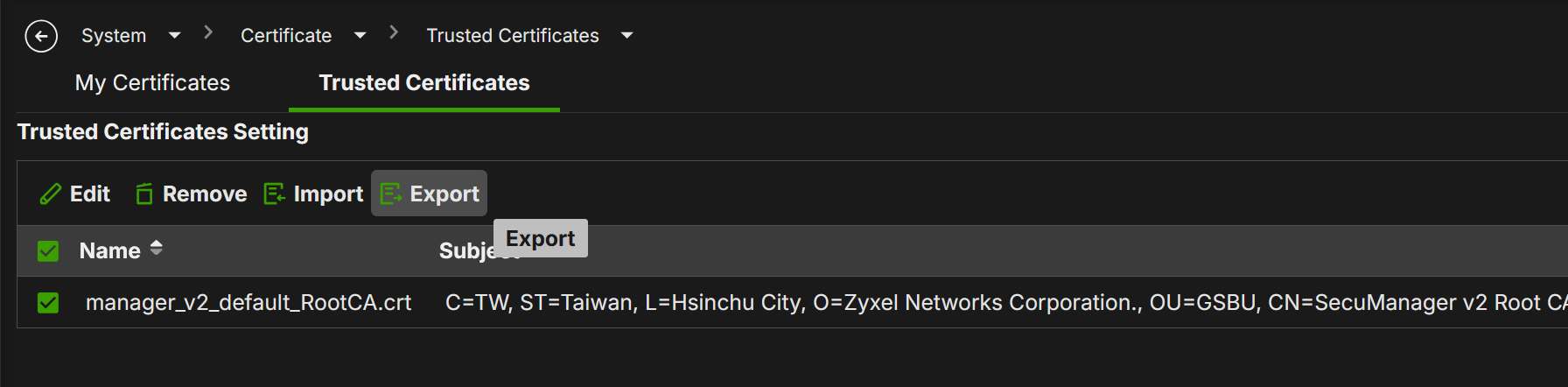
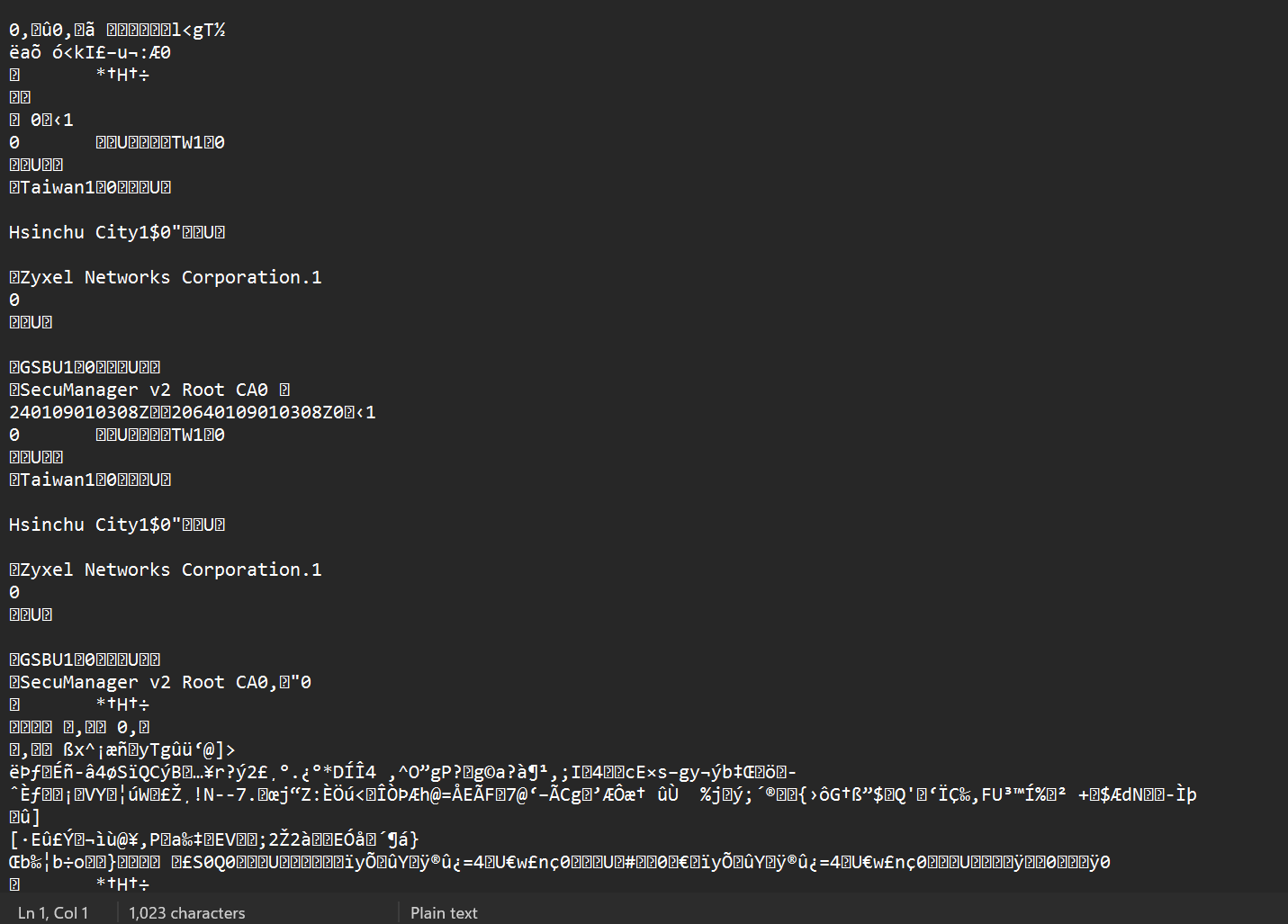
Anyone that uses this functionality? Can you help me to export the CA cert?
Thank you
Accepted Solution
-
Hi @Maverick87 ,
.crt is a file extension that describes the file's purpose (i.e., it is a certificate), not its encoding format. The .crt is one of the common file extensions used for DER-encoded files.
Regarding your request to change the save filter from *.crt to *.der, we will evaluate this. In the meantime, please note that you can convert a .crt file to .pem format using the tool mentioned above.Zyxel_Judy
0





 Zyxel Employee
All Replies
-
Hi @Maverick87
It's about the certificate file format.
PEM format: Text-based (Base64 encoded)
DER format: Binary
Zyxel firewall exported format is DER.
You need using tool to convert the format. (e.g. openssl or some online convert, https://certificatetool.com/ssl-converter/der/der-to-pem)
0 -
Hi @zyman2008,
OK but ….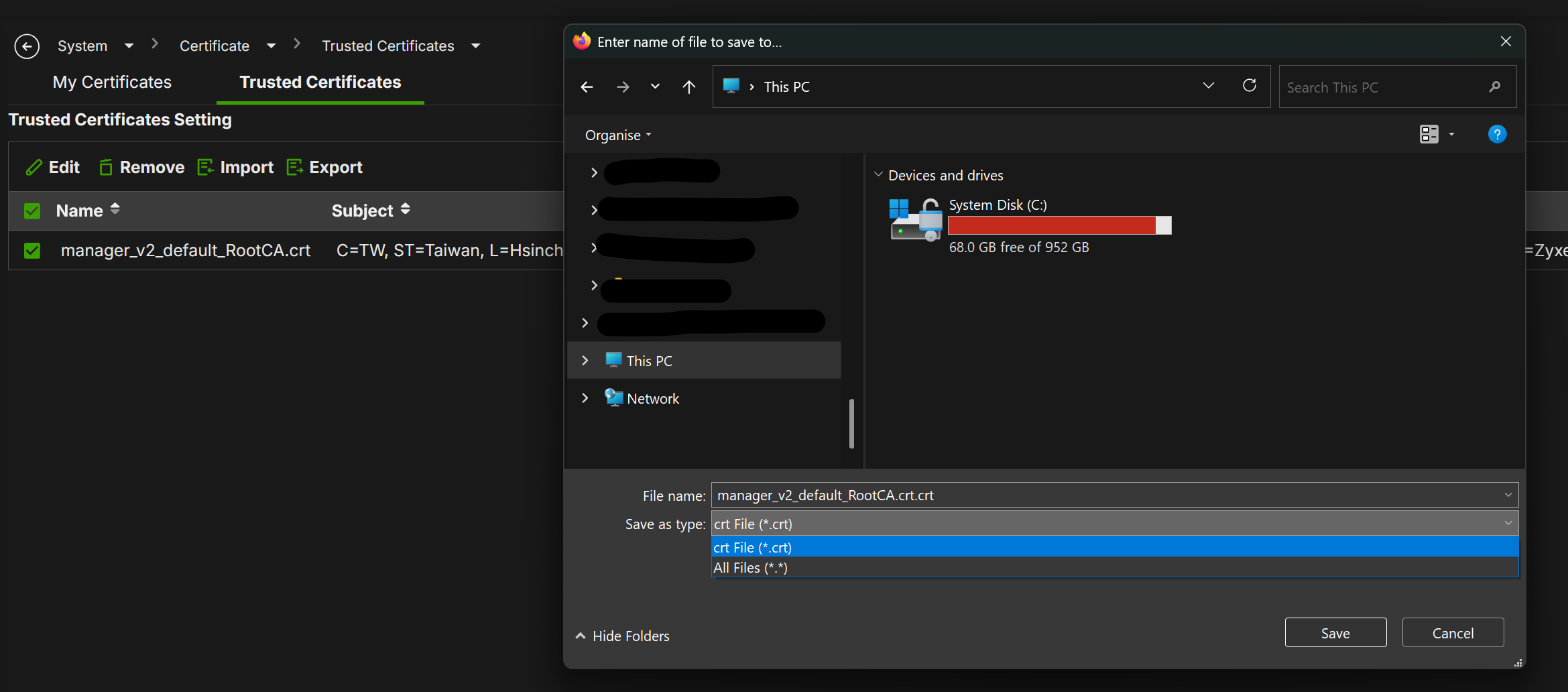
Seems that the default name have ".CRT" into the file name; also the saving window show me only ".CRT" or "*.*" as filter.
So, ok can be a DER file, but if not specified we cannot say it.
@Zyxel_Melen could you checking for this?
Thank you
0 -
Hi @Maverick87 ,
We are currently looking into this issue and will keep you updated as soon as we have any news.
Zyxel_Judy
1 -
Hi @Maverick87 ,
It looks like you opened the .crt file as a text file after downloading it, which is why the contents appear as unreadable characters. Typically, on Windows, you can view the certificate correctly by double-clicking the file and Open button, which will display the proper issuer information.
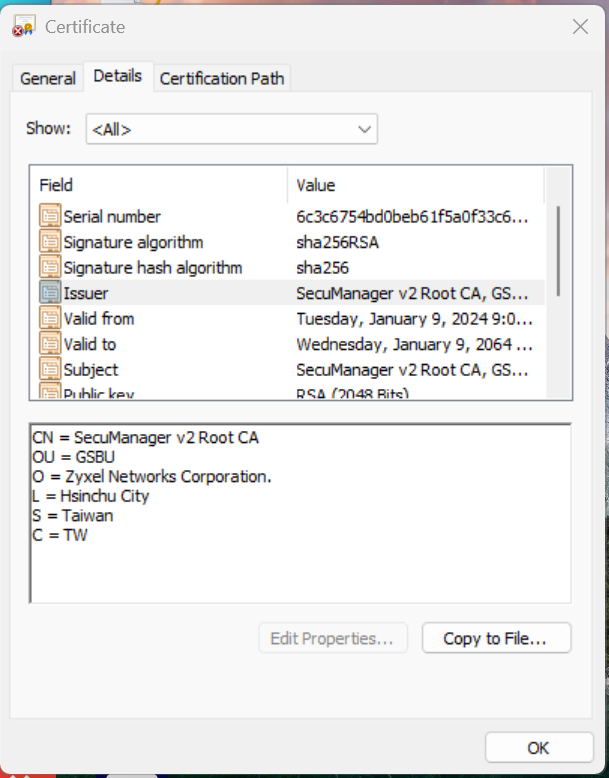
To better assist you, could you share more details about what you're trying to accomplish with this certificate?
Zyxel_Judy
0 -
Hi @Zyxel_Judy,
teorically, a certificate can be opened with notepad.0 -
so if you want the
-----BEGIN CERTIFICATE-----
-----END CERTIFICATE-----
you can double click certificate in FLEX H to view this and save in notpad
0 -
Hi @PeterUK,
OK so for the Trusted Certificate, the export is not in CRT format (but as explain some posts ago, why you should propose to save the cert in CRT format, but is not in CRT format?) but if I click on the certificate, I can take the BEGIN-END certificate and use it? Is the same things?Thank you
0 -
yes
1 -
Thank you @PeterUK
0 -
Hi @Zyxel_Judy,
for me is all clear, but remains one open point about why the file extension during save is .CRT if the file is in a DER format?
Could you change the save filter from *.CRT to *.DER?Thank you
0






 Guru Member
Categories
- All Categories
- 442 Beta Program
- 3.1K Nebula
- 243 Nebula Ideas
- 6.8K Security
- 781 USG FLEX H Series
- 387 Security Ideas
- 1.8K Switch
- 87 Switch Ideas
- 1.5K Wireless
- 58 Wireless Ideas
- 7.2K Consumer Product
- 324 Service & License
- 527 News and Release
- 101 Security Advisories
- 31 Education Center
- 10 [Campaign] Zyxel Network Detective
- 5.3K FAQ
- 34 Documents
- 91 About Community
- 121 Security Highlight


