SSL VPN 2FA problem



 Freshman Member
Hi,
I have configured (step by step) 2FA on my SSL VPN with instruction (USG Flex500):
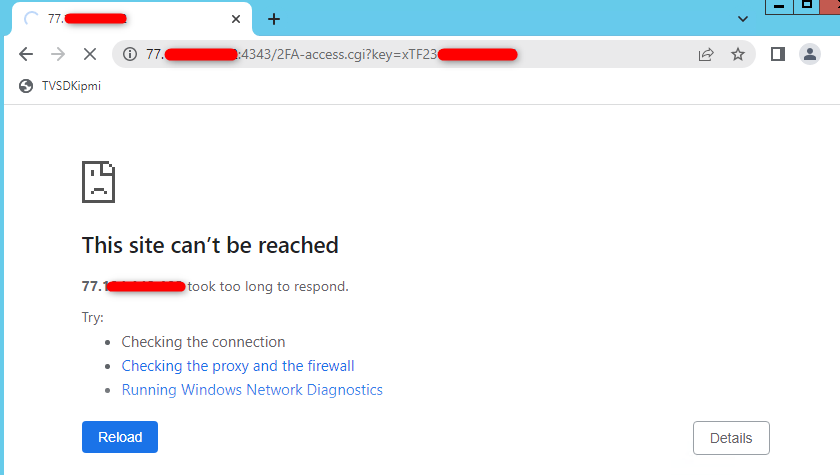
Everything looks fine, I receive mail with authorization link but when I click on it nothing happen- request timed out as you can see in attach. Any ideas why it happen? no matter if firewall is on or off.
Thanks in advance,
MR
Accepted Solution
-
Hi @Michał ,
When configuring 2FA via email link on the USG FLEX 500, a request timeout typically occurs because the firewall is blocking the traffic on the specific authentication port (e.g.,8008 as default) or because of routing restrictions before the 2FA is fully authorized.
Please check the following:
- Security Policy – Go to Configuration > Security Policy > Policy Control and confirm the WAN-to-Device rule allows the 2FA port (default 8008). If it's missing, add a service object for port 8008 and allow it in that rule.
- Double NAT – If the Flex500's WAN port is connected behind another router/modem, that device also needs a port-forward rule for port 8008 to the Flex500's WAN IP.
- Authorize Link URL – Go to Configuration > Object > Auth. Method > Two-factor Authentication > VPN Access and confirm the "Authorize Link URL Address" uses your correct public WAN IP (or FQDN) — not a LAN IP.
Zyxel_Judy
0




 Zyxel Employee
All Replies
-
Are you clicking on the receive mail with authorization link by other device then the device connecting by VPN?
0 -
Not, on the same machine, for a test I tried on phone and result is the same.
All tested devices have the same problem also from different locations/countries
0 -
Hi @Michał ,
When configuring 2FA via email link on the USG FLEX 500, a request timeout typically occurs because the firewall is blocking the traffic on the specific authentication port (e.g.,8008 as default) or because of routing restrictions before the 2FA is fully authorized.
Please check the following:
- Security Policy – Go to Configuration > Security Policy > Policy Control and confirm the WAN-to-Device rule allows the 2FA port (default 8008). If it's missing, add a service object for port 8008 and allow it in that rule.
- Double NAT – If the Flex500's WAN port is connected behind another router/modem, that device also needs a port-forward rule for port 8008 to the Flex500's WAN IP.
- Authorize Link URL – Go to Configuration > Object > Auth. Method > Two-factor Authentication > VPN Access and confirm the "Authorize Link URL Address" uses your correct public WAN IP (or FQDN) — not a LAN IP.
Zyxel_Judy
0 -
Hi Judy,
port from point 1 was missing, I added my custom port and now everything works.
Thanks for your help.
MR
0




 Guru Member
Categories
- All Categories
- 442 Beta Program
- 3.1K Nebula
- 243 Nebula Ideas
- 6.8K Security
- 783 USG FLEX H Series
- 389 Security Ideas
- 1.8K Switch
- 87 Switch Ideas
- 1.5K Wireless
- 58 Wireless Ideas
- 7.2K Consumer Product
- 325 Service & License
- 527 News and Release
- 101 Security Advisories
- 31 Education Center
- 10 [Campaign] Zyxel Network Detective
- 5.3K FAQ
- 34 Documents
- 91 About Community
- 122 Security Highlight


