Support Importing CA-Signed Certificates





 Zyxel Employee
Currently, Zyxel switch only supports self-signed certificates.
Therefore, user @ihr would like to request adding support for importing CA-signed certificates that include an intermediate CA chain (PKCS12 format) into the switch.
This suggestion originated from the post found here:
Import certificate - ERROR: Import custom CA fail — Zyxel Community
If you have a similar use case or requirement, please show your support by leaving a comment or voting for it.
Zyxel Tina
Comments
-
Hi @Zyxel_Tina ,
You have my absolute full support for this! I have just voted.
I recently submitted a similar feature request specifically for the new GS1200-8 v3, but this is clearly a necessity across the entire Zyxel switch lineup.
In my environment (and many Prosumer/SMB setups), we use systems like OPNsense as an Internal Certificate Authority and Let's Encrypt for local domain management. Being forced to use hardcoded self-signed certificates completely breaks the Zero-Trust architecture and results in constant browser warnings.
Supporting the PKCS12 format (to include the intermediate chain) is a brilliant approach. If the WebUI could support either PKCS12 or the standard PEM format (.crt + .key), it would perfectly solve the issue for everyone.
Please urge the development team to implement this feature, and please consider rolling it out to the entry-level Web-Managed series (like the GS1200 v3) as well, not just the high-end models. Thank you for listening to the community!1 -
I'm not sure what you mean by "Zyxel switch only supports self-signed certificates" ? the XS1930 can do CA-Signed Certificates
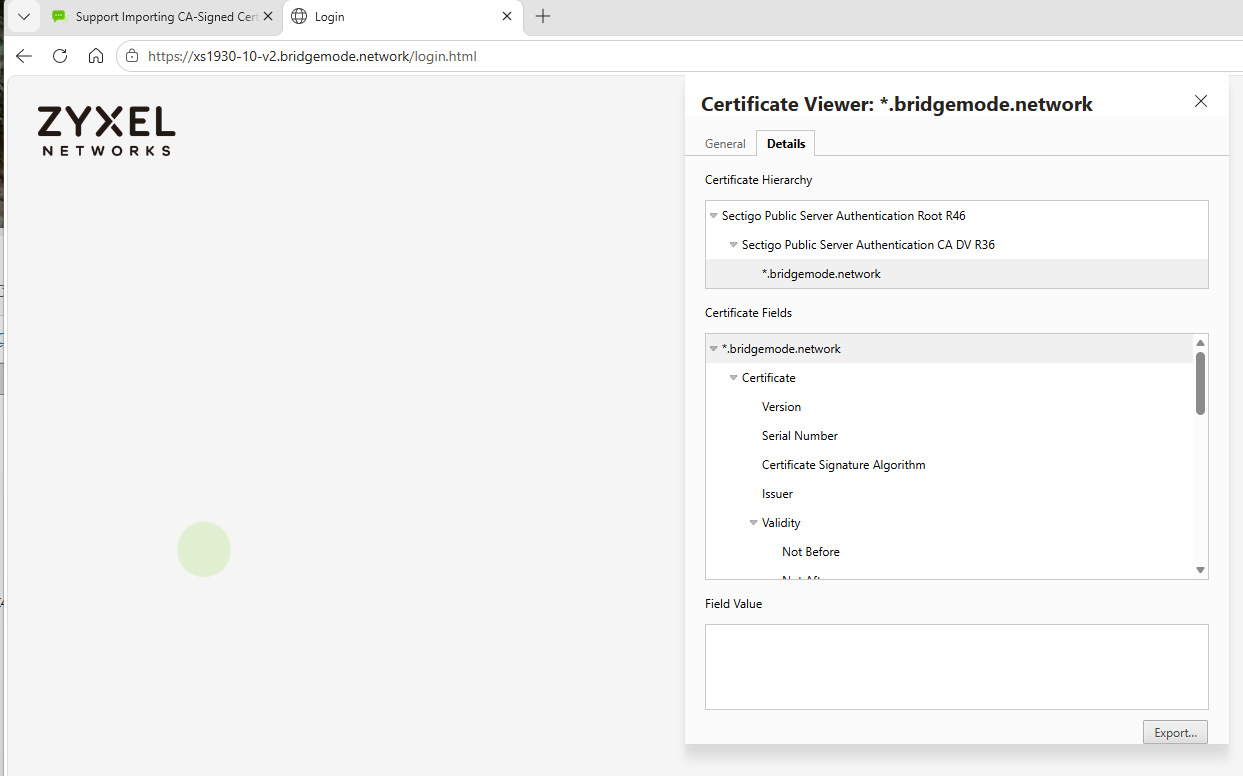 0
0 -
However some of Zyxel older or lesser model switches don't support this
The problem is what with this roll on to shorter expiry date certificates the ACME would also be needed. And that makes for some trouble because let say you have a firewall and switch on one WAN IP to do the ACME requires port 80 so how are you going to do that. well there is a way using nginx so that it proxy different domains like
firewall.bridgemode.network proxy 192.168.0.1
switch.bridgemode.network proxy 192.168.0.254
So that as traffic comes in it maps to the LAN side of the firewall or switch IP to do the ACME verifying.
0 -
The same seems to be the case for XGS2220-30HP on Firmware
V5.00(ABXO.1) | 01/08/2026
Please add support for CA-signed certificates and ACME as soon as possible to this model.0 -
The XGS2220-30HP has the same certificates support as my XS1930 all you need to do is import a .pfx
but there is one import thing you must do as some certificate providers or if you use like win ACME make the .pfx with root, intermediate, certificate and key you only need the certificate and key
so the to do it is if you have a .pfx do
openssl pkcs12 -info -in cert.pfx
or if the above fails with some errors
openssl pkcs12 -info -in cert.pfx -legacy
which you now need to copy the
-----BEGIN ENCRYPTED PRIVATE KEY-----
to
-----END ENCRYPTED PRIVATE KEY-----
in a file cert.key
the the top cert which be your subject=CN copy
-----BEGIN CERTIFICATE-----
to
-----END CERTIFICATE-----
in a file cert.crt
then do
openssl pkcs12 -export -out cert.pfx -inkey cert.key -in cert.crt
then you can import to your switch
0



 Freshman Member


 Guru Member

Categories
- All Categories
- 442 Beta Program
- 3.1K Nebula
- 242 Nebula Ideas
- 6.8K Security
- 777 USG FLEX H Series
- 387 Security Ideas
- 1.8K Switch
- 87 Switch Ideas
- 1.5K Wireless
- 58 Wireless Ideas
- 7.2K Consumer Product
- 324 Service & License
- 526 News and Release
- 101 Security Advisories
- 31 Education Center
- 10 [Campaign] Zyxel Network Detective
- 5.3K FAQ
- 34 Documents
- 91 About Community
- 121 Security Highlight


