how do i move AP from one site to another
Options

 Freshman Member
All Replies
-
Hi @cherasd ,
To move an AP from its current site to another site within the same organization in the Nebula Control Center, you can use either of the following methods:
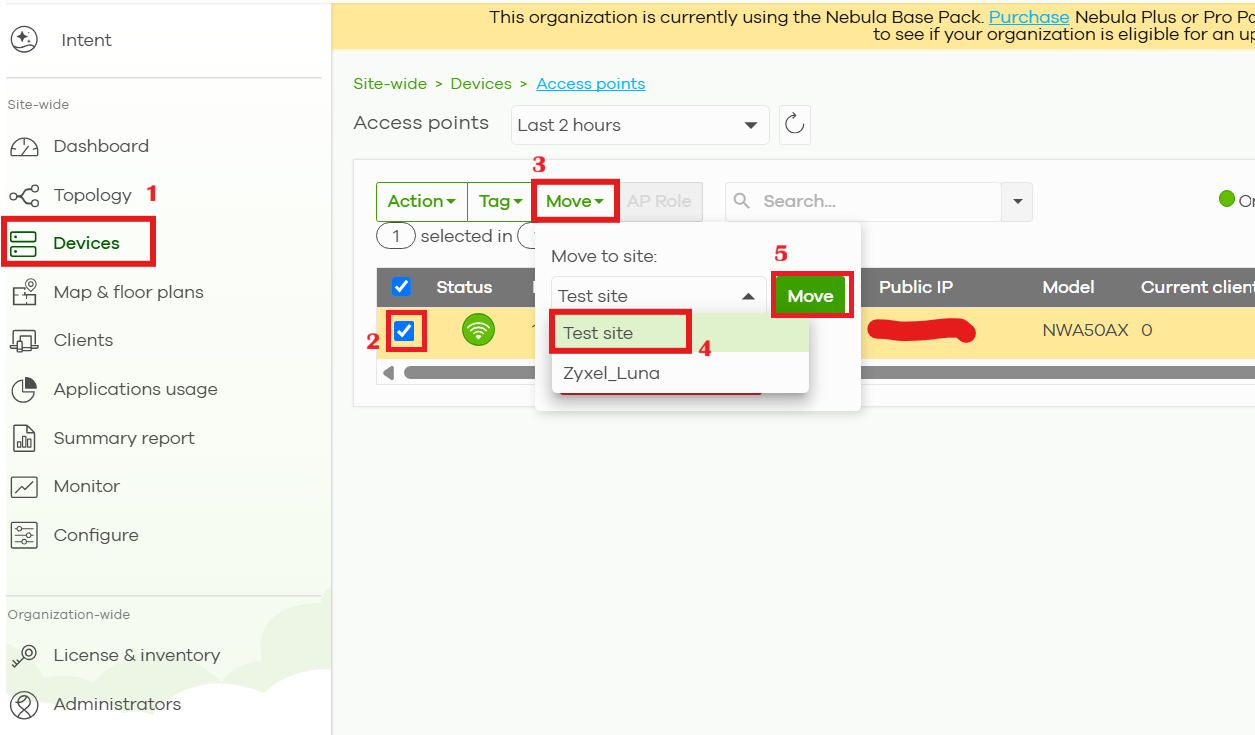
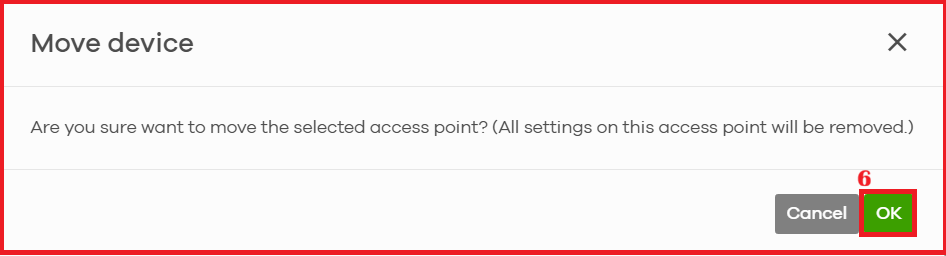
Option 1 (Site-wide): Go to [Site-wide] → [Devices] → [Access points], select the AP, and click Move to transfer it to the target site.
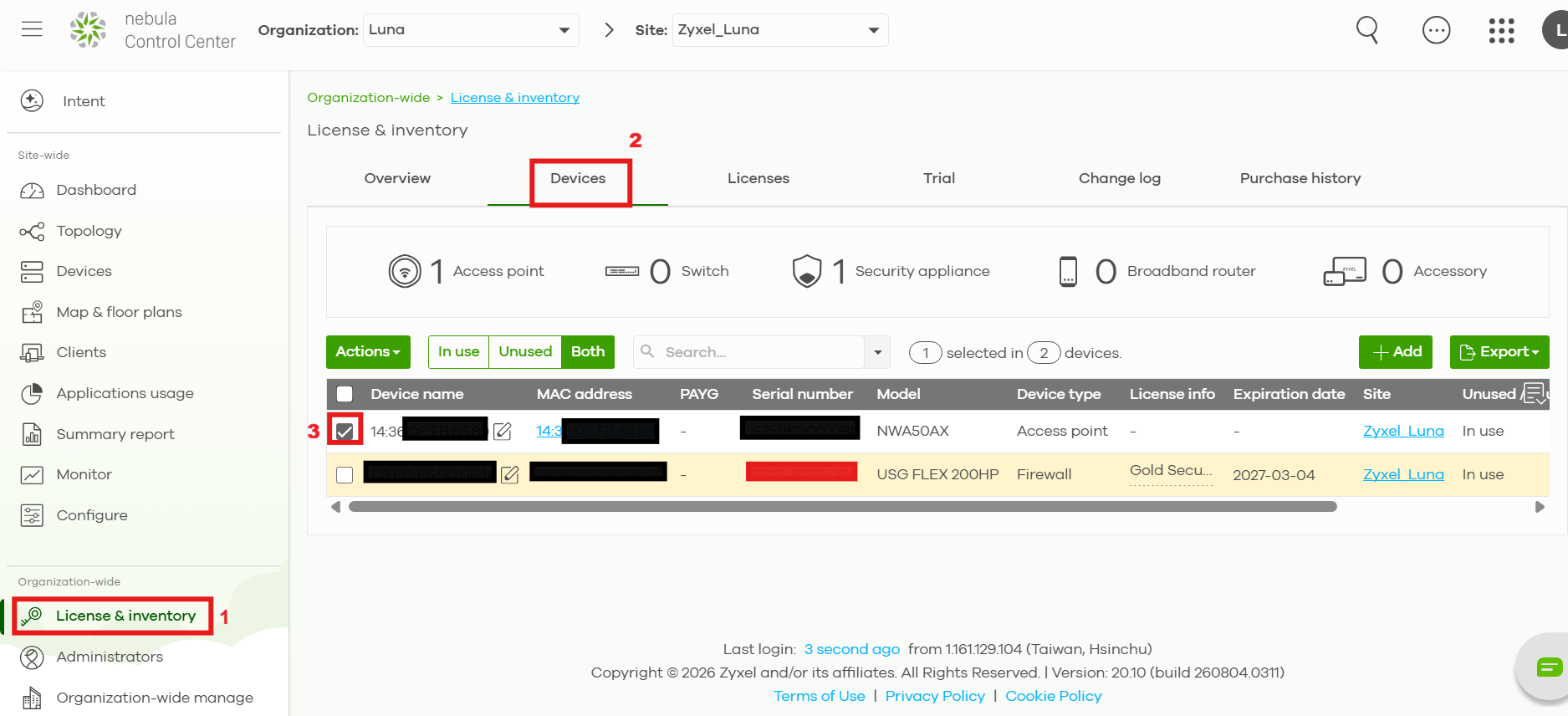
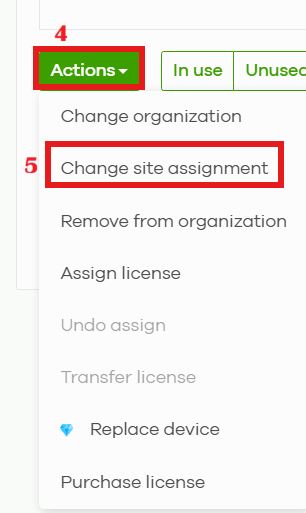
Option 2 (Organization-wide): Go to [Organization-wide] → [License & inventory] → [Device] , select the AP, click Actions, and choose Change site assignment
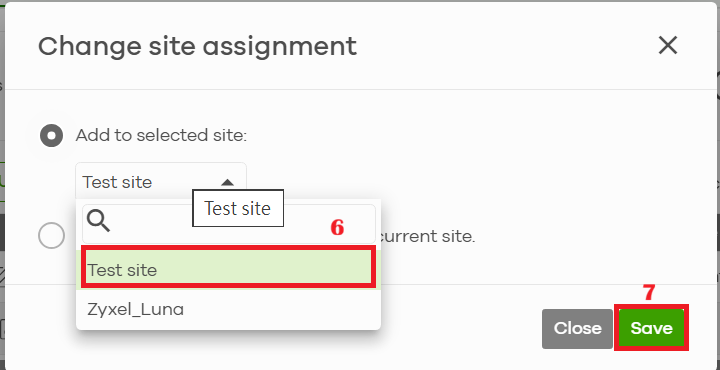
Hope this helps! Feel free to let us know if you need further assistance.
0




 Zyxel Employee
Categories
- All Categories
- 442 Beta Program
- 3.1K Nebula
- 243 Nebula Ideas
- 6.8K Security
- 783 USG FLEX H Series
- 389 Security Ideas
- 1.8K Switch
- 87 Switch Ideas
- 1.5K Wireless
- 58 Wireless Ideas
- 7.2K Consumer Product
- 325 Service & License
- 527 News and Release
- 101 Security Advisories
- 31 Education Center
- 10 [Campaign] Zyxel Network Detective
- 5.3K FAQ
- 34 Documents
- 91 About Community
- 122 Security Highlight


