50H firmware 1.39 content filter parsing error?




 Ally Member
Hello,
There seems to be an issue with 1.39 firmware content filtering. If I have a rule "*.ab" ab- being a country identifier, it creates a hit with all the URLs, independently where the .ab is within the URL, not only at the end of the URL.
K
Accepted Solution
-
Hi @kelmi ,
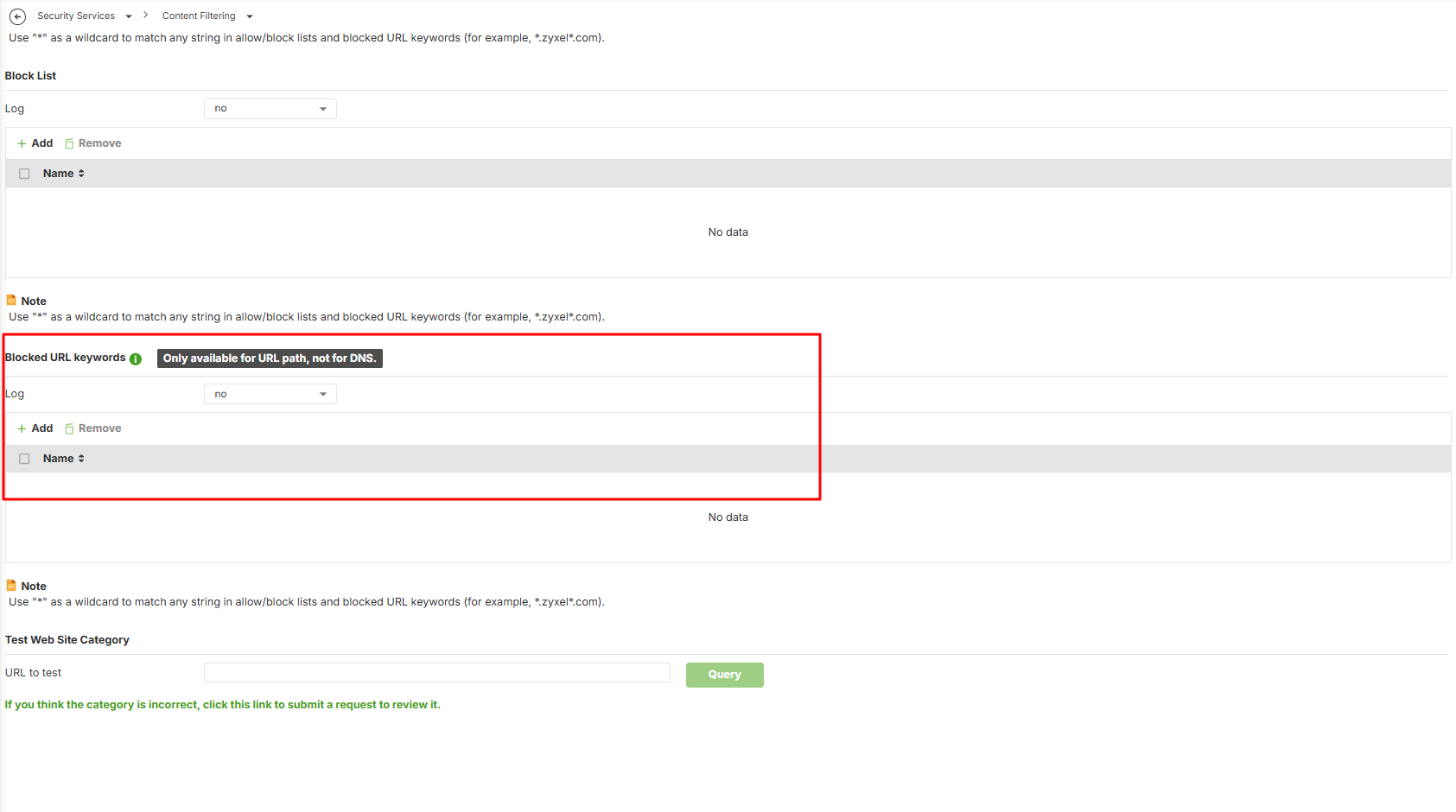
We ran a local test, and the results show that the Blocked URL Keywords behavior is the same and correct on both H and non-H firewalls. You can review the configuration on your USG FLEX 100.
If you only want to block the domain, please add *.in under Forbidden Web Sites (on the same page as Blocked URL Keywords).
Zyxel_Judy
0




 Zyxel Employee
All Replies
-
Hi @kelmi ,
To better support you, please share the following information:
- Whether the "*.ab" rule is configured under Blocked URL Keyword, or elsewhere?
- Where/how you confirmed that it creates a hit on all URLs, regardless of where ".ab" appears in the URL, not only at the end?
- Whether the behavior is as your expectation on firmware 1.38?
Zyxel_Judy
0 -
Hello,
- *.ab is configured to Content Filter → Profile → "Blocked URL keywords"
- I can see from the log file that Content Filter is blocking URLs, which have e.g in the format www.abccccc.com. So ab is not at the end of the URL like I assume the wildcard should indicate, but also the URLs are blocked, which are in the middle of the URL
- I did not have Content Filter active in 1.38. I did have the same rules in Flex USG 100 and was reimplementing those in 50H. NOTE: I did not export the rules from USG100, I made those from clean table in USG50H
Regards
K
0 -
Hi @kelmi ,
This is expected behavior. When you configure
*.abunder Blocked URL Keywords, the content filter matches it as a keyword anywhere in the URL string — it does not parse the URL to check whether.abis actually the domain suffix (TLD). That's why you're seeing hits even when.abappears elsewhere in the URL, not just at the end.If your goal is to block traffic to websites whose domain uses the
.abcountry-code TLD specifically, the Blocked URL Keywords feature isn't the right tool for that — you'll want to use Geo IP blocking instead:- Go to Object > Address > Geo IP and create a profile for the country you want to block.
- Go to Security Policy > Policy Control and create a block rule referencing the Geo IP profile you just created.
Zyxel_Judy
0 -
This is sorry to hear and obviously behavior differs from USG100. The country code is not necessarily always blocked by Geo IP in the case global cloud providers are used and the URL points to the cloud provider network.
My recommendation is to change H- series behavior for URL parsing to equal with the "old" series as it makes much more sense.
K
0 -
Hi @kelmi ,
We ran a local test, and the results show that the Blocked URL Keywords behavior is the same and correct on both H and non-H firewalls. You can review the configuration on your USG FLEX 100.
If you only want to block the domain, please add *.in under Forbidden Web Sites (on the same page as Blocked URL Keywords).
Zyxel_Judy
0 -
Yes, solves the issue. Sorry, I was mixing things here.
K
0
Categories
- All Categories
- 442 Beta Program
- 3.1K Nebula
- 243 Nebula Ideas
- 6.8K Security
- 783 USG FLEX H Series
- 389 Security Ideas
- 1.8K Switch
- 87 Switch Ideas
- 1.5K Wireless
- 58 Wireless Ideas
- 7.2K Consumer Product
- 325 Service & License
- 527 News and Release
- 101 Security Advisories
- 31 Education Center
- 10 [Campaign] Zyxel Network Detective
- 5.3K FAQ
- 34 Documents
- 91 About Community
- 122 Security Highlight


