USG20W-VPN Update FW 5.39 to 5.43 Setup 2FA Day Before Stopped Working




 Ally Member
Yesterday updated a USG20W-VPN Update FW 5.39(ABAR.1) to 5.43(ABAR.0) different Partition.
I successfully setup 2FA with Microsoft Authenticator APP, but when I went to log in a day later it wants me to setup 2FA again. The setup fails with the following error message:
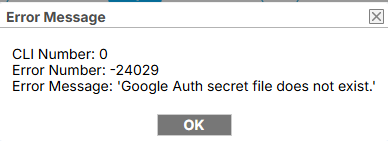
I can skip the setup, but apparently it fails every time I try to add in Microsoft Authenticator which works fine on two other ZYXEL USG FLEX100Ax units.
Any Suggestions how I can get this resolved?
I tried switching Partitions and then Back different browser, same issue!
All Replies
-
Hi @SierraTech ,
One possible cause of this error message is that while Google Authenticator is linked to the login account, "Enable Two-Factor Authentication for Admin Access" is not enabled in Configuration > Object > User/Group. Consequently, the login "Security Best Practices Wizard" still to guide to Set up Google Authenticator, and submitting the code via "Verify Codes" triggers the error message.
Please follow these steps on V5.43(ABAR.0) partition:
Step 1. Skip the initial setup wizard upon login.
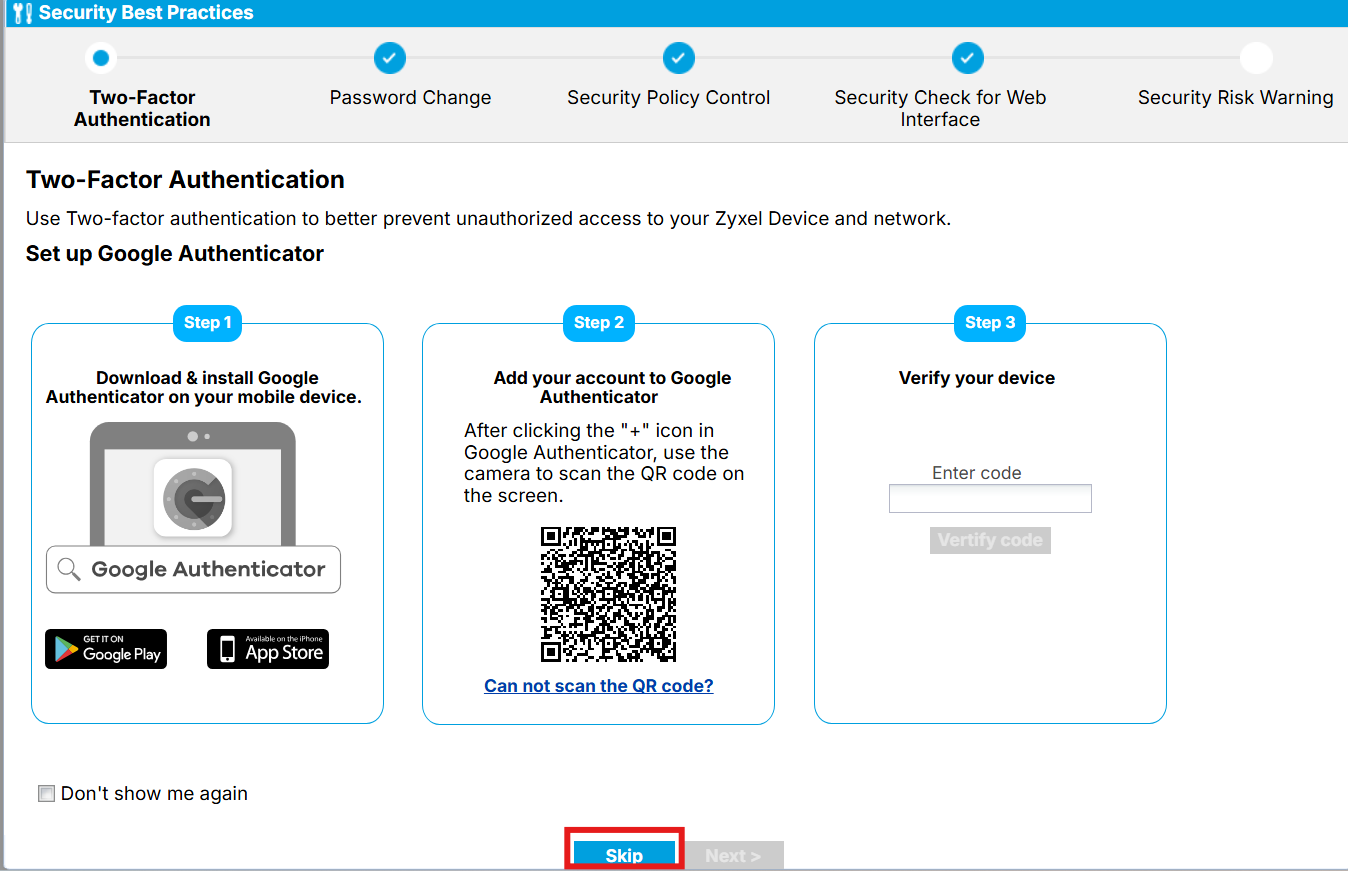
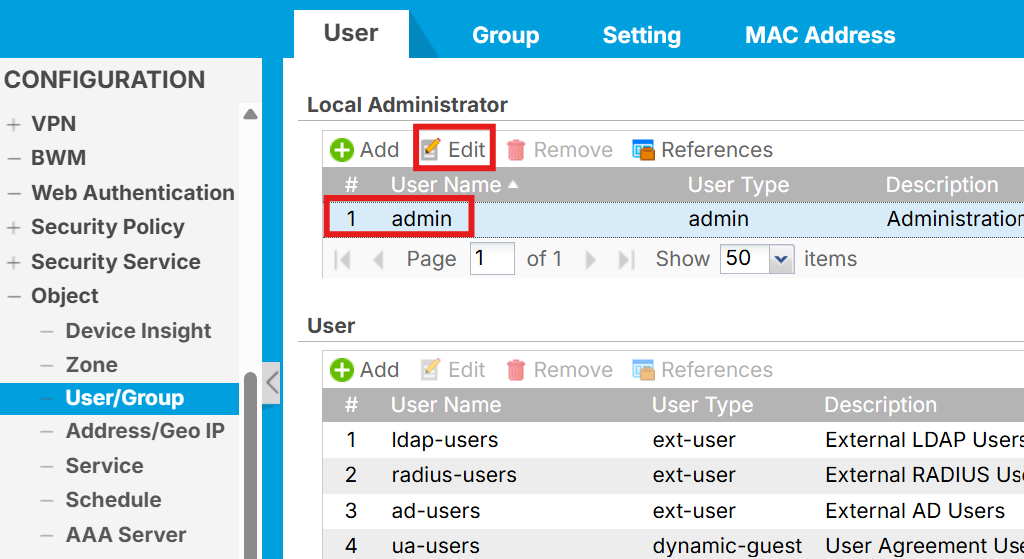
Step 2. Go to Configuration > Object > User/Group in the web management interface and edit your user account.
Step 3. Under the [Two-Factor Authentication] section, check [Enable Two-Factor Authentication for Admin Access] to display the configuration options.
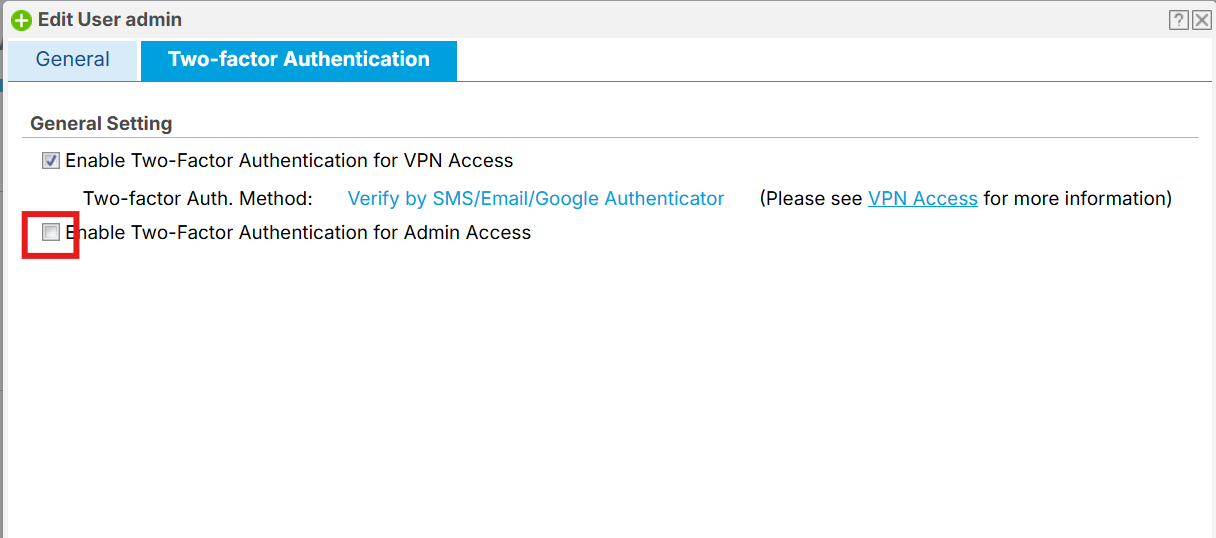
Step 4. Verify that Google Authenticator is indeed linked. Make sure "[Enable two-factor authentication with admin access]" remains selected, and then click "[OK]" in the bottom right corner to save the settings.
Note. Please remember to record the backup code below first.
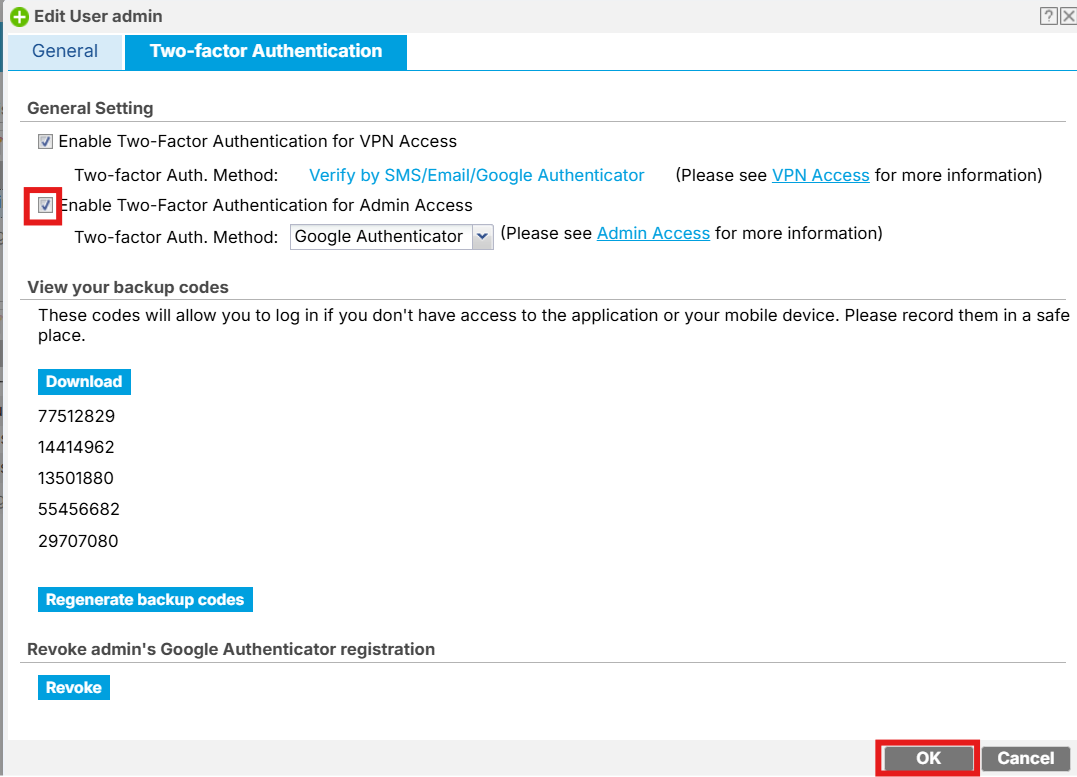
Step 5. To ensure Google Authenticator is enabled upon login, please make sure that [Enable] is checked under Configuration > Object > Auth.Method > “Two-Factor Authentication” > “Admin Access”
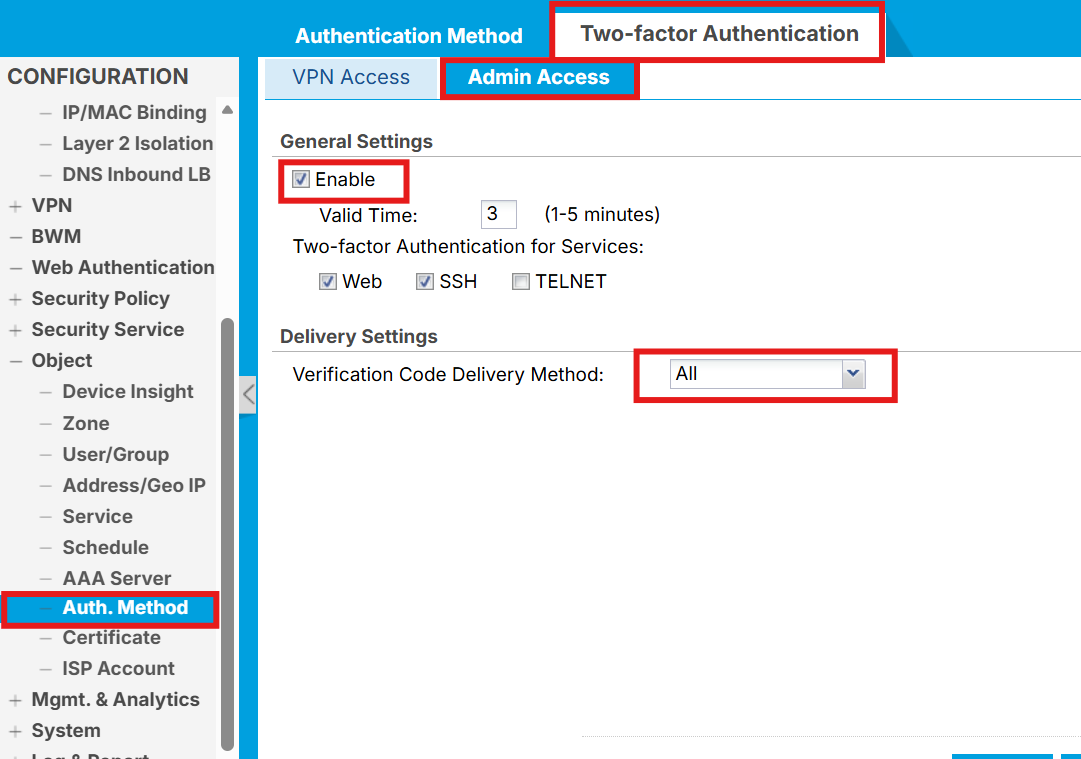
Also, make sure the system time on the USG20W-VPN is properly synchronized in Configuration > System > Date/Time.
*TOTP is highly sensitive to time discrepancies. Any clock drift could cause 2FA generation and validation failure.Hope this helps! Please let us know if you have any questions. Have a wonderful day!
0


 Zyxel Employee
Categories
- All Categories
- 442 Beta Program
- 3.1K Nebula
- 243 Nebula Ideas
- 6.8K Security
- 783 USG FLEX H Series
- 389 Security Ideas
- 1.8K Switch
- 87 Switch Ideas
- 1.5K Wireless
- 58 Wireless Ideas
- 7.2K Consumer Product
- 325 Service & License
- 527 News and Release
- 101 Security Advisories
- 31 Education Center
- 10 [Campaign] Zyxel Network Detective
- 5.3K FAQ
- 34 Documents
- 91 About Community
- 122 Security Highlight


