USG FLEX 100AX FW 5.43(ACFN.0) Forces ADMIN Password Reset Every Login




 Ally Member
I updated firmware V5.43(ACFN.0) to Partition 1 and left 5.40(ACFN.0) in Partition 2. Every time I login to 5.43(ACFN.0) it claims my password has to be changed but the status shows it was changed recently and expires in 2027.
When I log into 5.40(ACFN.0), this does not occur. I seem to recall this issue previously, but don't remember if I cleared it by checking "Don't show me again".
I attached to screenshots that show the issue!
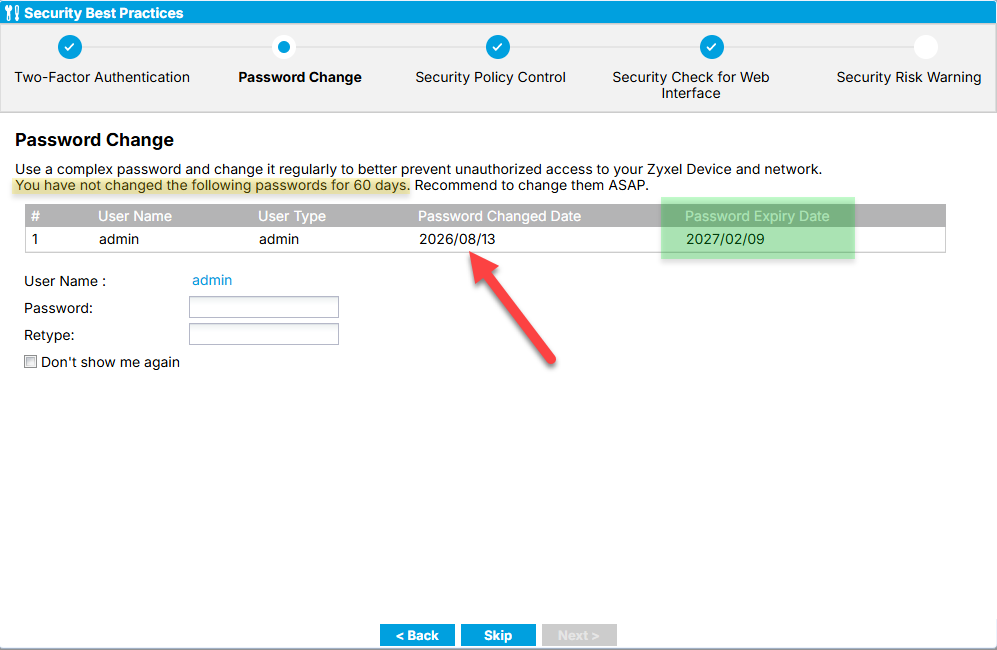
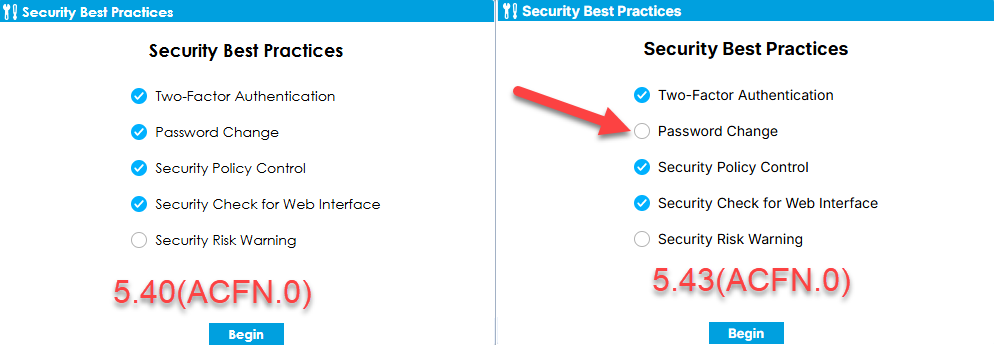
Password Reset is set to 180 Days!
All Replies
-
Hi @SierraTech
Thank you for reaching out and sharing the screenshots.
Upon verification, this behavior occurs because the Security Best Practices wizard state is not synchronized across the firmware partitions during the upgrade. We will address and refine this behavior in a future firmware release. In the meantime, you can avoid seeing this prompt again by using either of the following methods:
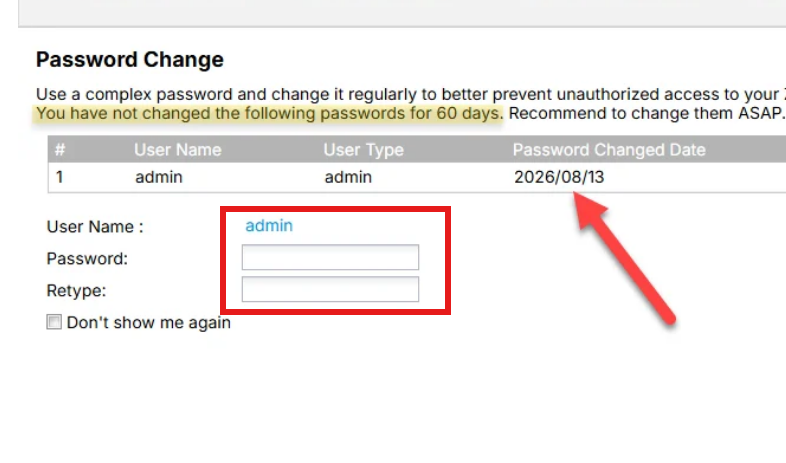
Method 1. Update your password once through the [Security Best Practices wizard] on the login interface.
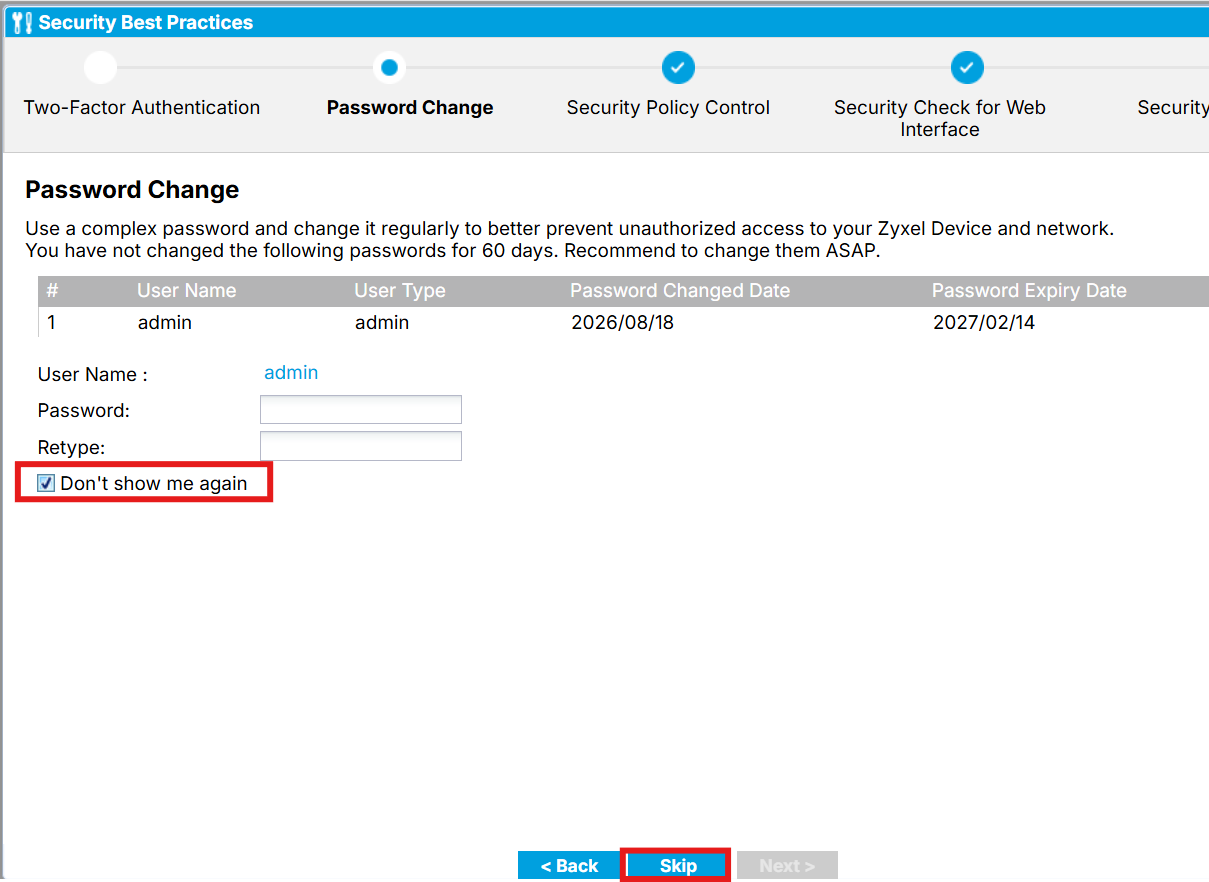
Method 2. Check the 'Do not show again' option and click Skip to complete the Security Best Practices wizard.
Thank you for choosing Zyxel products and services. Please feel free to let us know if you have any questions. Have a wonderful day!
0 -
Strangely, this resolved itself, not sure how.
You mentioned the following workaround:
"Method 1. Update your password once through the [Security Best Practices wizard] on the login interface."
I tried this several times when I would login in and switched password back and forth. I believe I reverted to 5.40 and then back and had to repeat several times. Then suddenly it stopped asking.
Don't know why (I did not check "Don't show this again").-Bob
1


 Zyxel Employee
Categories
- All Categories
- 442 Beta Program
- 3.1K Nebula
- 243 Nebula Ideas
- 6.8K Security
- 783 USG FLEX H Series
- 389 Security Ideas
- 1.8K Switch
- 87 Switch Ideas
- 1.5K Wireless
- 58 Wireless Ideas
- 7.2K Consumer Product
- 325 Service & License
- 527 News and Release
- 101 Security Advisories
- 31 Education Center
- 10 [Campaign] Zyxel Network Detective
- 5.3K FAQ
- 34 Documents
- 91 About Community
- 122 Security Highlight


