XS1930-12HP Fan pin layout for replacement
Options

 Freshman Member
Hello!
I have a XS1930-12HP and would like to replace the two 3 pin fans.
However, even though I re-pin the replacement fans to match the color layout of the originals, it is not working.
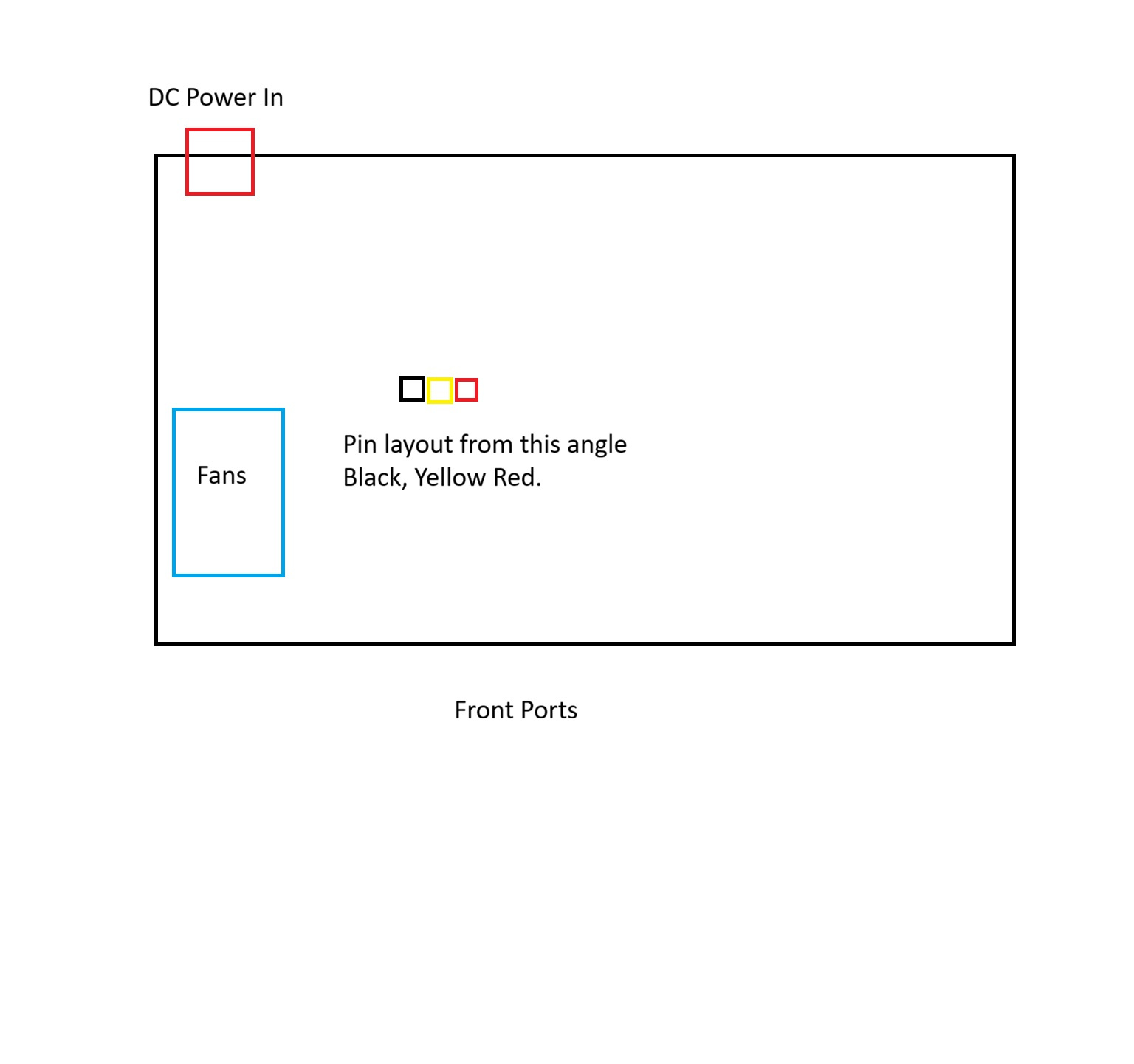
Does anyone know the order of the Sensor, Ground & +12V?
In a normal computer fan, the colors are the following:
Black = Ground
Red = +12v
Yellow = Sensor
However, this does not seem to be the case here.
Included is an image of the pin layout that the pre-installed fans comes as.
0
All Replies
-
Hi @MikaelS ,
Here's the pin order for the fan connector:
PIN1: Red = +12V
PIN2: Yellow = Sensor
PIN3: Black = GND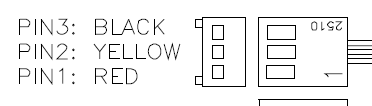
Please wire the replacement fan according to this pin order (based on connector position).
Please note:
- A fan that meets our design specifications will run at low speed when the device is powered on and will increase speed as the device's internal temperature rises. Please be aware that some non-spec fans may not start running immediately at power-on and only begin spinning once the device has warmed up.
- Fans that are customer-selected or modified are not covered under our warranty.
Zyxel_Judy
0





 Zyxel Employee
Categories
- All Categories
- 442 Beta Program
- 3.1K Nebula
- 243 Nebula Ideas
- 6.8K Security
- 783 USG FLEX H Series
- 389 Security Ideas
- 1.8K Switch
- 87 Switch Ideas
- 1.5K Wireless
- 58 Wireless Ideas
- 7.2K Consumer Product
- 325 Service & License
- 527 News and Release
- 101 Security Advisories
- 31 Education Center
- 10 [Campaign] Zyxel Network Detective
- 5.3K FAQ
- 34 Documents
- 91 About Community
- 122 Security Highlight


