NWA130BE V7.40(1) Firmware Issue


 Freshman Member
NWA130BE V7.40(1) Firmware Issue Standalone Mode
i recently Updated my AP to the latest firmware. Since the Update i see no more connections to the 5/6Ghz Channels even if the device is directly in Line (iPad Pro etc 3m distance). Rebootet the device, activate/deactivate the 5/6Ghz radios, try different channels, nothing solve the Problem, maybee a bug? Also see the 5G Channel Utilization without any station connected. Before the Update is see clients connecting to alle radios without problems. So any advice? thx Rinas
-diagnostic info is removed by Zyxel agent-


All Replies
-
Hi @Rinas ,
From the diagnostic file, we can see that the SSID "RNW2380" is still being broadcast on 2.4GHz, 5GHz, and 6GHz.
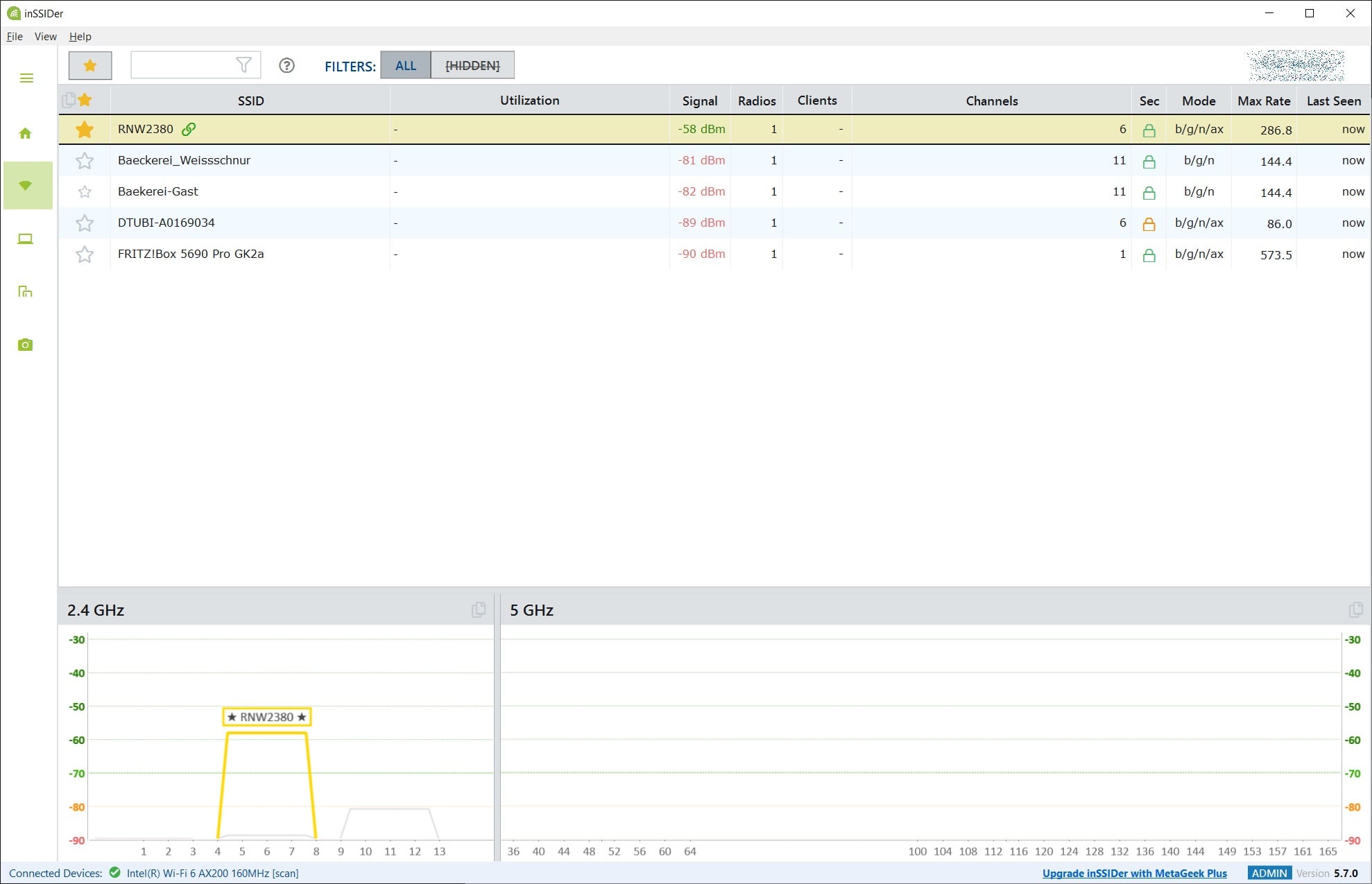
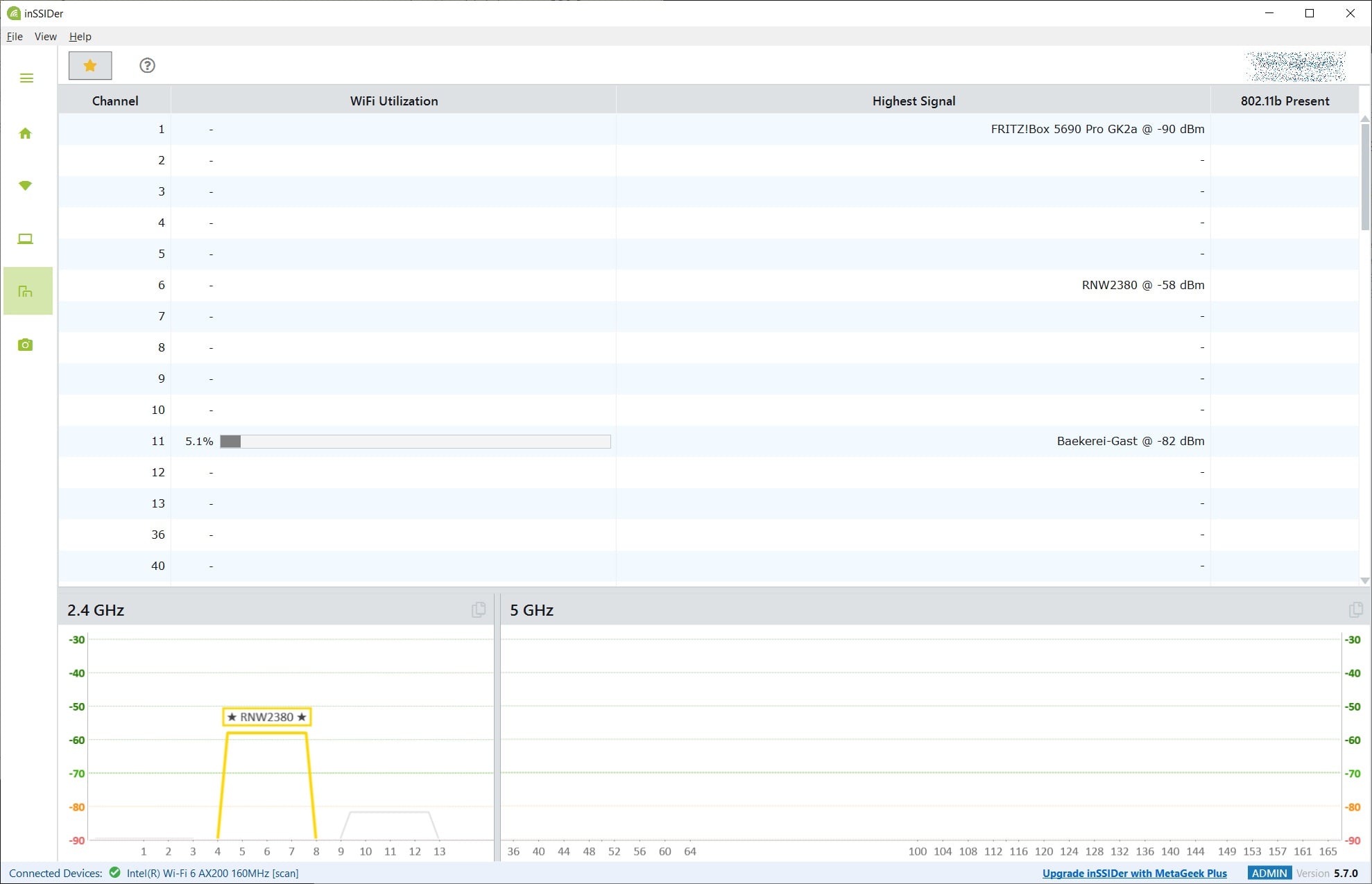
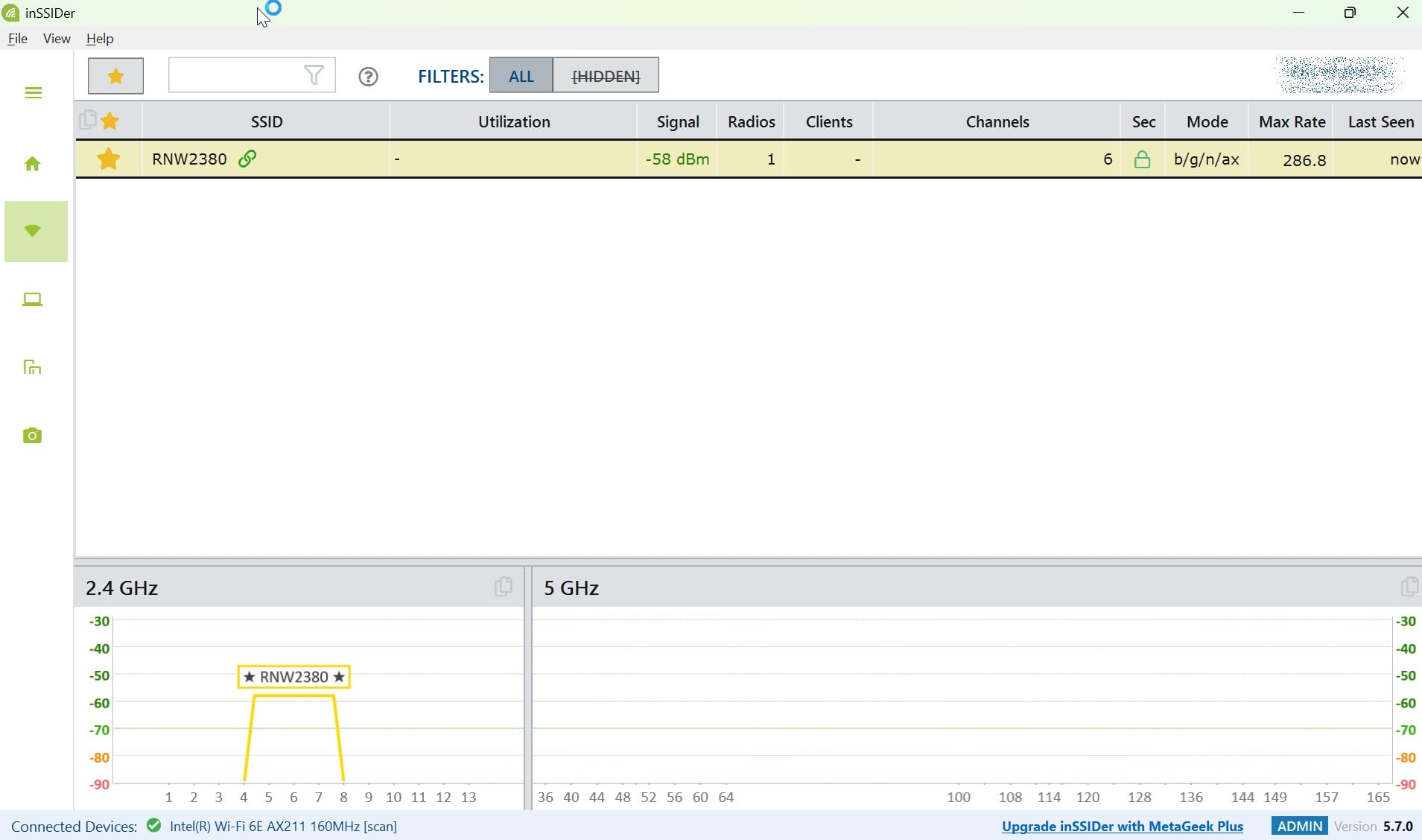
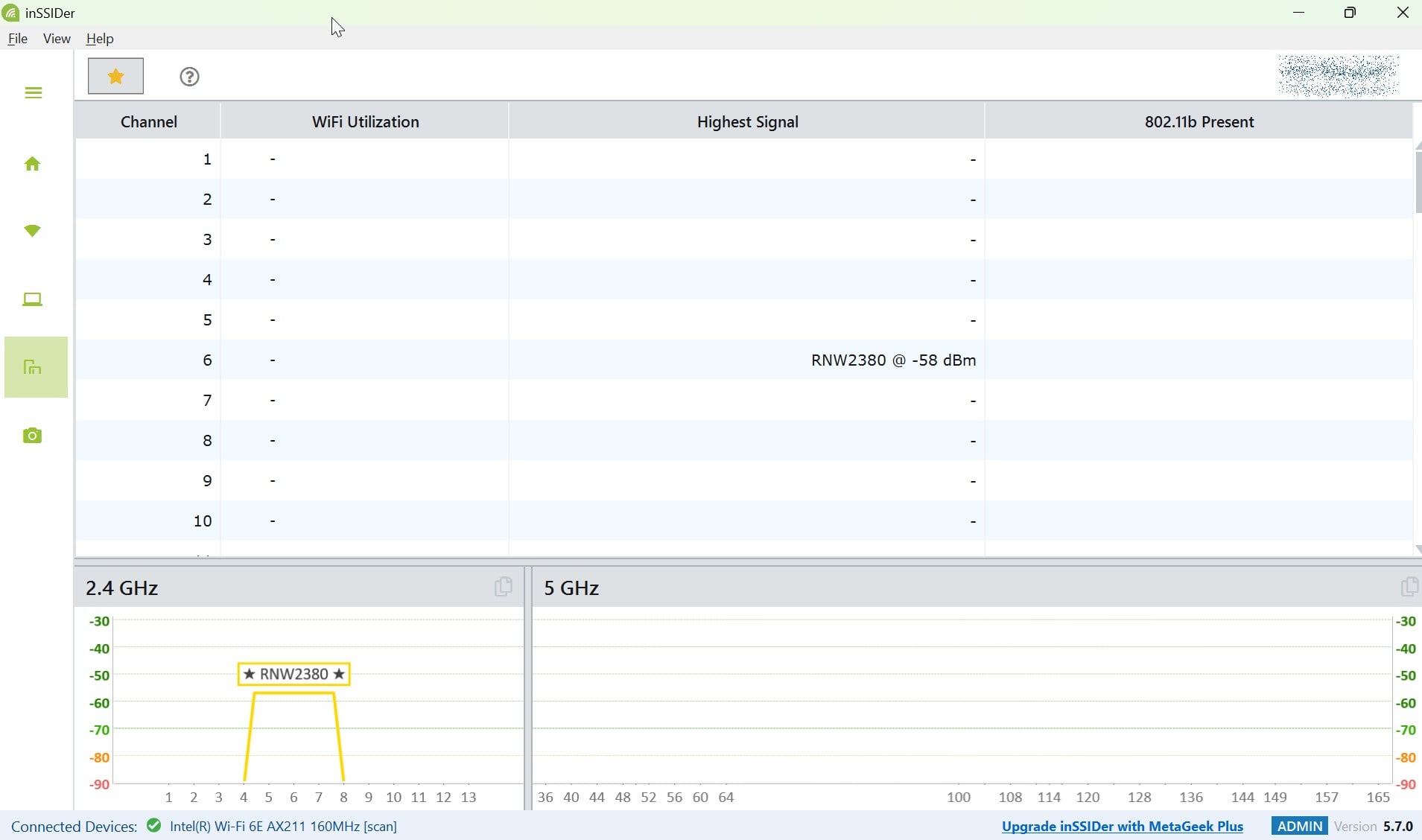
Could you please use your phone or laptop to scan for available networks and check whether the SSID (WiFi name) appears? If possible, you could also use a network tool such as inSSIDer to confirm this.
Zyxel_Judy
0 -
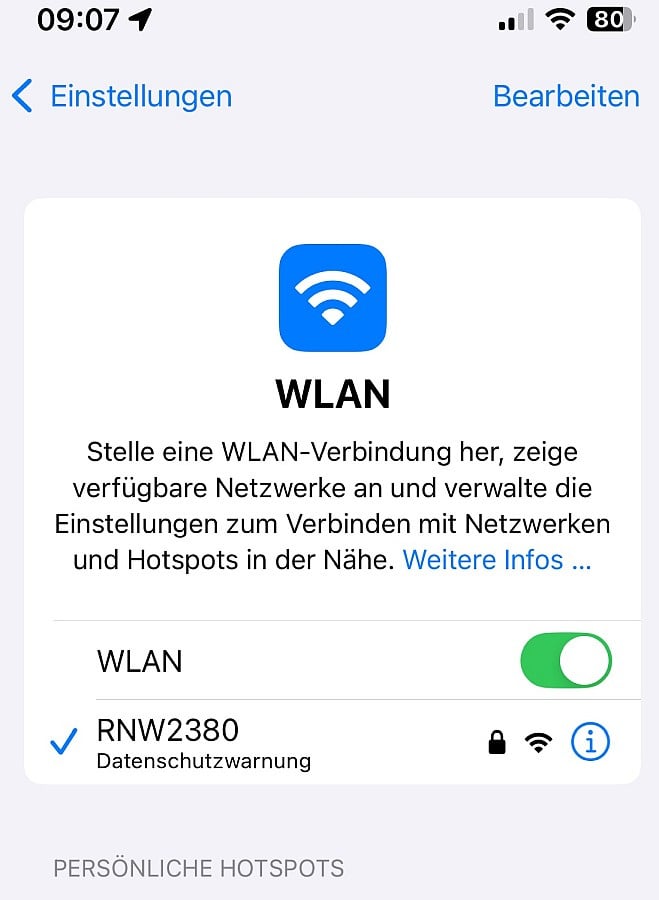
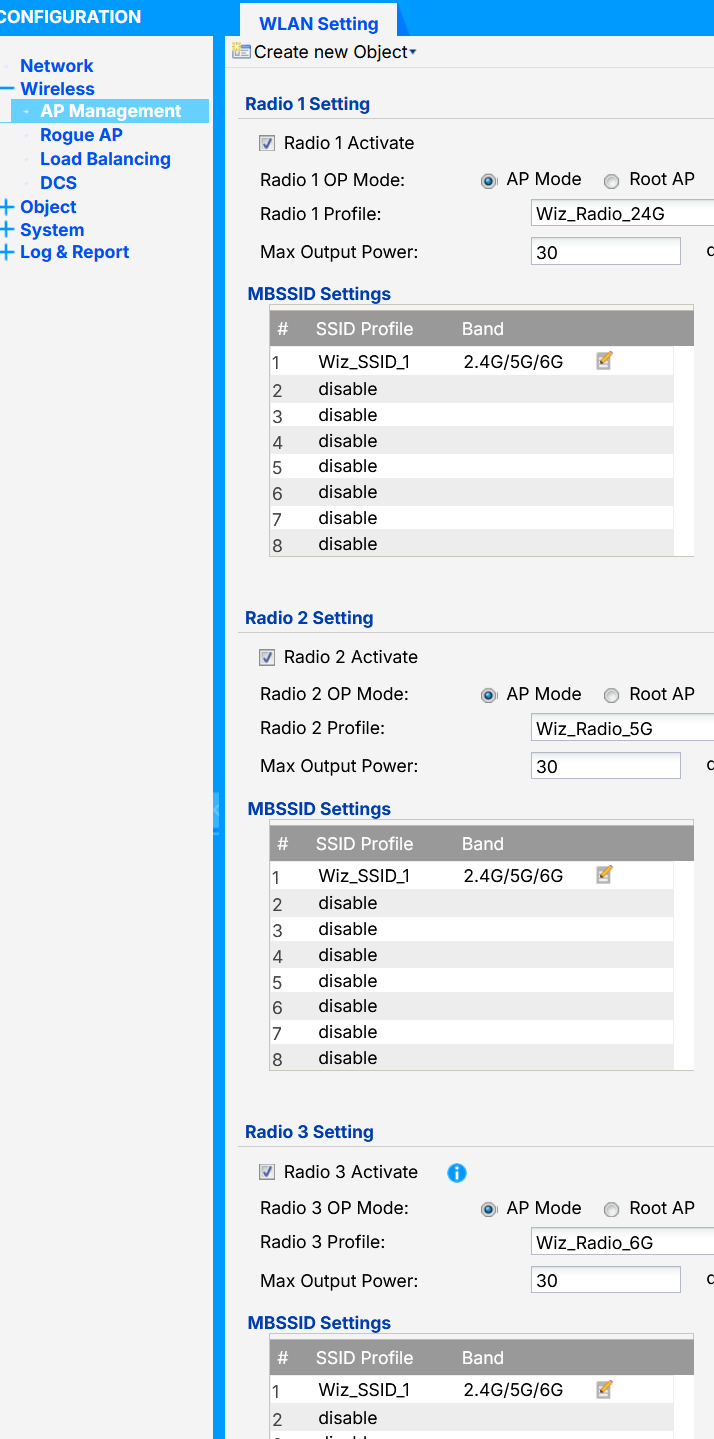
Hi on all my devices i see the SSID. Just see below the inSSIDer Screen from my HomePC, Bussines Laptop, iphone. Seems to bee no more broadcast on 5Ghz? living in a village so the wirless density is few from my position. tommorow i will go on one week vacation, so feedback from my side again next sunday. thx
 0
0 -
0
-
Hi @Rinas ,
To better assist you, we would like to connect to your NWA130BE to check. Please message us with your TeamViewer or AnyDesk ID & password, along with your available time (between 1:00–9:00 UTC), so we can assist you directly.
How to send a message to me: Click my account > click
Message.Zyxel_Judy
0 -
Hi @Rinas ,
From the diagnostic file, we can see the 5 GHz radio (Radio 2) is active with an operating channel, and no radio initialization or hardware-related issue was observed.
However, the Wireless Health information shows that Radio 2 detected a high level of non-Wi-Fi interference. The current non-Wi-Fi channel utilization was around 88%, while previous records reached 99%, exceeding the system threshold of 50%. The recorded noise floor was also around -34 to -40 dBm, which is significantly higher than the -80 dBm threshold.


The ACS report also shows very high channel utilization across most of the 5 GHz channels, which is consistent with the Wireless Health detection.
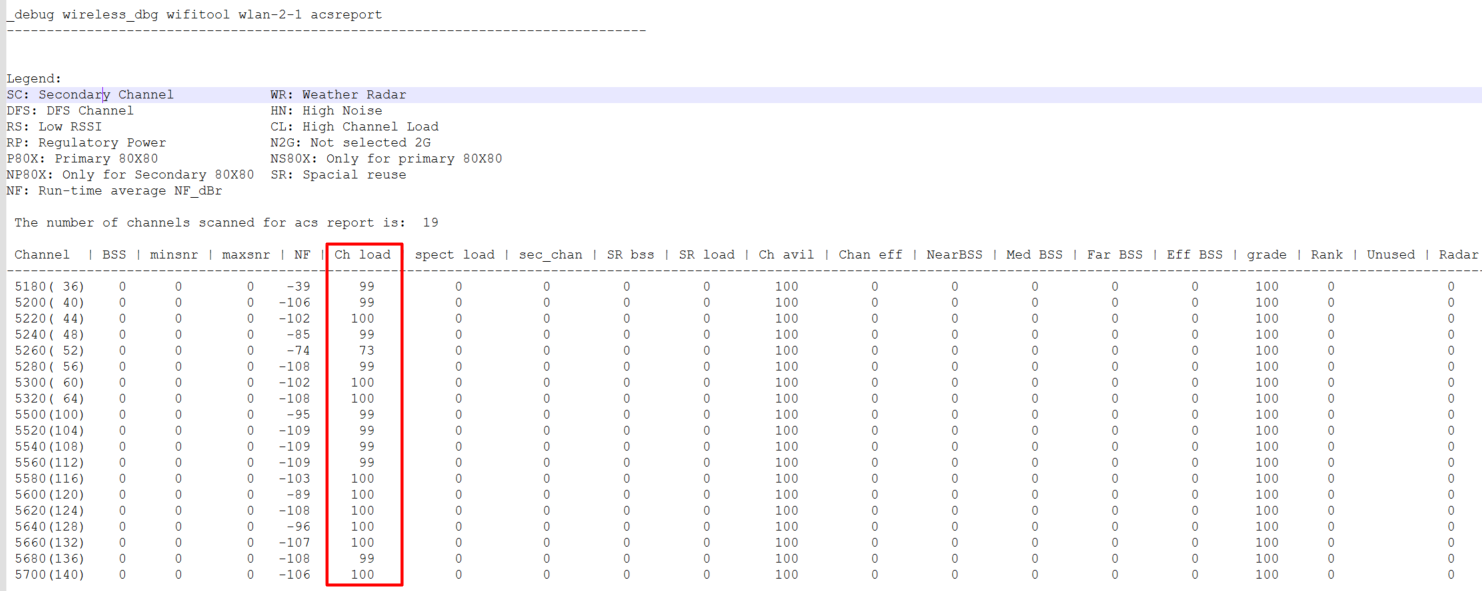
The behavior is more likely related to strong RF interference in the environment rather than an AP radio failure.
We recommend:
- Check for possible interference sources around the AP, such as other 5 GHz AP or RF equipment. If possible, testing the AP in another location or a cleaner RF environment (e.g., microwave ovens, cordless phones, industrial equipment, other wireless devices operating in the 5GHz range) would also help verify whether the 5 GHz SSID becomes detectable again.
- Change the 5GHz bandwidth from 160MHz to 40MHz and switch the channel mode from Manual to DCS (Dynamic Channel Selection).
Zyxel_Judy
0 - Check for possible interference sources around the AP, such as other 5 GHz AP or RF equipment. If possible, testing the AP in another location or a cleaner RF environment (e.g., microwave ovens, cordless phones, industrial equipment, other wireless devices operating in the 5GHz range) would also help verify whether the 5 GHz SSID becomes detectable again.
-
Hello,
I changed the settings, applied them, and restarted the device, but without success. Please see the attached screenshots/logs. Just again high 5G Channel util.
Also, please keep in mind that I live in a village; the nearest houses are about 100 meters away as the crow flies, and very few neighbors use Wi-Fi. It is, therefore, an area with extremely low wireless signal density compared to town houses.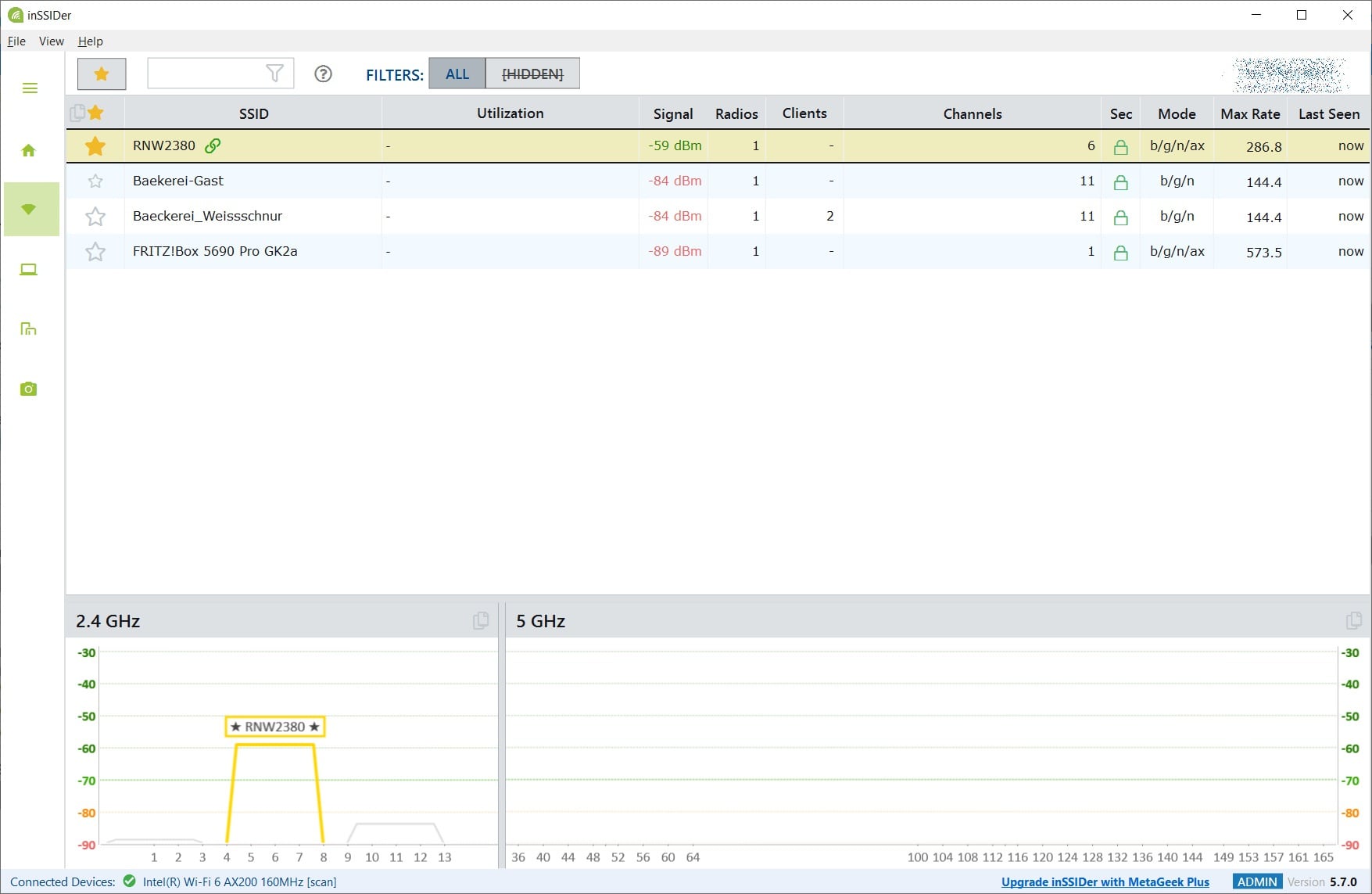
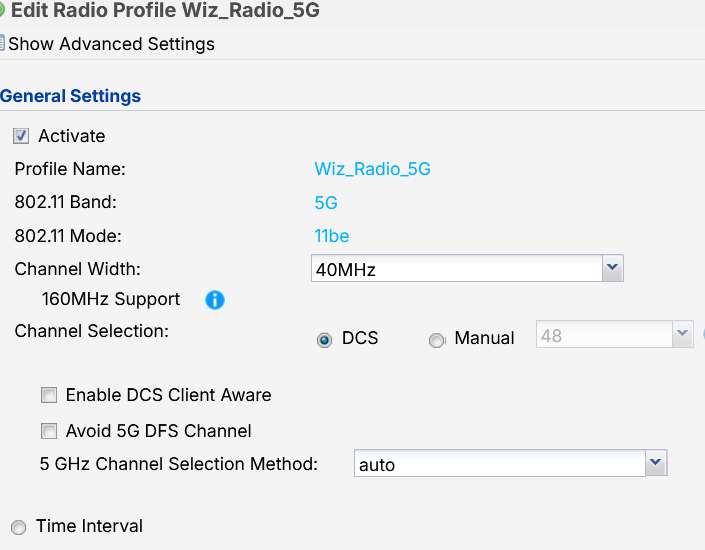 0
0 -
Hi @Rinas ,
We understand that your area has very low wireless device density, which is also consistent with what we can see in the diagnostic file — the interference here doesn't appear to be from neighboring Wi-Fi networks, but is more likely non-Wi-Fi interference (e.g., microwave ovens, cordless phones, industrial equipment, or other devices operating in the 5GHz range).
After you changed the 5GHz bandwidth to 40MHz, we can see the AP is now using channel 44 (channel load 100%) and channel 48 (51%) — the channel load is still high.
Could you please try the following:
- Change the AP's physical location, if possible.
- Change the channel width to 20MHz and click "DCS Now" to trigger a fresh channel scan.
Please let us know afterward whether the 5GHz SSID becomes visible.
Zyxel_Judy
0 -
Hi,
just as info, the microwave is powercord off, i power off the cordless phone, i was thinking about, no other devices i could imaging.
So after that change to 20Mhz an DCS now, no change in the situation. Device is mounted on the ceiling, so no easy postion change. And keep in mind before the update everything was fine, after the update pinned to 2.4Ghz. So maybee a firmware rollback? or something died in the device.
(I own the house, there are no other tenants. im also a IT guy performing hospital IT implementaions last 18y)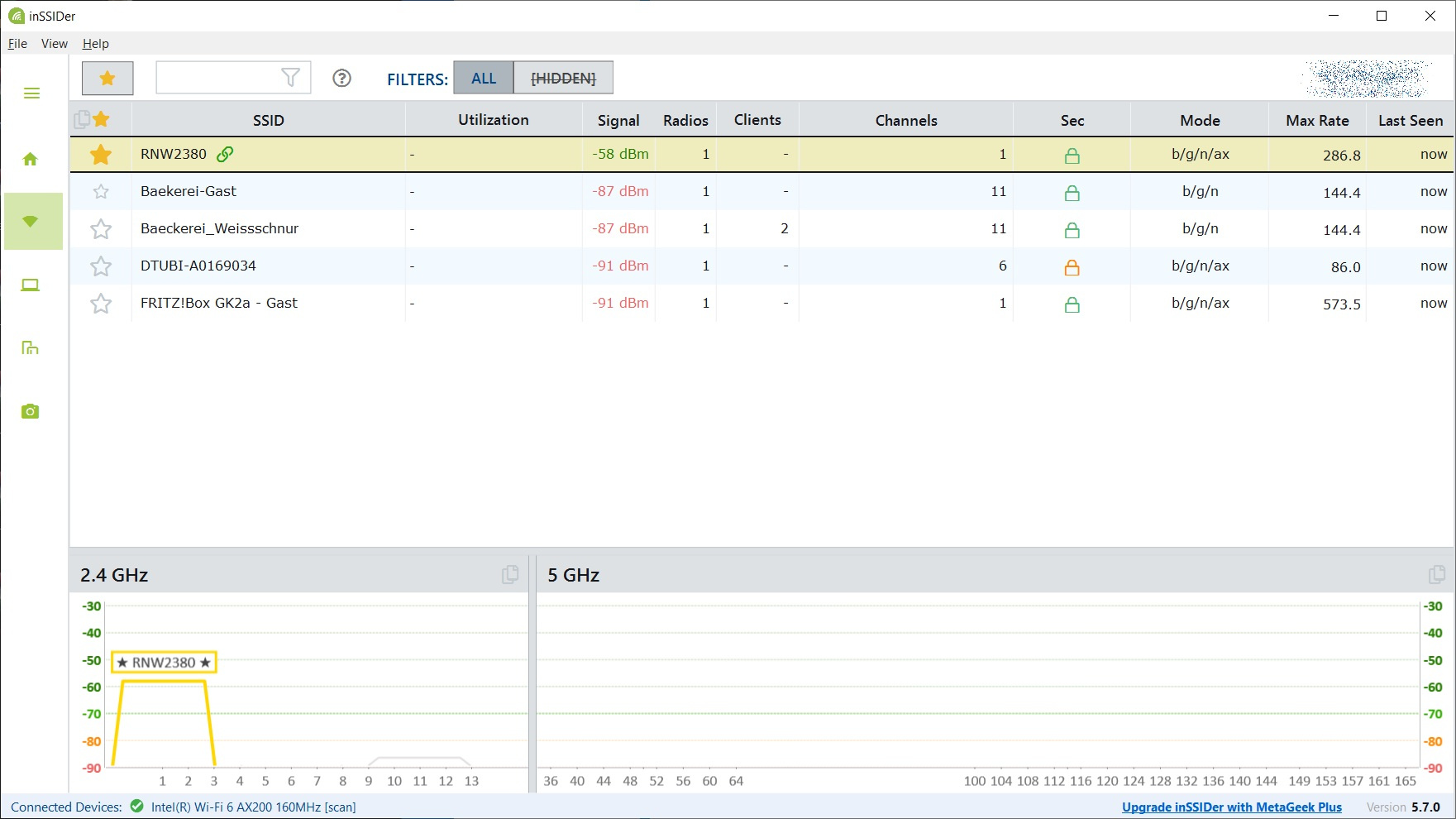
 0
0 -
Hi @Rinas ,
Thank you for your help testing with the recommended configuration.
We'll have the remote session at the time you shared. Could you allow us to check the AP with 7.40P1, and then downgrade to 7.30P4 for comparison?
By the way, please help install TeraTerm and Wireshark on your remote laptop.
Zyxel_Judy
0 -
Issue seems to bee resolved via Cold start of the device. THX
0





 Zyxel Employee
Categories
- All Categories
- 442 Beta Program
- 3.1K Nebula
- 243 Nebula Ideas
- 6.8K Security
- 783 USG FLEX H Series
- 389 Security Ideas
- 1.8K Switch
- 87 Switch Ideas
- 1.5K Wireless
- 58 Wireless Ideas
- 7.2K Consumer Product
- 325 Service & License
- 527 News and Release
- 101 Security Advisories
- 31 Education Center
- 10 [Campaign] Zyxel Network Detective
- 5.3K FAQ
- 34 Documents
- 91 About Community
- 122 Security Highlight


