BIG BAD Throughput issue!




 Guru Member
USG FLEX 200H V1.39(ABWV.0)
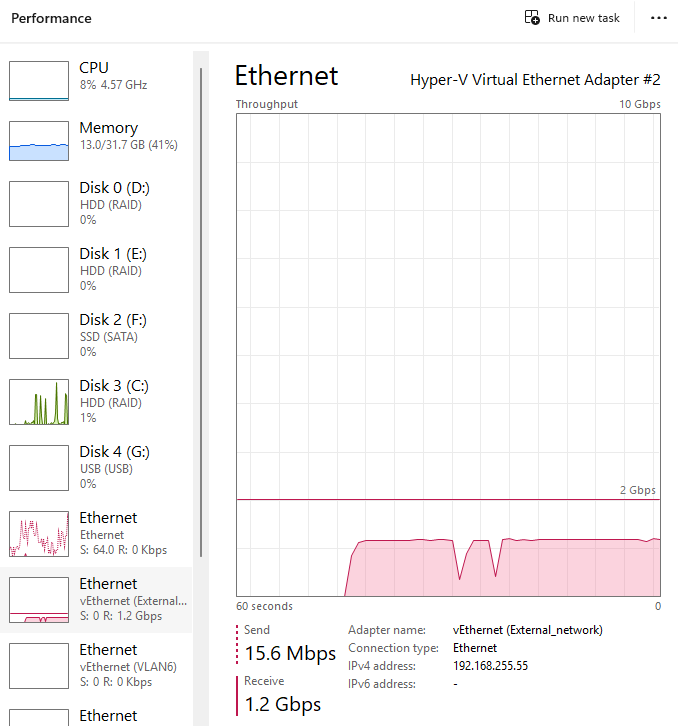
I had a bad bad feeling when I went to test this...and my feeling was sadly right! And on top of that I think I know whats in ZLD was added to uOS to cause this and I hope I'm wrong!
So here is the simple test local HTTP server download a file by Edge over a two 2.5Gb ports in a bridge.
Let me start with showing the V1.39 Throughput you might think 1.2Gb is pretty good for a bridge
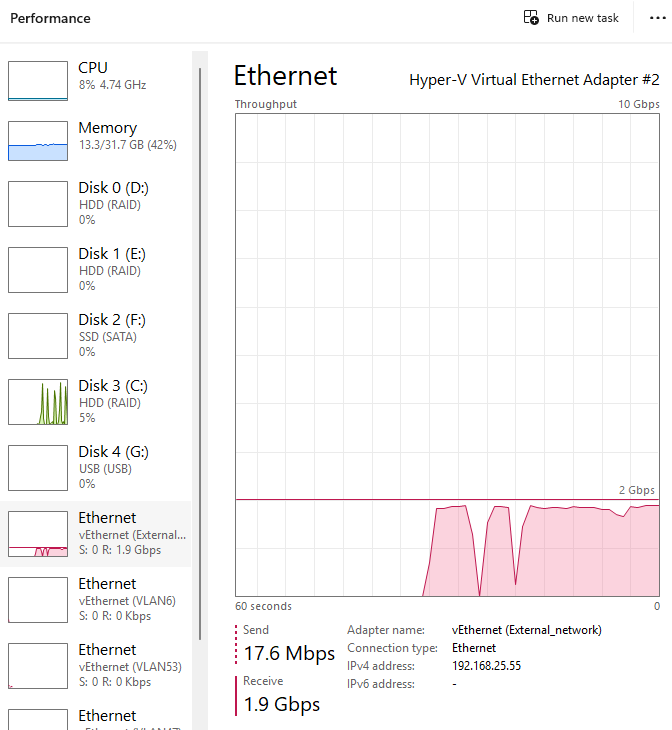
and 1.9Gb for SNAT ok
and now V1.38(ABWV.0)ITS-26WK16-m11228 for just the bridge thats a jump!
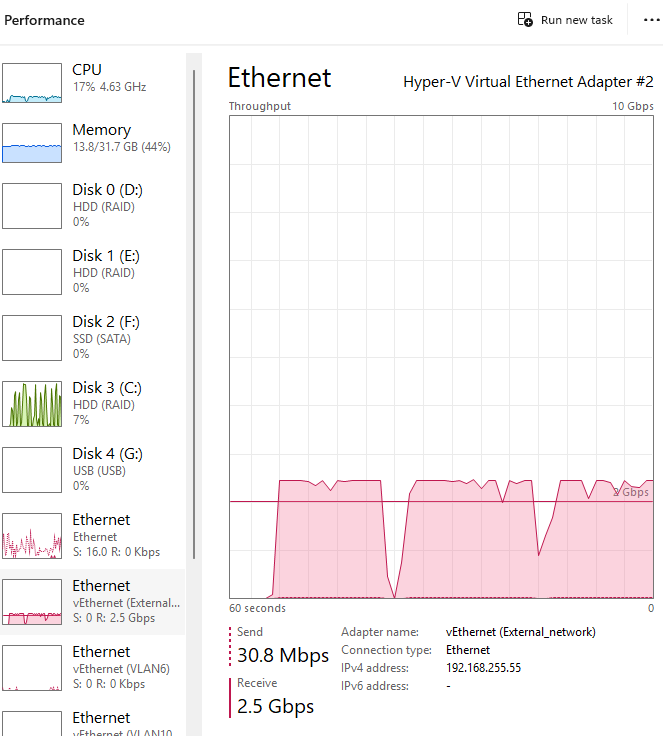
So what do I think is unfortunately causing this? Forward path out a given interface to reverse path in to another interface. In short before V1.38 there was a setup I did for ZLD that could not be done by uOS then V1.39 happens and I found I could and I hope I'm wrong as to the added support caused this.
All Replies
-
Hi Peter,
so also my speedtest problem is valid.
Do you think it's the same issue? I could also revert the configuration to 1.38, but unfortunately I'm not at home today.
What could be causing this problem? It's interesting, because if I can still get 2.5GB with the bridge, it would have solved a lot of problems with different subnets.I also tried to disable all the IPS/Security for not overload the CPU but the problem still present.
I've notice that when I try the speedtest, the CPU Load raise up to 50/55%, causing full load (exactly 100%) on CPU3 & CPU4 (I think are the fast-path CPUs), instead CPU1 & CPU2 are irrilevant (5/10%), for both download and upload tests.
0 -
Just to update I have retest with V1.40 for bridge performance and its now running at full speed.😎
1 -
Hi @PeterUK
Interesting… so I need to test it when I've more time :D
0 -
Hello @PeterUK,
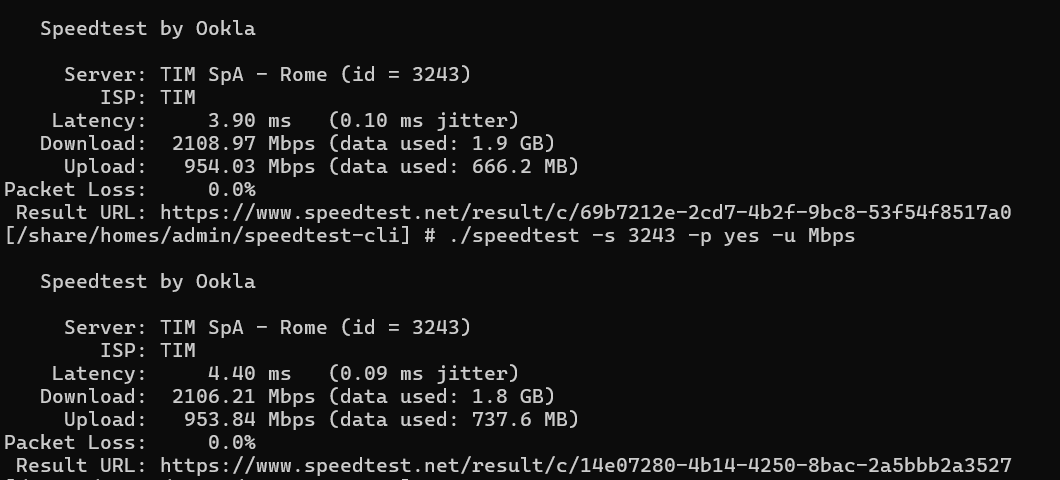
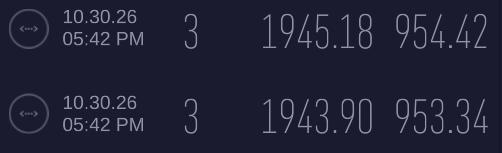
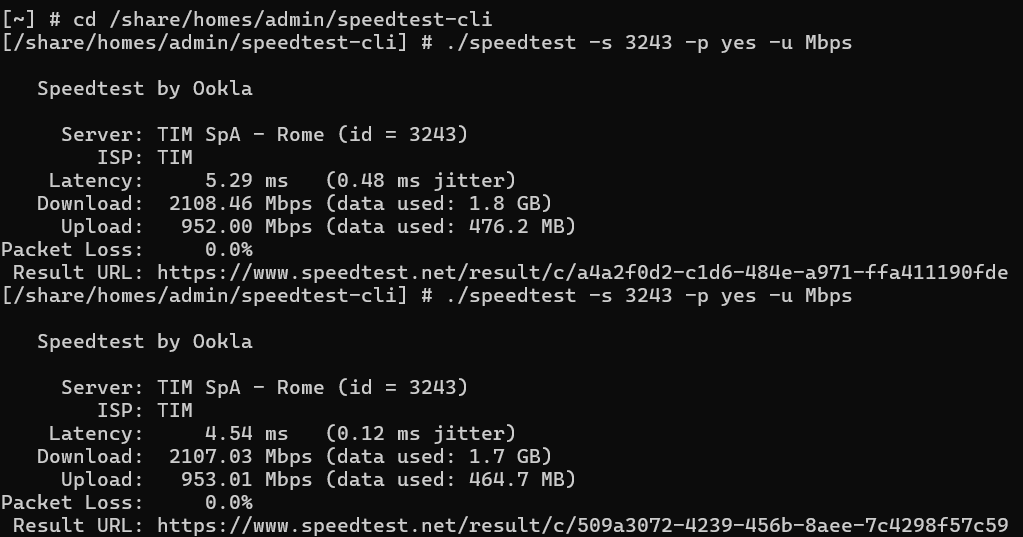
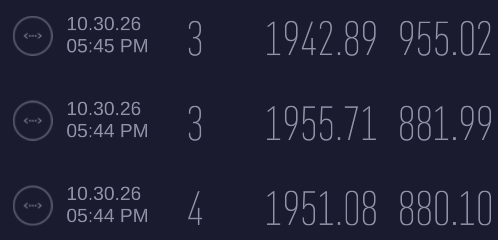
I've updated my 500H to the new 1.40 and tried the bridge configuration between P2 and P3-P12 and seems that the speed is the same between the bridge configuration and the single interfaces.


I've a 2.5Gbit NAS (the console) and a PC connected with 2.5Gbit docking station and this is the result:
- P2 without bridge:
- P4 without bridge:
- P2 + P3-P12 in a bridge:
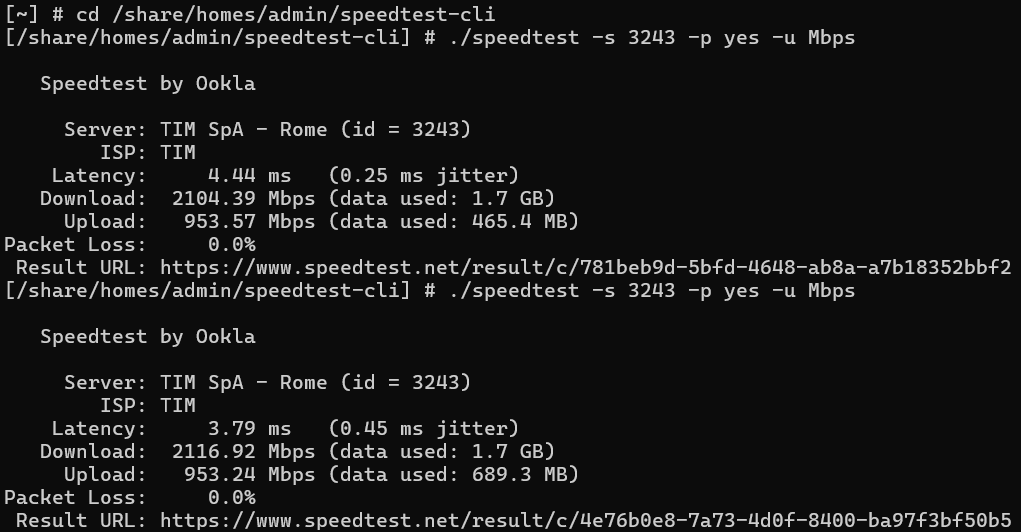

So seems that now with or without the bridge, all works at the same speed
0 - P2 without bridge:
-
Seem odd you not maxing out on speed given I tested on FLEX 200H vs your 500H you should do the test as I did two PC with 2.5Gb or better with a web server with a big file and download on the other.
Did you test with BWM off?
The NIC I used in testing was Intel I225-V
One thing it might be if the FLEX H does this is dynamically changes the send and receive buffer? and is not upping the size in your case?
0 -
This might due to security services.
Hi @Maverick87, please try to disable "Anti-Malware", "IPS", "content filter" and check again. These security services will check the traffic, which could cause lower throughtput than expected.
Zyxel Melen0 -
Hi @Zyxel_Melen,
seems that there isn't any difference disabling the security services.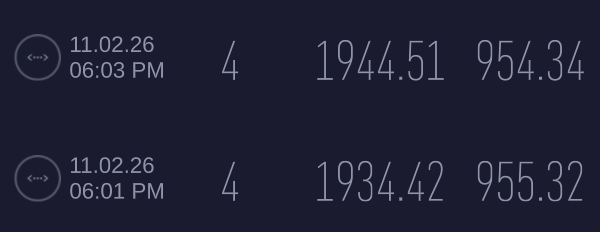
The result of 06:01PM are with IPS, Content Filter and Anti-Malware enabled;
The result of 06:03PM are without IPS, Content Filter and Anti-Malware.So seems that there isn't any difference.
Melen, remember that I've changed the Flex 500H because a port was dead on the previous flex; I've opened an RMA and I've changed device. Now, this new flex is still without any registration/license. Also if I've enabled the services, without any license, I think that not working. Can you confirm it?@PeterUK, I haven't done the speed test with a local file or iperf3. When I've more time, I'll try it.
0 -
Melen, remember that I've changed the Flex 500H because a port was dead on the previous flex; I've opened an RMA and I've changed device. Now, this new flex is still without any registration/license. Also if I've enabled the services, without any license, I think that not working. Can you confirm it?
I miss that. Without the license, the security services will not work.
Zyxel Melen1 -
Hi @Zyxel_Melen,
So without license, I've already "turned off" the security service that consume cpus and memory
0 -
Hi @PeterUK, @Zyxel_Melen
I've tried with iPerf3 and two 2.5Gbit adapters (Sabrent NT-C5GA USB-C — connected to a MacBook and Realtek USB 2.5Gbit Family Controller — connected to a Windows PC via Docking Station).This is the result:
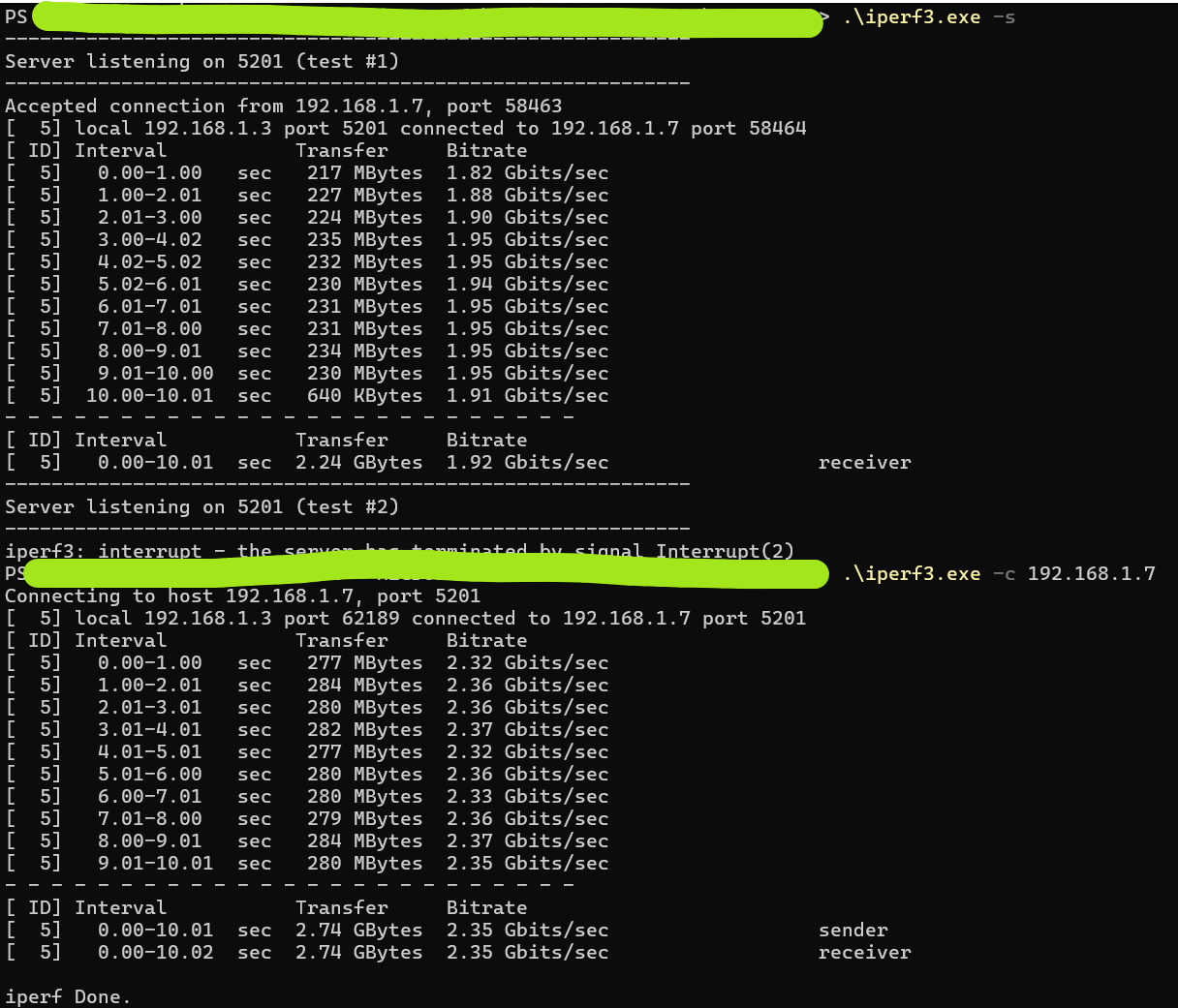
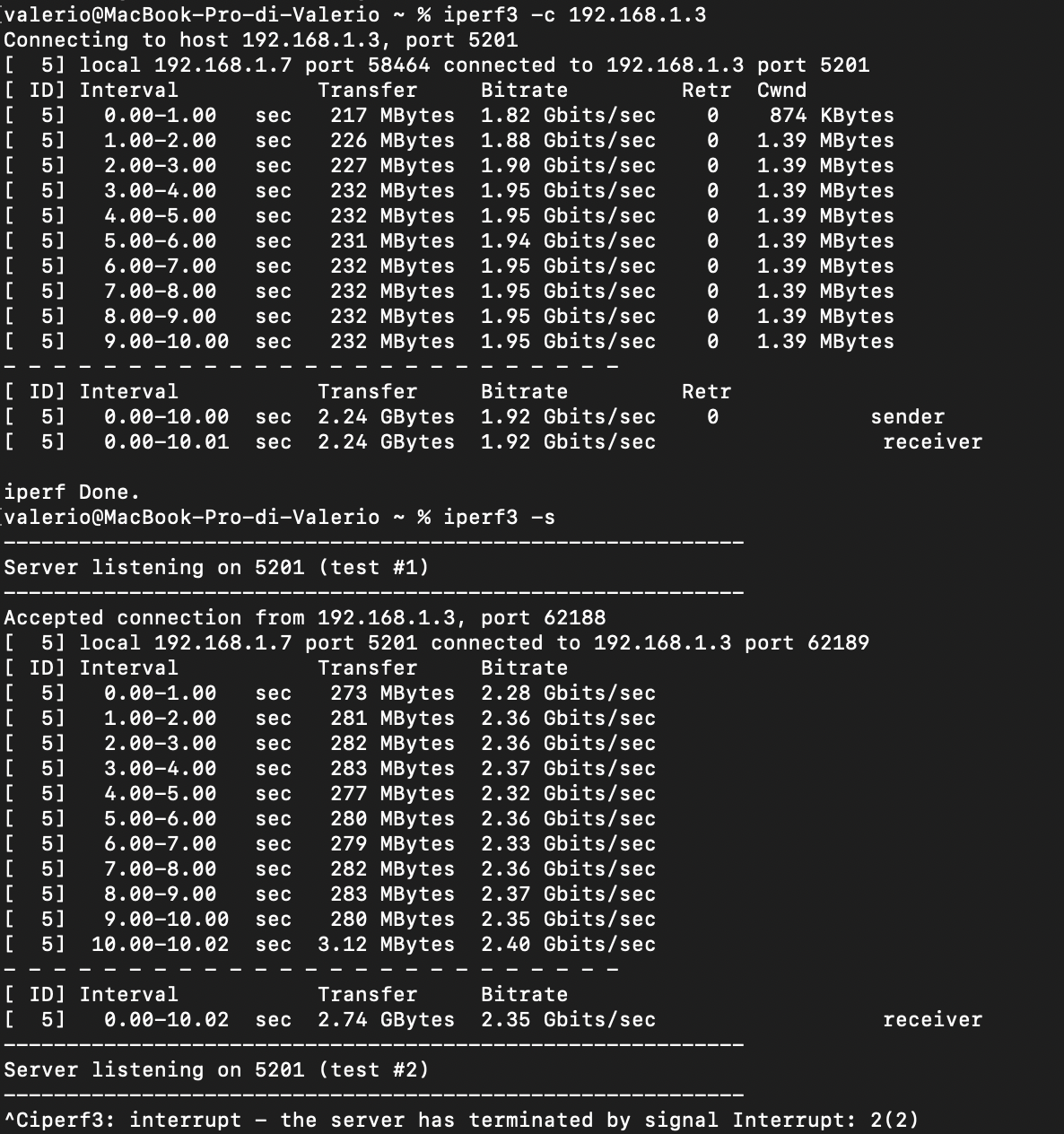
Seems that when the PC receive is always slow, instead when send is always fast
0








 Zyxel Employee
Categories
- All Categories
- 442 Beta Program
- 3.1K Nebula
- 244 Nebula Ideas
- 6.9K Security
- 808 USG FLEX H Series
- 392 Security Ideas
- Threat Watch!
- 1.8K Switch
- 88 Switch Ideas
- 1.5K Wireless
- 60 Wireless Ideas
- 7.3K Consumer Product
- 333 Service & License
- 541 News and Release
- 106 Security Advisories
- 31 Education Center
- 10 [Campaign] Zyxel Network Detective
- 5.5K FAQ
- 34 Documents
- 89 About Community
- 124 Security Highlight