[Zyxel Circle X Nebula] Pay As You Go Is Now Live — with Org Delegated Admins Coming July 27





 Zyxel Employee
Looking for more flexibility in license and organization management? Experience true flexibility with Zyxel’s Pay As You Go (PAYG) service — exclusively for Circle Partners.
Activate PAYG when needed, adjust your service anytime, and only pay for what you use. Whether you are managing short-term projects, testing environments, or multiple customer organizations, PAYG gives you greater control over license spending without the constraints of long-term commitments.
And there’s more flexibility on the way: Org Delegated Admin will be available starting July 27, 2026, making it easier for organization owners to involve trusted team members in day-to-day organization management while retaining ownership control.
👉️ Get started with Pay As You Go — just head to the Circle Portal
✅ Why Choose Pay As You Go?
Pay only for what you use- daily tracking, monthly billing.No usage, no charge- zero hidden fees.Flexible per-Org control- turn on or off as needed.Dynamic device flexibility- seamless license coverage as devices come & go.Easy management of Nebula Pro & Gold Security Packs- smooth handling, no gaps, no worries.
🆕 Coming July 27, 2026: Org Delegated Admins
Managing PAYG organizations often involves more than one person. With Org Delegated Admins, organization owners can grant trusted administrators access to help oversee their organizations without sharing the owner account.
Delegated Admins can access the assigned organization and view its PAYG information, making collaboration between MSP teams, IT administrators, and customers more convenient while the Organization Owner retains control of owner-level actions.
(Availability:Org Delegated Admins will be available startingJuly 27, 2026. Until then, this functionality will not appear in the Circle Portal.)
🧾 How Billing Works?
Usage is summed per license type, divided by 31, and rounded up to the nearest month.
(Example: three devices use the Nebula Pro Pack for 87 days → charged as 3 full licenses. Invoices are issued monthly on the 1st or 2nd, with clear breakdowns of devices, usage and costs.)
📌 Get Started Now
Step 1: Register the Circle Partner.
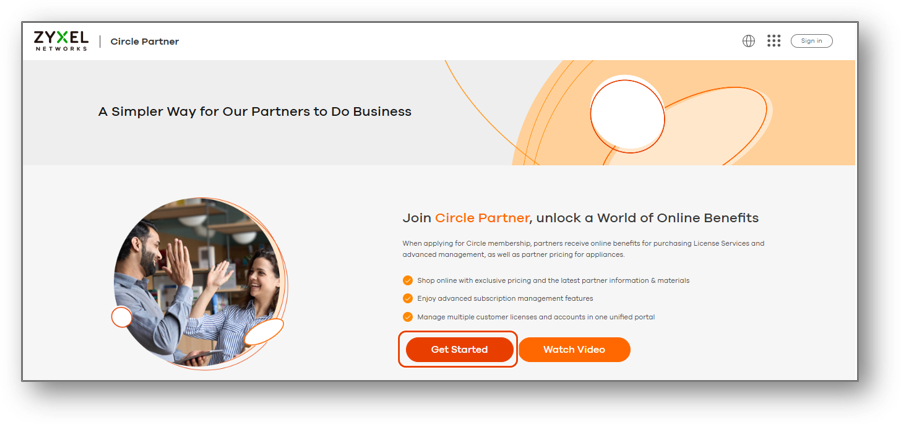
Step 2: After registering and becoming a Circle Partner, click the link to access Pay As You Go settings directly or click the banner on the dashboard to start activation.
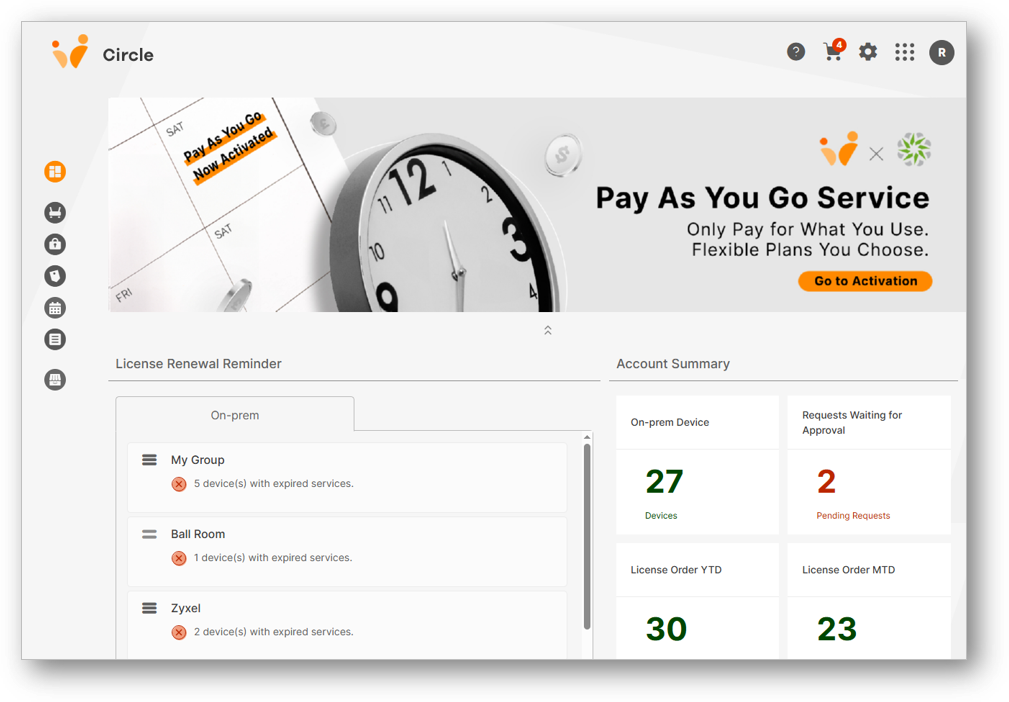
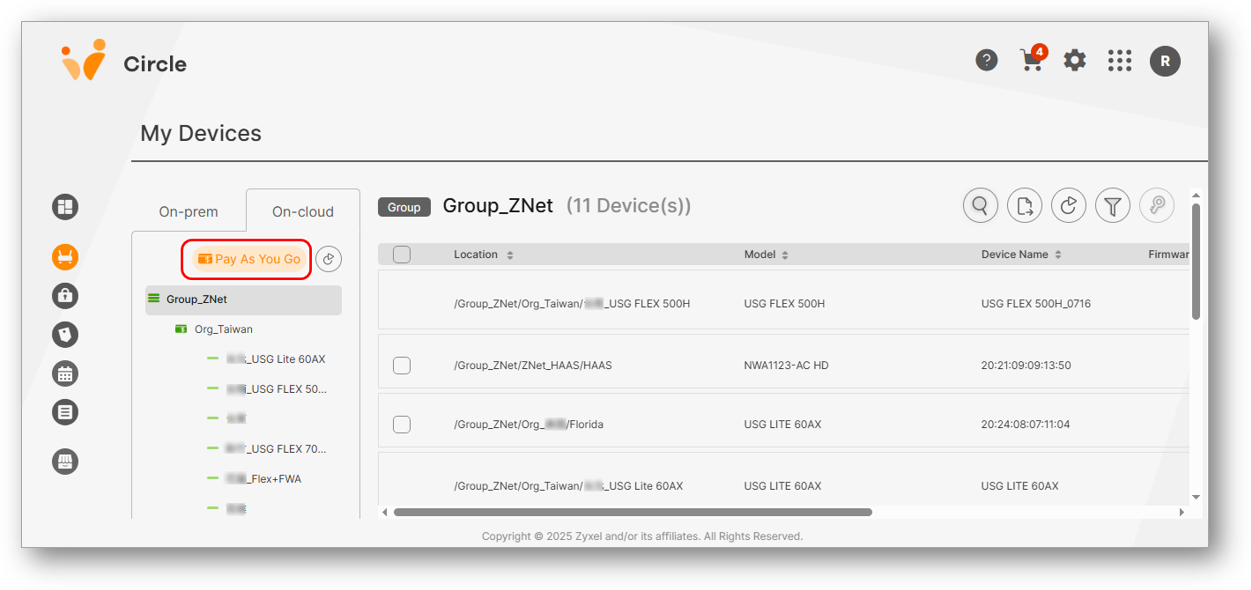
(Note: If you are already in the Circle Portal, you can also click 'My Devices' on the menu bar, switch to 'On-cloud', and you’ll see the 'Pay As You Go' button.)
Step 3-1: If your account is already connected to Nebula cloud, click the “Pay As You Go” button to enable the service. Once activated, your PAYG setup is complete, and you can manage your licenses flexibly at any time.
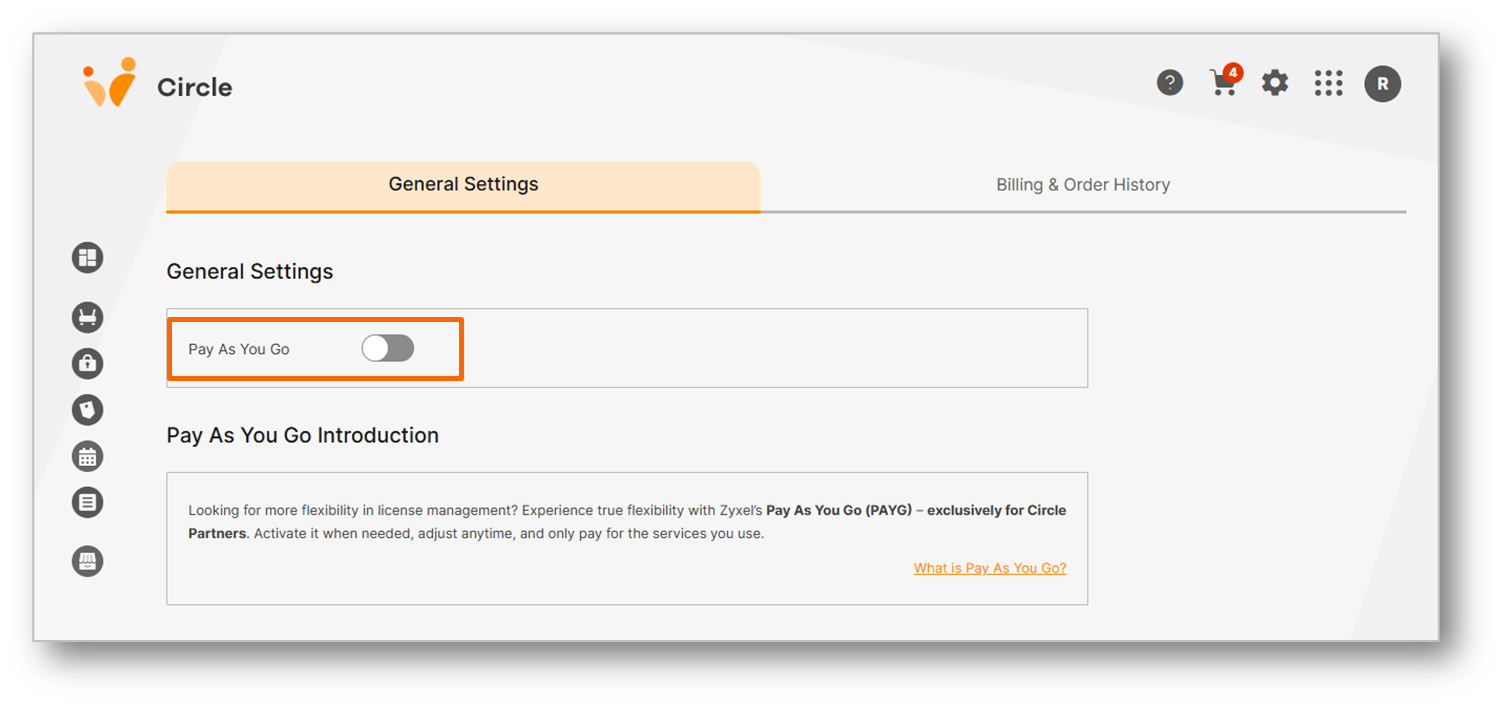
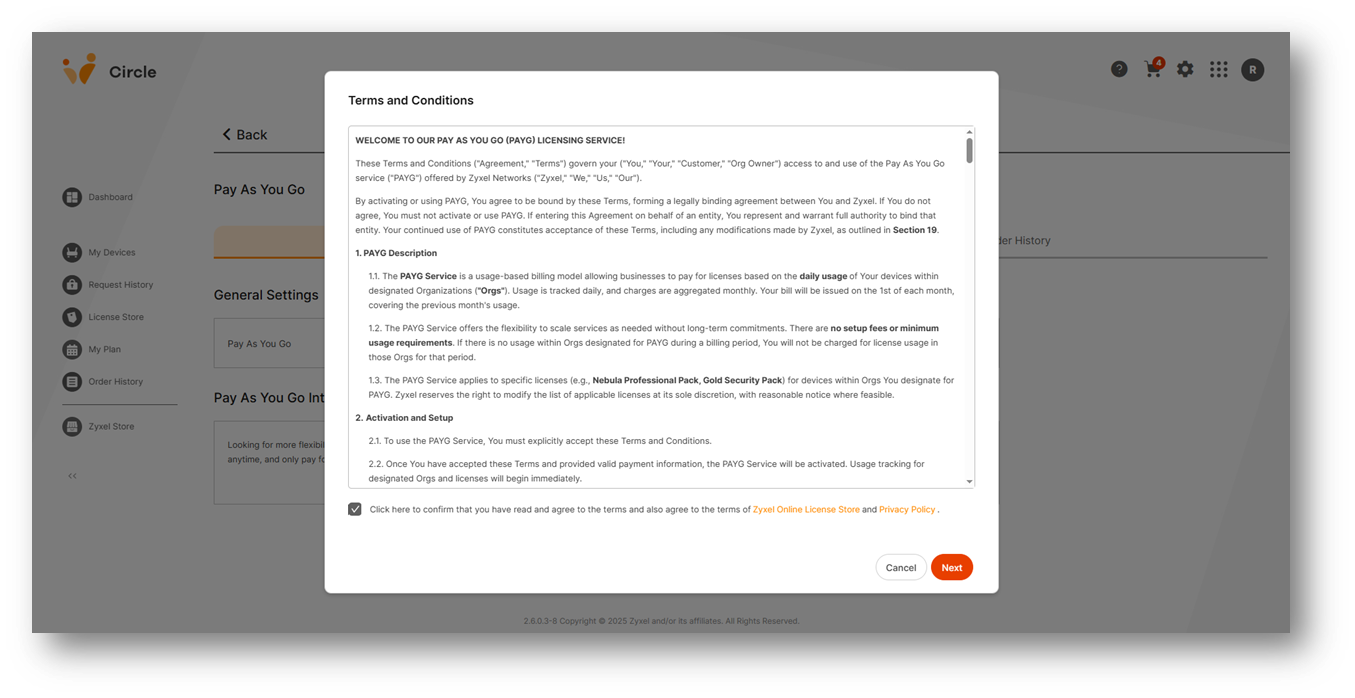
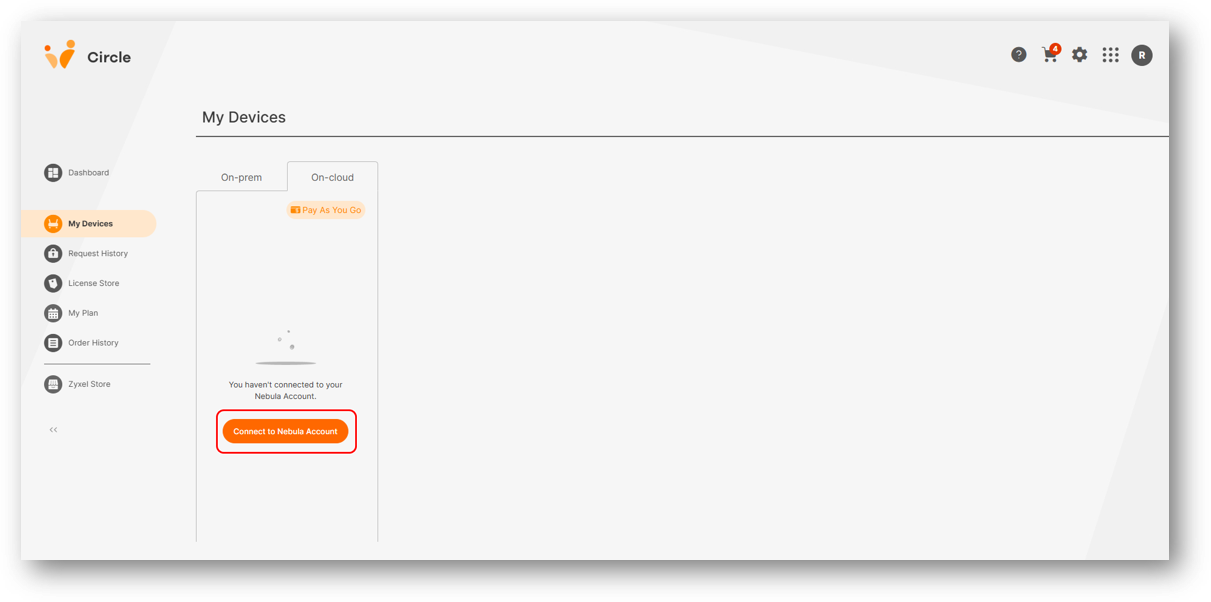
Step 3-2: If your account is not connected to Nebula cloud, click "Connect to Nebula Account."
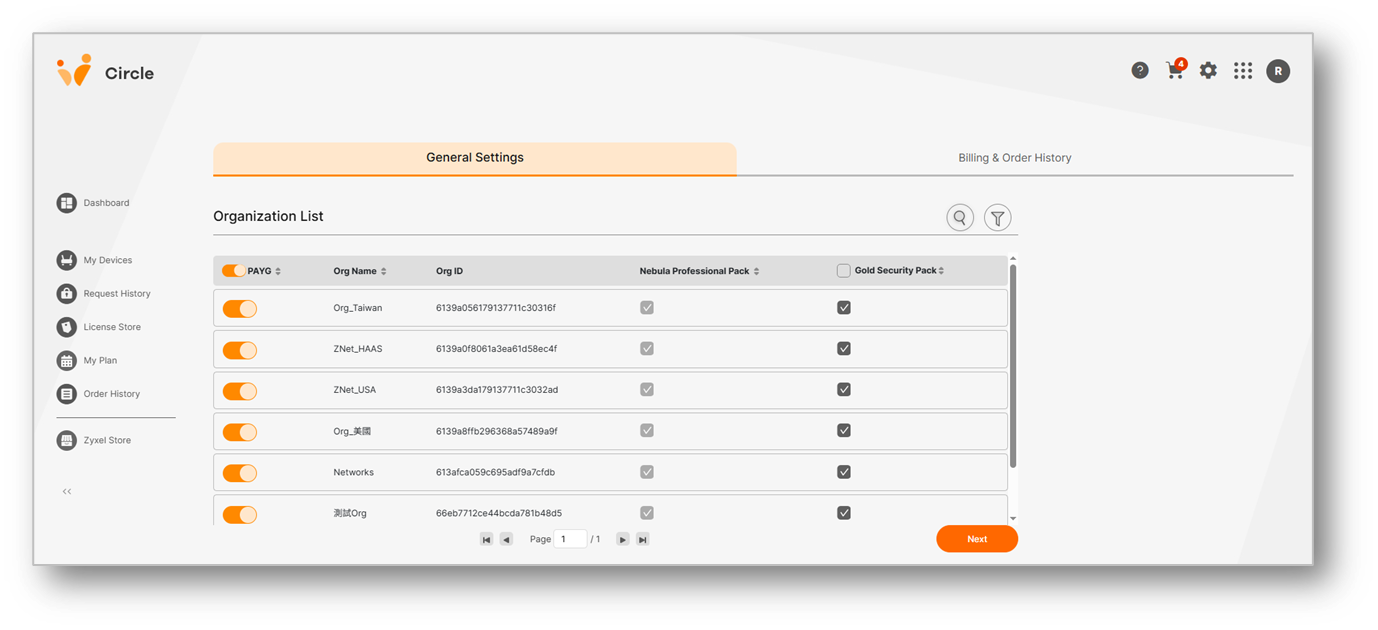
Step 4: View all Organizations and Sites synced from Nebula, then click the “Pay As You Go” button to enable the service. Once activated, your PAYG setup is complete, and you can manage your licenses flexibly at any time.
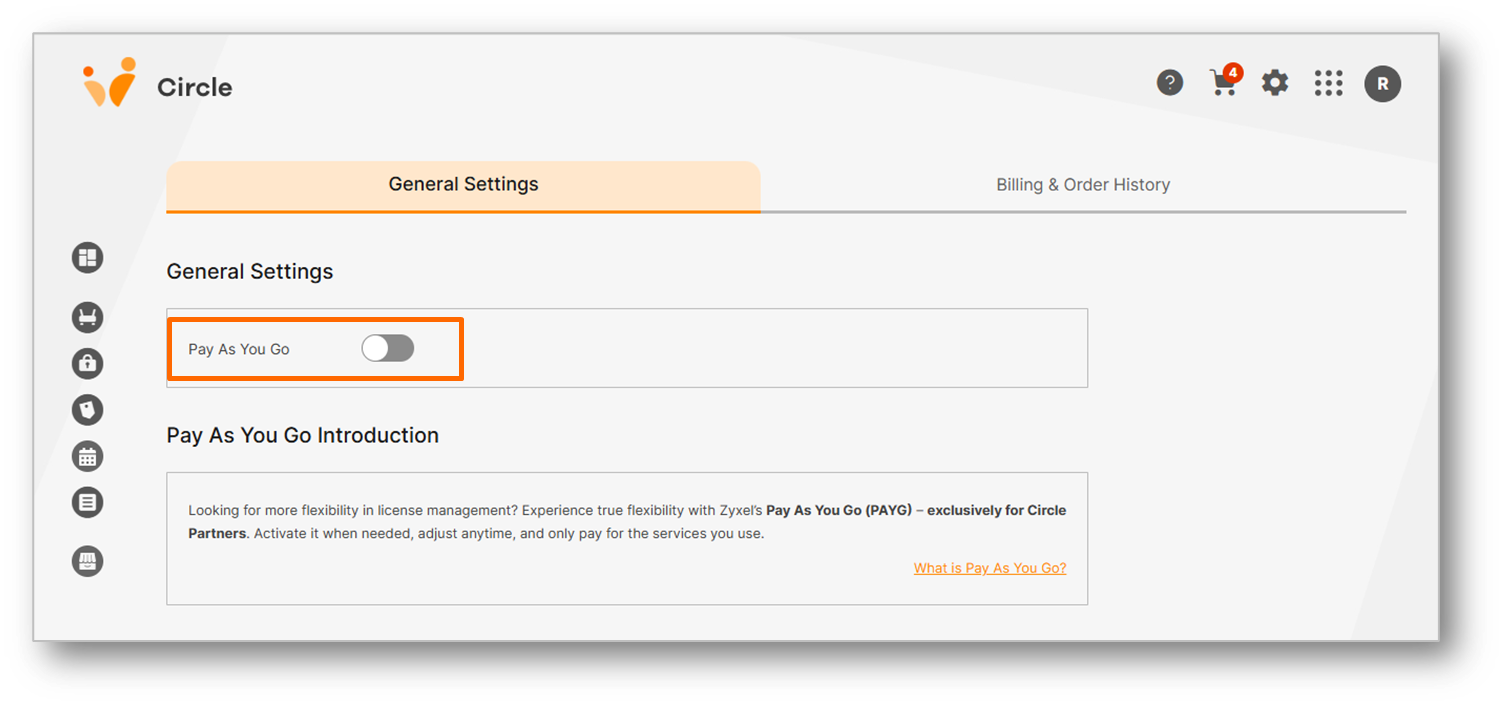
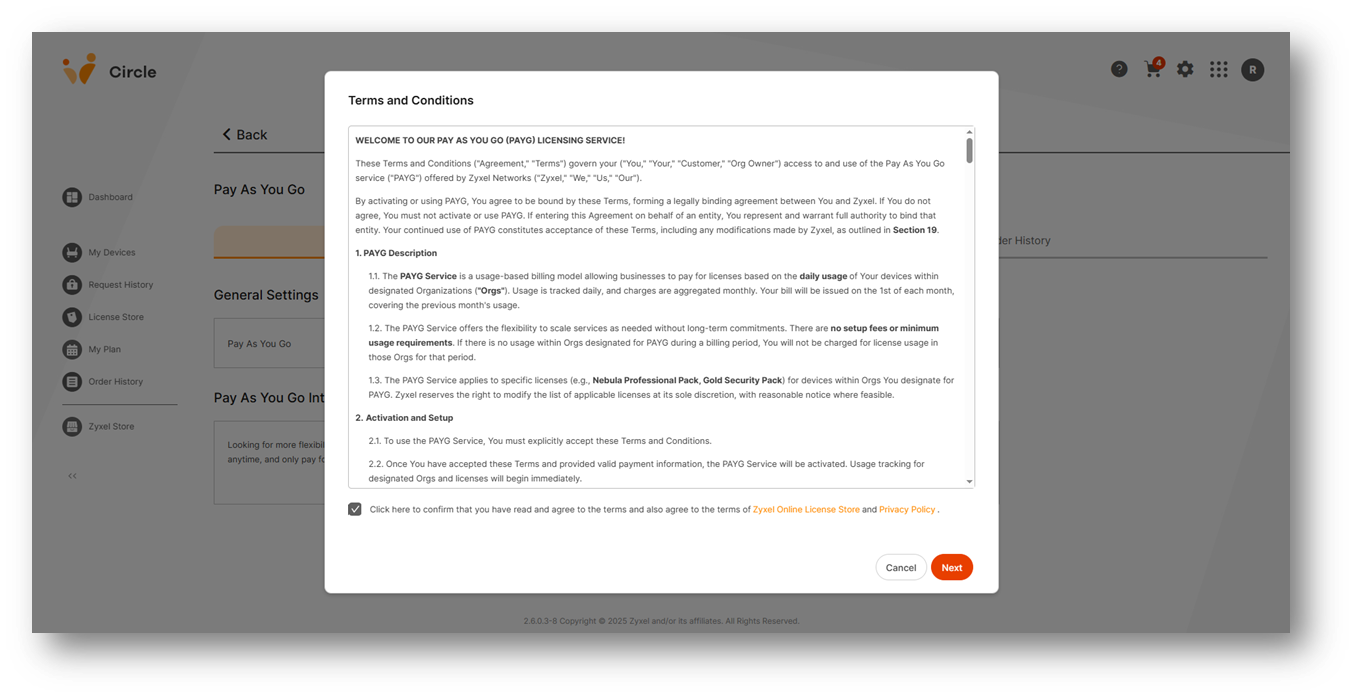
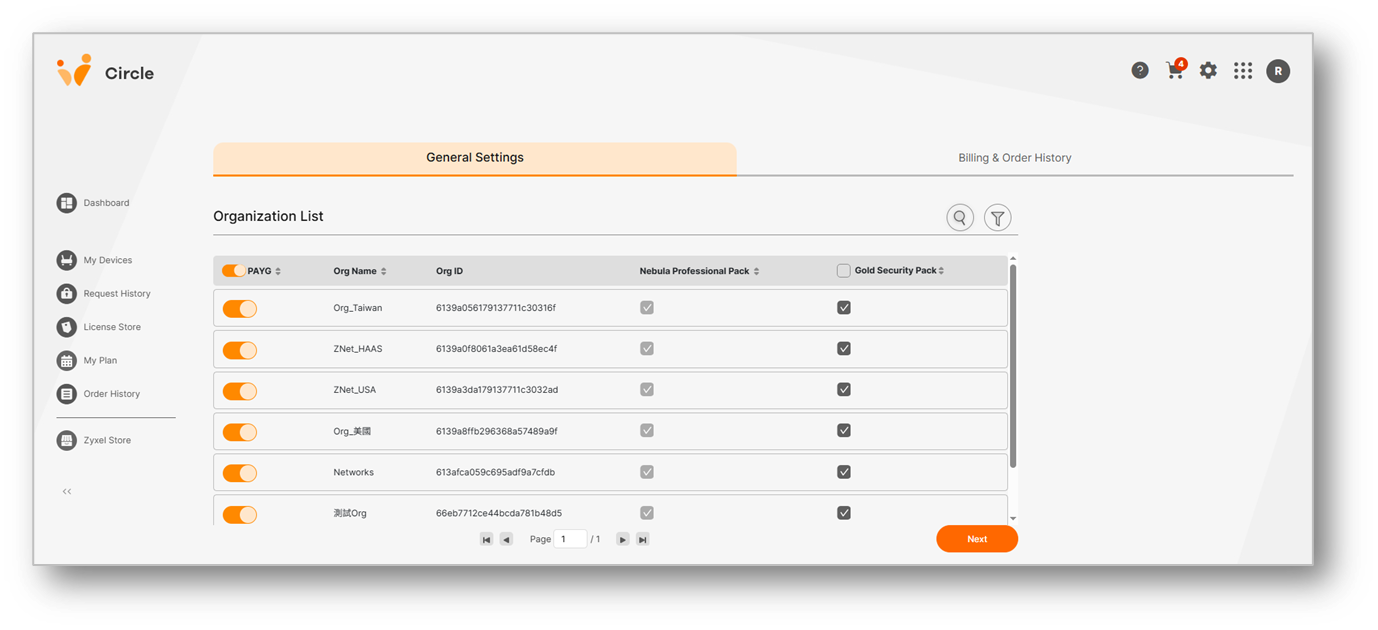
👉️Ready to go? Activate Pay As You Go on the Circle Portal
✅Find what others are asking — dive into the > FAQ and >Datasheet
📍Explore short PAYG videos for setup, management and billing guidance
Categories
- All Categories
- 442 Beta Program
- 3.1K Nebula
- 243 Nebula Ideas
- 6.8K Security
- 781 USG FLEX H Series
- 387 Security Ideas
- 1.8K Switch
- 87 Switch Ideas
- 1.5K Wireless
- 58 Wireless Ideas
- 7.2K Consumer Product
- 324 Service & License
- 527 News and Release
- 101 Security Advisories
- 31 Education Center
- 10 [Campaign] Zyxel Network Detective
- 5.3K FAQ
- 34 Documents
- 91 About Community
- 121 Security Highlight