How to check ip passthroughp disabled /enabled on Nebula ?
Options

Zyxel_JoyLee
Posts: 200  Zyxel Employee


Zyxel Employee
Navigate to Site-side > Devices > Mobile router > Cellular IP Passthrough
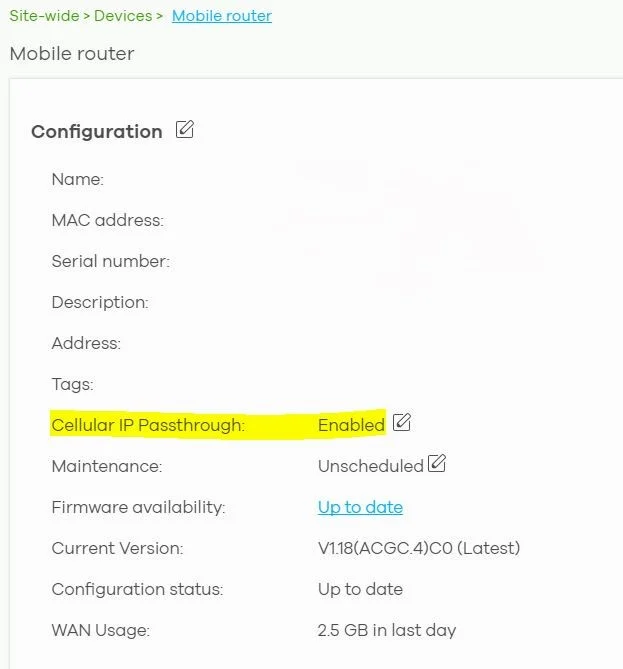
You can disable the Cellular IP Passthrough feature by following the steps below:
1. Log into the local GUI of your Zyxel FWA710 router.
Enter your credentials to access the device. You can find the admin password in Nebula Cloud Center under Site-wide > Configure > General Settings if needed.
2. Go to Broadband > Cellular APN and look for the IP Passthrough option.
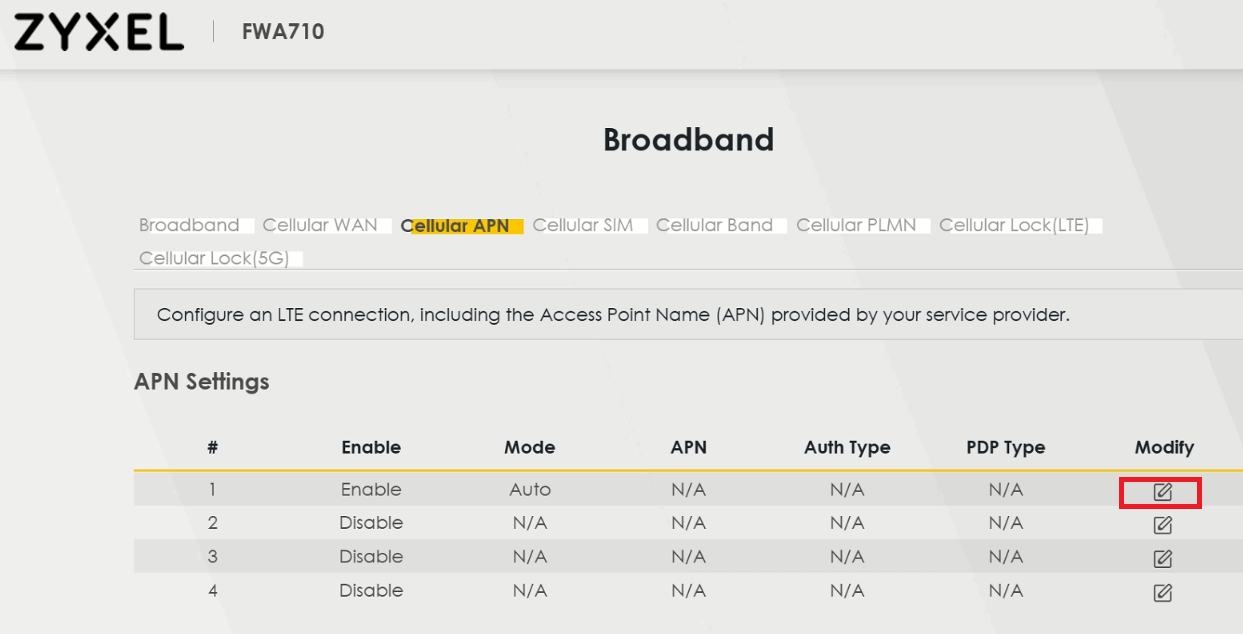
3. Disable IP Passthrough to switch the device to Router mode.
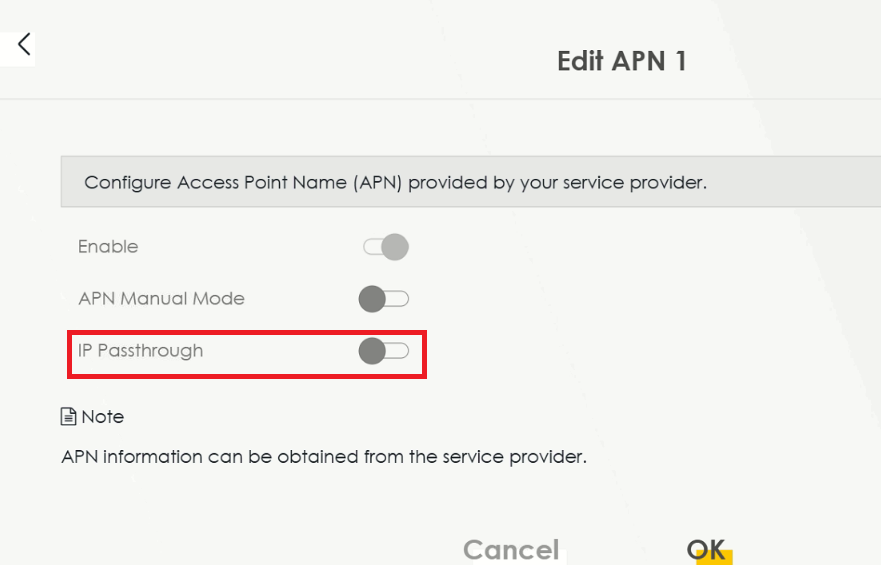
4. Save the settings and restart the router.
After making these changes, check if the devices in your network are able to obtain IP addresses as per your LAN settings.
0
Categories
- All Categories
- 442 Beta Program
- 3.1K Nebula
- 237 Nebula Ideas
- 6.8K Security
- 745 USG FLEX H Series
- 377 Security Ideas
- 1.8K Switch
- 87 Switch Ideas
- 1.5K Wireless
- 58 Wireless Ideas
- 7.2K Consumer Product
- 319 Service & License
- 512 News and Release
- 99 Security Advisories
- 31 Education Center
- 10 [Campaign] Zyxel Network Detective
- 5.3K FAQ
- 34 Documents
- 91 About Community
- 119 Security Highlight