How to create SSID and set Wi-Fi password on USG FLEX H AP controller?
Options

Zyxel_Jami
Posts: 246




 Zyxel Employee
Zyxel Employee
in SSID
The AP Controller on USG FLEX H allows you to create and manage up to 8 SSIDs.
Go to Wireless > WLAN Settings > SSID Settings.
If your AP is an SB-series model and your topology is simple, we recommend using Simple Mode for quick setup.
Steps:
- Click the Enable button for the SSID profile.
- Enter your preferred SSID name.
- Select the WLAN Security type:
- Open
- Password
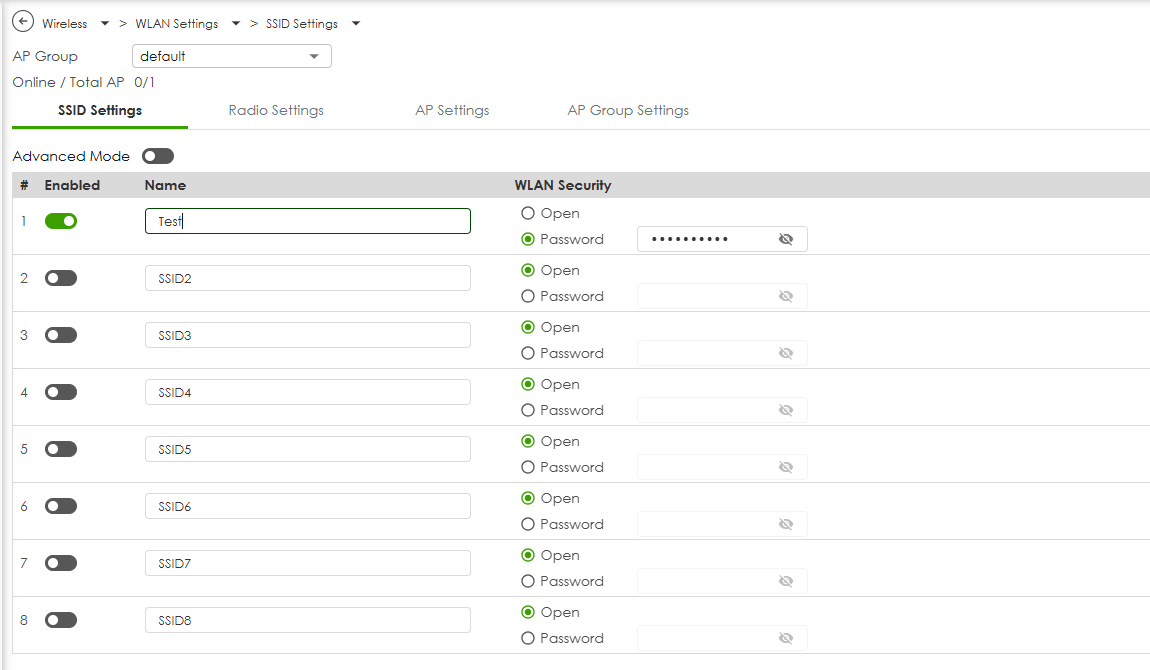
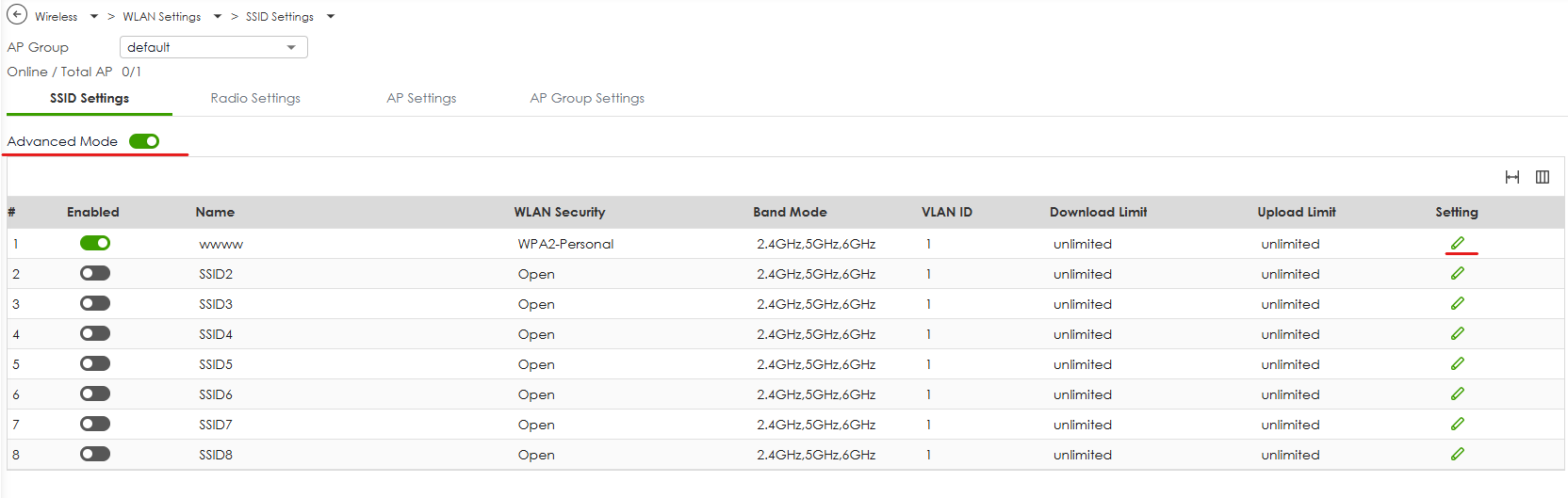
If you require additional settings such as VLAN assignment, Band Mode, or Security Options:
- Switch to Advanced Mode.
- Click Edit settings for the SSID you want to customize.
- Adjust the advanced parameters as needed.
0


Categories
- All Categories
- 442 Beta Program
- 3.1K Nebula
- 242 Nebula Ideas
- 6.8K Security
- 779 USG FLEX H Series
- 387 Security Ideas
- 1.8K Switch
- 87 Switch Ideas
- 1.5K Wireless
- 58 Wireless Ideas
- 7.2K Consumer Product
- 324 Service & License
- 527 News and Release
- 101 Security Advisories
- 31 Education Center
- 10 [Campaign] Zyxel Network Detective
- 5.3K FAQ
- 34 Documents
- 91 About Community
- 121 Security Highlight