How to configure syslog for FWA505?
Options

Zyxel_Jami
Posts: 246  Zyxel Employee




Zyxel Employee
You can configure your Zyxel FWA505 to send logs to a syslog server by following these steps, and ensure your server is properly set up:
- On the Zyxel FWA505 Device
- Access the FWA505’s local web GUI.
- Navigate to Maintenance > Log Setting.
- Under the Mode setting, select either "Remote" or "Local File and Remote".
- Enter the IP address of your syslog server accordingly.
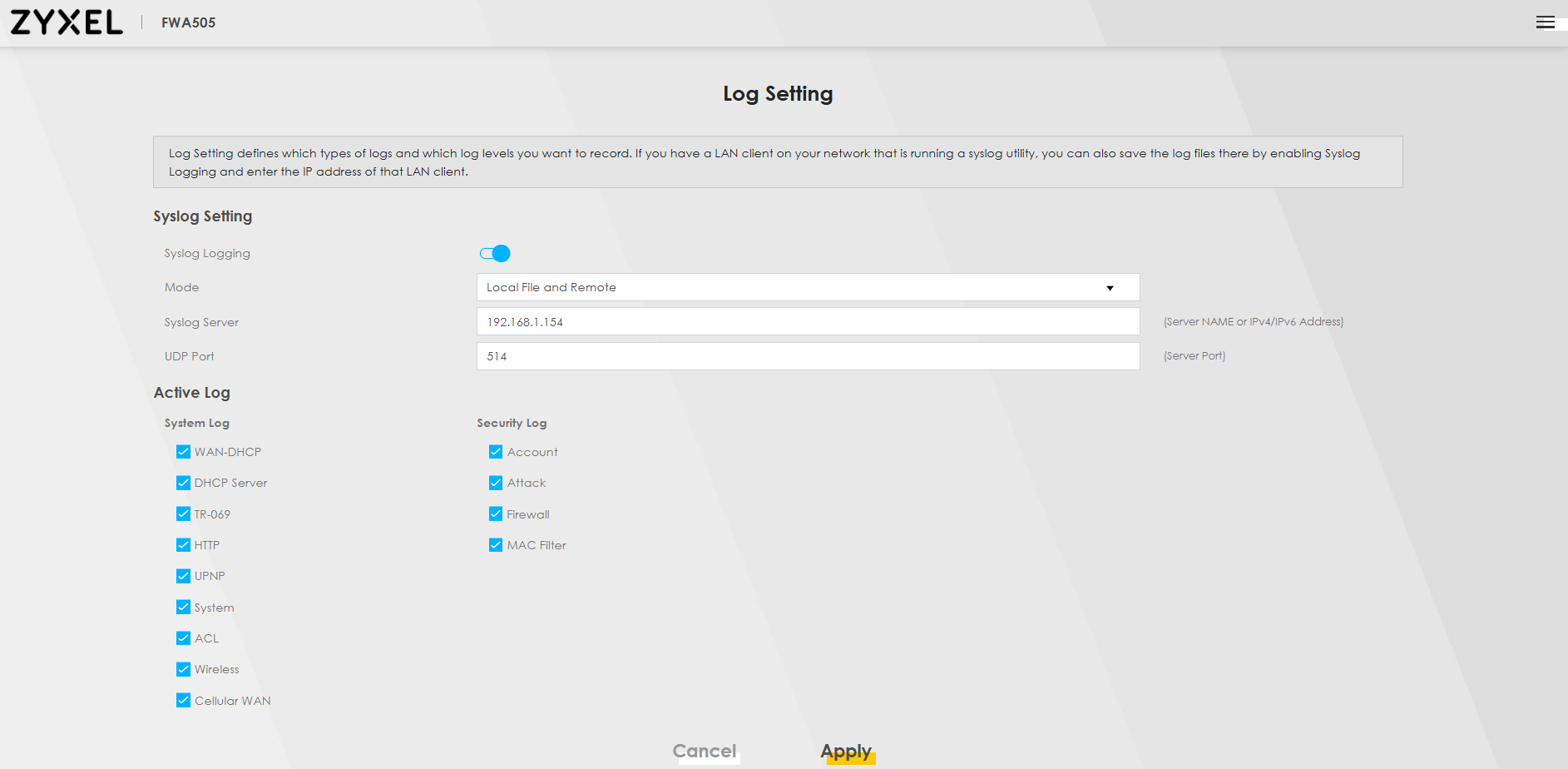
- On the Syslog Server (e.g., Windows Server 2025 VM on VMware)
- Ensure a compatible syslog server application is installed and actively listening.
- Verify that the Windows Server firewall allows incoming traffic on the designated syslog port, which is typically UDP 514.
0
Categories
- All Categories
- 442 Beta Program
- 3.1K Nebula
- 237 Nebula Ideas
- 6.8K Security
- 745 USG FLEX H Series
- 377 Security Ideas
- 1.8K Switch
- 87 Switch Ideas
- 1.5K Wireless
- 58 Wireless Ideas
- 7.2K Consumer Product
- 319 Service & License
- 512 News and Release
- 99 Security Advisories
- 31 Education Center
- 10 [Campaign] Zyxel Network Detective
- 5.3K FAQ
- 34 Documents
- 91 About Community
- 119 Security Highlight