How to transfer MSP license to another account?
Options

Zyxel_HsiuTe
Posts: 63  Zyxel Employee




Zyxel Employee
Q:
How to transfer MSP license to another account?
A:
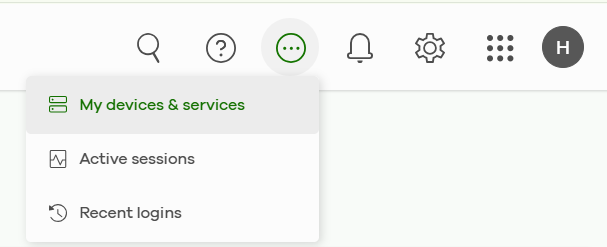
Log in to Zyxel Nebula using your MSP master account, and then go to "My devices & services".
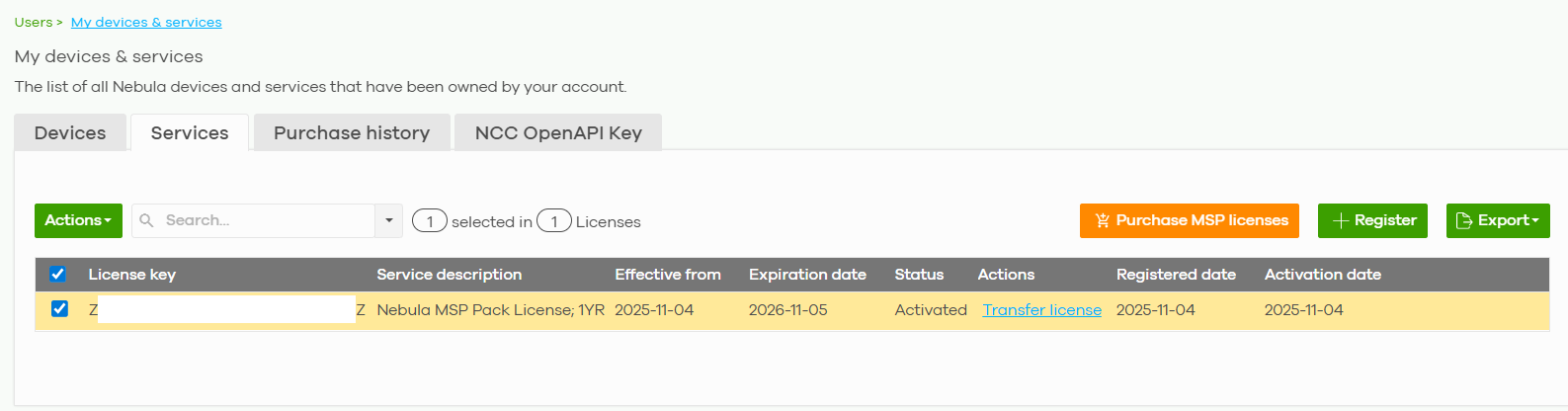
Select the Service tab, check the checkbox for the MSP license you would like to transfer and then click Actions.
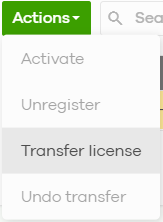
Click transfer License.
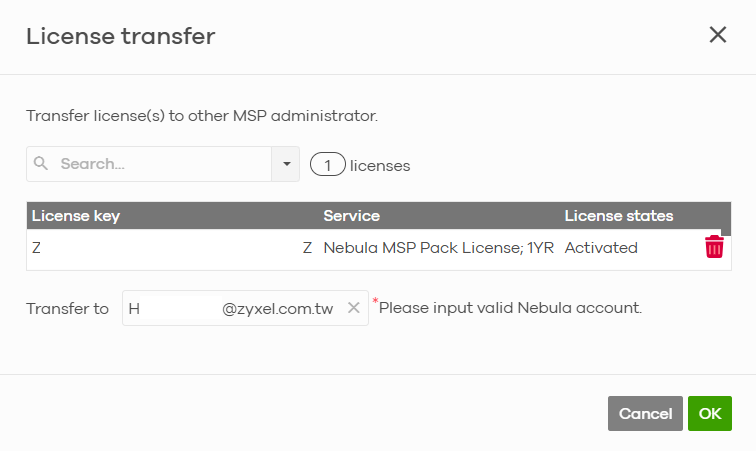
Please enter the account for which you want to transfer the license.
You will see the license status displayed as "Transferring," indicating that the receiving account has not yet accepted the MSP license.
Please inform the receiving account to log in to Nebula to accept the license.
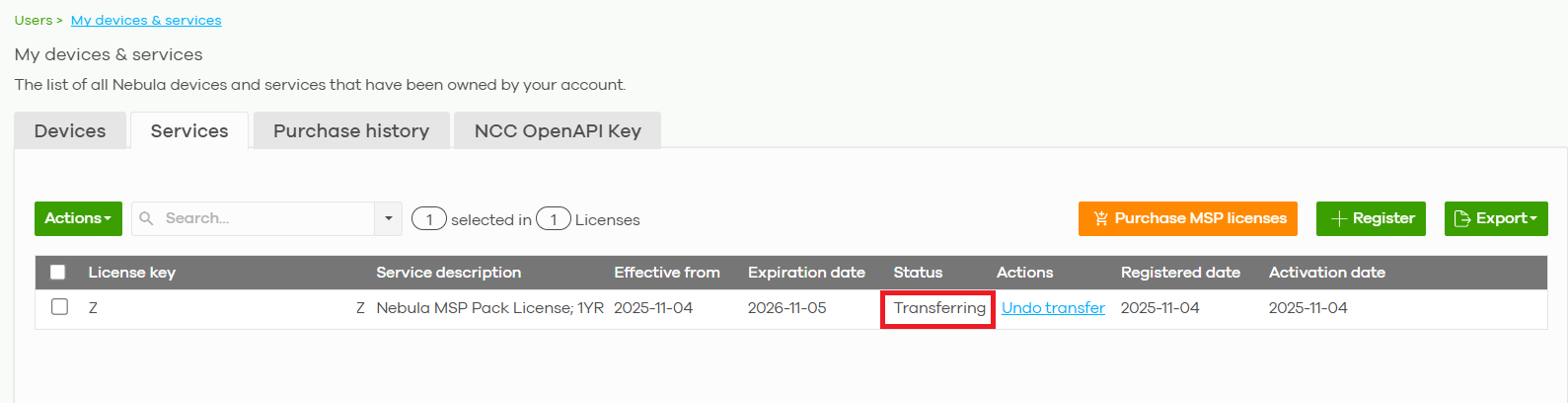
Once the receiving account click "Yes", the license transfer is complete.

If you can't find the message on banner, please follow these steps:
- Refresh NCC webpage first.
- Do the transfer again (click undo transfer and click transfer).
0
Categories
- All Categories
- 442 Beta Program
- 3K Nebula
- 234 Nebula Ideas
- 6.7K Security
- 692 USG FLEX H Series
- 365 Security Ideas
- 1.8K Switch
- 87 Switch Ideas
- 1.4K Wireless
- 56 Wireless Ideas
- 7.1K Consumer Product
- 312 Service & License
- 508 News and Release
- 97 Security Advisories
- 31 Education Center
- 10 [Campaign] Zyxel Network Detective
- 5.1K FAQ
- 34 Documents
- 89 About Community
- 114 Security Highlight