Migration ATP700 to USG FLEX 700H

 Ally Member

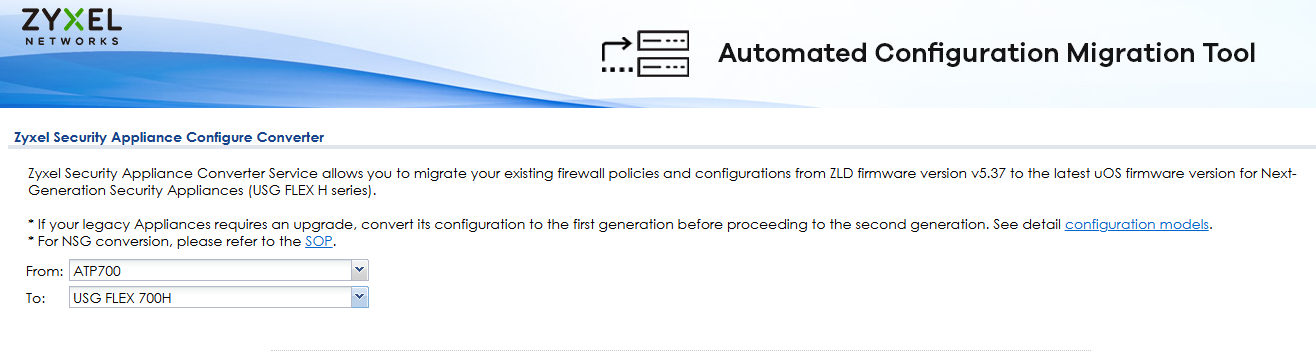
Hello, I performed a configuration migration from an ATP700 to a USG FLEX 700H.
After installing the USG FLEX 700H on the client and replacing the ATP700, the USG FLEX 700H is not working correctly.
The firewall stops (without restarting) and becomes inaccessible via WANs and LANs for a few minutes before starting to work again.
There are also multiple errors in the debug log. What can I do?
All Replies
-
Hi @Pedroj,
I understand you're experiencing issues with your USG FLEX 700H after migrating the configuration from an ATP700, where the firewall becomes inaccessible and shows errors in the debug log.
Here are some steps you can take to troubleshoot this issue:
- Review Configuration Converter Limitations: The Zyxel Security Appliance Configure Converter allows migration of existing firewall policies and configurations from ZLD firmware to the latest uOS firmware for USG FLEX H series. However, not all features map 1:1, and some settings might be adjusted, restructured, or removed. It's crucial to review the detailed log file from the conversion to check what was successfully migrated and if any features are not supported on the USG FLEX 700H.
- Check for Device HA Conflicts: If your ATP700 had Device HA (High Availability) enabled, importing that configuration to the USG FLEX 700H could lead to issues. When a configuration with Device HA enabled is imported, the receiving firewall automatically disables Device HA, but all other settings are retained. Device HA must be manually enabled again if needed. If the device was set as Secondary in the imported configuration, it could enter a "Waiting for Deployment" state, making all ports go down.
- Validate the Configuration File: Zyxel devices require a complete configuration file to be imported; partial configurations are not directly supported. If you edited the configuration file before importing, ensure it's properly formatted and nested within the existing structure to avoid import failures or device instability.
- Perform a Configuration Test: Before applying a modified configuration, many Zyxel devices have a "Test" button within the configuration import section that analyzes the file for errors. Utilize this feature if available.
- Collect Diagnostic Logs: To help pinpoint the cause of the instability, collect diagnostic information from your USG FLEX 700H.
- Enable Kernel-Level Logging: Connect a PC to the USG FLEX 700H via console cable. Access the CLI and enter
cmd debug kernel console-level 8to activate console-level 8 logging. Keep this running to collect logs when the issue occurs. - Collect Diag-info: After the firewall experiences the issue, navigate to
Maintenance > Diagnostics > Diagnosticsin the GUI and click "Collect Now" to gather the diagnostic log (diag-info). If the device becomes unresponsive, try to collect the diag-info before manually restarting it. If that's not possible, use "send break +x" via TeraTerm before restarting, and then collect diag-info again after it boots up.
- Enable Kernel-Level Logging: Connect a PC to the USG FLEX 700H via console cable. Access the CLI and enter
To further assist you, please provide the following information:
- Firmware Version: The current firmware version running on your USG FLEX 700H.
- Network Topology Map: A simple diagram showing how the USG FLEX 700H is connected to your network.
- Error Message Screenshots: Any screenshots of specific error messages appearing in the debug logs.
- Conversion Log File: The detailed log file generated by the Zyxel Security Appliance Configure Converter.
- Console Log and Diagnostic Log: The collected console log and diag-info files.
This information will allow for a more in-depth analysis of the problem.
This AI response aims to provide initial troubleshooting steps and identify information needed for further diagnosis. Feel free to share additional details based on the suggestions above — this will help community members offer more targeted assistance.
If you have feedback or idea about this AI assistant, share them in Community Feedback.0 -
Hi @Pedroj,
Regarding your comment that “the firewall stops (without restarting) and becomes inaccessible via WANs and LANs for a few minutes before starting to work again”, this behavior may indicate that the USG FLEX 700H becomes temporarily inaccessible while applying the migrated configuration.
To help us better understand the situation, could you please help confirm the following:
- Is the device currently operating normally?
- If it is now stable, could you describe in more detail the sequence of events when the issue occurred?
- If the issue is still ongoing, please provide the configuration files from both the ATP700 and the USG FLEX 700H so we can compare and verify whether any migrated settings may be causing the problem.
This information will help us narrow down the root cause more effectively.
Zyxel Tina
0 -
Hi Tina, since I was having problems, I did a complete programming run without loading the ATP700 backup.
I couldn't wait for the change.
The USG700H is at the client's site and the same problem persists even though the programming hasn't been migrated.
WAN and LAN access is lost, even though the USG700H doesn't restart, but LAN-WAN access is lost for a few minutes.
We need a quick solution to this problem. Log attached.It seems the zone kernel has an error and is becoming inaccessible.
0 -
Hi Pedroj.
We previously experienced a similar problem, but in that case, the issue was that Enable Connectivity Check was active on one of the interfaces of the ATP device. When we transferred it to the H series, Enable Connectivity Check was active on all Ethernet interfaces in the H series, and the IP address was available. Therefore, the connection was being lost. Have you checked the Enable Connectivity Check status on all Ethernet interfaces?
0 -
Yes, I've checked and it's disabled in all zones. It's only active in the WAN.
0 -
Hi @Pedroj,
Thank you for providing the information. We have received your details and will review them to better understand the issue you are experiencing.
Meanwhile, we also noticed that you have created a support ticket for this case. To ensure efficient tracking and communication, we will mainly follow up and provide updates through that ticket. If any additional information is required during the investigation, we will reach out to you.
Thank you for your patience and cooperation. We will keep you updated as soon as we have further findings.
Zyxel Tina
0 -
Gracias, espero pronta respuesta.
0

 Zyxel Community Virtual Assistant






 Freshman Member

Categories
- All Categories
- 442 Beta Program
- 3.1K Nebula
- 234 Nebula Ideas
- 6.7K Security
- 731 USG FLEX H Series
- 372 Security Ideas
- 1.8K Switch
- 87 Switch Ideas
- 1.5K Wireless
- 57 Wireless Ideas
- 7.1K Consumer Product
- 319 Service & License
- 511 News and Release
- 99 Security Advisories
- 31 Education Center
- 10 [Campaign] Zyxel Network Detective
- 5.2K FAQ
- 34 Documents
- 89 About Community
- 117 Security Highlight



