1.37 uOS - no visible line for new Service on Nebula





 Guru Member
Hello everyone,
when you go here:

to add a new Service you click on Add:

but the line is NOT visible.
To see it you have to click on Results per page:
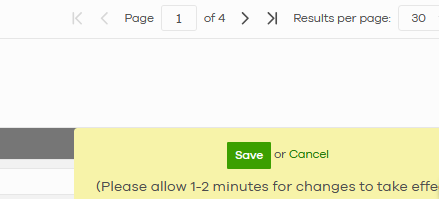
And then wait for the new refresh page:

In this way you have to wait for the entire list of Services instead of placing just the port number you need and go on.
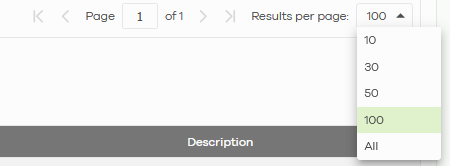
If you have to add another new service to that list you have to click "Add" and click again on "Results per page" to see the new line:
The same issue when you use Security Policies from Nebula:
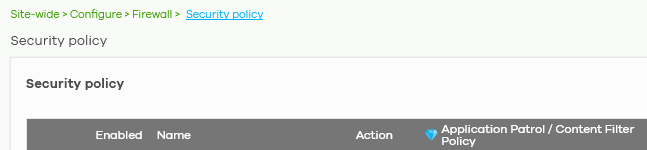
And you have to manually move the rule:

It seems to me not efficient to manage new lines like that.
All Replies
-
Hi @GiuseppeR,
Thank you for reporting this behavior with adding new services and security policies in Nebula for your USG FLEX H Series device.
This appears to be a user interface rendering issue within the Nebula Control Center when managing objects and security policies.
Here are some initial steps and information we require to further investigate this:
Temporary Workaround for Adding Services/Policies:
- When adding a new Service or Security Policy, click "Add."
- If the new line is not immediately visible, click on the "Results per page" dropdown and select a different value (e.g., change from 30 to 100, or vice versa). This action should force a refresh of the page and make the newly added line visible.
- You can then configure the new entry.
Information Collection Guide:
Please provide the following details to help us diagnose the root cause:- Device Model: (e.g., USG FLEX 100H)
- Firmware Version: This can be found in the Nebula Control Center under
Site-wide > Monitor > Firewallsor on the local GUI of the device. (Note: Ensure your firmware is up to date, as Zyxel frequently releases updates with GUI enhancements and bug fixes.) - Screenshots: You have already provided excellent screenshots, which are very helpful.
- Nebula Organization and Site Name: To enable our support team to directly view your cloud environment configuration, please follow these steps to grant us access:
- In the Nebula Control Center, navigate to
Help > Support Request. - Enable Zyxel Support Access.
This action authorizes the Zyxel support team to directly view your cloud environment configuration, significantly shortening troubleshooting time.
- In the Nebula Control Center, navigate to
We appreciate your patience and cooperation as we work to resolve this.
This AI response aims to provide initial troubleshooting steps and identify information needed for further diagnosis. Feel free to share additional details based on the suggestions above — this will help community members offer more targeted assistance.
If you have feedback or idea about this AI assistant, share them in Community Feedback.0 -
Hi @GiuseppeR
Thanks for pointing this with us. For this issue, I have raised a enhance request with our team. And below is the idea post link for our team to monitor the comments and votes to evaluate the priority.
Enhanced the behavior when add new item/object on Nebula — Zyxel Community
Zyxel Melen0 -
Hi @Zyxel_Melen
thanks for your great support
0



 Zyxel Community Virtual Assistant


Categories
- All Categories
- 442 Beta Program
- 3.1K Nebula
- 242 Nebula Ideas
- 6.8K Security
- 777 USG FLEX H Series
- 387 Security Ideas
- 1.8K Switch
- 87 Switch Ideas
- 1.5K Wireless
- 58 Wireless Ideas
- 7.2K Consumer Product
- 324 Service & License
- 526 News and Release
- 101 Security Advisories
- 31 Education Center
- 10 [Campaign] Zyxel Network Detective
- 5.3K FAQ
- 34 Documents
- 91 About Community
- 121 Security Highlight


