Cannot edit email id on Nebula account

 Freshman Member
Hello!
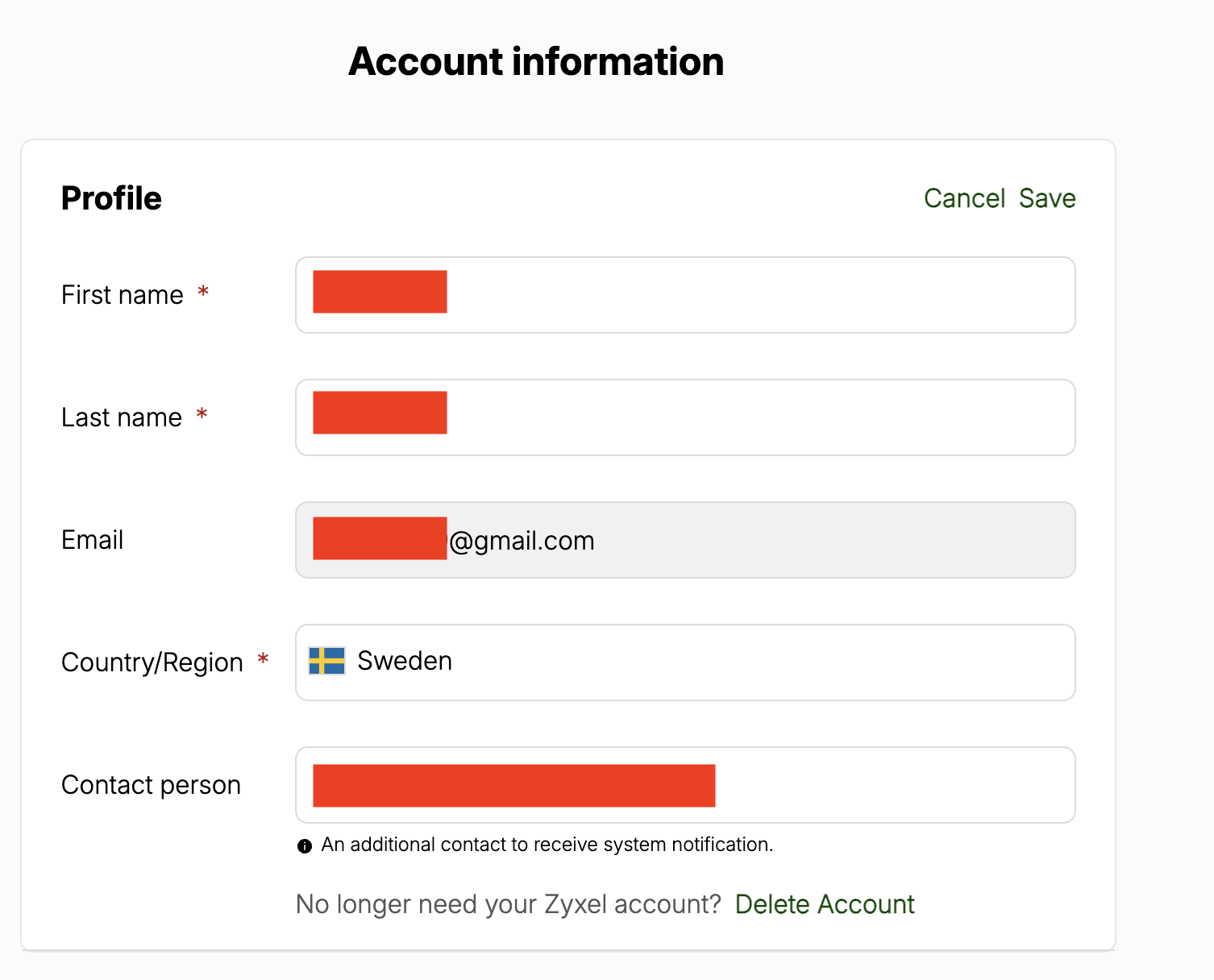
My Nebula account is currently connected to a google account and i want to change this, but in my account setup page when i try to edit the email that field is greyed out. I am able to chance Name, Country, and Contact person, but not the email.
Would appreciate help fixing this. Thanks
All Replies
-
Hi @k9coliving,
It sounds like you're encountering a common issue when your Nebula account is linked to a Google account, preventing you from directly editing your email address in the profile settings. This often happens because the login and account management are handled by Google's authentication system.
Here's how you can address this:
- Understand the Limitation with Google SSO: When your Zyxel Nebula account is connected via Google Single Sign-On (SSO), changes to your email address are managed through your Google account, not directly within Nebula's profile settings. The email field appears greyed out because Google handles the primary authentication.
- Transfer Organization Ownership: The recommended solution to effectively "change" the email associated with your Nebula management is to transfer the organization ownership to a new Nebula account that uses the desired email address.
- Create a new Nebula account with the email address you wish to use.
- In your existing Nebula account, navigate to
Organization-wide > Administrators. - Create an administrator account using your new email address.
- Select your current owner account and use the "Change Owner" button to transfer ownership to the new administrator account.
Information Collection Guide:
To help us investigate further if the above steps do not resolve your issue, please provide the following:
- Nebula Organization and Site Name: This allows our support team to locate your specific cloud environment.
- Enable Zyxel Support Access: Please enable Zyxel Support Access via
Help > Support Requestin your Nebula console. This grants our team temporary permission to view your cloud environment configuration, which significantly speeds up troubleshooting.
This AI response aims to provide initial troubleshooting steps and identify information needed for further diagnosis. Feel free to share additional details based on the suggestions above — this will help community members offer more targeted assistance.
If you have feedback or idea about this AI assistant, share them in Community Feedback.0 -
Hi @k9coliving,
May I confirm if your issue has been resolved?
For privacy and account security reasons, feel free to PM me for further assistance.
Zyxel Tina
0

 Zyxel Community Virtual Assistant








Categories
- All Categories
- 442 Beta Program
- 3K Nebula
- 234 Nebula Ideas
- 6.7K Security
- 691 USG FLEX H Series
- 365 Security Ideas
- 1.8K Switch
- 87 Switch Ideas
- 1.4K Wireless
- 56 Wireless Ideas
- 7.1K Consumer Product
- 312 Service & License
- 506 News and Release
- 97 Security Advisories
- 31 Education Center
- 10 [Campaign] Zyxel Network Detective
- 5.1K FAQ
- 34 Documents
- 89 About Community
- 114 Security Highlight
